2OM-1064-002.pdf - 第170页
0004-001 4-8 Tg0247-PM-PM
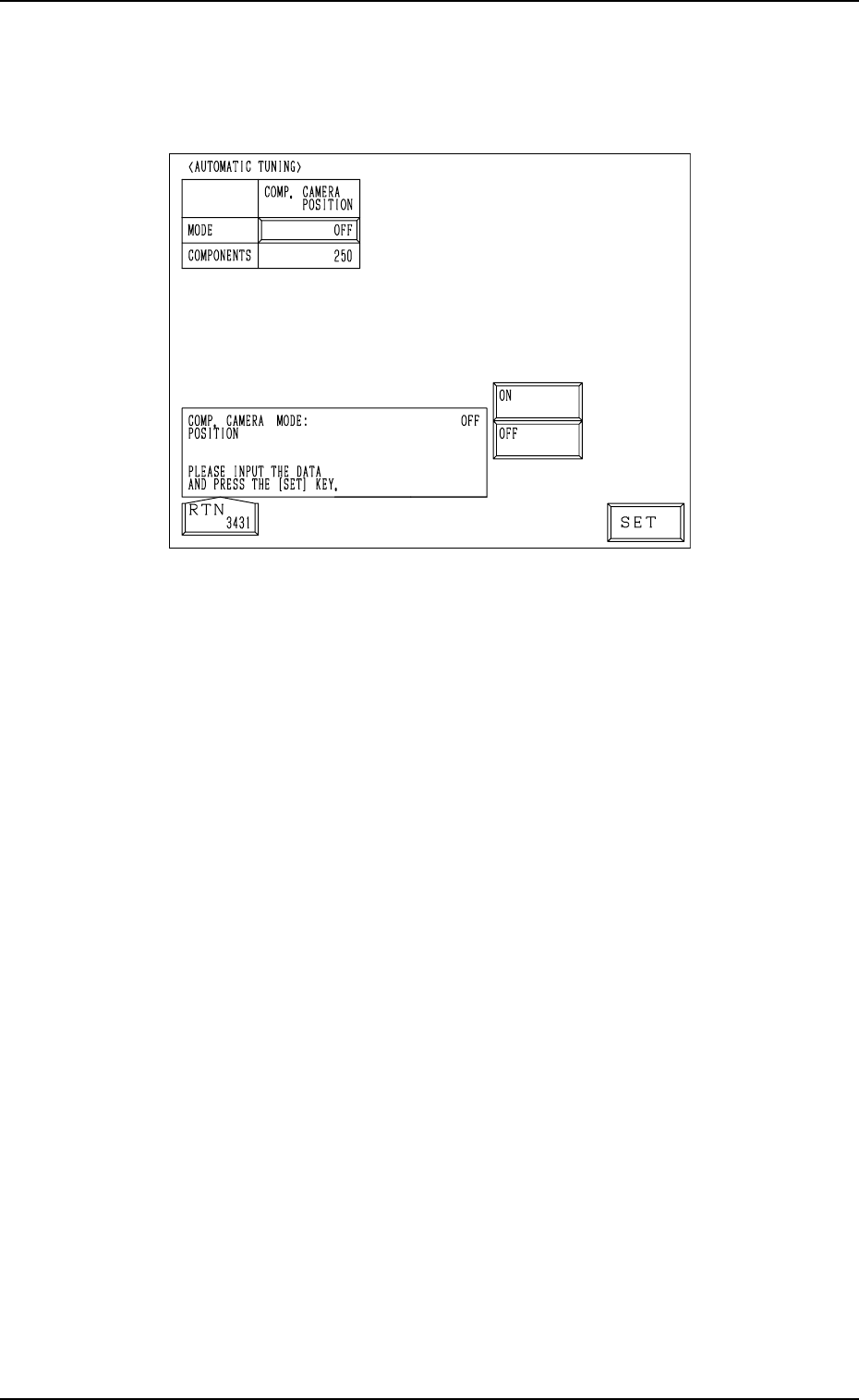
4. AUTOMATIC TUNING Display
When the [AUTOMATIC TUNING] key is pressed at the “AUTO OPERA-
TION SET-UP” display, the following display appears on the screen.
4. AUTOMATIC TUNING Display
Fig. 4.4
The following parameters are used to periodically adjust minute deviation
(caused due to the thermal expansion of the ball screw) in the position of each
section during automatic operation.
COMP. CAMERA POSITION
MODE: “ON” or “OFF”
“ON” or “OFF” can be selected to determine whether or not the compo-
nent recognition camera position should be corrected periodically ac-
cording to the number of components to be placed.
In normal cases, it is recommended that “ON” should be set in the data
box.
Note: When no checker marks are used, set “OFF” in the data box.
COMPONENTS
[0] : No automatic correction operation is performed for each
number of components to be placed.
[1 to 250] : Correction is made according to the specified number of
components to be placed. (Beam-Based Management)
When “ON” is set in the “MODE” data box, the correc-
tive actions take place automatically before component
recognition operation after the P.C.B. is transferred to the
P.C.B. positioning section.
When the number of components (components to be placed
on a production P.C.B.) per beam is smaller than the set
number of components, the corrective actions do not take
place in the middle of placement operation.
Because the internal counter for interval monitoring is
cleared through the above-described corrective actions (the
actions which take place during P.C.B. positioning), no
corrective actions take place in compliance with the num-
ber of components to be placed on several P.C.B.’s.
0004-002 4-7 Tg0247-PM-PM

0004-001 4-8 Tg0247-PM-PM

Section 5
Offset Data
9910-001 5-1 Tg0247-PM-PM