2OM-1064-002.pdf - 第139页
0004-002 2-127 Tg0247-PM-PM 4. P A TTERN PROGRAM Display 4.7.2 Placement Data Unit Operation (Block Copy) (1) When the [BLOCK COPY] key is pressed at the “PLACE. DA T A UNIT EDIT” display , the following display appears …
0004-002 2-126 Tg0247-PM-PM
4. PATTERN PROGRAM Display
4.7 PLACE. DATA UNIT EDIT Display
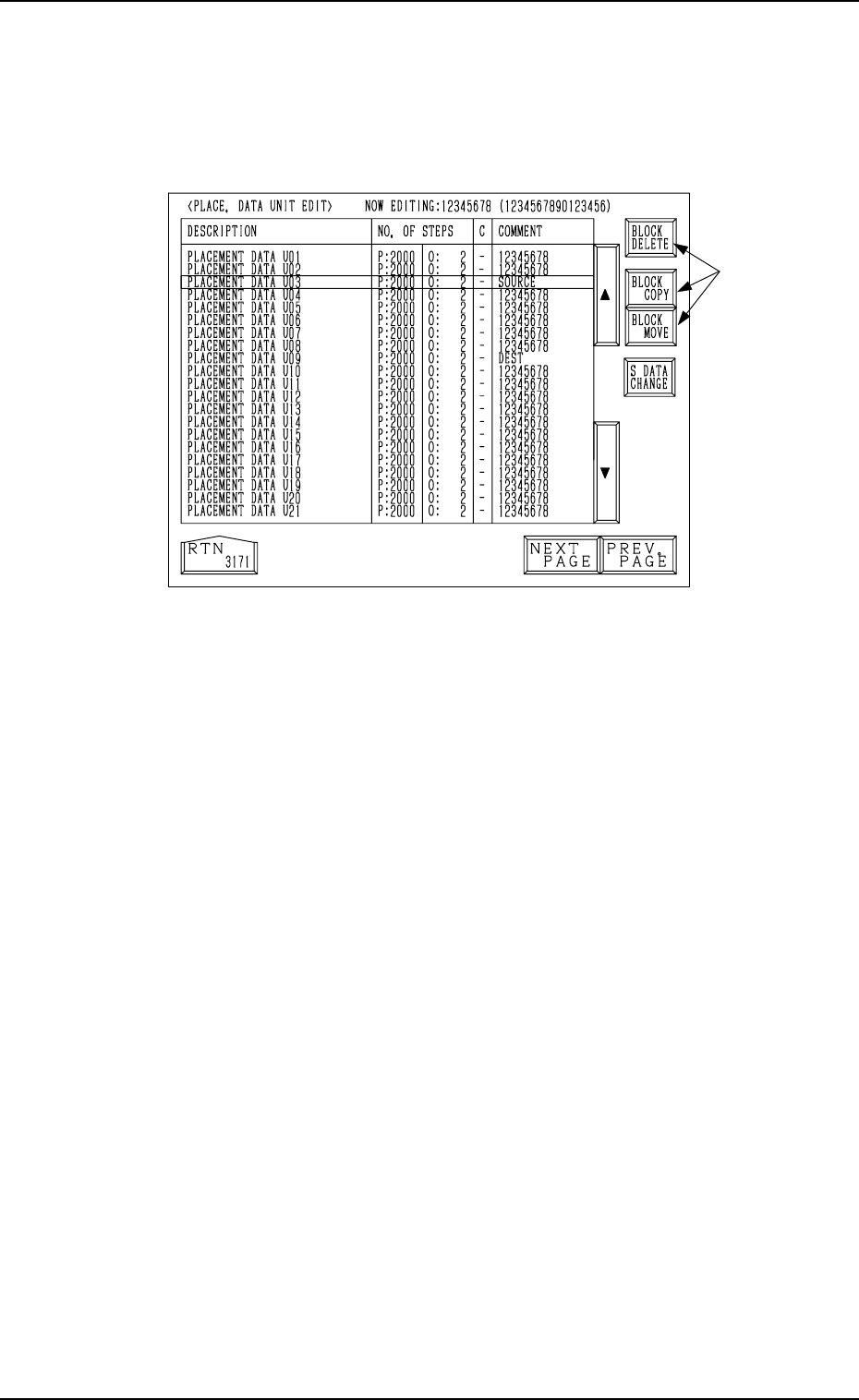
(1) When the [PLACE. DATA UNIT EDIT] key is pressed at the “PATTERN
PROGRAM EDIT” display, the following display appears on the screen.
Fig. 2.116
(2) Select one of the keys *1 to open the corresponding display.
4.7.1 Placement Data Unit Operation (Block Delete)
(1) Move the line cursor to the placement data to be deleted at the “PLACE.
DATA UNIT EDIT” display (Fig. 2.116).
(2) Press the [BLOCK DELETE] key.
The data of the block at the line cursor position is deleted and the subse-
quent data is shifted up.
*1
0004-002 2-127 Tg0247-PM-PM
4. PATTERN PROGRAM Display
4.7.2 Placement Data Unit Operation (Block Copy)
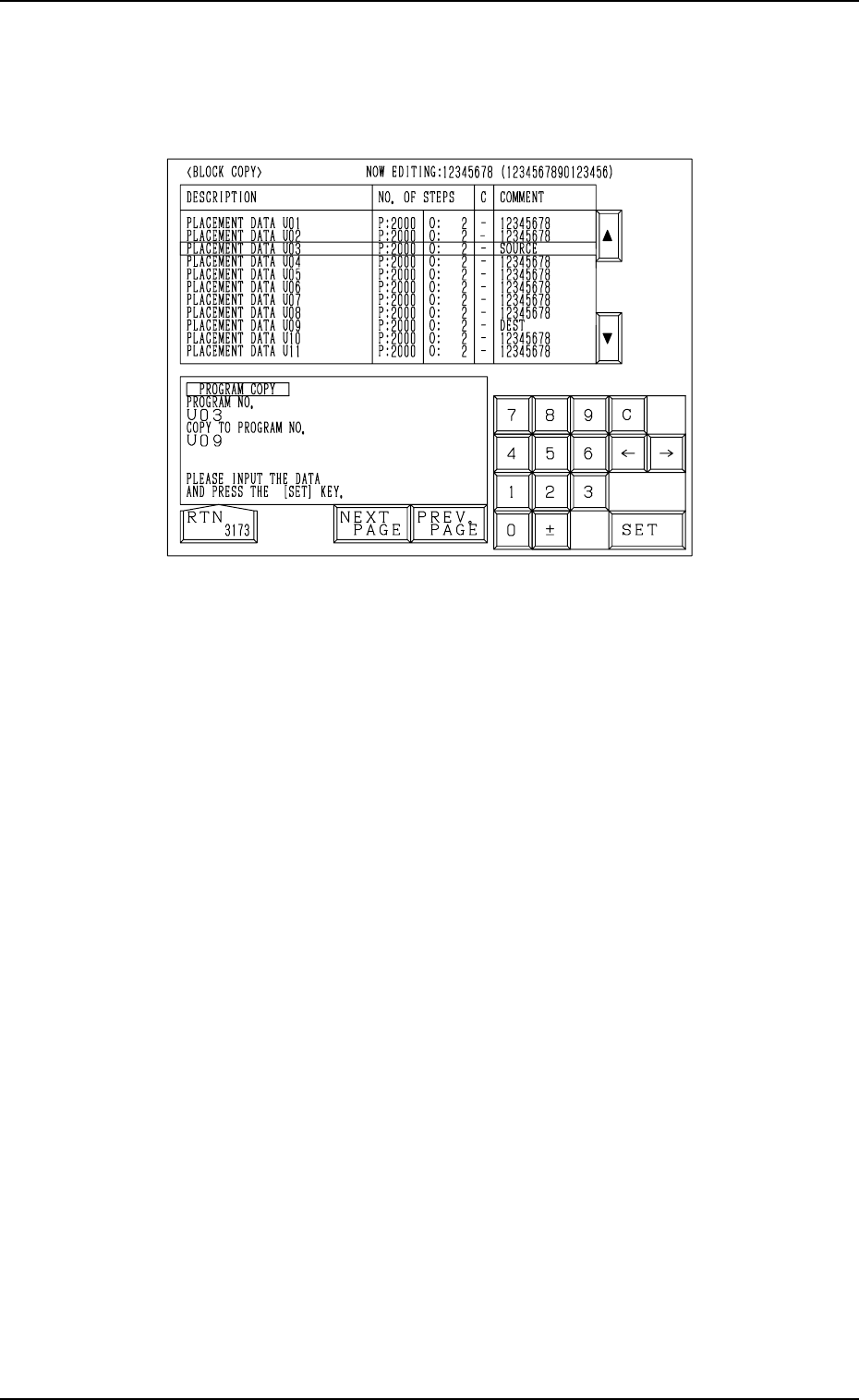
(1) When the [BLOCK COPY] key is pressed at the “PLACE. DATA UNIT
EDIT” display, the following display appears on the screen.
Fig. 2.117
(2) Move the line cursor to the block No. of the placement data to be copied.
(3) Enter the destination block No., using the ten-key pad and press the [SET]
key.
The parameters of the block No. (selected by the line cursor) are copied
to the text line of the destination block No.
The destination block No. appears first and the subsequent Nos. follow.
Example: Copying the data from the U03 block to the U09 block
(1) Open the “BLOCK COPY” display (Fig. 2.117).
Move the line cursor to the U03 block.
(2) Enter “09”, using the ten-key pad and press the [SET] key.
The data is copied and appears first as the data which belongs to the U09
block.
Note: When the pattern program data exceeds the memory capacity, the
above operation cannot be performed.
4. PATTERN PROGRAM Display
4.7.3 Placement Data Unit Operation (Block Move)
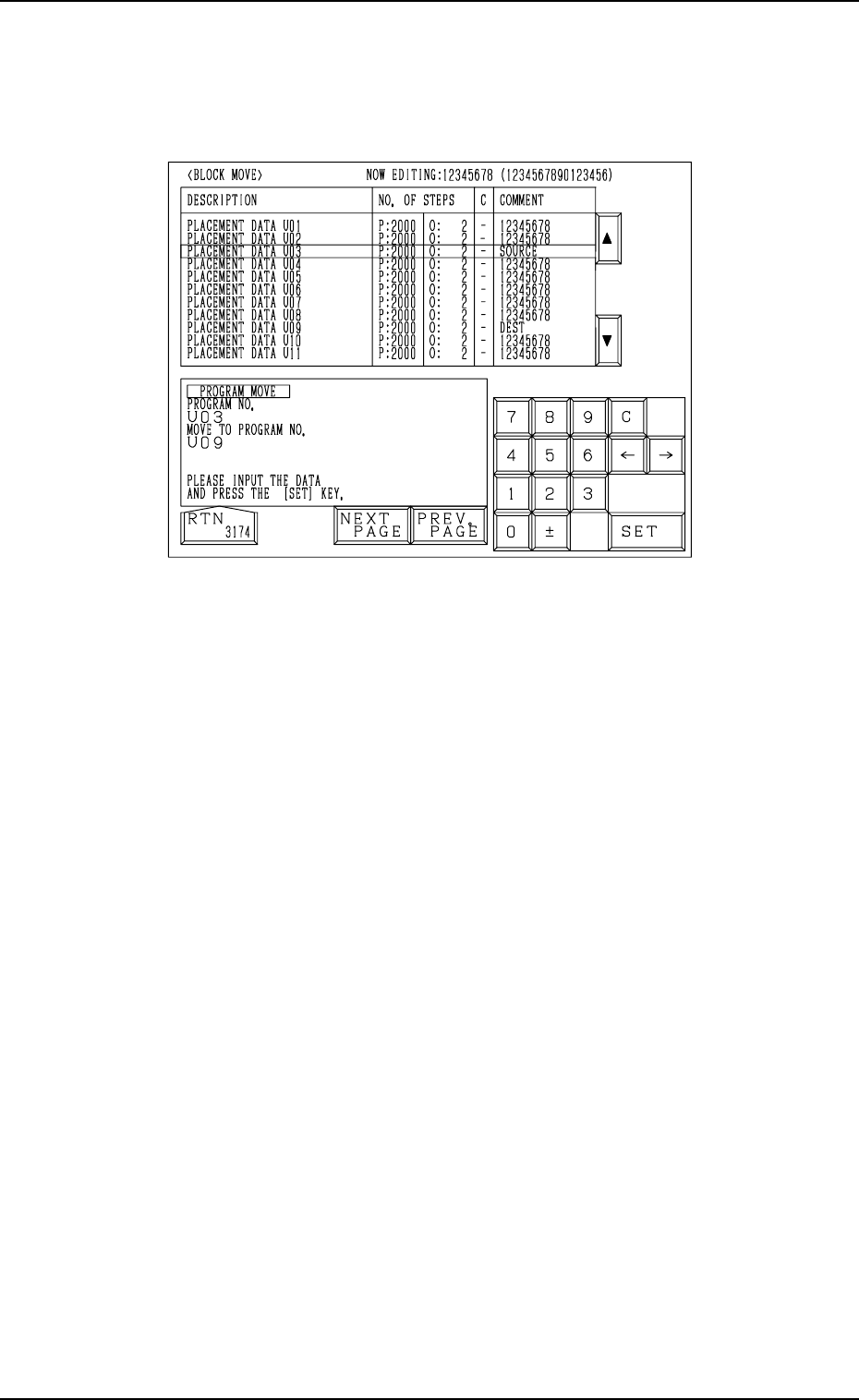
(1) When the [BLOCK MOVE] key is pressed at the “PLACE. DATA UNIT
EDIT” display, the following display appears on the screen.
0004-002 2-128 Tg0247-PM-PM
Fig. 2.118
(2) Move the line cursor to the block No. of the placement data to be moved.
(3) Enter the destination block No., using the ten-key pad and press the [SET]
key.
The parameters of the block No. (selected by the line cursor) are moved
to the text line of the destination block No.
The data is moved and appears first as the data which belongs to the
destination block No.
Example: Moving the data from the U03 block to the U09 block
(1) Open the “BLOCK MOVE” display (Fig. 2.118).
Move the line cursor to the U03 block.
(2) Enter “09”, using the ten-key pad and press the [SET] key.
The data is moved and appears first as the data which belongs to the U09
block.