2OM-1064-002.pdf - 第140页
4. P A TTERN PROGRAM Display 4.7.3 Placement Data Unit Operation (Block Move) (1) When the [BLOCK MOVE] key is pressed at the “PLACE. DA T A UNIT EDIT” display , the following display appears on the screen. 0004-002 2-12…
0004-002 2-127 Tg0247-PM-PM
4. PATTERN PROGRAM Display
4.7.2 Placement Data Unit Operation (Block Copy)
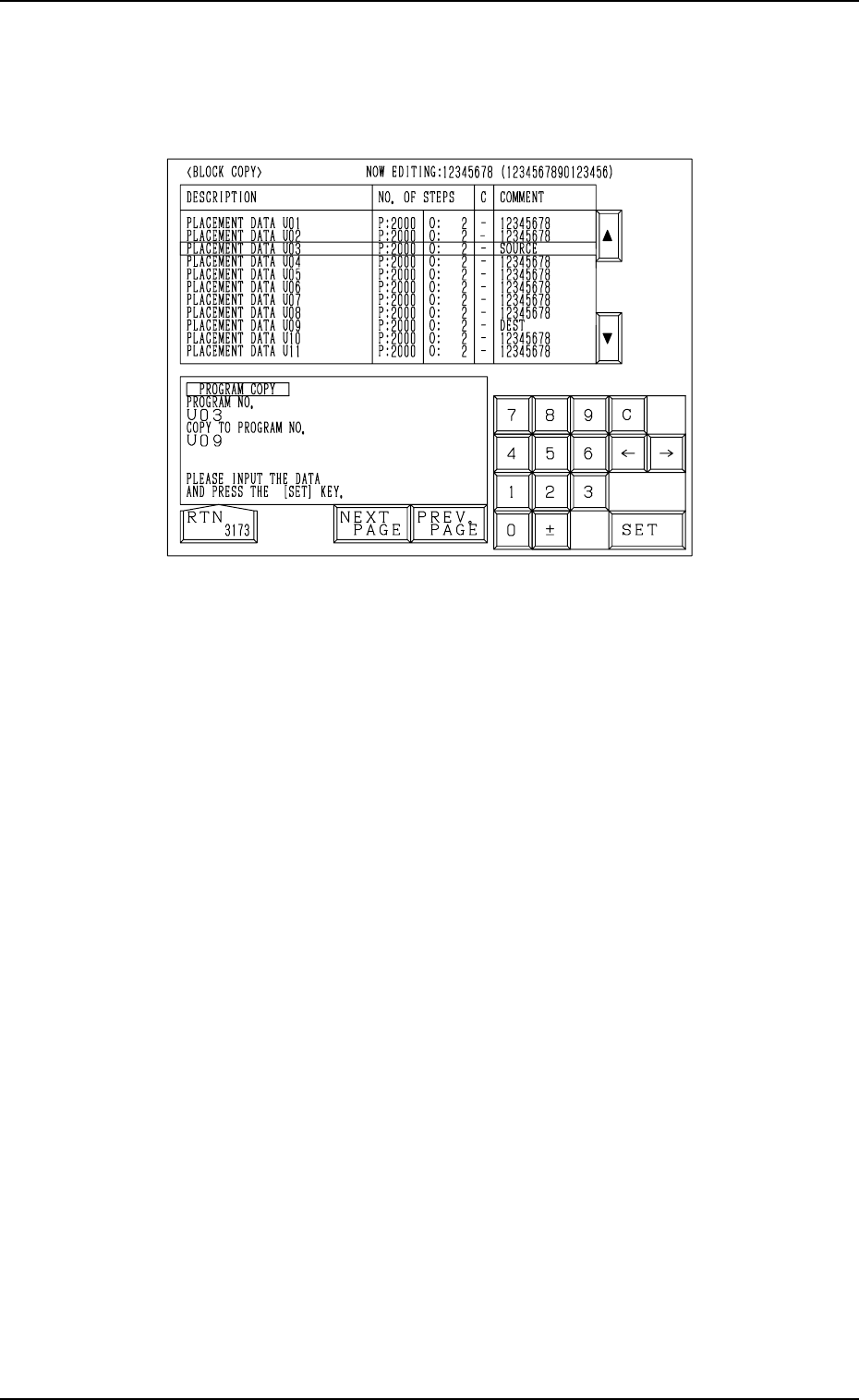
(1) When the [BLOCK COPY] key is pressed at the “PLACE. DATA UNIT
EDIT” display, the following display appears on the screen.
Fig. 2.117
(2) Move the line cursor to the block No. of the placement data to be copied.
(3) Enter the destination block No., using the ten-key pad and press the [SET]
key.
The parameters of the block No. (selected by the line cursor) are copied
to the text line of the destination block No.
The destination block No. appears first and the subsequent Nos. follow.
Example: Copying the data from the U03 block to the U09 block
(1) Open the “BLOCK COPY” display (Fig. 2.117).
Move the line cursor to the U03 block.
(2) Enter “09”, using the ten-key pad and press the [SET] key.
The data is copied and appears first as the data which belongs to the U09
block.
Note: When the pattern program data exceeds the memory capacity, the
above operation cannot be performed.
4. PATTERN PROGRAM Display
4.7.3 Placement Data Unit Operation (Block Move)
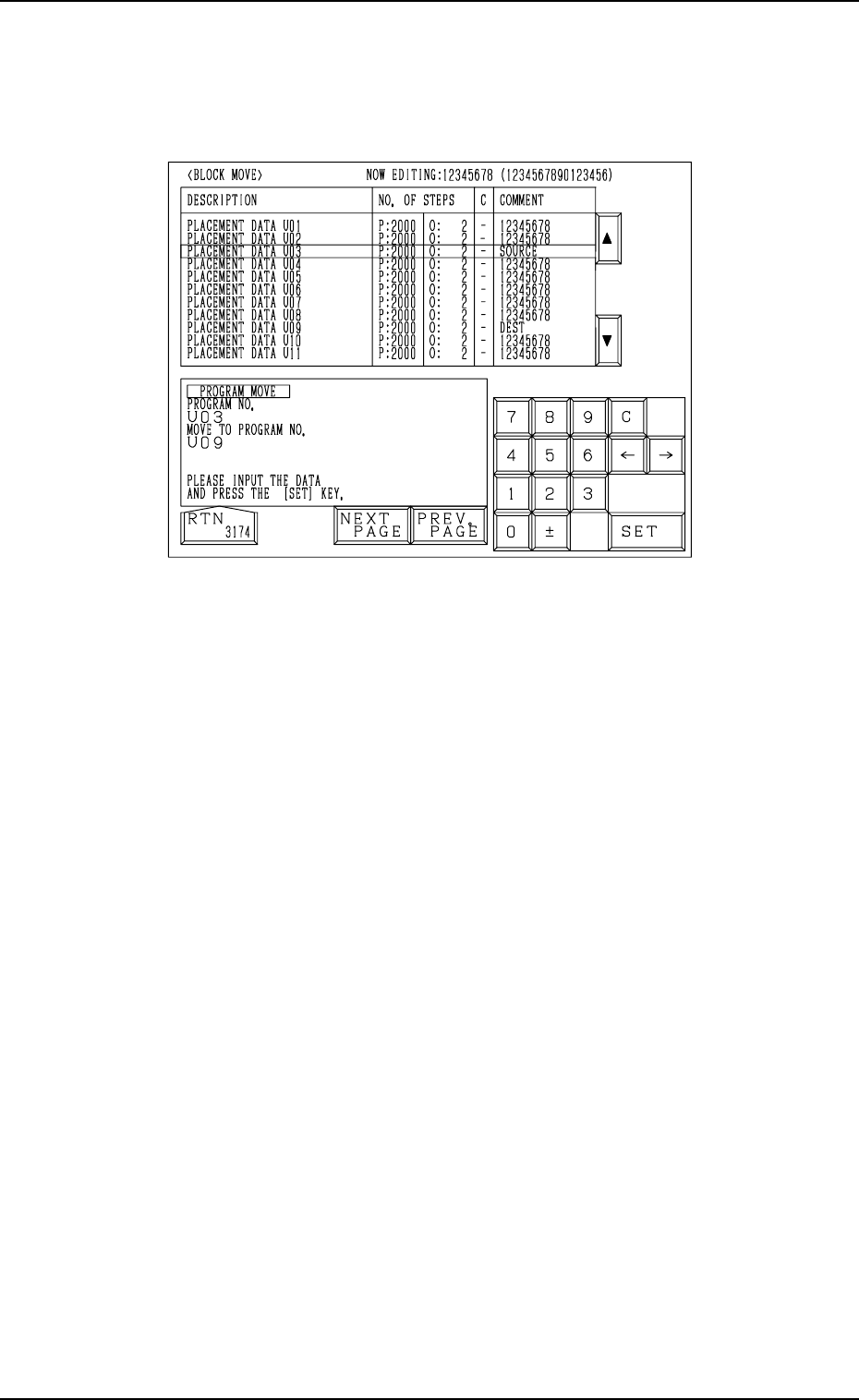
(1) When the [BLOCK MOVE] key is pressed at the “PLACE. DATA UNIT
EDIT” display, the following display appears on the screen.
0004-002 2-128 Tg0247-PM-PM
Fig. 2.118
(2) Move the line cursor to the block No. of the placement data to be moved.
(3) Enter the destination block No., using the ten-key pad and press the [SET]
key.
The parameters of the block No. (selected by the line cursor) are moved
to the text line of the destination block No.
The data is moved and appears first as the data which belongs to the
destination block No.
Example: Moving the data from the U03 block to the U09 block
(1) Open the “BLOCK MOVE” display (Fig. 2.118).
Move the line cursor to the U03 block.
(2) Enter “09”, using the ten-key pad and press the [SET] key.
The data is moved and appears first as the data which belongs to the U09
block.
0004-002 2-129 Tg0247-PM-PM
4.7.4 Procedure for Placement Data Unit Operation (S-Data Change)
• When “1” (designation of pairing for simultaneous pick-up operation) is set
in the “S” data field of the placement data, it can be changed to “2” (desig-
nation of pairing for pick-up priority operation).
The parameter “1” can be changed to “2” one by one for each individual
units (UXX) in the placement data or all parameters specified as “1” can be
changed at a time by selecting all units.
• Use this function when a hindrance is caused at the pick-up position (be-
cause the pick-up priority function works more effectively to adjust the pick-
up position for each individual components) while the right and left heads
are descending simultaneously to pick up components when the chuck posi-
tion automatic follow-up function is used.
• When “1” or “2” is set in the “S” data (the data used to cancel all pairing
designation), it can also be changed to “0”.
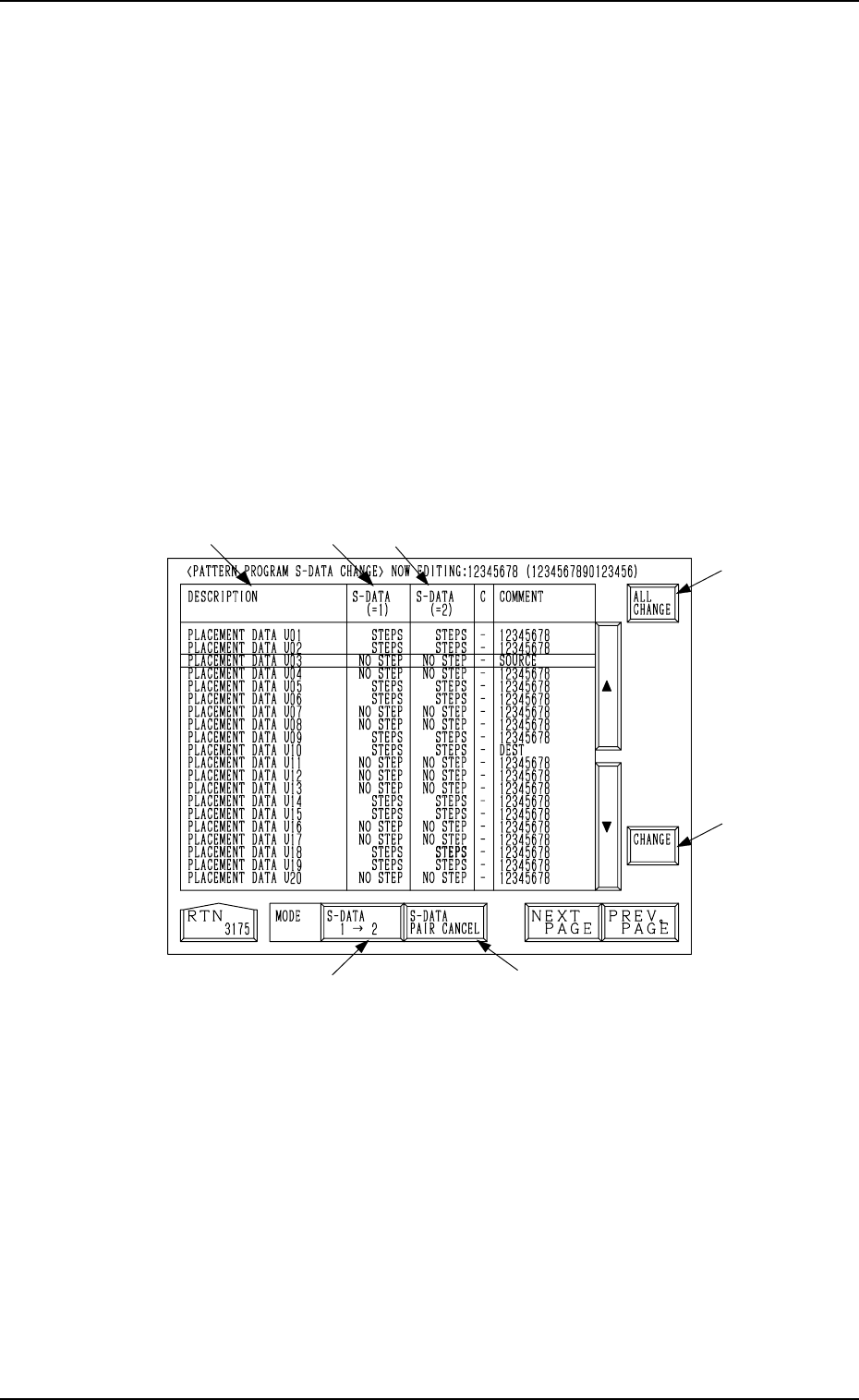
When the [S DATA CHANGE] key is pressed at the “PLACE. DATA UNIT
EDIT” display, the following display appears on the screen.
Fig. 2.119
4. PATTERN PROGRAM Display
*4
*6
*7
*5
*3
*2
*1