2OM-1064-002.pdf - 第36页
FIDUCIAL MARK #1 X LCTN. (Horizontal) and Y LCTN. (V ertical) Set the coordinates of the first fiducial mark for the P .E.C. global recognition function. (Unit: mm) MARK CODE Set the code No. of the first fiducial mark f…
9910-001 2-23 Tg0247-PM-PM
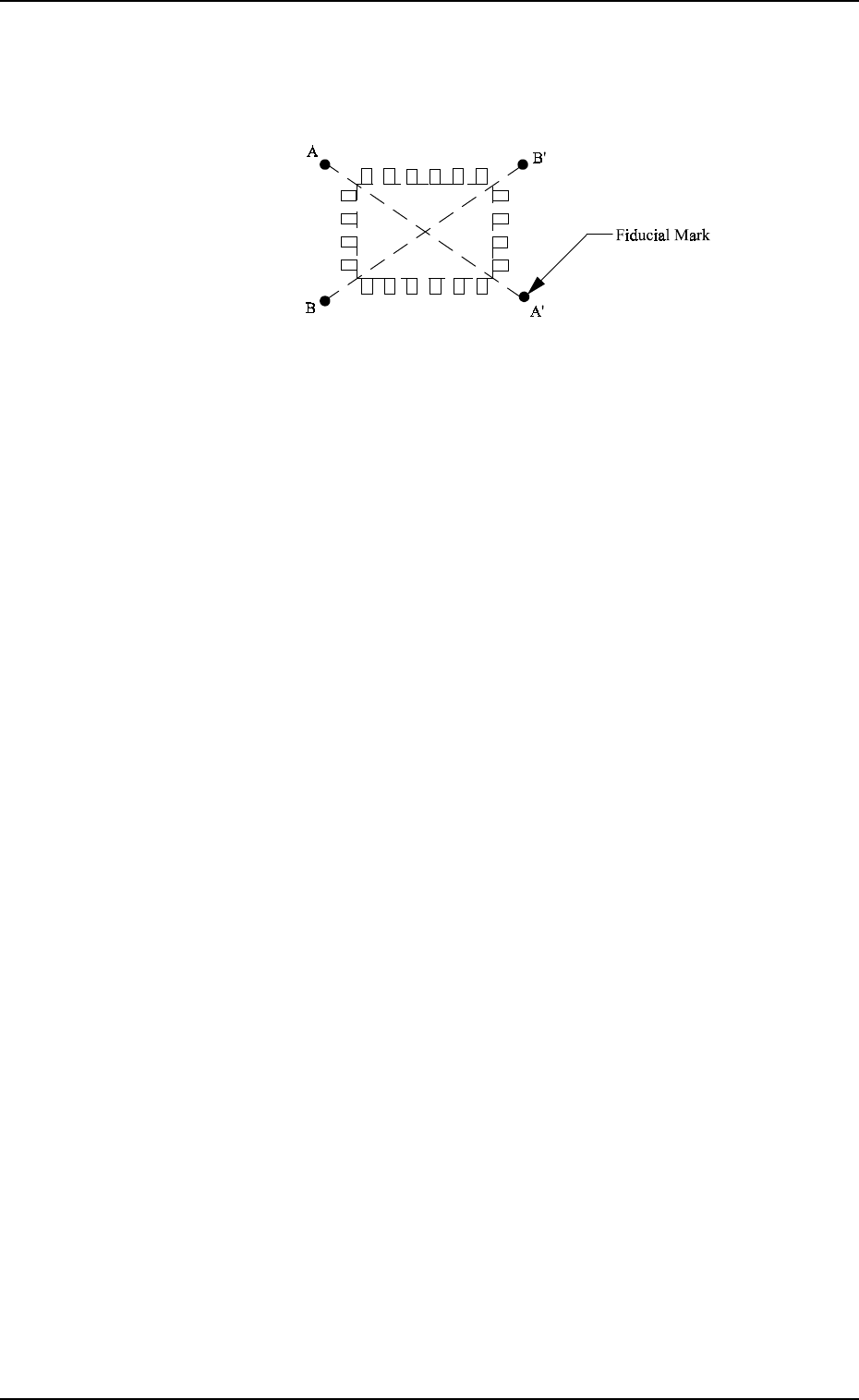
2PT.: It is recommended that two points (fiducial marks)
should be located symmetrically on both sides of the
center of the placement position.
(A-A’, B-B’)
2. Pattern Program
Fig. 2.21
When “ON” is set in the data box, the deviation of each com-
ponent placement point can be corrected.
Note: The coordinates and mark data of a fiducial mark are
designated in the placement data (V).
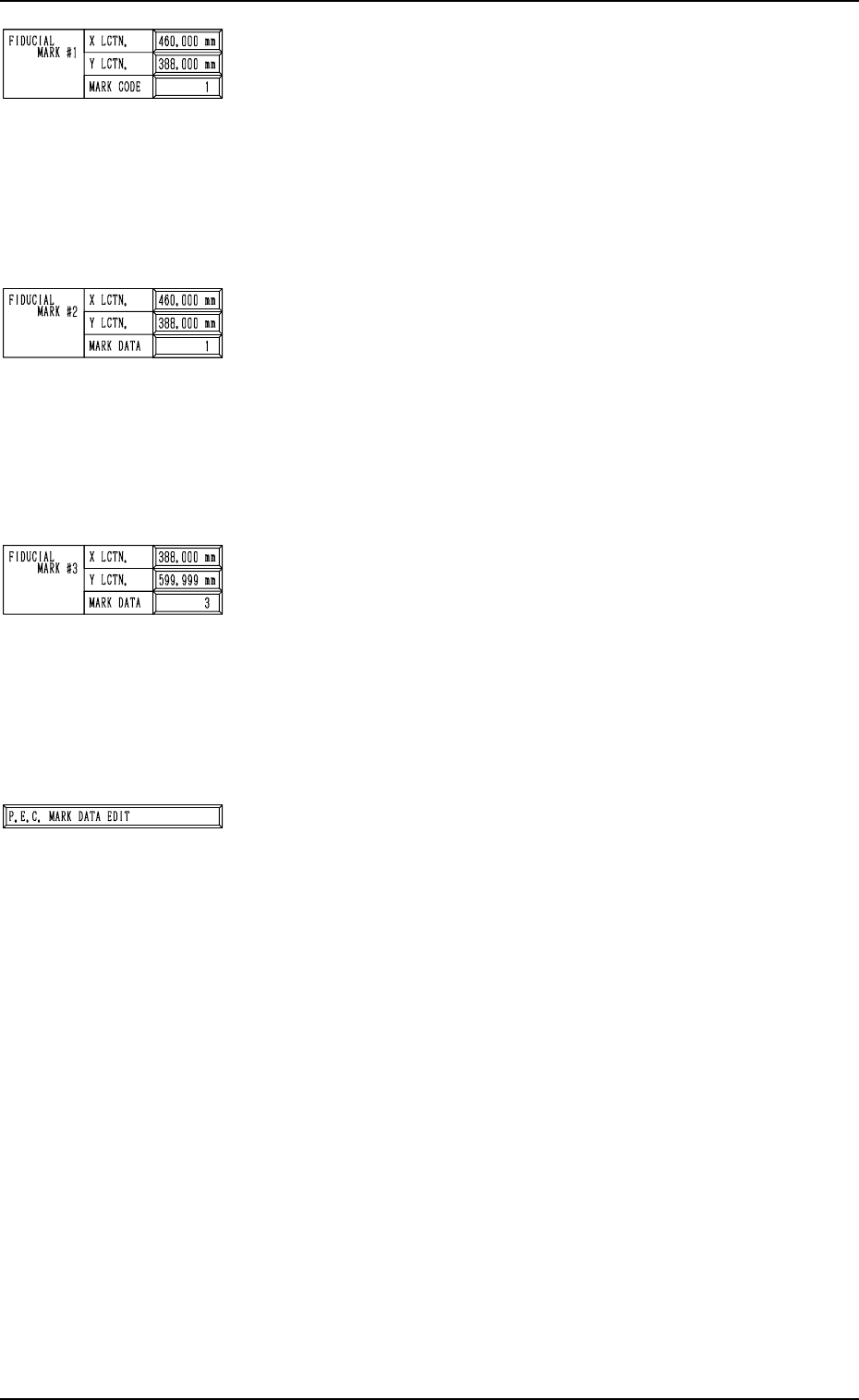
FIDUCIAL MARK #1
X LCTN. (Horizontal) and Y LCTN. (Vertical)
Set the coordinates of the first fiducial mark for the P.E.C.
global recognition function. (Unit: mm)
MARK CODE
Set the code No. of the first fiducial mark for the P.E.C. global
recognition function.
• Select one of the 10 mark codes registered in the P.E.C.
mark data.
FIDUCIAL MARK #2
X LCTN. (Horizontal) and Y LCTN. (Vertical)
Set the coordinates of the second fiducial mark for the P.E.C.
global recognition function. (Unit: mm)
MARK DATA
Set the code No. of the second fiducial mark for the P.E.C.
global recognition function.
• Select one of the 10 mark codes registered in the P.E.C.
mark data.
FIDUCIAL MARK #3
X LCTN. (Horizontal) and Y LCTN. (Vertical)
Set the coordinates of the third fiducial mark for the P.E.C.
global recognition function. (Unit: mm)
MARK DATA
Set the code No. of the third fiducial mark for the P.E.C. glo-
bal recognition function.
• Select one of the 10 mark codes registered in the P.E.C.
mark data.
[P.E.C. MARK DATA EDIT] Key
Press this key to shift to the display for P.E.C. mark data (mark
type, size, etc.) editing.
2. Pattern Program
9910-001 2-24 Tg0247-PM-PM
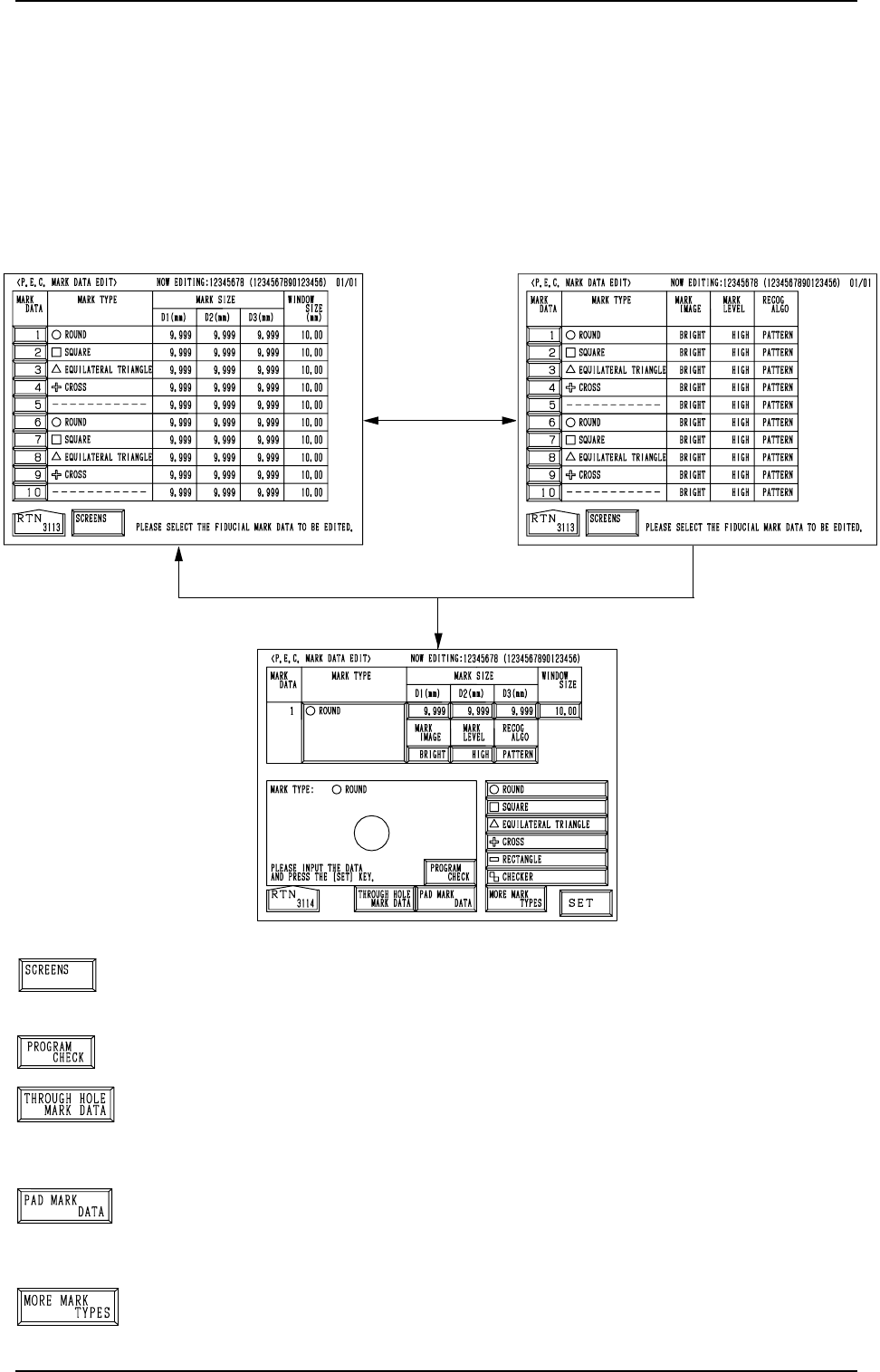
[SCREENS] Key
When this key is pressed, another “P.E.C. MARK DATA EDIT”
display appears on the screen.
[PROGRAM CHECK] Key
When this key is pressed, the edited pattern program is checked.
[THROUGH HOLE MARK DATA] Key
When this key is pressed, a display related to the through hole
marks (marks which belong to the selected type) appears on
the screen.
[PAD MARK DATA] Key
When this key is pressed, a display related to the pad marks
(marks which belong to the selected type) appears on the screen.
[MORE MARK TYPES] Key
When this key is pressed, other mark types in the same cat-
egory are recalled.
[1] Key
[SCREENS] Key
Fig. 2.22-1
Fig. 2.23
Fig. 2.22-2
2. Pattern Program
2.3.3 P.E.C. MARK DATA EDIT Display
When the [P.E.C. MARK DATA EDIT] key is pressed at the “OPERATION
DATA 02/03” display (Fig. 2.6-2), the display (Fig. 2.22-1) appears on the
screen.
Pressing the [SCREENS] key at this display opens another “P.E.C. MARK
DATA EDIT” display.
When the [1] key under the label “MARK DATA” is pressed, the display (Fig.
2.23) appears on the screen, enabling the editing of P.E.C. mark data.
9910-001 2-25 Tg0247-PM-PM