2OM-1064-002.pdf - 第225页
Section 6 T est Mode 9910-001 6-1 Tg0247-PM-PM

0004-001 5-54 Tg0247-PM-PM

Section 6
Test Mode
9910-001 6-1 Tg0247-PM-PM
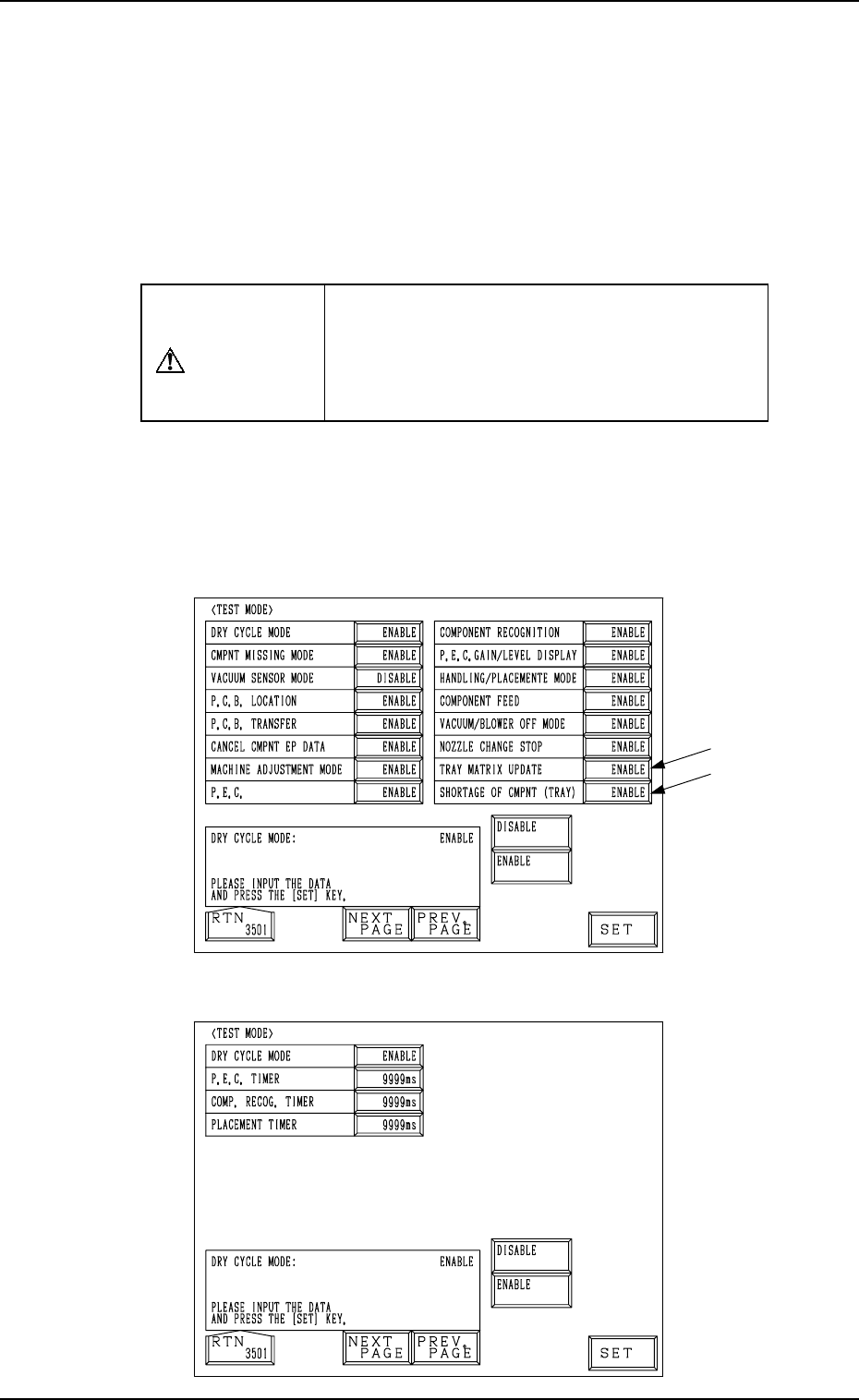
Fig. 6.1-1
First Page
Second Page
Fig. 6.1-2
1. TEST MODE Display
9910-001 6-2 Tg0247-PM-PM
1. TEST MODE Display
Various test modes are provided to maintain or inspect the machine. For ex-
ample, when “ENABLE” is set in the text box of the label “CMPNT MISSING
MODE”, the machine can be operated without placing any components, facili-
tating inspection of the machine performance without wasting components.
Note: Unlike normal machine operation, the machine can be operated in vari-
ous modes (masking of error detection functions, simulated recogni-
tion communication, etc.) set deliberately by changing the test mode
parameters.
CAUTION
Do not operate the machine in the test mode
for actual P.C.B. production. Otherwise, the
machine breaks down or damage will occur,
making it impossible to pick up components
correctly.
When the [DEVICE TEST] key is pressed at the “DATA EDIT” display, the
following display appears on the screen.
Every time the [NEXT PAGE] or the [PREV. PAGE] key is pressed, another or
previous page appears on the screen.
Note: The -marked functions are optional.