2OM-1064-002.pdf - 第138页
0004-002 2-126 Tg0247-PM-PM 4. P A TTERN PROGRAM Display 4.7 PLACE. DA T A UNIT EDIT Display (1) When the [PLACE. DA T A UNIT EDIT] key is pressed at the “P A TTERN PROGRAM EDIT” display , the following display appears o…
*1
0004-002 2-125 Tg0247-PM-PM
4.6.6 Editing of Placement Data
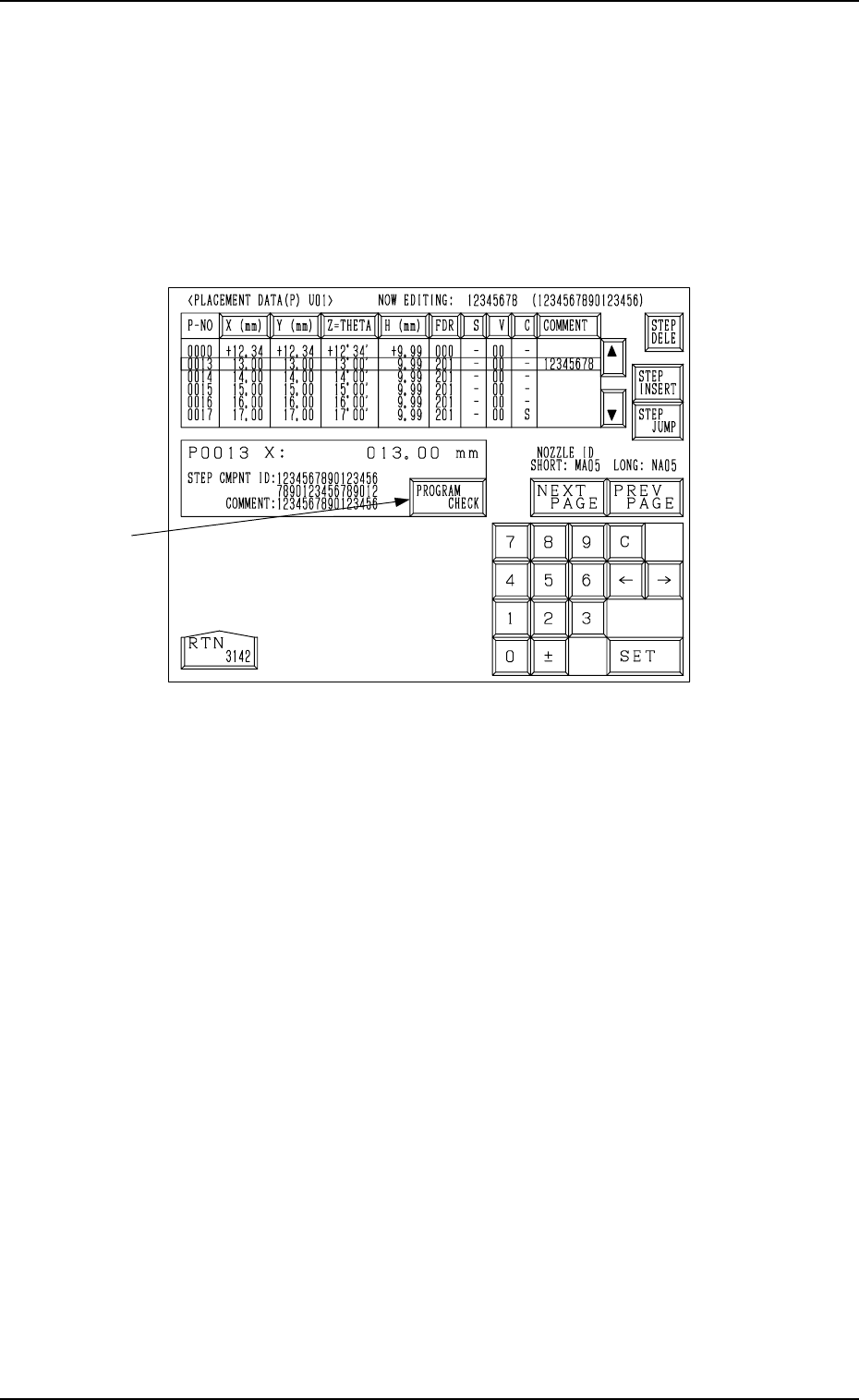
(1) When the [DATA EDIT] key is pressed at the “PLACEMENT DATA (P)
U01” display (Fig. 2.111-1 or Fig. 2.111-2), the following display ap-
pears on the screen.
Pressing the [DATA EDIT] key at the “PLACEMENT DATA (O)
U01” or the “PLACEMENT DATA (V) U01” display follows the
similar hierarchical sequence.
4. PATTERN PROGRAM Display
Fig. 2.115
(2) Move the line cursor to the step No. of the data to be edited.
(3) Press the desired key for the data to be edited.
The selected key turns blue.
(4) Enter a parameter, using the ten-key pad or select an option key. Then,
press the [SET] key.
(5) Move the line cursor to the step No. of the data to be edited subsequently
and continue the editing.
• When the [STEP JUMP] key is pressed, an arbitrary step No. appears under
step No. 0000 and the subsequent Nos. follow.
• When the line cursor is moved to the desired step No. and the [STEP IN-
SERT] key is pressed, a new line (step No.) is inserted.
• When the line cursor is moved to the desired step No. and the [STEP DE-
LETE] key is pressed, the data of the step No. is deleted.
(A line of parameters at the line cursor position is deleted and the subse-
quent step Nos. are shifted up.)
• When the [PROGRAM CHECK] key *1 is pressed, the current pattern pro-
gram is checked.
0004-002 2-126 Tg0247-PM-PM
4. PATTERN PROGRAM Display
4.7 PLACE. DATA UNIT EDIT Display
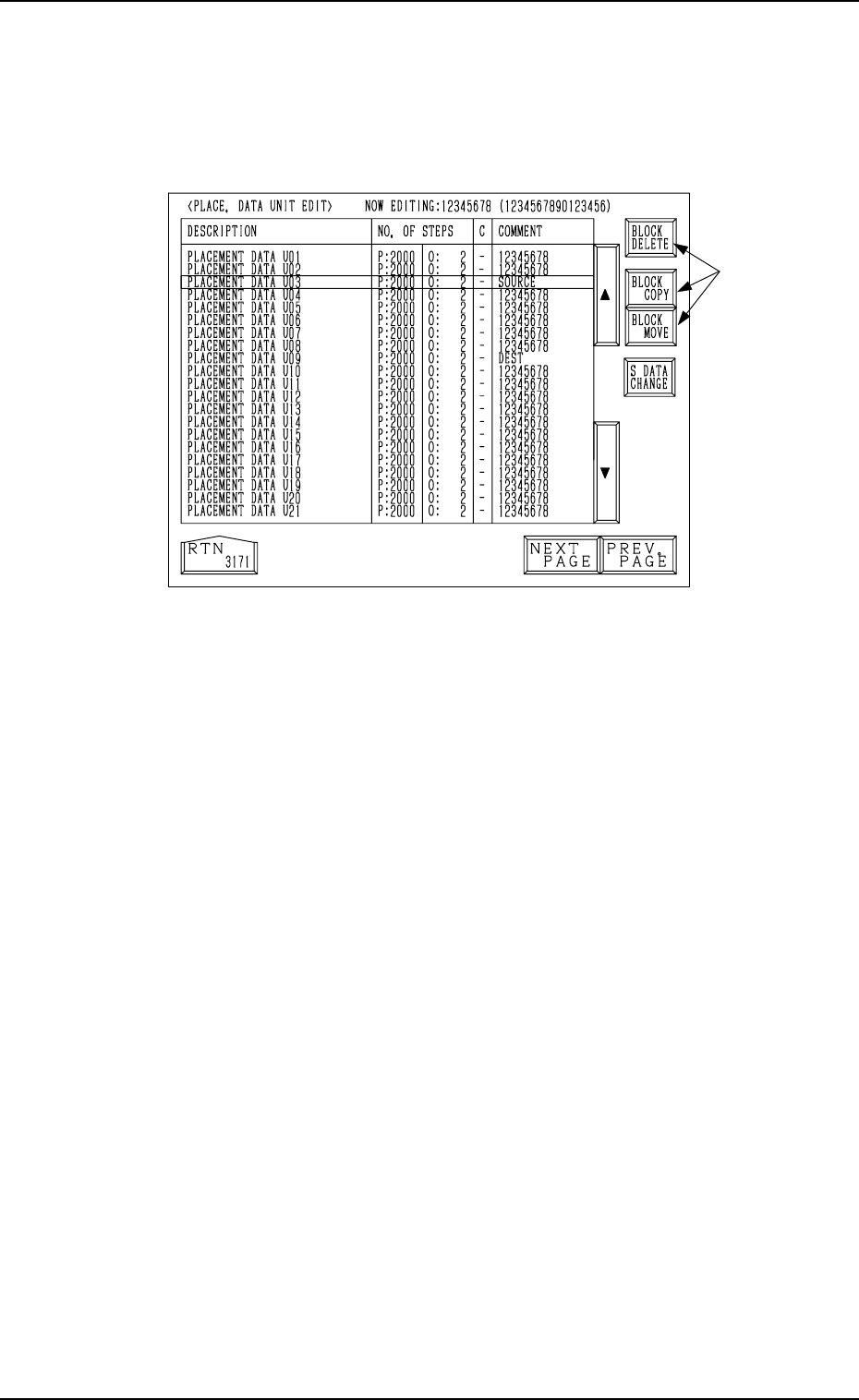
(1) When the [PLACE. DATA UNIT EDIT] key is pressed at the “PATTERN
PROGRAM EDIT” display, the following display appears on the screen.
Fig. 2.116
(2) Select one of the keys *1 to open the corresponding display.
4.7.1 Placement Data Unit Operation (Block Delete)
(1) Move the line cursor to the placement data to be deleted at the “PLACE.
DATA UNIT EDIT” display (Fig. 2.116).
(2) Press the [BLOCK DELETE] key.
The data of the block at the line cursor position is deleted and the subse-
quent data is shifted up.
*1
0004-002 2-127 Tg0247-PM-PM
4. PATTERN PROGRAM Display
4.7.2 Placement Data Unit Operation (Block Copy)
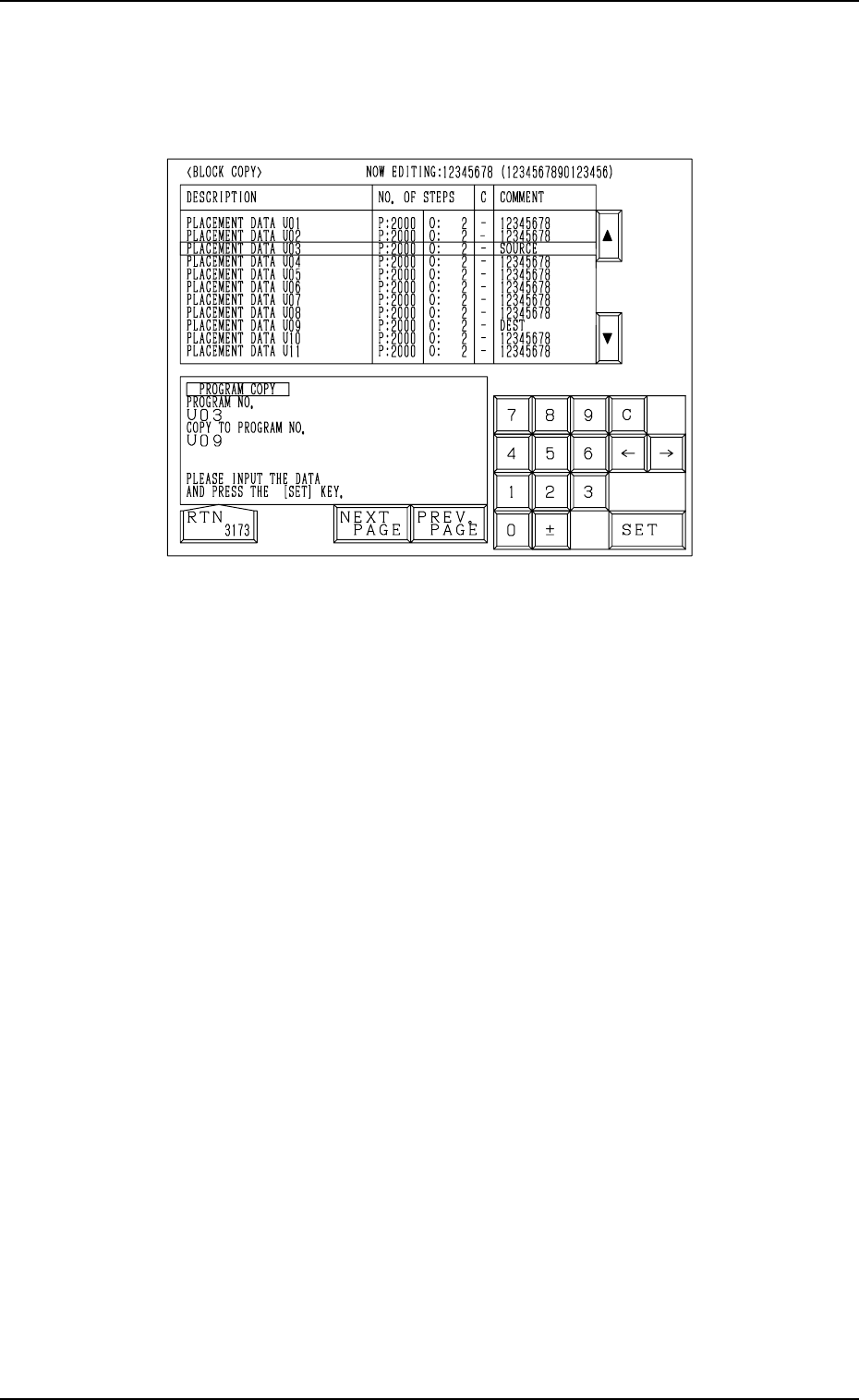
(1) When the [BLOCK COPY] key is pressed at the “PLACE. DATA UNIT
EDIT” display, the following display appears on the screen.
Fig. 2.117
(2) Move the line cursor to the block No. of the placement data to be copied.
(3) Enter the destination block No., using the ten-key pad and press the [SET]
key.
The parameters of the block No. (selected by the line cursor) are copied
to the text line of the destination block No.
The destination block No. appears first and the subsequent Nos. follow.
Example: Copying the data from the U03 block to the U09 block
(1) Open the “BLOCK COPY” display (Fig. 2.117).
Move the line cursor to the U03 block.
(2) Enter “09”, using the ten-key pad and press the [SET] key.
The data is copied and appears first as the data which belongs to the U09
block.
Note: When the pattern program data exceeds the memory capacity, the
above operation cannot be performed.