2OM-1064-002.pdf - 第50页
[TRA Y L] Every time the [SCREENS] key is pressed at the display (Fig. 2.33), another display appears on the screen. Fig. 2.33-1 *1 *2 Fig. 2.33 [SCREENS] Key 2. Pattern Program 9910-001 2-38 Tg0247-PM-PM *1 UNIT SELECTI…
[VIBRATORY STICK A]
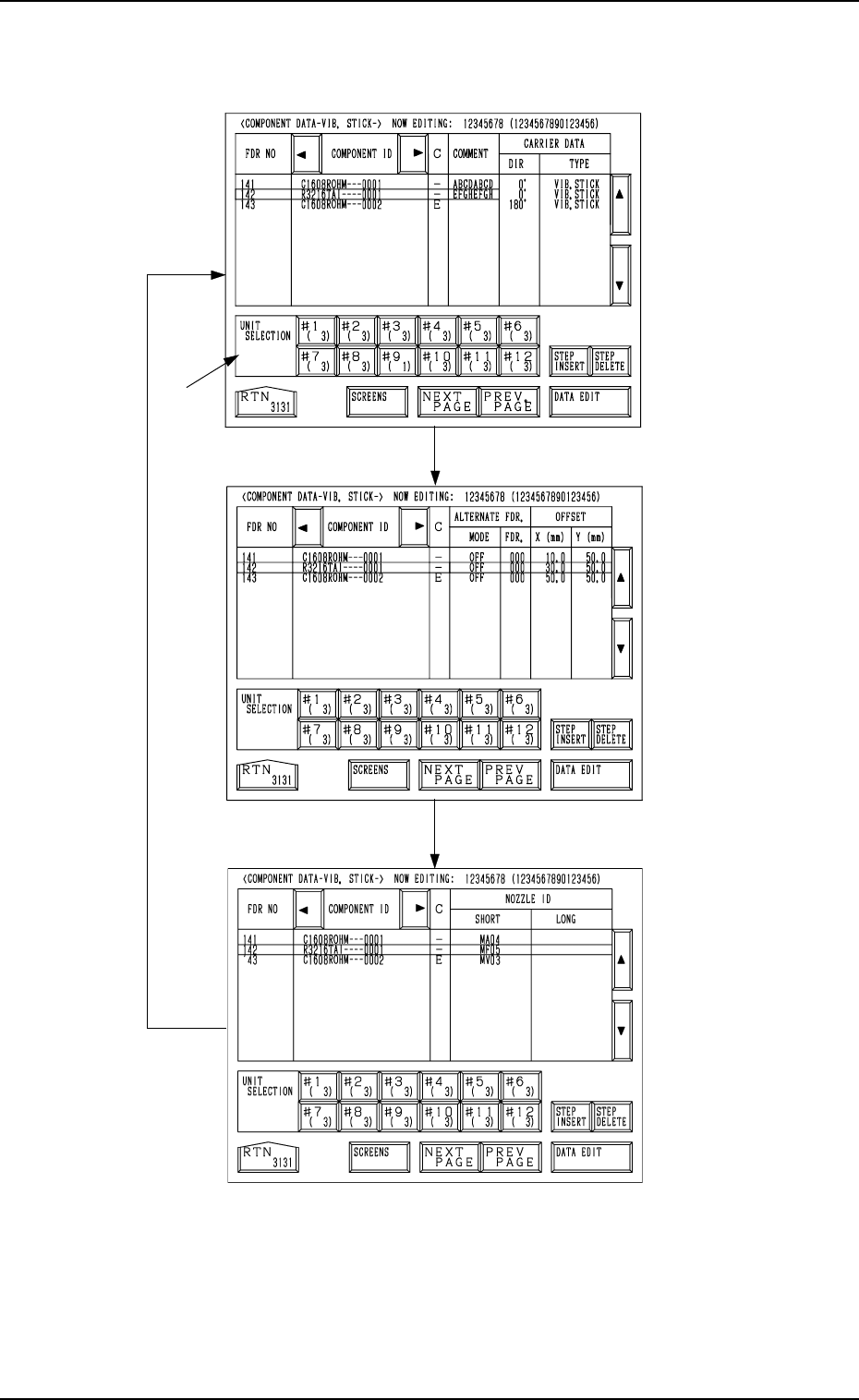
Every time the [SCREENS] key is pressed at the display (Fig. 2.32), another
display appears on the screen.
Fig. 2.32-2
Fig.2.32-1
Fig. 2.32
*1
[SCREENS] Key
9910-001 2-37 Tg0247-PM-PM
2. Pattern Program
*1 UNIT SELECTION [#1 ( X)] through [#12 ( X)] Keys
When one of these keys is pressed, the component data related to the se-
lected vibratory stick unit appears on the screen.
When parameters are set in the component data, the background color is
turned green.
The numbers in ( ) show the number of registered steps (number of feeder
Nos.)
.
[TRAY L]
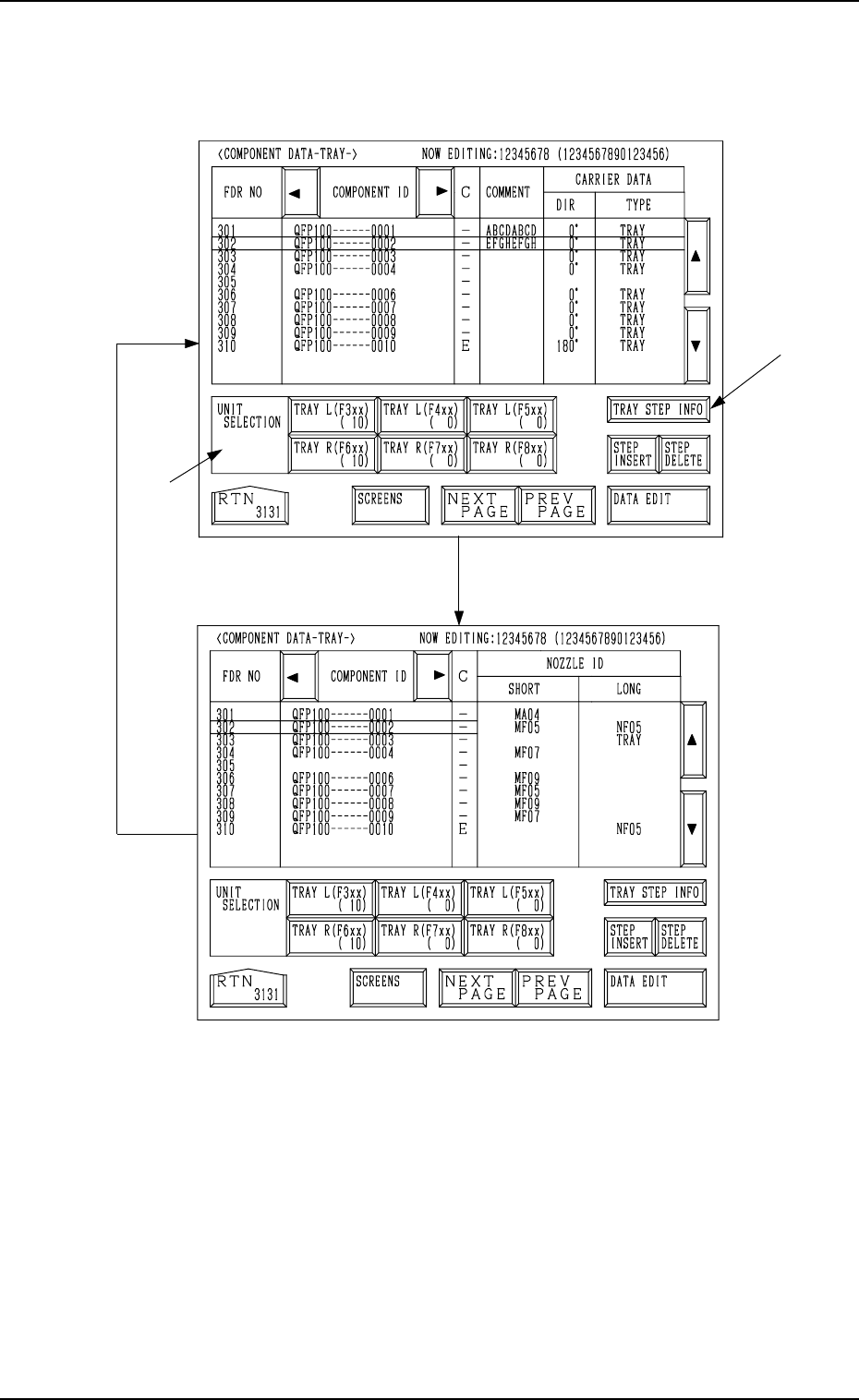
Every time the [SCREENS] key is pressed at the display (Fig. 2.33), another
display appears on the screen.
Fig. 2.33-1
*1
*2
Fig. 2.33
[SCREENS] Key
2. Pattern Program
9910-001 2-38 Tg0247-PM-PM
*1 UNIT SELECTION [TRAY L (F3xx) ( X)], [TRAY L (F4xx) ( X)],
[TRAY L (F5xx) ( X)], [TRAY R (F6xx) ( X)], [TRAY R (F7xx) ( X)],
and [TRAY R (F8xx) ( X)] Keys
It is a key which switches the display of component data to other units.
When parameters are set in the component data, the background color is
turned green.
The numbers in ( ) show the number of registered steps (number of feeder
Nos.).
*2 [TRAY STEP INFO] Key
When this key is pressed, the “TRAY (L) or (R) STEPS INFORMATION”
display appears on the screen.
2.5.1 Tape Feeders
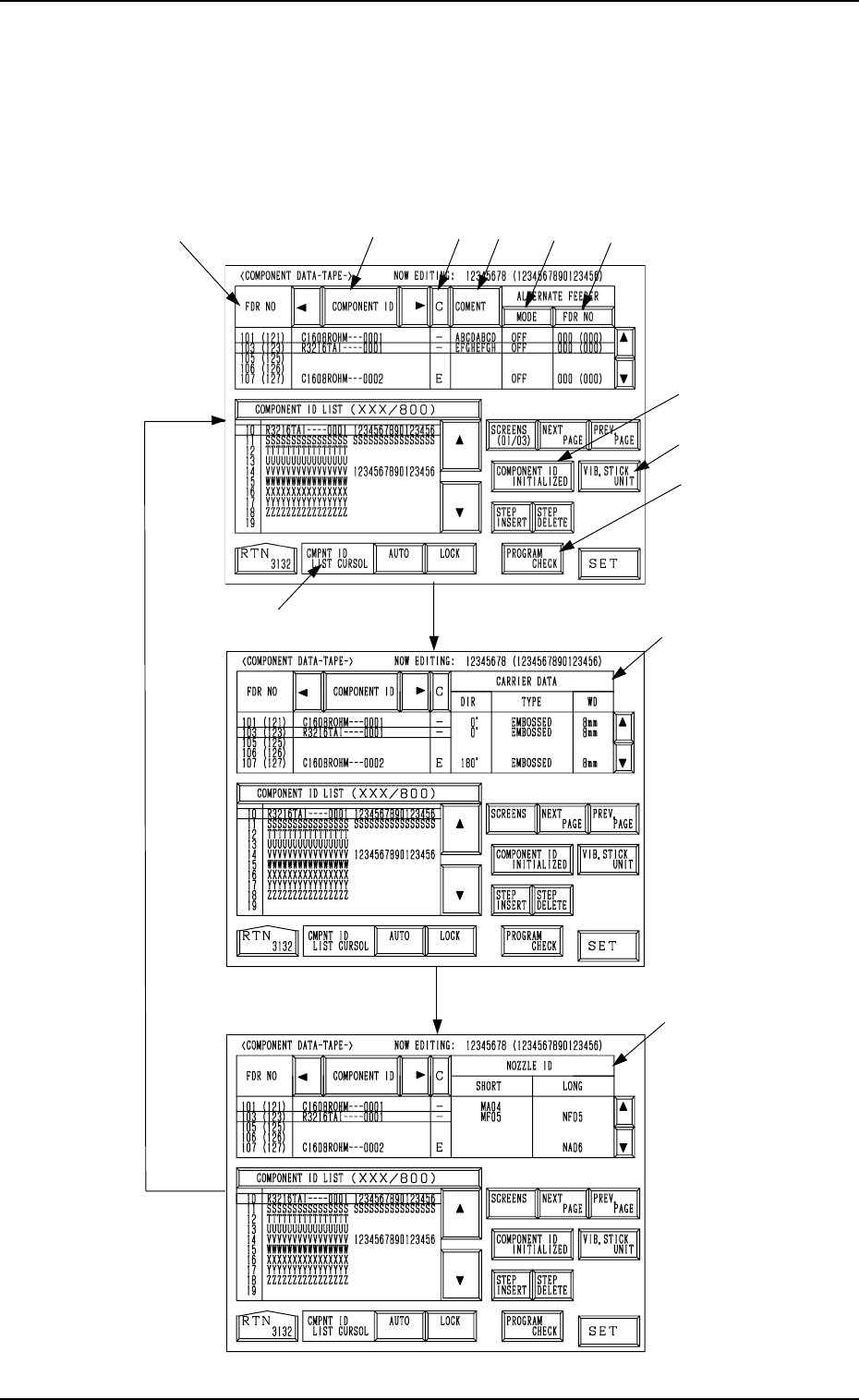
When the [DATA EDIT] key is pressed at the display (Fig. 2.31) for “TAPE
A”, the following display appears on the screen.
Every time the [SCREENS] key is pressed, another display appears on the
screen.
*1
*2
*3
*9
*8
*7
*4
*5
*6
*10
*11
*12
Fig. 2.34-1
[SCREENS] Key
Fig. 2.34-2
Fig. 2.34-3
0004-002 2-39 Tg0247-PM-PM
2. Pattern Program