2OM-1064-002.pdf - 第38页
MARK SIZE D1 (mm), D2 (mm), D3 (mm) • “D3 (mm)” is reserved data. Set the outer and inner diameters of a fiducial mark.(Unit: mm) Refer to “(1) T ype and Size” in “2.3.4 P .E.C. Fiducial Marks of Section 2” for details. …
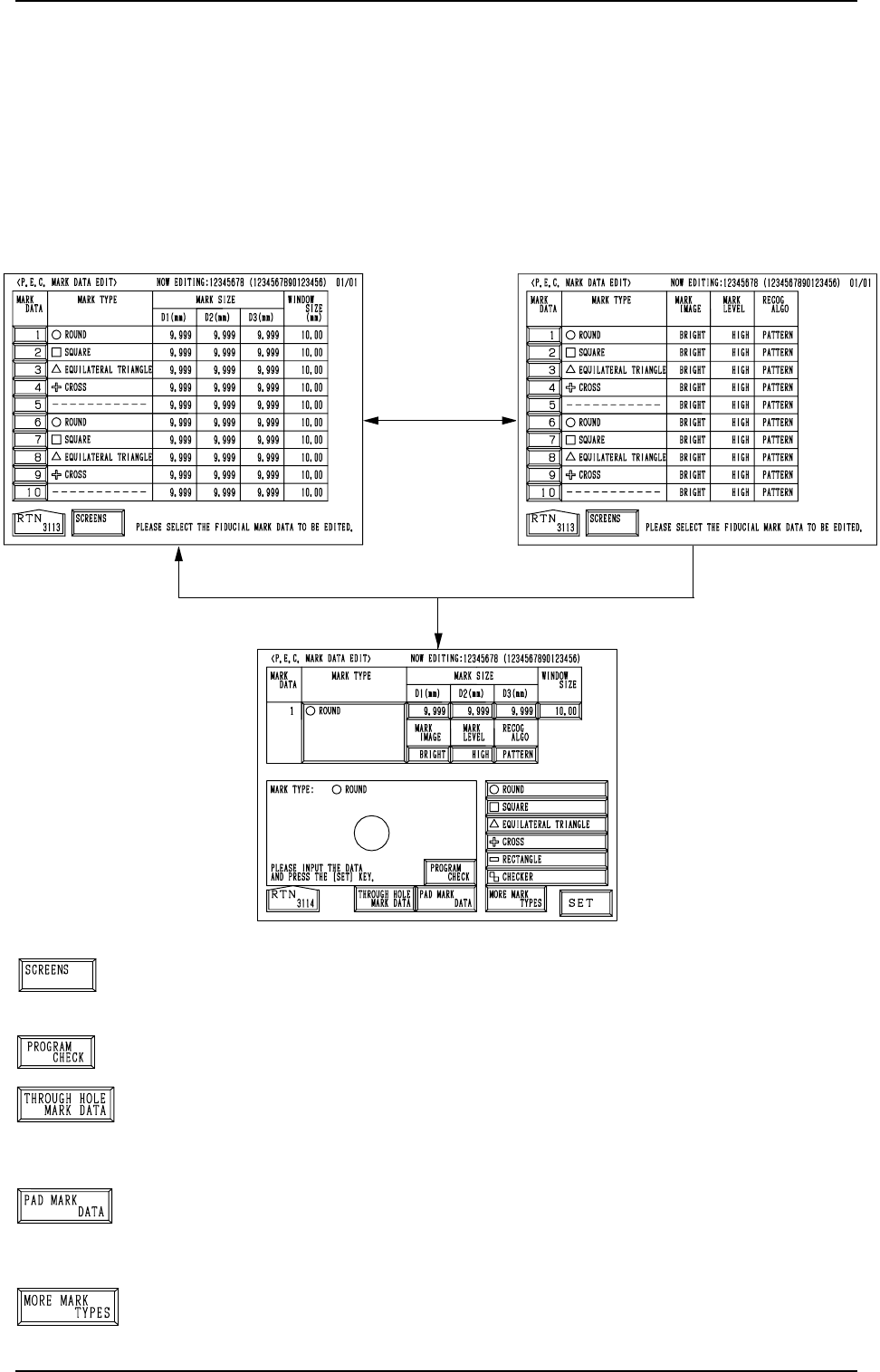
[SCREENS] Key
When this key is pressed, another “P.E.C. MARK DATA EDIT”
display appears on the screen.
[PROGRAM CHECK] Key
When this key is pressed, the edited pattern program is checked.
[THROUGH HOLE MARK DATA] Key
When this key is pressed, a display related to the through hole
marks (marks which belong to the selected type) appears on
the screen.
[PAD MARK DATA] Key
When this key is pressed, a display related to the pad marks
(marks which belong to the selected type) appears on the screen.
[MORE MARK TYPES] Key
When this key is pressed, other mark types in the same cat-
egory are recalled.
[1] Key
[SCREENS] Key
Fig. 2.22-1
Fig. 2.23
Fig. 2.22-2
2. Pattern Program
2.3.3 P.E.C. MARK DATA EDIT Display
When the [P.E.C. MARK DATA EDIT] key is pressed at the “OPERATION
DATA 02/03” display (Fig. 2.6-2), the display (Fig. 2.22-1) appears on the
screen.
Pressing the [SCREENS] key at this display opens another “P.E.C. MARK
DATA EDIT” display.
When the [1] key under the label “MARK DATA” is pressed, the display (Fig.
2.23) appears on the screen, enabling the editing of P.E.C. mark data.
9910-001 2-25 Tg0247-PM-PM
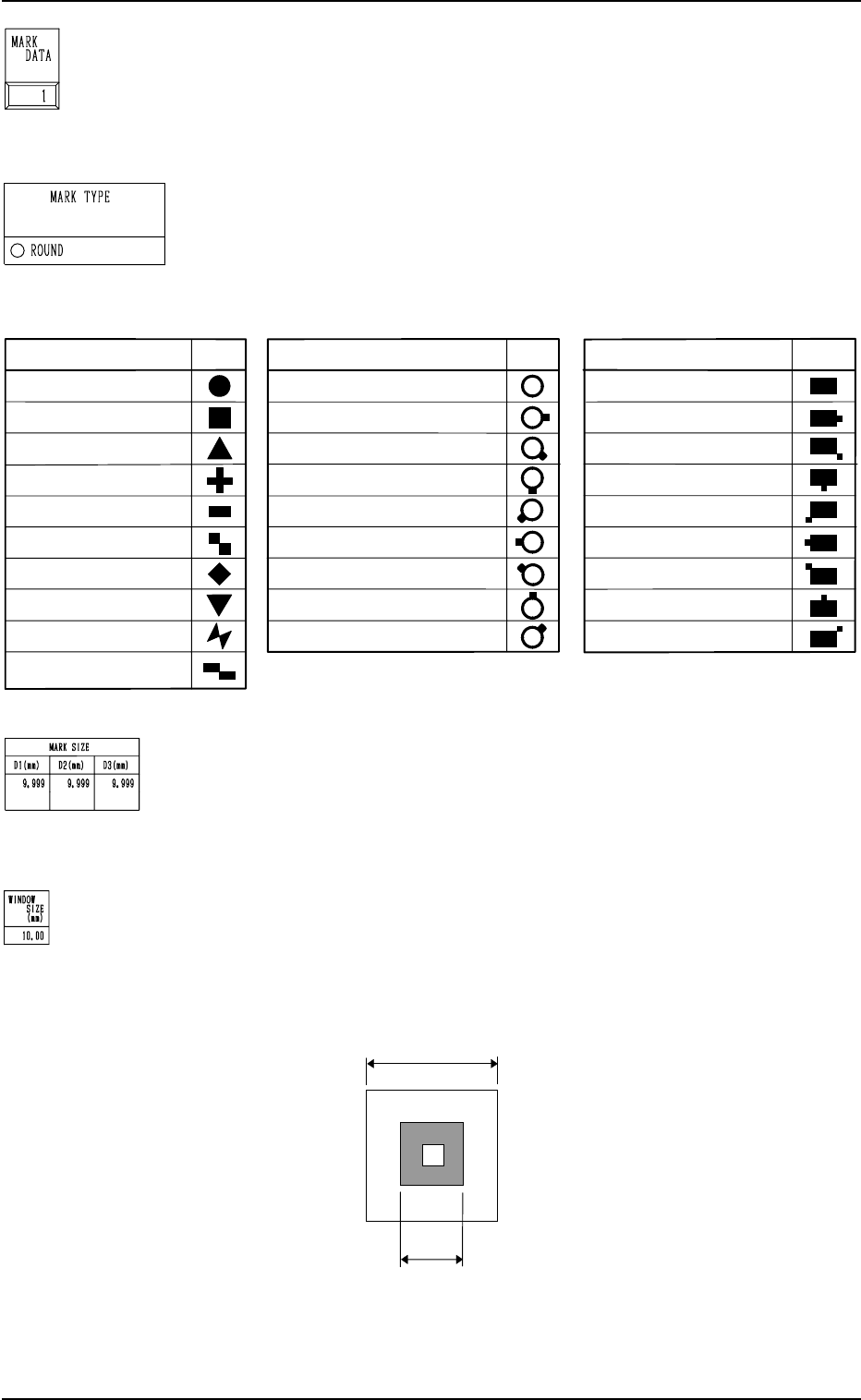
MARK SIZE D1 (mm), D2 (mm), D3 (mm)
• “D3 (mm)” is reserved data.
Set the outer and inner diameters of a fiducial mark.(Unit: mm)
Refer to “(1) Type and Size” in “2.3.4 P.E.C. Fiducial Marks
of Section 2” for details.
WINDOW SIZE
Set the window size (recognition area) for the P.E.C. recogni-
tion function. (Unit: mm)
Set a preferably small value to avoid false recognition and
shorten recognition time.
MARK DATA
The mark data (code) corresponds to the code No. of the fidu-
cial mark used in the P.E.C. recognition function.
• 10 types of mark codes can be registered for each program
data.
MARK TYPE
Shown is the selected type of fiducial mark.
• Marks are categorized according to the following three types
- “P.E.C. Mark”, “Through Hole”, and “Pad Mark”.
2. Pattern Program
Mark Size
Window Size
(Complete Square)
MARK TYPE
TYPE
ROUND
EQUILATERAL TRIANGLE
(Upturned)
CROSS
RECTANGLE
CHECKER (square)
DIAMOND (rotated square)
EQUILATERAL TRIANGLE
(Downturned)
BOW TIE
CHECKER (rectangle)
THROUGH HOLE/NO LAND
THROUGH HOLE/LAND (E)
THROUGH HOLE/LAND (SE)
THROUGH HOLE/LAND (S)
THROUGH HOLE/LAND (SW)
THROUGH HOLE/LAND (W)
THROUGH HOLE/LAND (NW)
THROUGH HOLE (N)
THROUGH HOLE/LAND (NE)
PAD MARK/NO LAND
PAD MARK/LAND (E)
PAD MARK /LAND (SE)
PAD MARK/LAND (SW)
PAD MARK/LAND (W)
PAD MARK/LAND (NW)
PAD MARK/LAND (N)
PAD MARK/LAND (NE)
TYPE
TYPE
MARK TYPE
MARK TYPE
SQUARE
<Pad Mark>
<Through Hole>
<P.E.C. Mark>
PAD MARK /LAND (S)
Fig. 2.24
9910-001 2-26 Tg0247-PM-PM
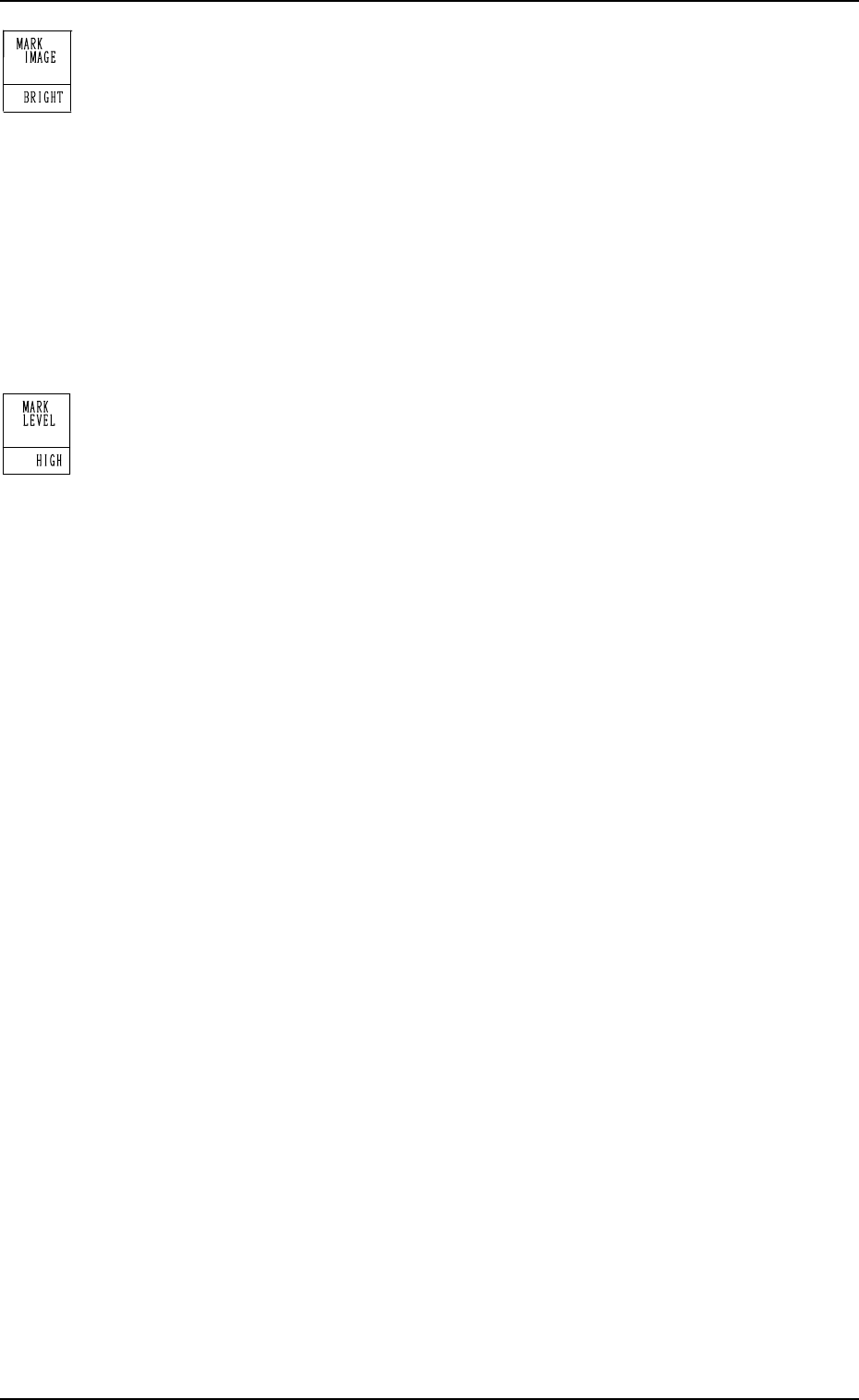
MARK IMAGE
Select one of the following options for a fiducial mark image
(mark pattern) taken by the camera.
“BRIGHT”
“DARK”
BRIGHT : Bright Fiducial/Dark Background
DARK : Dark Fiducial/Bright Background
• Select either mode according to the difference in contrast
between the fiducial and its surroundings.
• Select better mode to get a clear fiducial image.
Note: Wrong mode selection causes malfunction of fiducial
mark recognition.
MARK LEVEL
Select one of the following options as a level to detect a fidu-
cial mark shape.
“HIGH”
“MIDDLE”
“LOW”
HIGH : Both identity and similarity between the shape
of a fiducial mark and the real image are de-
tected on a high level.
MIDDLE : Either identity or similarity between the shape
of a fiducial mark and the real image is de-
tected on a high level.
LOW : Both identity and similarity between the shape
of a fiducial mark and the real image are de-
tected on a low level.
Identity:
Identity between the shape of the specified mark and the real
image (including the size)
Similarity:
Similarity between the shape of the specified mark and the
real image
9910-001 2-27 Tg0247-PM-PM
2. Pattern Program