2OM-1064-002.pdf - 第163页
Section 4 Automatic Operation Set-Up 9910-001 4-1 Tg0247-PM-PM
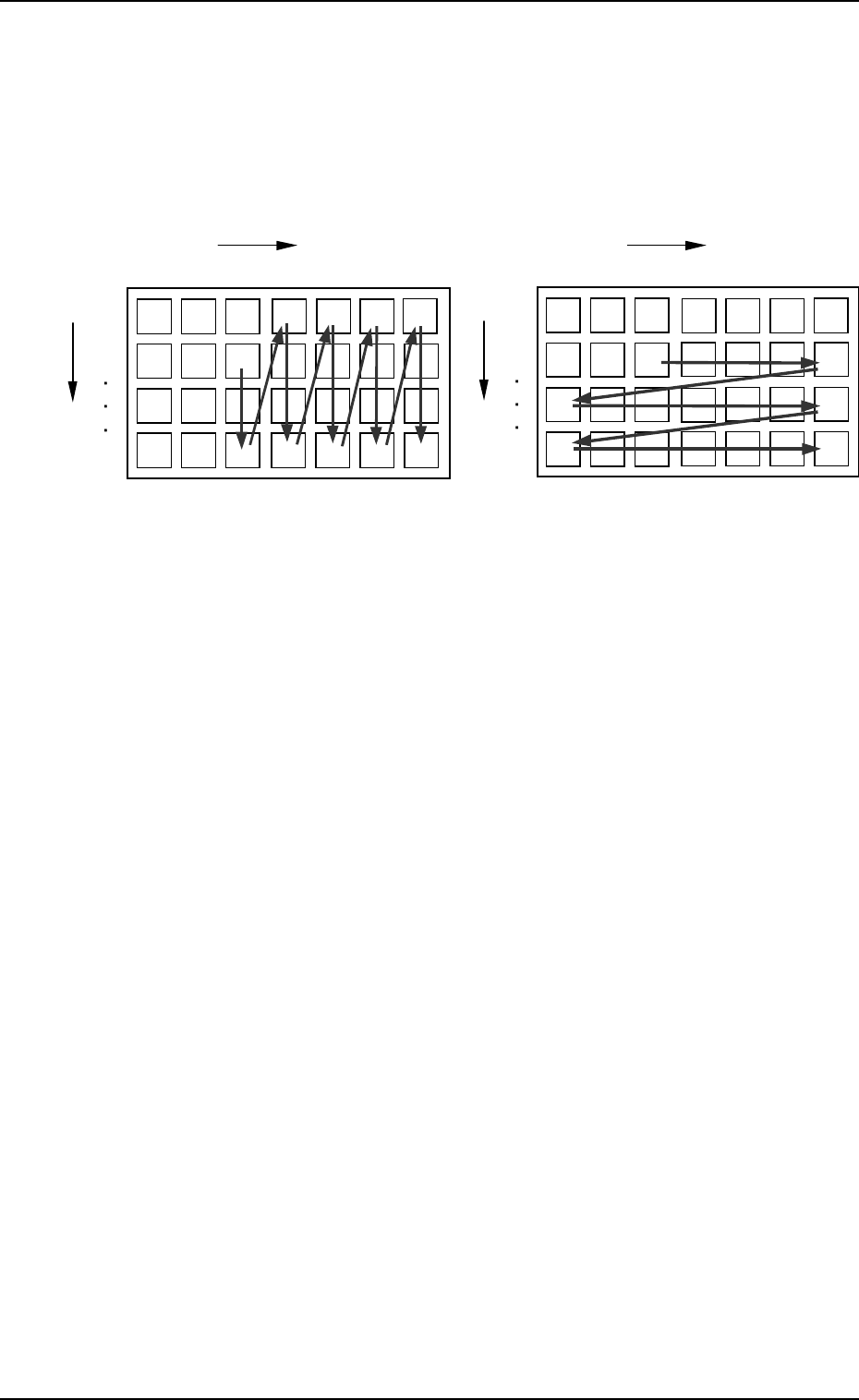
• The first component pick-up position is assumed to be “X:
3, Y: 2”.
z : Component Picked Normally
{ : Component Left Behind
Shadowed : Mispick
4. TRAY MATRIX MODE Display (Option)
z
z
z
zz
z{{
{{
z
zz
zz
zz
z
z
z
z z
z
z
z
z
z
z
z z z
z
z z
zz
z
z
Selection of “Y DIR.”
Selection of “X DIR.”
Y
1
2
99
1
X
99
・
・・
・
・
・・
・
・
・・
・
・
・・
・
・
・・
・
・
・・
・
3
2
1
X
99
・
・・
・
・
・・
・
・
・・
・
・
・・
・
・
・・
・
・
・・
・
3
2
Y
1
2
99
××
×××
××××
××
××× × ×××
Fig. 3.11-1 Fig. 3.11-2
9910-001 3-14 Tg0247-PM-PM

Section 4
Automatic Operation Set-Up
9910-001 4-1 Tg0247-PM-PM
1. AUTO OPERATION SET-UP Display
*1
*2
*3
9910-001 4-2 Tg0247-PM-PM
1. AUTO OPERATION SET-UP Display
Various parameters related to automatic operation of the machine can be set at
this display. Machine performance, production rate, production guidance, etc.,
can be set.
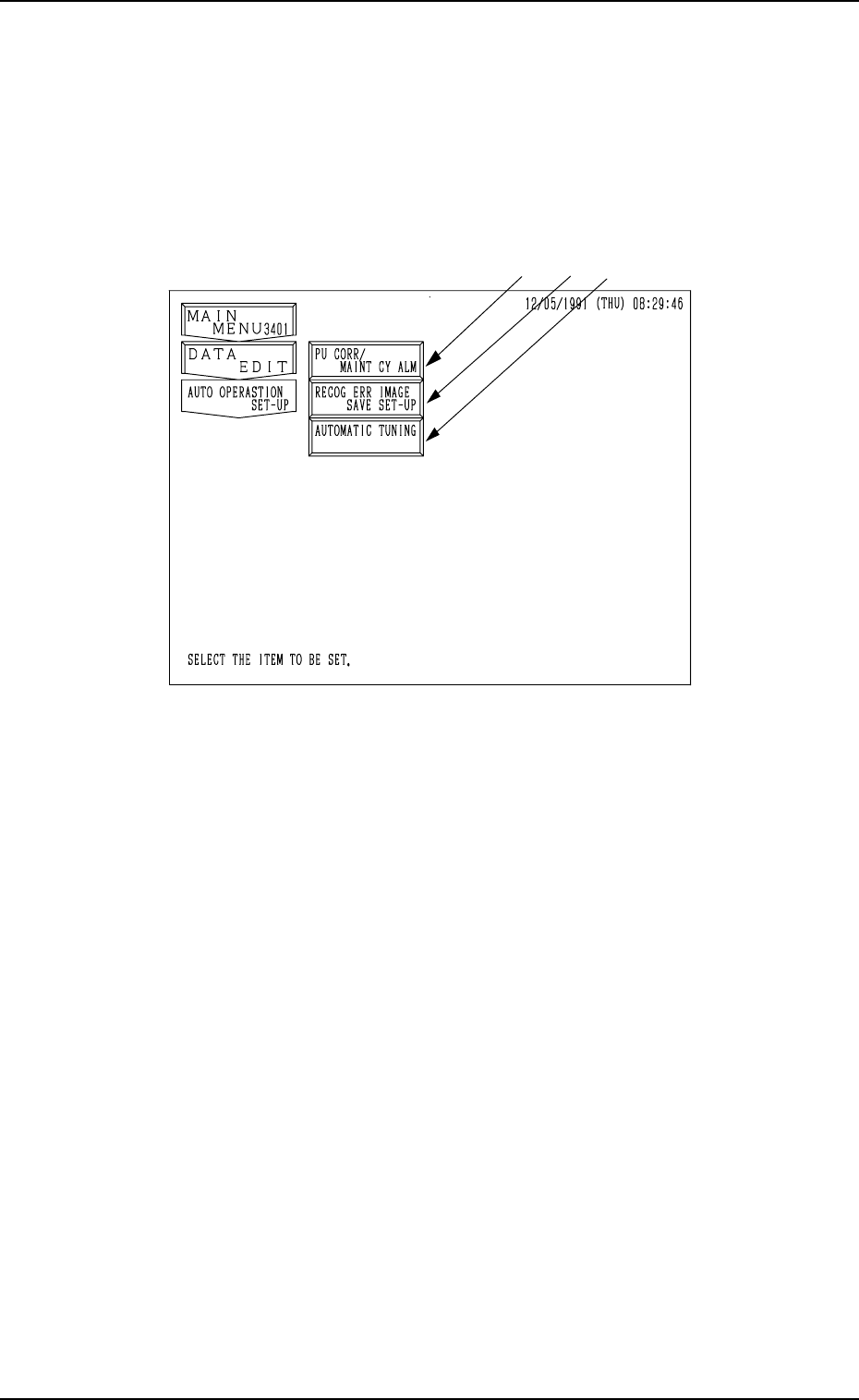
When the [AUTO OPERATION SET-UP] key is pressed at the “DATA EDIT”
display, the following display appears on the screen.
Fig. 4.1
*1 [PU CORR/MAINT CY ALM] Key
When this key is pressed, the “PICK-UP CORRECTION/MAINTENANCE
CYCLE ALARM” display opens, enabling the sensitivity setting for pick-
up correction, the setting of various guidance, and the setting of alarm indi-
cation.
*2 [RECOG ERR IMAGE SAVE SET-UP] Key
When this key is pressed, the “RECOGNITION ERROR IMAGE SAVE
SET-UP” display opens, enabling the setting for image data saving at a
recognition error.
The data can be used to analyze the cause of an error in comparison with
the error image on the monitor.
*3 [AUTOMATIC TUNING] Key
When this key is pressed, the “AUTOMATIC TUNING” display opens,
enabling the setting of timing to correct the position of each section.