2OM-1064-002.pdf - 第118页
Third Page Fig. 2.96-3 4. P A TTERN PROGRAM Display (2) Select the data to be edited. (3) Enter a parameter and press the [SET] key . (4 ) Press the [R TN] key . The “P A TTERN PROGRAM EDIT” display ap- pears on the scre…
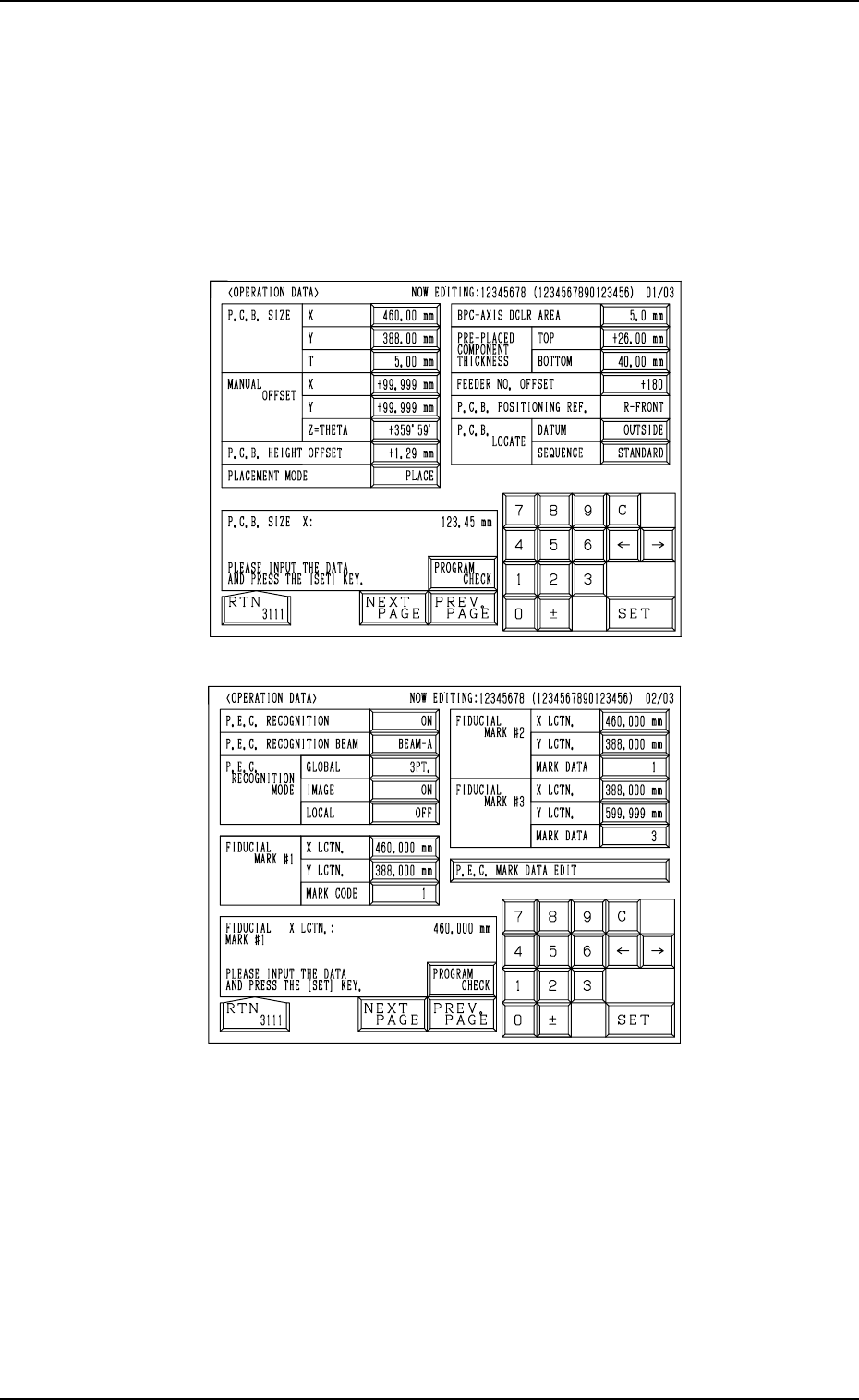
First Page
Second Page
Fig. 2.96-1
Fig. 2.96-2
4. PATTERN PROGRAM Display
4.3 Operation Procedures
4.3.1 OPERATION DATA Display
(1) When the [OPERATION DATA] key is pressed at the “PATTERN PRO-
GRAM EDIT” display, the following display appears on the screen.
• Every time the [NEXT PAGE] or the [PREV. PAGE] key is pressed,
another or previous page appears on the screen.
0004-002 2-105 Tg0247-PM-PM
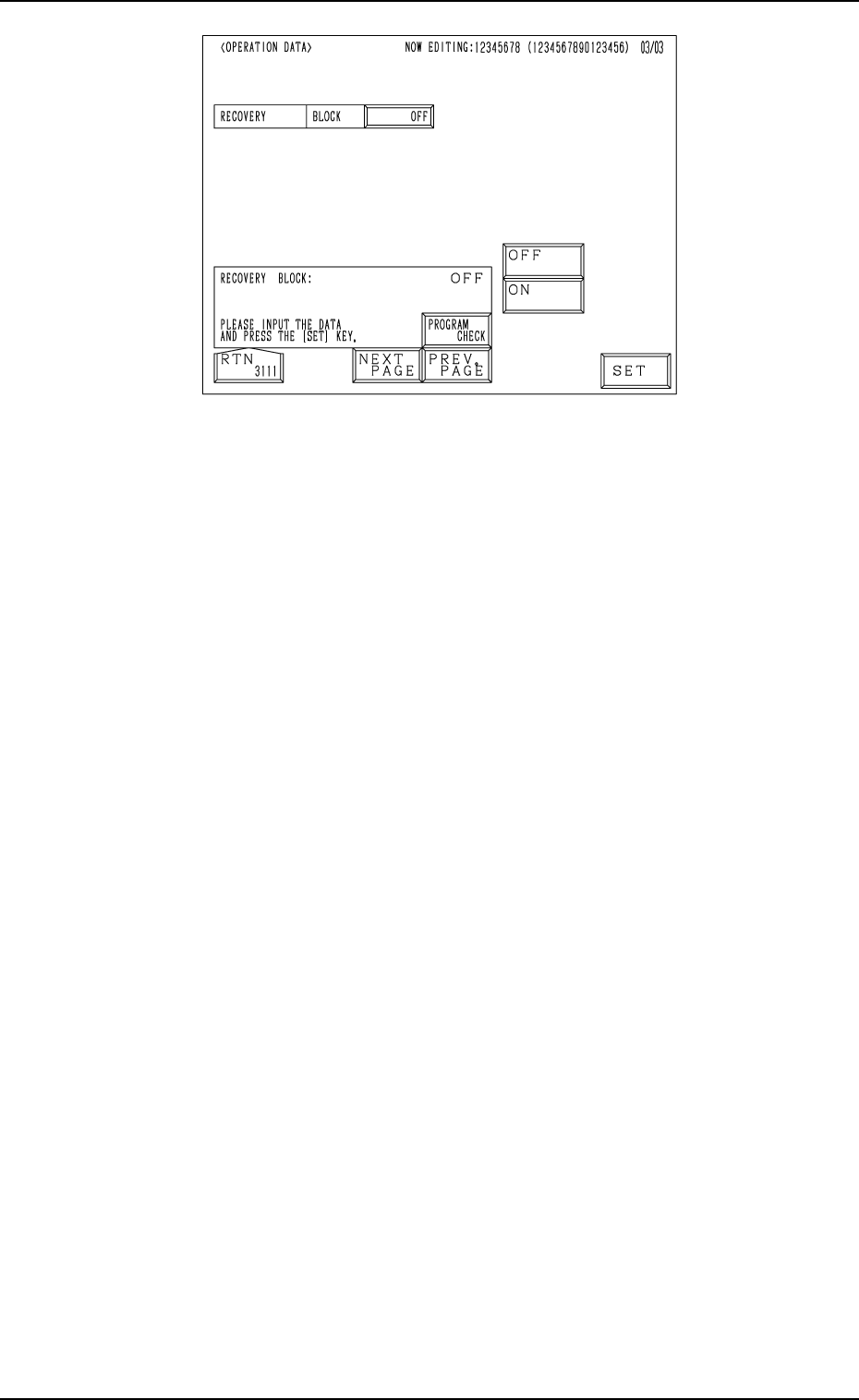
Third Page
Fig. 2.96-3
4. PATTERN PROGRAM Display
(2) Select the data to be edited.
(3) Enter a parameter and press the [SET] key.
(4) Press the [RTN] key. The “PATTERN PROGRAM EDIT” display ap-
pears on the screen.
• When the [PROGRAM CHECK] key is pressed, the edited pattern program
is checked.
0004-002 2-106 Tg0247-PM-PM
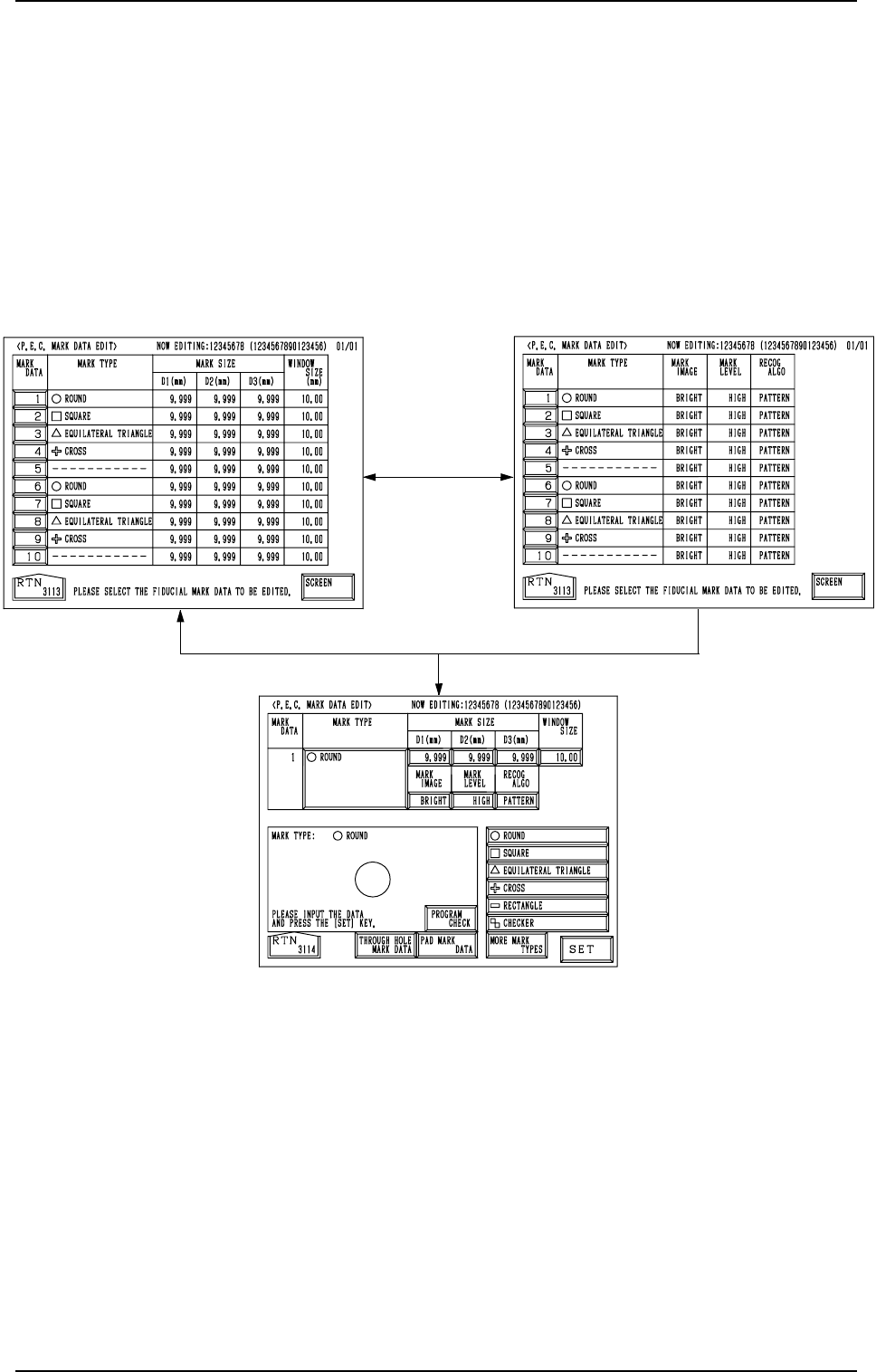
Fig. 2.97-2
Fig. 2.97-1
Fig. 2.98
[SCREEN] Key
[1]
4. PATTERN PROGRAM Display
4.3.2 P.E.C. MARK DATA EDIT Display
(1) When the [P.E.C. MARK DATA EDIT] key is pressed at the “OPERA-
TION DATA 02/03” display (Fig. 2.96-2), the display (Fig. 2.97-1) ap-
pears on the screen.
Pressing the [SCREEN] key at this display opens another “P.E.C. MARK
DATA EDIT” display.
(2) When the [1] key under the label “MARK DATA” is pressed, the display
(Fig. 2.98) appears on the screen, enabling the editing of the P.E.C. mark
data.
(3) Select the data to be edited.
(4) Enter a parameter and press the [SET] key.
(5) Press the [RTN] key. The display (Fig. 2.97-1) appears on the screen.
• When the [PROGRAM CHECK] key is pressed, the edited pattern program
is checked.
0004-002 2-107 Tg0247-PM-PM