2OM-1064-002.pdf - 第189页
9910-001 5-19 Tg0247-PM-PM 3. FEEDER (A) OFFSET and FEEDER (B) OFFSET Displays FEEDER (B) OFFSET L (mm) (Vibratory Stick Feeder) The set parameters are used to correct the variation in the stick’ s pick-up height of the …
9910-001 5-18 Tg0247-PM-PM
3. FEEDER (A) OFFSET and FEEDER (B) OFFSET Displays
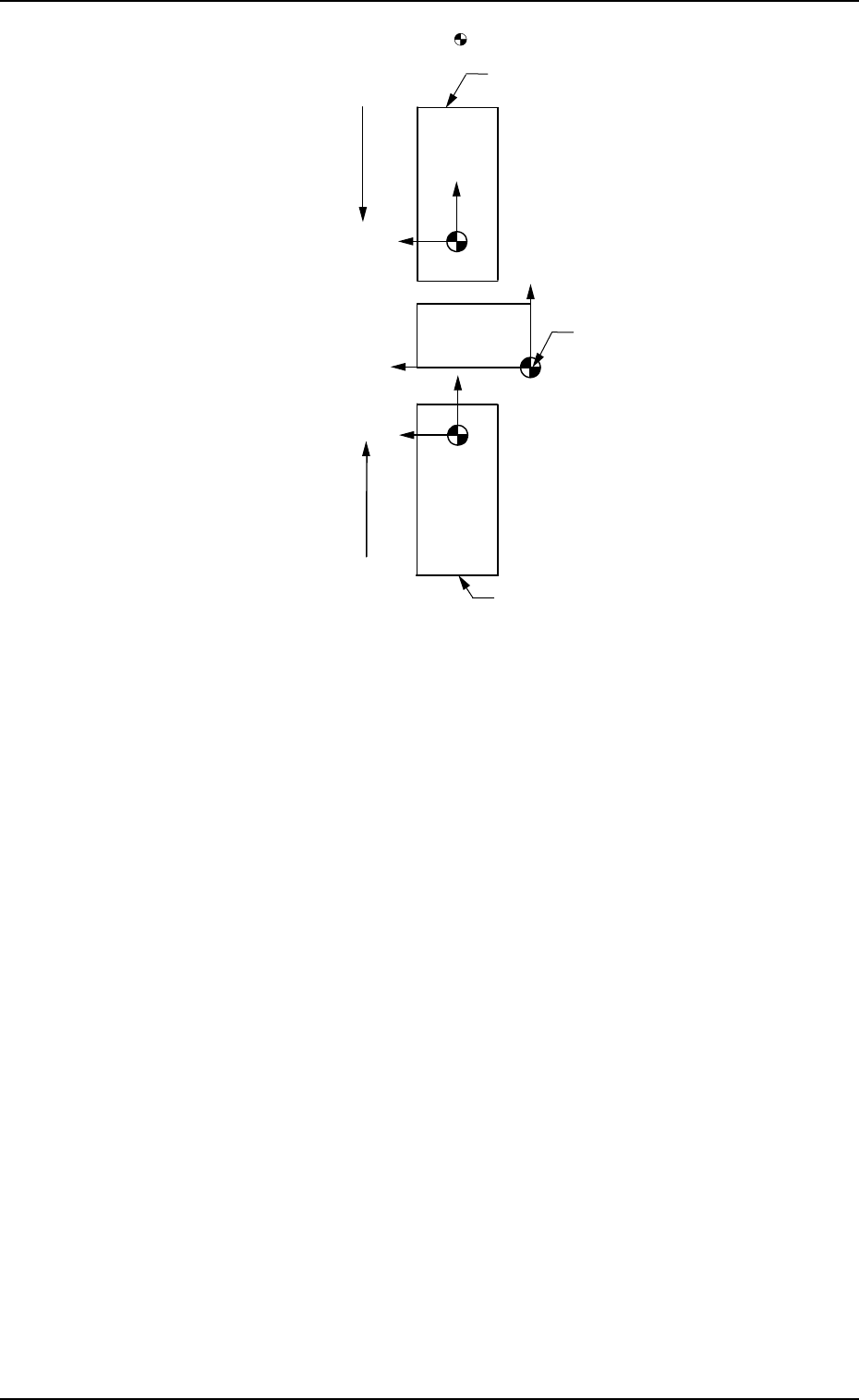
Note: The center of the mark is the reference point
X (+)
Y (+)
P.C.B.
Rear Feeder
User Direction of Tape Feed
User Direction of Tape Feed
Front Feeder
Absolute Origin
Fig. 5.18
When offset parameters are set with a plus (+) sign, the compo-
nent pick-up directions (position) are changed to “X (+)” and “Y
(+)” shown in the above figure.
Note: Both rear (Slot Nos. 141 to 199) and front (Slot Nos. 241
to 299) feeders are not based on the feeders themselves.
They are based on the absolute origin.
Ref.: When the [TEACHING] key *1 is pressed, the “UNIT
MANUAL ALIGNMENT TEACH” display appears on
the screen.
Refer to “6.8.3 Vibratory Stick Feeder Unit Offset of Sec-
tion 3 in Volume 4” for details.
9910-001 5-19 Tg0247-PM-PM
3. FEEDER (A) OFFSET and FEEDER (B) OFFSET Displays
FEEDER (B) OFFSET L (mm) (Vibratory Stick Feeder)
The set parameters are used to correct the variation in the stick’s
pick-up height of the installed vibratory feeders for each indi-
vidual feeder slot Nos. (FDR. NO.).
These parameters are reflected on the descending stroke of the
head required to pick up a component.
Enter the positional deviations from the pick-up position for
the vibratory stick units, including the vibratory stick unit off-
set (device offset).
Note: The automatic feeder axis adjustment mode cannot be
used for this data.
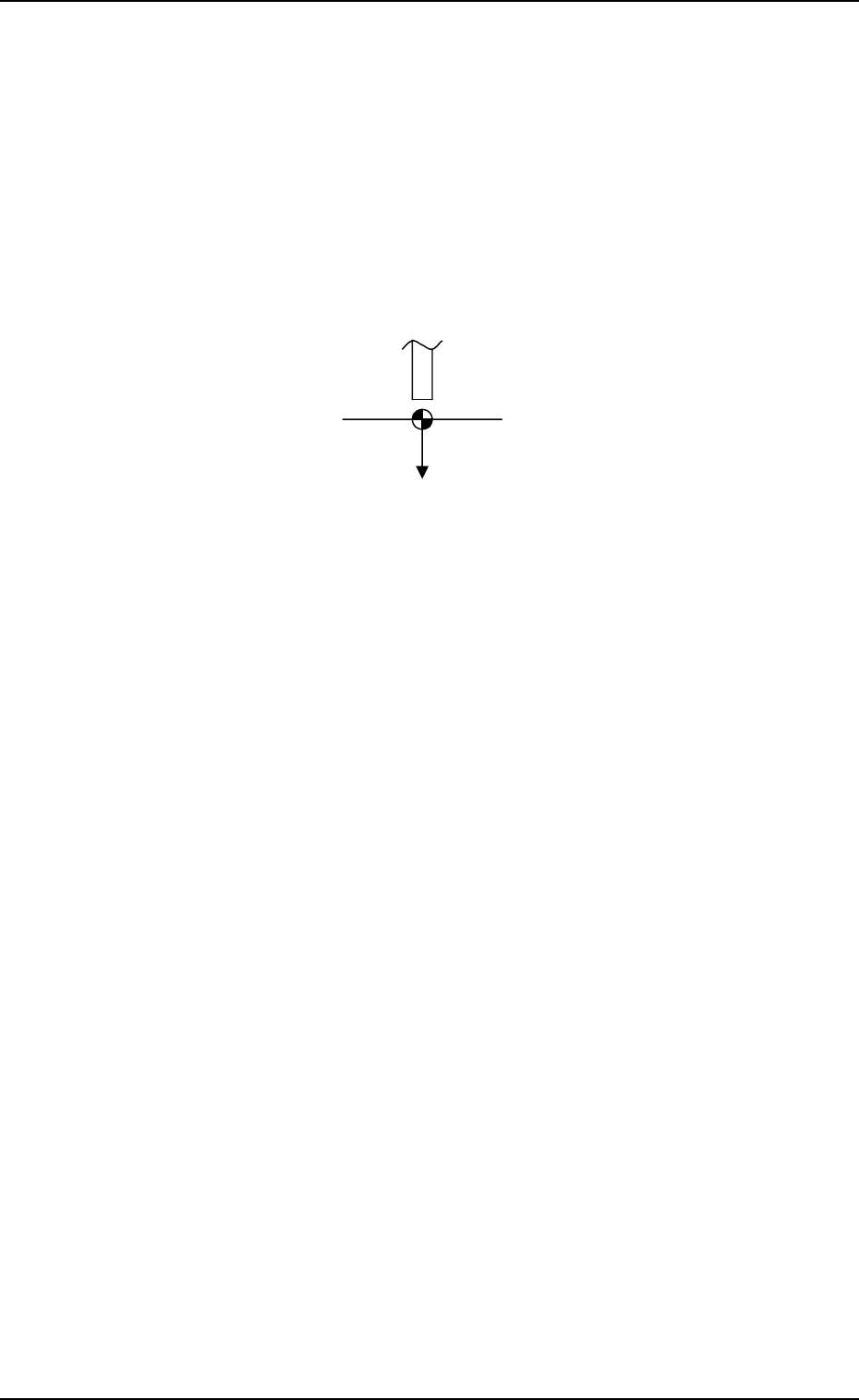
L (+)
Pick-Up Reference Level
Nozzle
Fig. 5.19
When a value is entered with a plus (+) sign, the pick-up height
is changed to “L (+)” shown in the figure above, concluding
that the descending stroke has increased.
When the [DATA CLEAR] key is pressed, a display appears, en-
abling you to clear the data.
Whenever a stick is replaced with another one, it is recommended
that the feeder (B) offset data should be cleared.
When parameters are not set correctly for each individual sticks,
components may not be picked up successfully because the feeder
(B) offset data contains the offset values for correct component
picks.
Refer to “5.2.5 Feeder (B) Offset of Section 2 in Volume 1” for
details.
FEEDER (B) OFFSET X (mm), Y (mm) (Multi-Layer Tray
Feeder) (Option)
The set parameters are used to correct the variation for each
block of steps, based on the PL-XY coordinate system.
Enter the positional deviations from the pick-up position for each
individual pallets, including the traverse pullout position (multi-layer
tray offset), such that components can be picked up at their centers.
When the automatic feeder axis adjustment mode is enabled for the
pick-up position, this data is updated automatically as to pick up the
component center based on the results of the component recognition
for the component picked up during automatic operation.
Refer to “5.1 AUTOMATIC FEEDER AXIS ADJUSTMENT
MODE Display of Section 3 in Volume 1” for the detailed
information on how to set the automatic feeder axis adjust-
ment mode.
Ref.: The manual alignment teaching operation is possible.
9910-001 5-20 Tg0247-PM-PM
3. FEEDER (A) OFFSET and FEEDER (B) OFFSET Displays
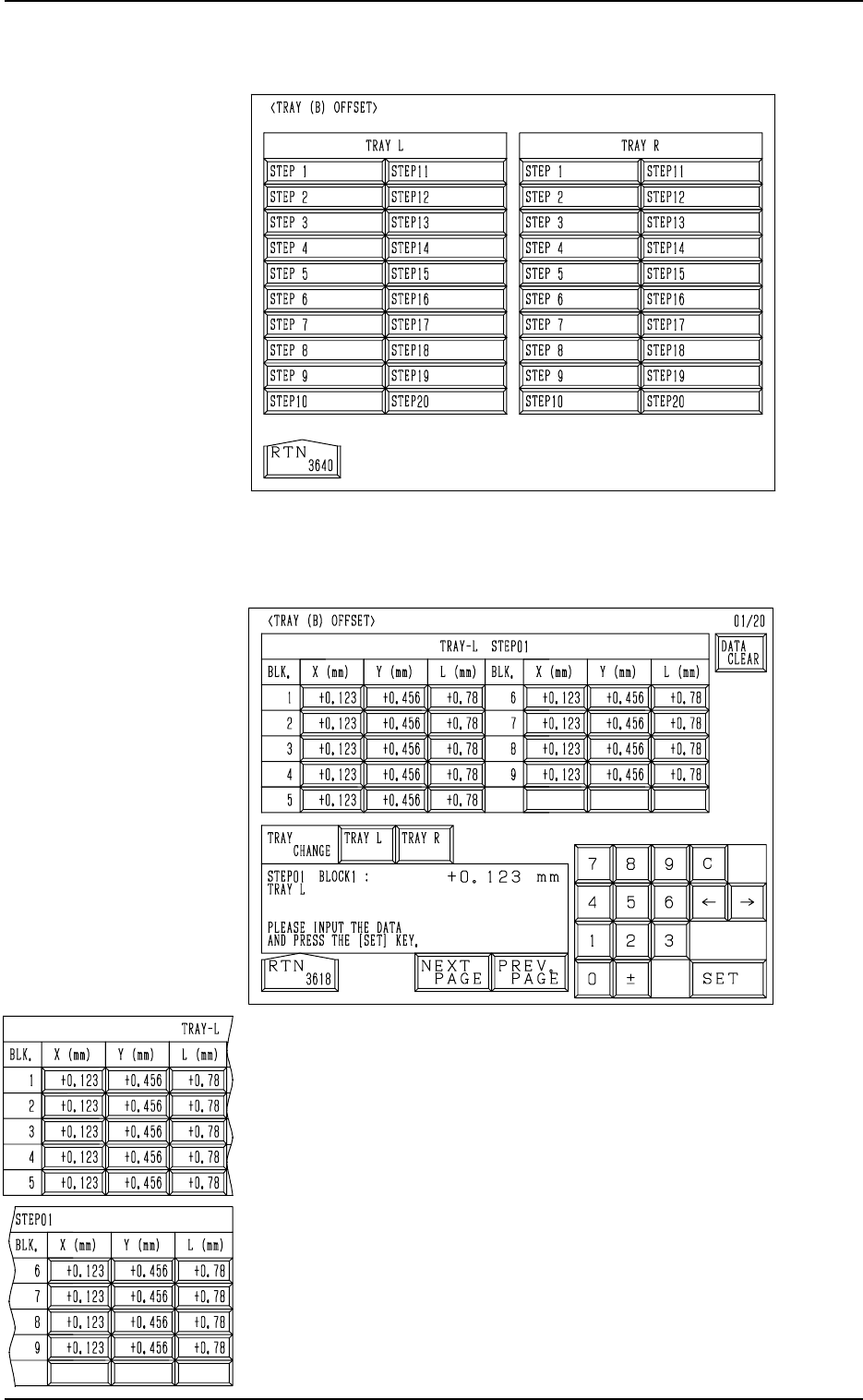
When the [TRAY] key is pressed at the “FEEDER (B) OFFSET” dis-
play (Fig. 5.13), the following display appears on the screen. (Op-
tion)
When one of the [STEP X] keys (the keys used to designate the
step to be set) is pressed at the display (Fig. 5.20), the following
display appears on the screen.
Fig. 5.20
Fig. 5.21