2OM-1064-002.pdf - 第29页
Fig. 2.14 • Data Input Range: 0 to 30.00 mm Note: When the thickness of a previously-placed component is more than 30.00 mm and 40.00 mm or less, consult our sales personnel for details. FEEDER NO. OFFSET : Reserved Data…
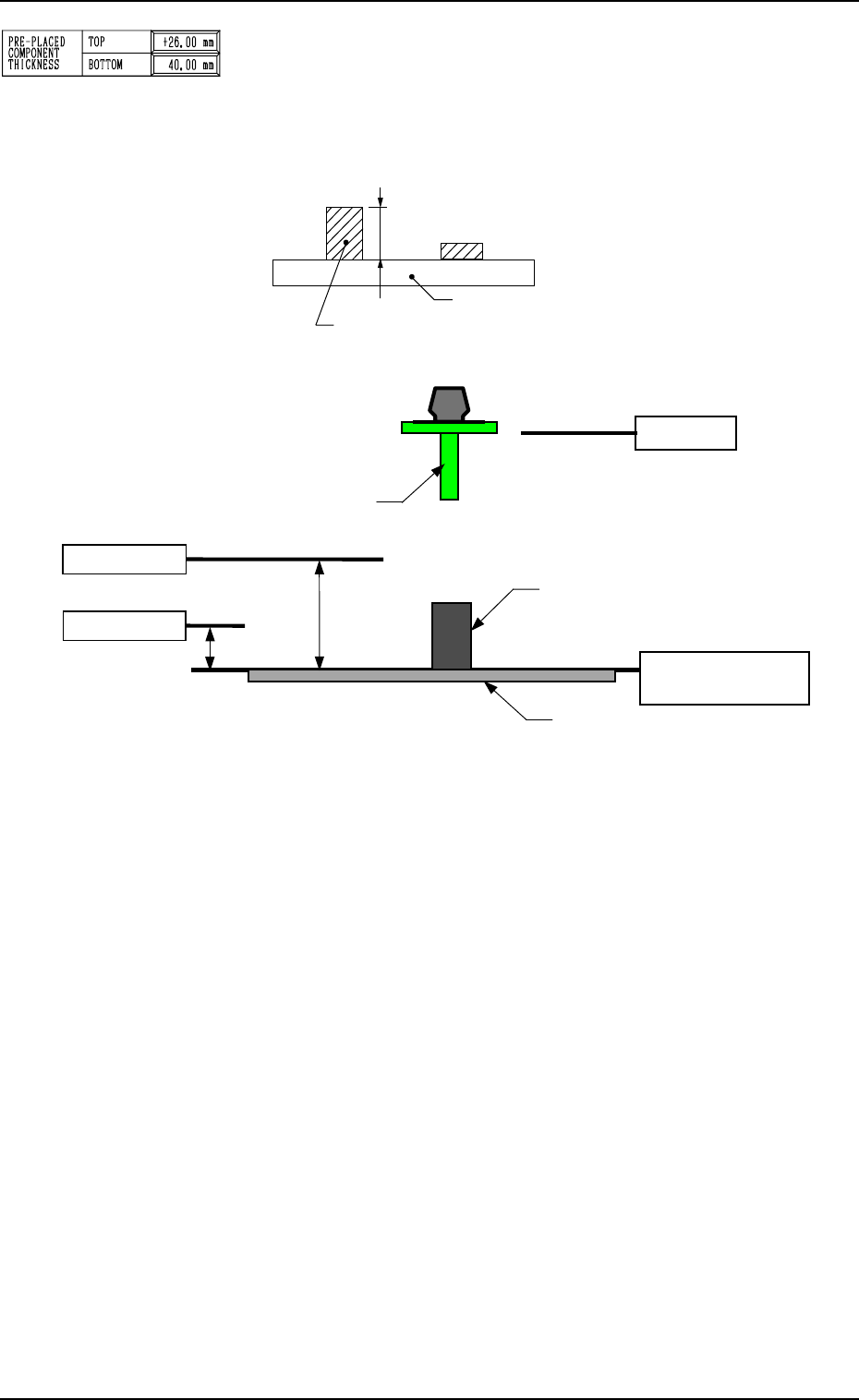
PRE-PLACED COMPONENT THICKNESS
TOP
When some components are placed previously (in advance) on
the top of a P.C.B. in the upstream line (input machine, etc.) and
the P.C.B. is already transferred to the machine, be sure to enter
the thickness of the highest component of all in the data box.
2. Pattern Program
L-Axis Origin
Reference: Upper Surface
of P.C.B.
Lower Pass Line
Previously-Placed Component
(including the already-placed component)
8.5 mm
(Design Dimension)
P. C. B.
Upper Pass Line
28 mm
(Design Dimension)
Nozzle
P.C.B.
Tallest Previously-Placed Component
Fig. 2.12
Fig. 2.13
Lower Pass Line : This line is the lowest level for the X/Y
beam movement when the thickness of a
previously-placed component (already-
placed component) is 6.5 mm or less. When
this level is not maintained, a physical in-
terference with a structure occurs.
This level is also regarded as a focus level
for component recognition.
As no height regulation is made for the pre-
viously-placed components (already-placed
components) during the X/Y beam move-
ment (component picks, component recog-
nition, component discharge operation, etc.)
outside the P.C.B. area (outside the area
where a P.C.B. is located for component
placement), the X/Y beam moves, keeping
the lower ends of the nozzles (without
picked components) and the lowest ends of
the picked components in this level.
Upper Pass Line : This line is the lowest level for the X/Y
beam movement when the thickness of a
previously-placed component (already-
placed component) is more than 6.5 mm.
(Only in the P.C.B. area)
9910-001 2-16 Tg0247-PM-PM
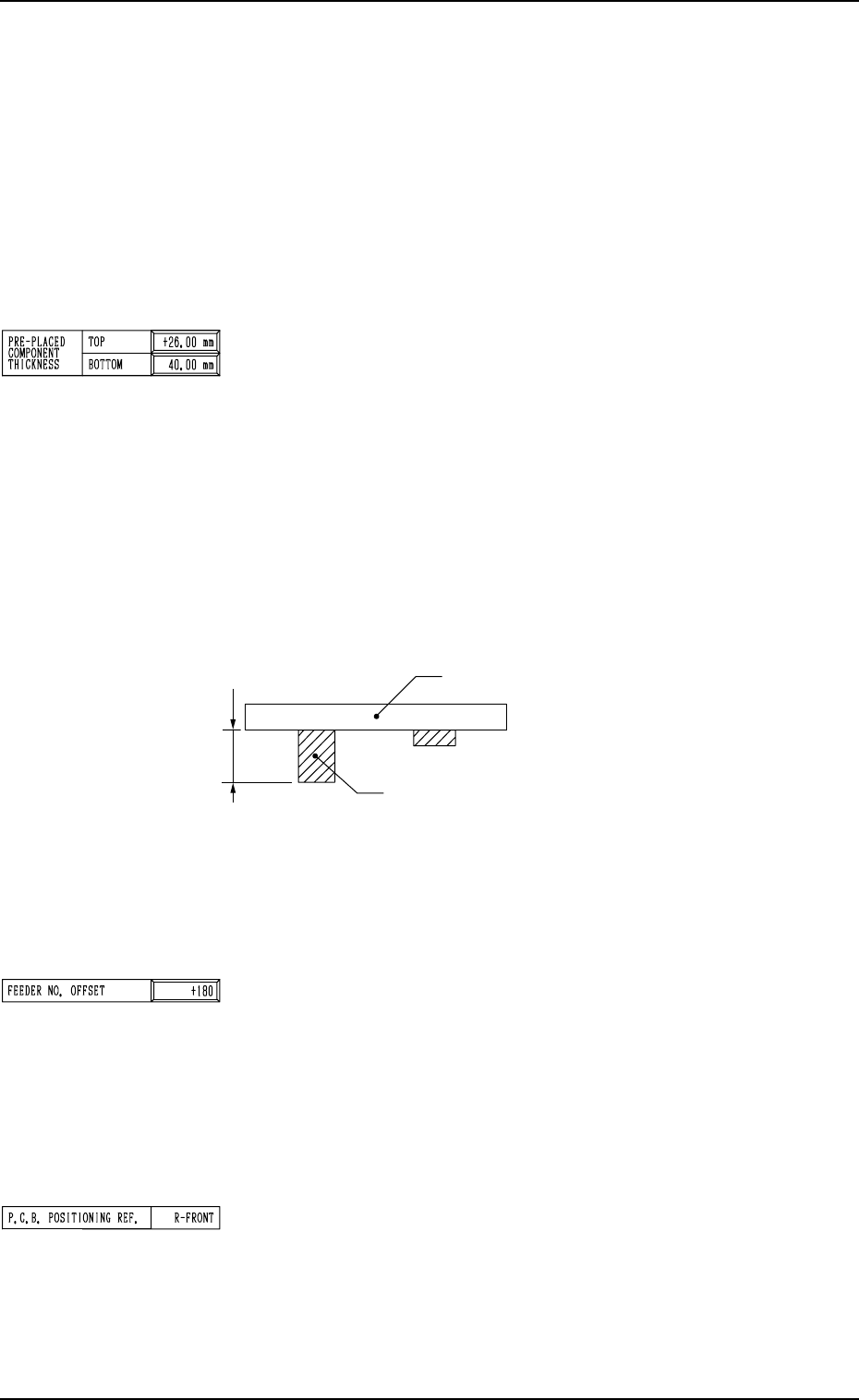
Fig. 2.14
• Data Input Range: 0 to 30.00 mm
Note: When the thickness of a previously-placed component
is more than 30.00 mm and 40.00 mm or less, consult
our sales personnel for details.
FEEDER NO. OFFSET : Reserved Data
The set offset data is used to shift the feeder allocation on the
feeder base.
Note: The multi-layer tray unit is not affected by the set pa-
rameter.
Set the offset value for the component allocation to the feeder
base.
The set parameter is added to the feeder slot No. (FDR NO.)
designated in the placement data.
P.C.B. POSITIONING REF.
Shown is the reference of placement coordinates.
L-BACK : Left Back Reference
L-FRONT : Left Front Reference
R-FRONT : Right Front Reference
R-BACK : Right Back Reference
Note: No editing is available.
The maximum thickness of the placed component is managed
on the machine side to automatically change the component
transfer level every time a component is placed, avoiding any
interference between the picked and placed components.
• It is advisable that shorter components be placed before the
tallest one.
Note: When P.C.B.’s have previously-placed components and
“0” (no previously-placed components) is set in the
data box, the picked components may interfere with
the placed components.
• Data Input Range: 0 to 25.40 mm
BOTTOM
When some components are placed previously (in advance)
on the back of a P.C.B. in the upstream line (input machine,
etc.) and the P.C.B. is already transferred to the machine, be
sure to enter the thickness of the highest component of all in
the data box.
The set parameter is used to determine the position (elevation)
of the first backup table when the P.C.B. is transferred to the
P.C.B. positioning section.
Note: When P.C.B.’s have previously-placed components and
“0” (no previously-placed components) is set in the data
box, the support pins may interfere with the previously-
placed components while the P.C.B. is being transferred
to the P.C.B. positioning section.
2. Pattern Program
P.C.B.
Tallest Previously-Placed Component
9910-001 2-17 Tg0247-PM-PM
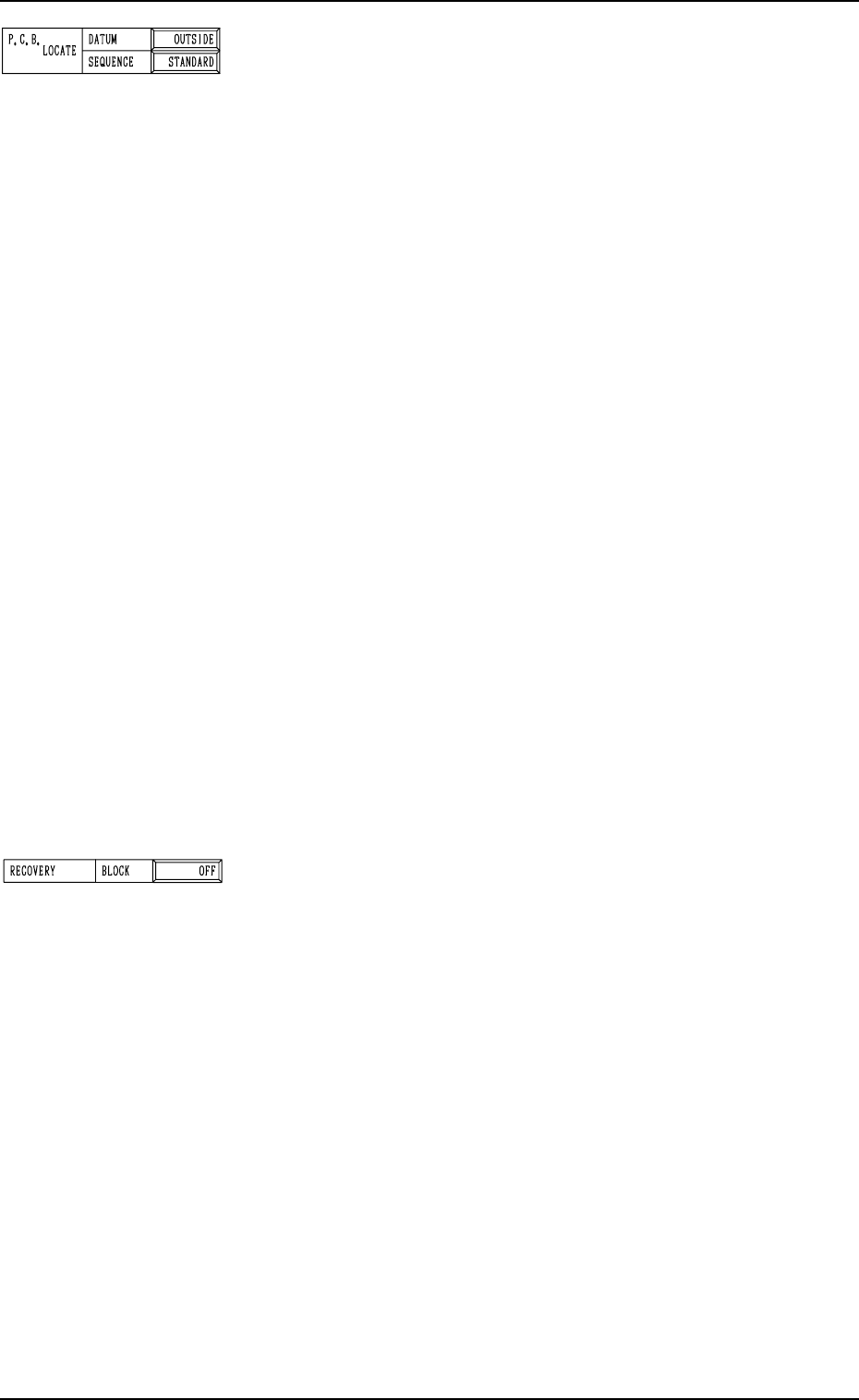
P.C.B. LOCATE
DATUM
“OUTSIDE” or “HOLE” can be set in the data box.
In normal cases, “OUTSIDE” must be set.
When “HOLE” is set, the reference pin for machine position-
ing is automatically aligned with the P.C.B. hole position.
Note: The above positioning method may not work, depend-
ing on the combination of the P.C.B. flow direction and
the positioning reference position and the value set in
the “X” data box of the label “P.C.B. SIZE”.
Please contact us when the "Hole" reference is used.
SEQUENCE
“STANDARD” , “MODE1” or “MODE2” can be set in the
data box.
STANDARD : The P.C.B. positioning is completed after the
clamp plates have moved up, have stopped at
the position where the P.C.B. is lifted by 0.5
mm, the P.C.B. locating side clamp (Y pusher)
has moved forward, and the clamp plates have
moved up.
MODE1 : The P.C.B. positioning is completed when the
clamp plates have moved up completely.
(No Movement of P.C.B. Locating Side
Clamp)
MODE2 : The P.C.B. positioning is completed after the
clamp plates have moved up, have stopped at
the position where the P.C.B. is lifted by 0.5
mm, the P.C.B. locating side clamp (Y pusher)
has moved forward, the Y pusher has moved
backward, the clamp plates have moved up,
and the Y pusher has moved forward.
Third Page
RECOVERY BLOCK
In the case of block-specified operation, components are placed
starting with the smallest block No.
Unless all components in the specified block are placed com-
pletely, component placement operation does not take place
for the subsequent block.
(When a recovery event occurs, component placement opera-
tion does not take place until the recovery is completed.)
Block Nos.: 0 to 9 specified as a control command “C” of “P-
No.” in the pattern program
“OFF” or “ON” can be set in the data box.
OFF : Set this in the data box when the recovery regulation
is not required.
ON : Set this in the data box when the recovery regulation
is required.
Example of Setting
• To place small components on the placed large ones
• To place small components and attach covers to them
• Others
2. Pattern Program
9910-001 2-18 Tg0247-PM-PM