2OM-1064-002.pdf - 第146页
4. P A TTERN PROGRAM Display 4.9 Remedial Operation for Error Pattern Program Data When the backup pattern program data is corrupted due to battery shortage, etc., all parameters are changed to “*” as shown in Fig. 2.121…

4. PATTERN PROGRAM Display
When the “Warm Start” function can reboot the computer system,
follow the steps below.
(1) Press the [SAVE] key at the “PATTERN PROGRAM SAVE MODE” dis-
play (Fig. 2.120-1)
The display (Fig. 2.120-3) appears on the screen.
(2) Press the [YES] key to replace the existing pattern program data with
new one.
Note: When the current pattern program data is changed with the “Warm
Start” function feasible, the computer system cannot be re-started
without actually turning the computer off and on.
(3) When no error is found during program check operation, the “PATTERN
PROGRAM” display (Fig. 2.1) appears on the screen.
0004-002 2-133 Tg0247-PM-PM
4. PATTERN PROGRAM Display
4.9 Remedial Operation for Error Pattern Program
Data
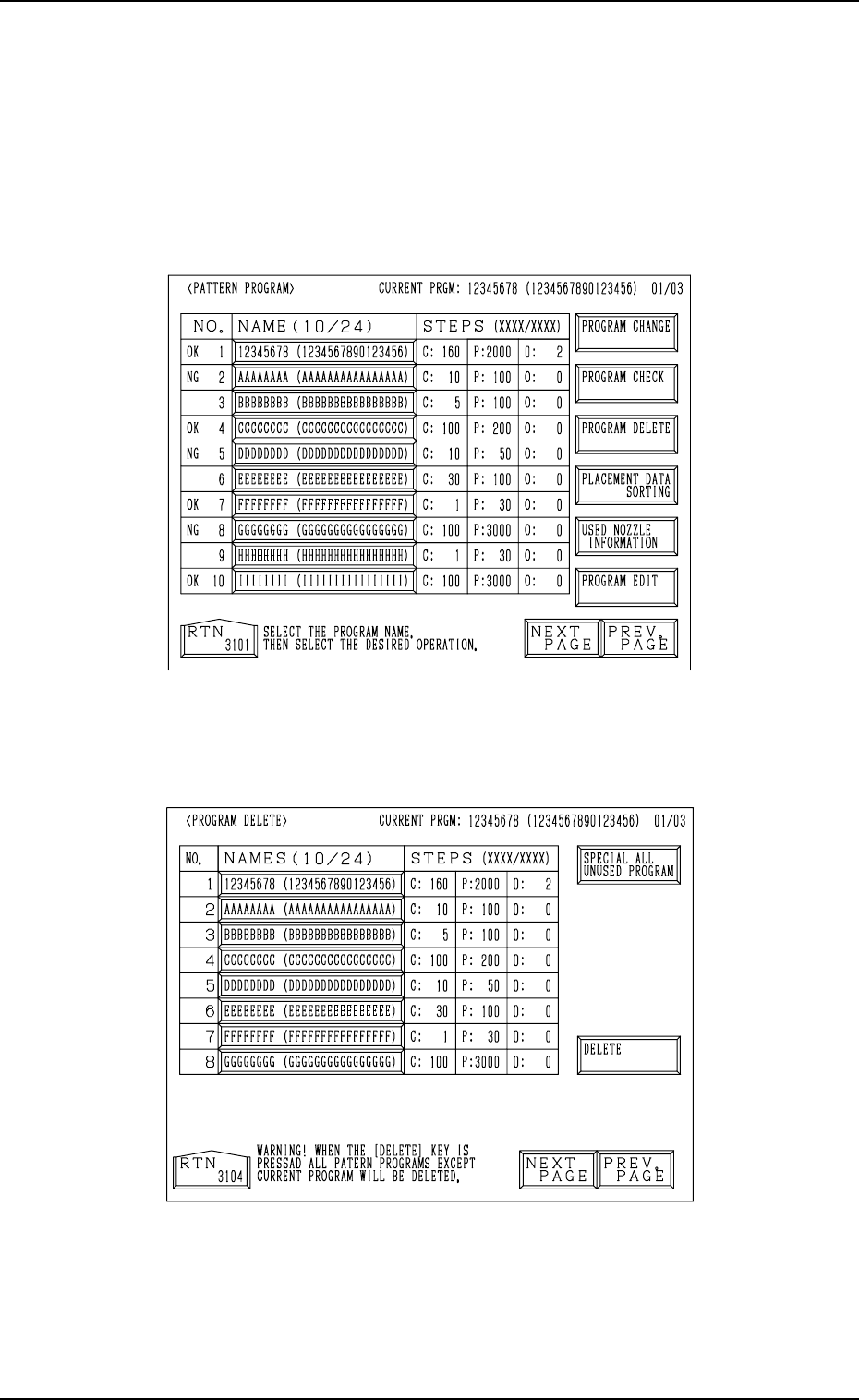
When the backup pattern program data is corrupted due to battery shortage,
etc., all parameters are changed to “*” as shown in Fig. 2.121-1.
(All characters turn red.)
In this case, such parameters cannot be retrieved and must be
deleted. (All Program Delete Operation)
Fig. 2.121-1
(1) When the [PROGRAM DELETE] key is pressed, the following display
appears on the screen.
Fig. 2.121-2
(2) When the [SPECIAL ALL UNUSED PROGRAM] key is pressed, the
key turns red and all pattern program name keys turn blue.
0004-002 2-134 Tg0247-PM-PM
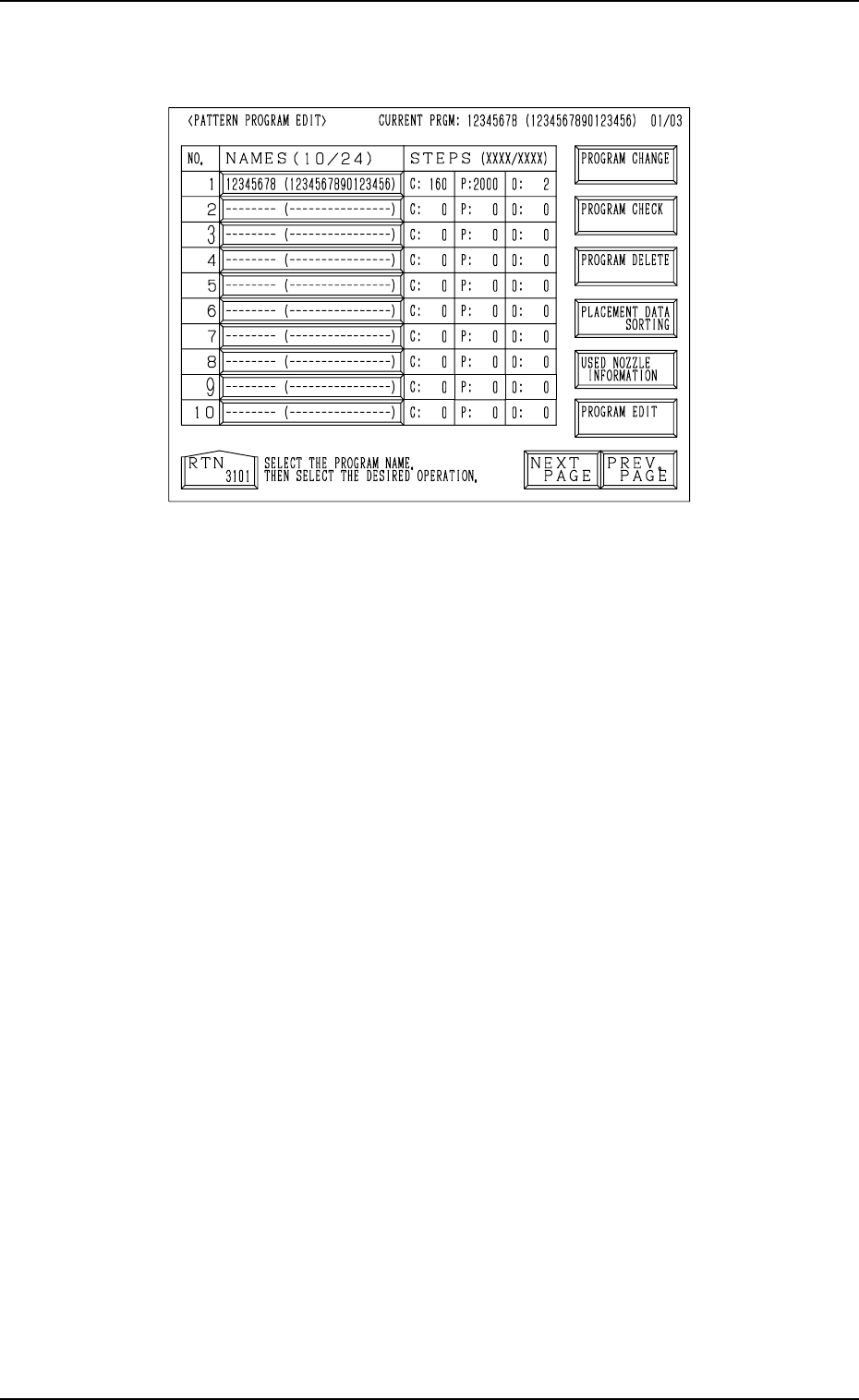
(3) When the [DELETE] key is pressed, all pattern program data is deleted
and the following display appears on the screen. (“*” is changed to “-”.)
4. PATTERN PROGRAM Display
Fig. 2.121-3
0004-002 2-135 Tg0247-PM-PM