2OM-1064-002.pdf - 第152页
AUTO TRANSFER MODE “DISABLE” or “ENABLE” can be set in this data box. When “ENABLE” is set, the automatic P .C.B. transfer function is selected. • When “DISABLE” (standard mode) is set in the data box, P .C.B.’ s are tra…
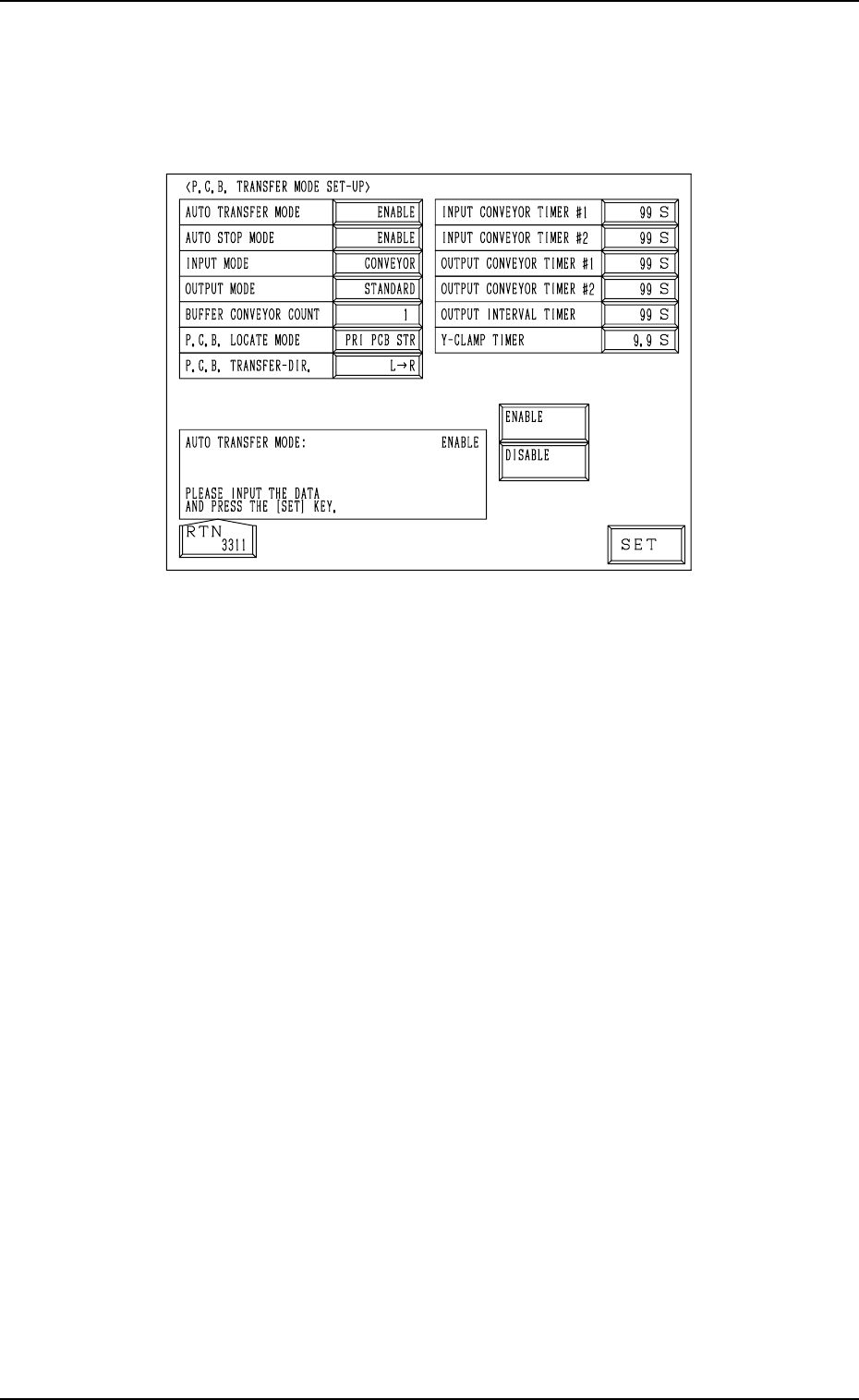
2. P.C.B. TRANSFER MODE SET-UP Display
2. P.C.B. TRANSFER MODE SET-UP Display
When the [P.C.B. TRANSFER MODE SET-UP] key is pressed at the “DE-
VICE DATA” display, the following display appears on the screen.
Fig. 3.2
9910-001 3-3 Tg0247-PM-PM
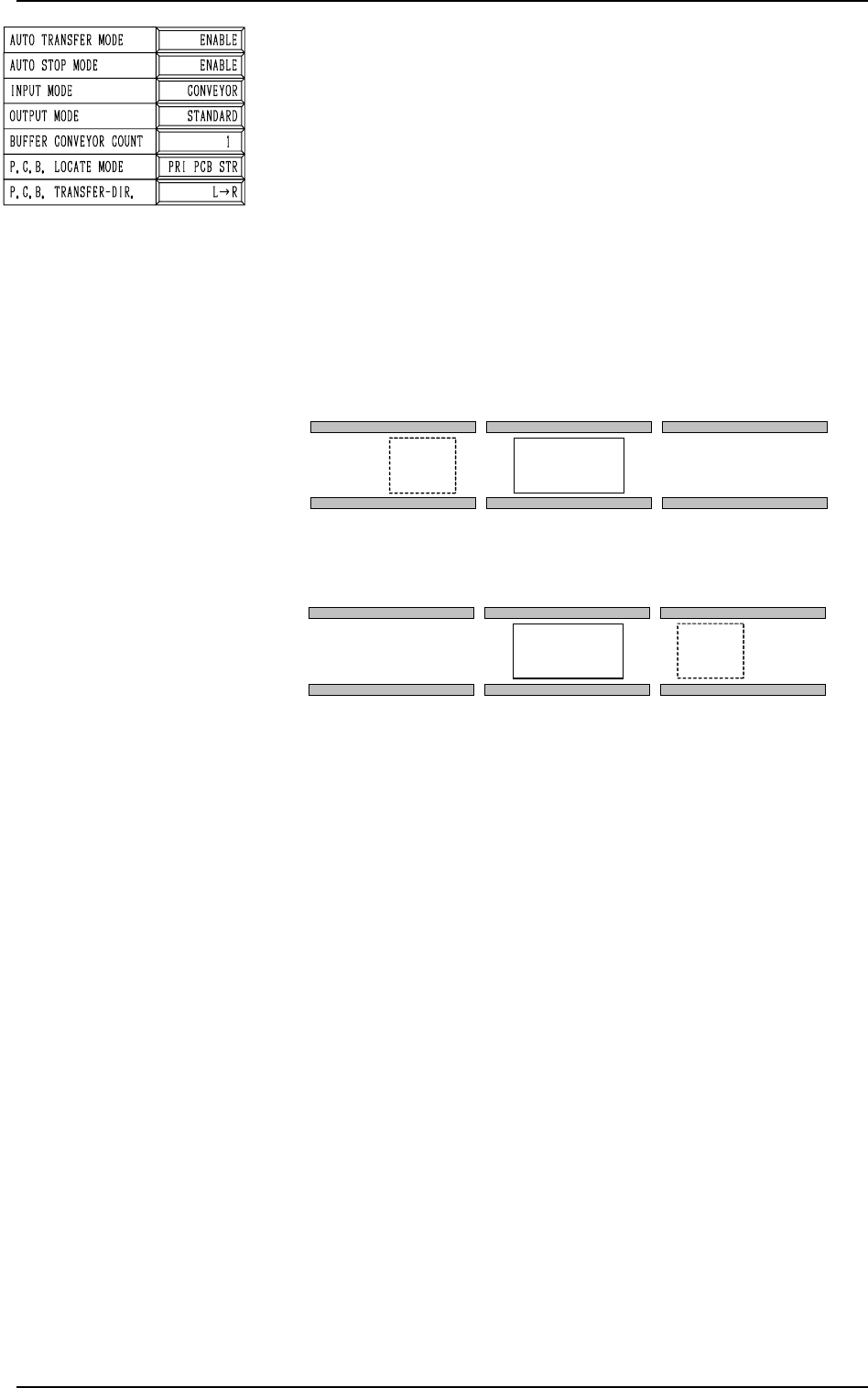
AUTO TRANSFER MODE
“DISABLE” or “ENABLE” can be set in this data box. When
“ENABLE” is set, the automatic P.C.B. transfer function is
selected.
• When “DISABLE” (standard mode) is set in the data box,
P.C.B.’s are transferred as follows.
The finished P.C.B. (where components are already placed)
on the P.C.B. positioning section is discharged at the same
time when the subsequent P.C.B. is transferred to the P.C.B.
positioning section.
The finished P.C.B. on the P.C.B. positioning section is set
in the standby mode until the subsequent P.C.B. comes to
the A shown in Fig. 3.3.
2. P.C.B. TRANSFER MODE SET-UP Display
9910-001 3-4 Tg0247-PM-PM
A
P.C.B. TRANSFER [R
→
L]
P.C.B. Positioning Section
A
P.C.B. TRANSFER [L
→
R]
P.C.B. Positioning Section
Fig. 3.3
• When “ENABLE” is set in the data box, P.C.B.’s are trans-
ferred as follows.
When the X/Y beam has returned to its origin after compo-
nents are placed on the P.C.B. on the P.C.B. positioning sec-
tion, no P.C.B. is located on the A shown in Fig. 3.3, and the
conveyor transfer is not started up, the P.C.B. transfer is
activated and the finished P.C.B. is discharged to the output
machine.
This function works efficiently to avoid finished P.C.B. stag-
nation on the P.C.B. positioning section when the line bal-
ance between the machine and the input machine is not good.

AUTO STOP MODE
“ENABLE” or “DISABLE” can be set in this data box. When
“ENABLE” is set, the automatic stop function is selected.
• When “ENABLE” (standard mode) is set in the data box,
the automatic stop function works in the following cases.
(1) When automatic operation of the machine is started by
pressing the [START] button without any P.C.B. on the
machine, the machine is waiting for a P.C.B. to be sent
from the input machine and detects that “RUN” signal
has stopped coming from the input machine. When the
machine is set under this condition for two seconds, it
stops running.
This function is based on the concept that it will be un-
necessary to continue automatic operation of the machine
when there is no P.C.B. on the machine and the input
machine is not running automatically because it is appar-
ent that no P.C.B. can be transferred to the machine any-
more.
(2) The automatic operation of the machine stops when a
P.C.B. on the machine is processed, there is no unproc-
essed P.C.B. left on the machine, and the input machine
is stopped after the last processed P.C.B. on the machine
has been discharged to the output machine.
Note: When the machine is connected to another one
manufactured by another company, this function
may not be activated.
• When “DISABLE” is set in the data box and the machine is
set under the above-described condition (1) and (2), the
machine is not set in the “STOP” mode and is kept in the
“WAIT” mode.
INPUT MODE
Select “CONVEYOR”, “PUSHER” or “CONVEYOR 2” ac-
cording to the P.C.B. unloading system of the input machine.
• “CONVEYOR” Mode (Standard)
The input conveyor is activated to receive a P.C.B. from the
input machine when the P.C.B. transfer signal is received
from the input machine.
• “PUSHER” Mode
The pusher of the input machine forces a P.C.B. out to the
input conveyor of the machine.
• “CONVEYOR 2” Mode
Set this when the machine is connected with a machine of
another brand.
When the sensor at the end of the input conveyor detects a
P.C.B., the P.C.B. transfer operation starts.
Note: The P.C.B. requiring signal is not turned off and
transmitted to the input machine until the P.C.B. re-
ceiving operation is completed.
2. P.C.B. TRANSFER MODE SET-UP Display
9910-001 3-5 Tg0247-PM-PM