2OM-1064-002.pdf - 第80页
3. Example of Pattern Program Creation 9910-001 2-68 Tg0247-PM-PM 3. Example of Pattern Program Creation 3.1 Example 1 Described in this session is how to create a pattern program for component placement exemplified in F…

2. Pattern Program
9910-001 2-67 Tg0247-PM-PM
X1 (mm) and Y1 (mm)
Set the coordinates of the first fiducial mark for the P.E.C. image recogni-
tion function.
F1
Set the mark data # of the first fiducial mark for the P.E.C. image recogni-
tion function.
• The mark data # registered at the “P.E.C. MARK DATA EDIT” display
(Operation Data) can be selected and set as F1 parameters.
X2 (mm) and Y2 (mm)
Set the coordinates of the second fiducial mark for the P.E.C. image recog-
nition function.
F2
Set the mark data # of the second fiducial mark for the P.E.C. image recog-
nition function.
• The mark data # registered at the “P.E.C. MARK DATA EDIT” display
(Operation Data) can be selected and set as F2 parameters.
C
Set a control command.
Ref.: The same control commands as used in placement data (P) can be
set.
3. Example of Pattern Program Creation
9910-001 2-68 Tg0247-PM-PM
3. Example of Pattern Program Creation
3.1 Example 1
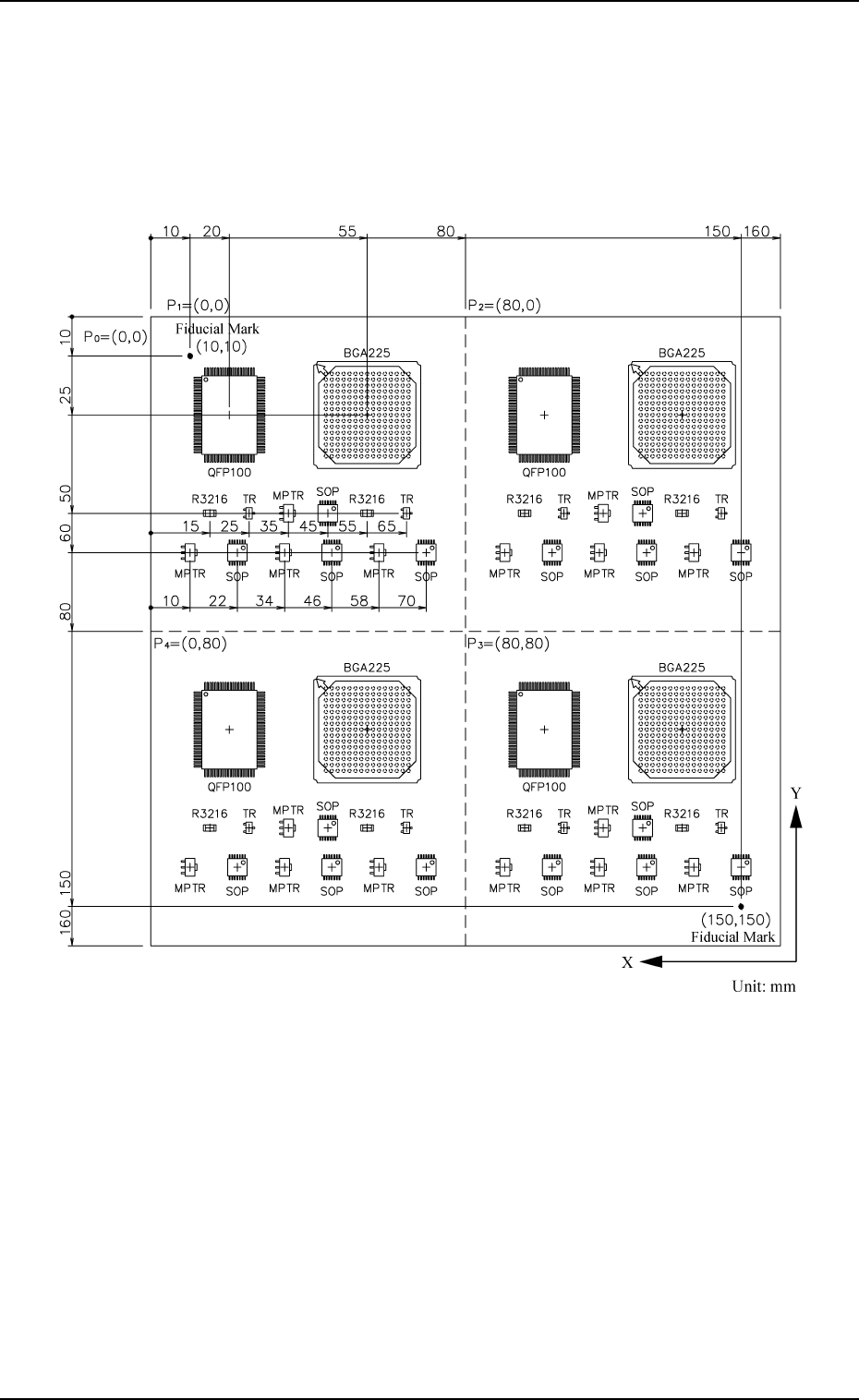
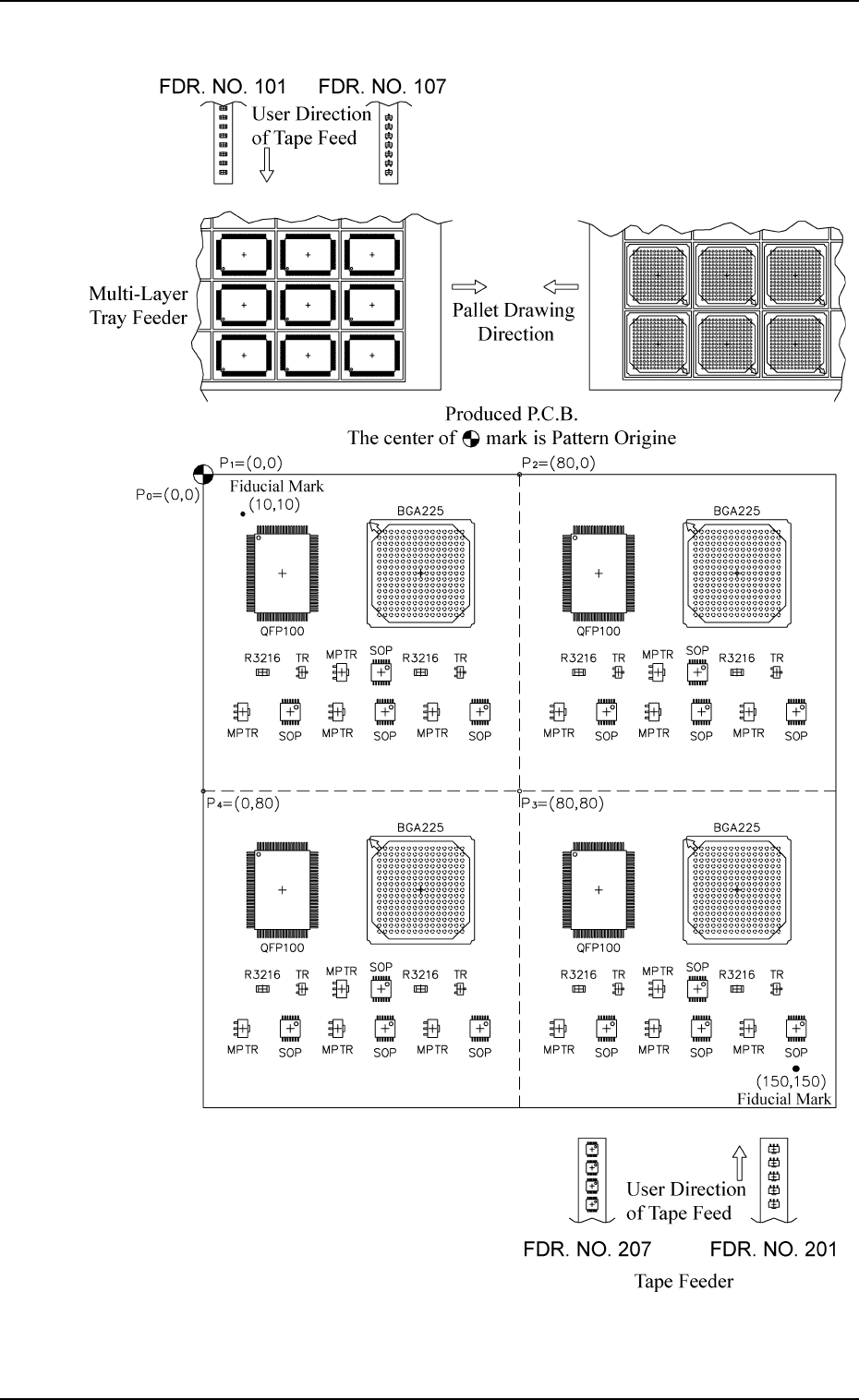
Described in this session is how to create a pattern program for component
placement exemplified in Fig. 2.49.
Fig. 2.49
Tape Feeder
Fig. 2.50 Example of Component Arrangement
3. Example of Pattern Program Creation
0004-002 2-69 Tg0247-PM-PM