YSM20R_YSM20WR_Ope_E.pdf - 第133页
2-30 2 Basic operation 3.6 Fiducial T he Fiducial screen shows the results of recognizing fiducial marks such as “Board, Bloc k”, “2 Point Local” and “P oint” and the correction result. Monitor: Fiducial 24217-KMK-00 • T…
2-29
2
Basic operation
3.5 Retry
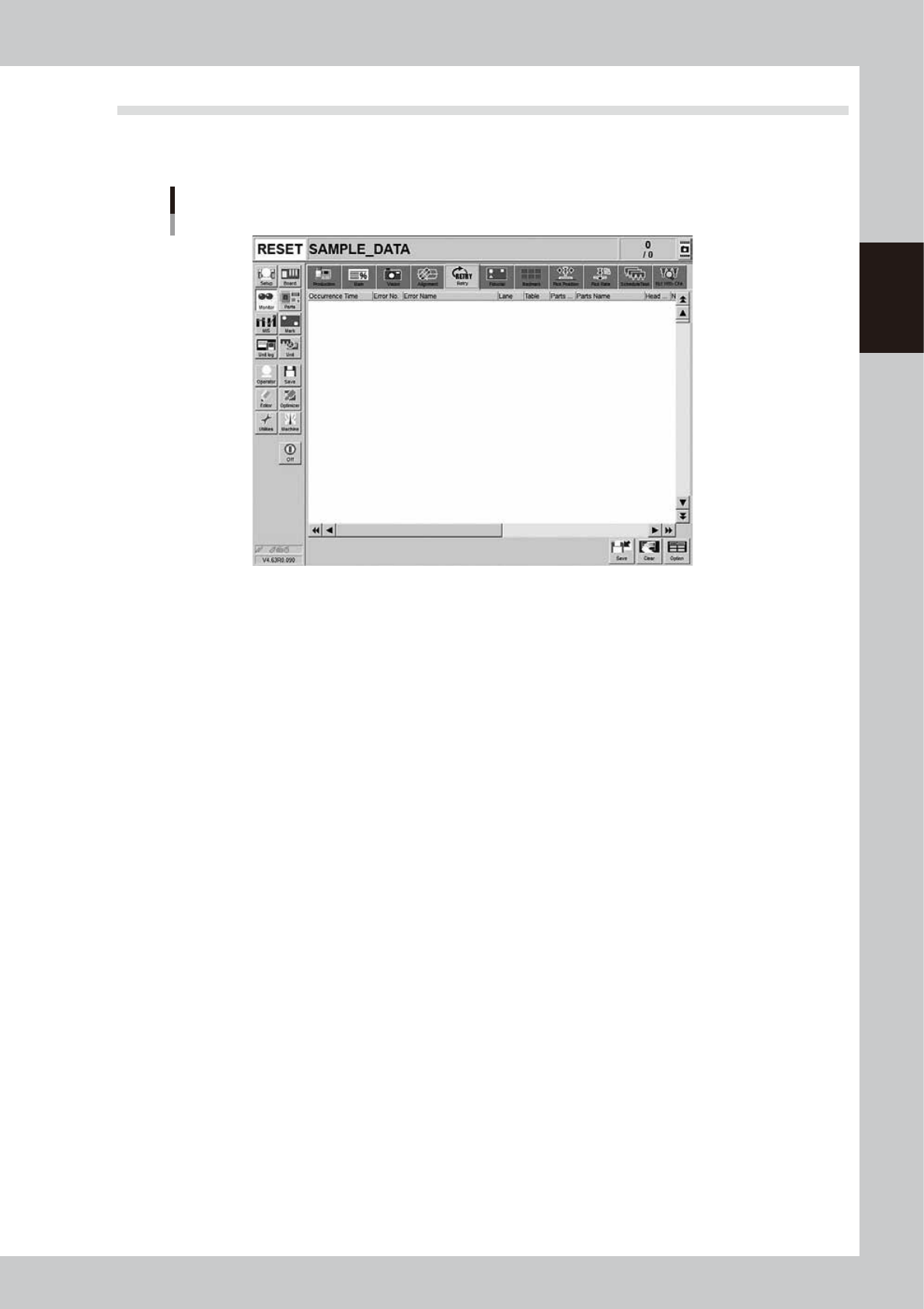
The [Retry] screen displays the history or the past 100 errors.
If the machine has to retry the operation due to a recognition error or a pickup error, check this screen.
Monitor: Fiducial
24216-KMK-00
2-30
2
Basic operation
3.6 Fiducial
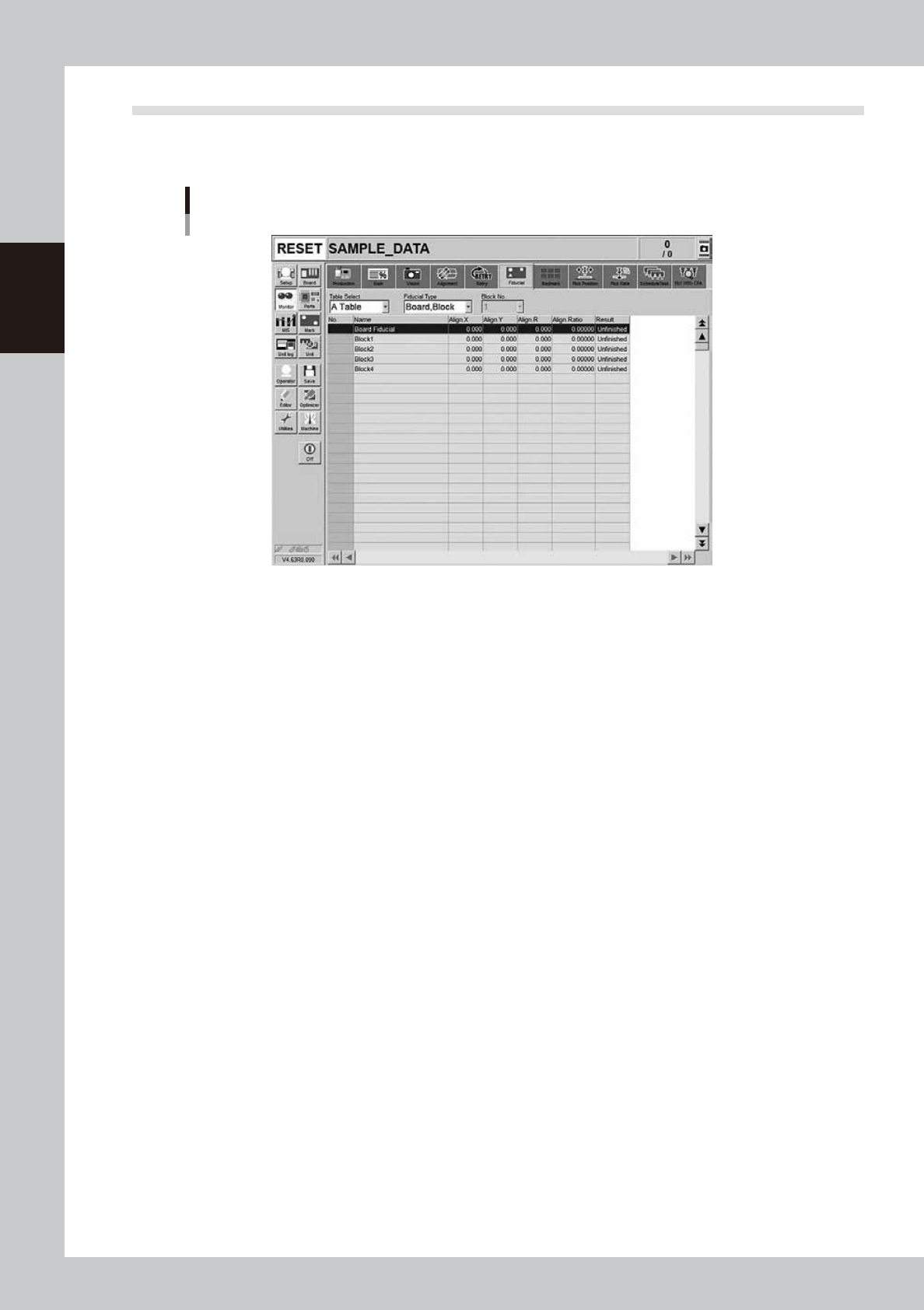
The Fiducial screen shows the results of recognizing fiducial marks such as “Board, Block”, “2 Point Local” and
“Point” and the correction result.
Monitor: Fiducial
24217-KMK-00
• Table Select
Select a head unit.
• Fiducial Type
Select the type of the fiducial mark such as "Board, Block", "2Point Local" or "Point".
• Align X, Y, R
Shows the differences between the fiducial mark recognition results and the input coordinate entered in the board data
with positive or negative values.
• Align Ratio
Shows the rate of expansion of the board, calculated by using the X, Y and R offset values.
• Result
Shows the recognition results as a "Pass" or "Unfinished ". The "Unfinished" message changes to "Pass" after the mark has
been recognized successfully.
2-31
2
Basic operation
3.7 Badmark
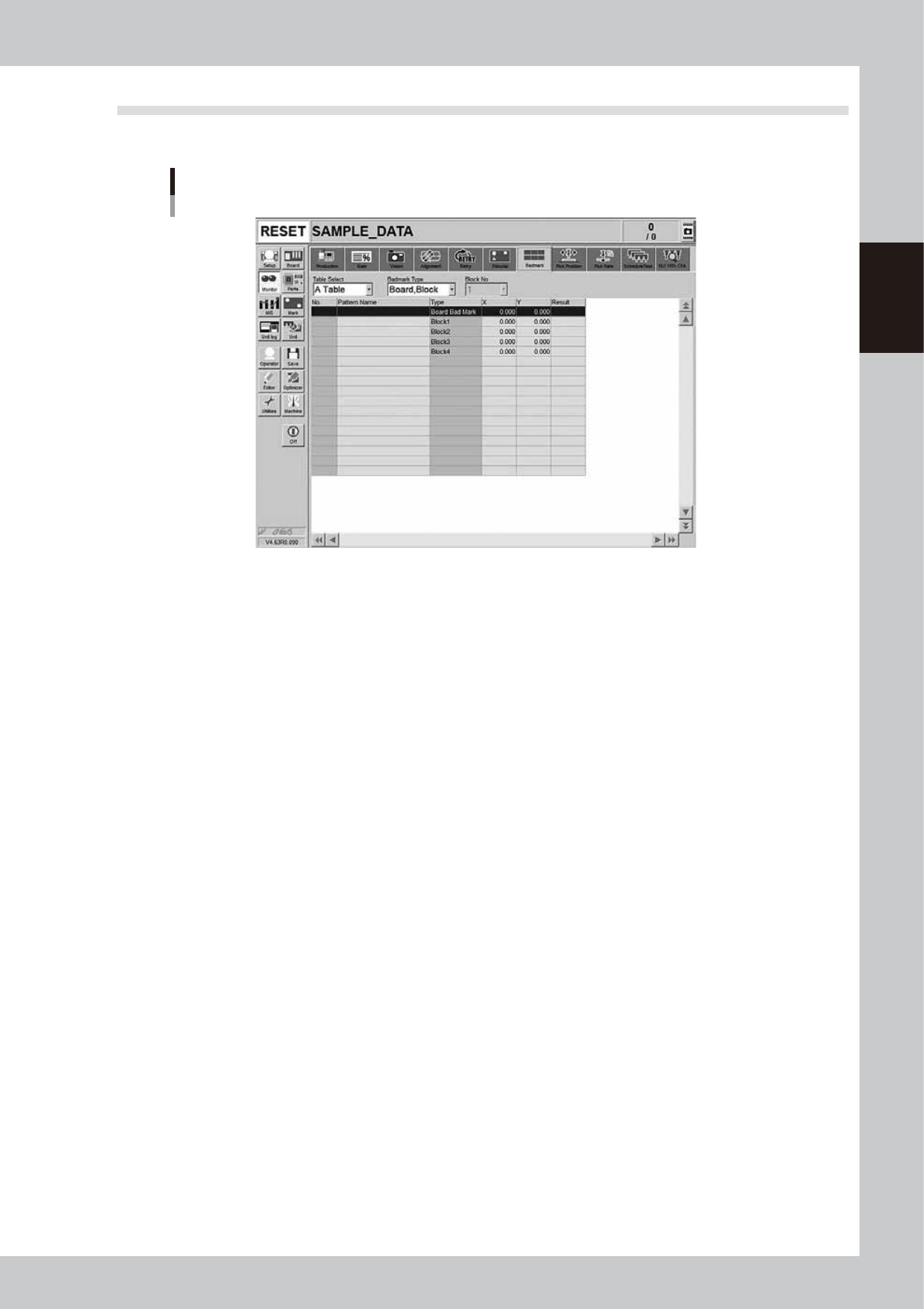
The [Badmark] screen shows the recognition results of badmarks such as "Board, Block" and "Local" badmarks.
Monitor: Badmark
24218-KMK-00
• Table Select
Select a head unit.
• Badmark Type
Select the type of the badmark such as "Board, Block" or "Local".
• X, Y
Shows the board data input values (by taking block offset amount into account).
• Result
Makes an "OK" or "NG" decision based on the badmark recognition result.
OK: Failed in recognizing a bad mark: Means components are mounted.
NG: Succeeded in recognizing a bad mark: Means components are not mounted.