YSM20R_YSM20WR_Ope_E.pdf - 第55页
1-22 1 Unit names and functions 3 Set the nozzle shaft blo w . 1. Select the “Shaft Cleaning Blow” from the Check Item drop-down list. 2. T ick the checkbox of the “Check Execution”. 3. (If the machine has the nozzle sta…
1-21
1
Unit names and functions
3.4.3 Automatic nozzle shaft blow procedure
The nozzle shaft blow can be automatically performed at the desired timing.
The following is the setting procedure.
1
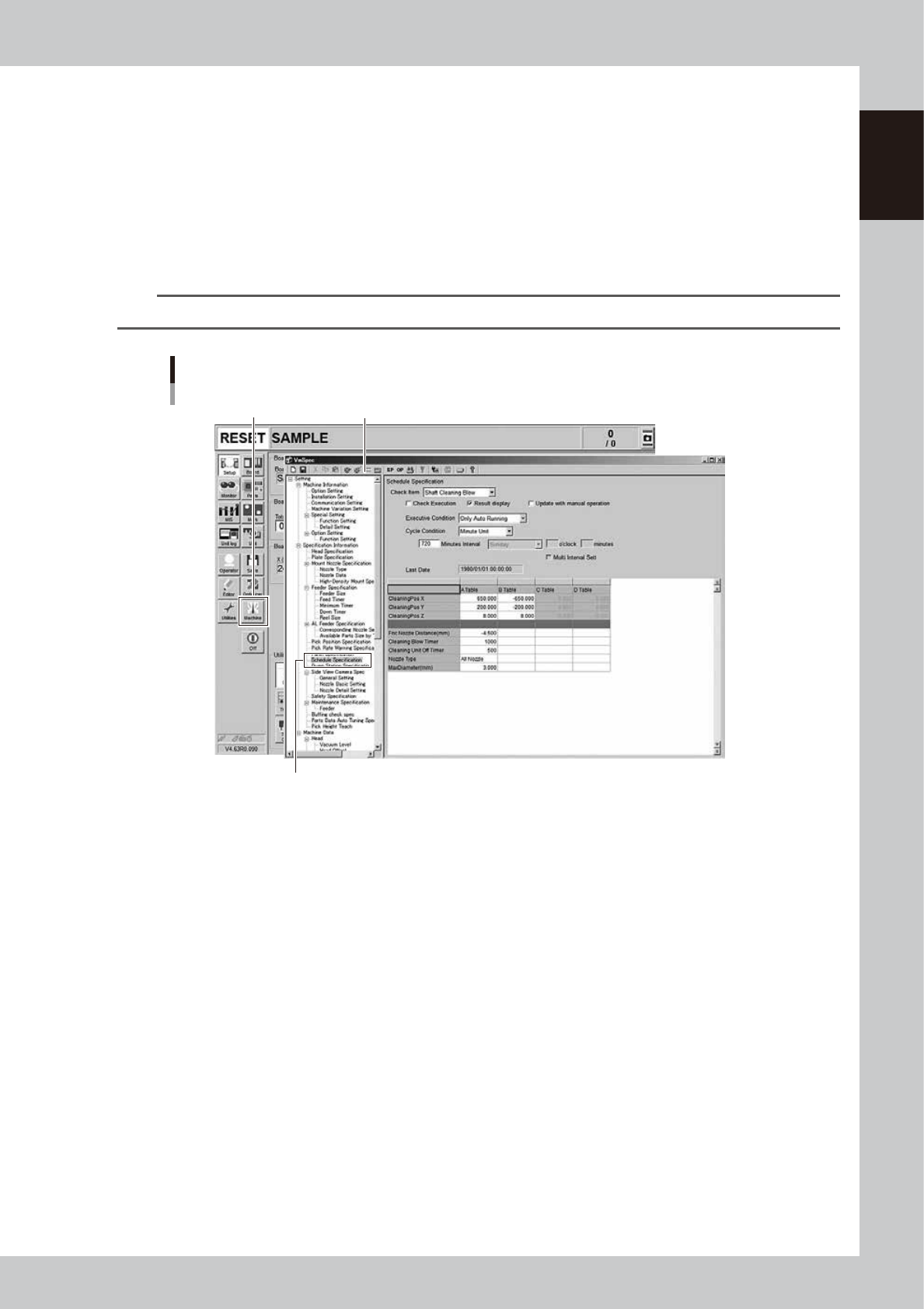
Press the [Machine] button.
The "VmSpec" screen appears.
2
Select the "Schedule Specification".
Select the "Schedule Specification" on the left side of the “VmSpec” screen.
n
NOTE
The “Schedule Specification” is an item set up in the machine that requires the authorization at the administrator level.
Open the “VmSpec” - “Schedule Specification” screen
[Machine] button VmSpec screen
Select the “Schedule Specification”
24106-KMK-00
1-22
1
Unit names and functions
3
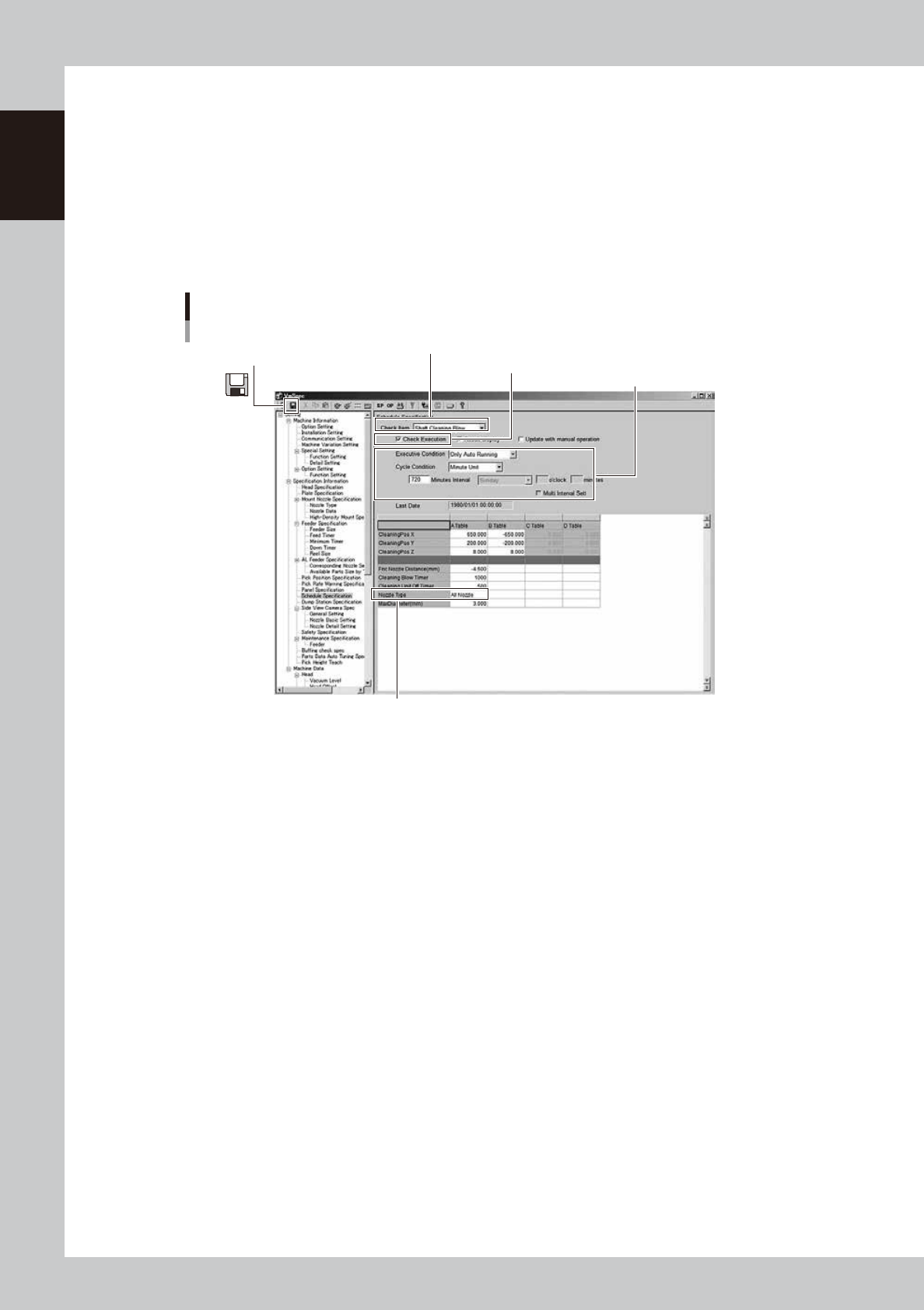
Set the nozzle shaft blow.
1. Select the “Shaft Cleaning Blow” from the Check Item drop-down list.
2. Tick the checkbox of the “Check Execution”.
3. (If the machine has the nozzle station) Select the nozzle for nozzle shaft blow from "All Nozzle" or
“Only Using Nozzle” specified by the board data.
4. Set the “Executive Condition” and the “Cycle Condition”.
5. Press the save icon on the upper left corner of the screen to save the settings.
6. Press the close icon [x] on the upper right corner of the screen to exit the “VmSpec” screen.
Setting automatic nozzle shaft blow
“VmSpec” screen
1. Select the “Shaft Cleaning Blow” from the Check Item drop-down list.
2. Tick the checkbox of the “Check Execution”.
5. Press the save icon.
3. If the machine has the nozzle station, select "All Nozzle" or
“Only Using Nozzle”.
4. Set the “Executive Condition” and “Cycle Condition”.
24107-KMK-00
4
Reload the board data.
The automatic nozzle shaft blow setting is reflected after reloading the board data.
1-23
1
Unit names and functions
n
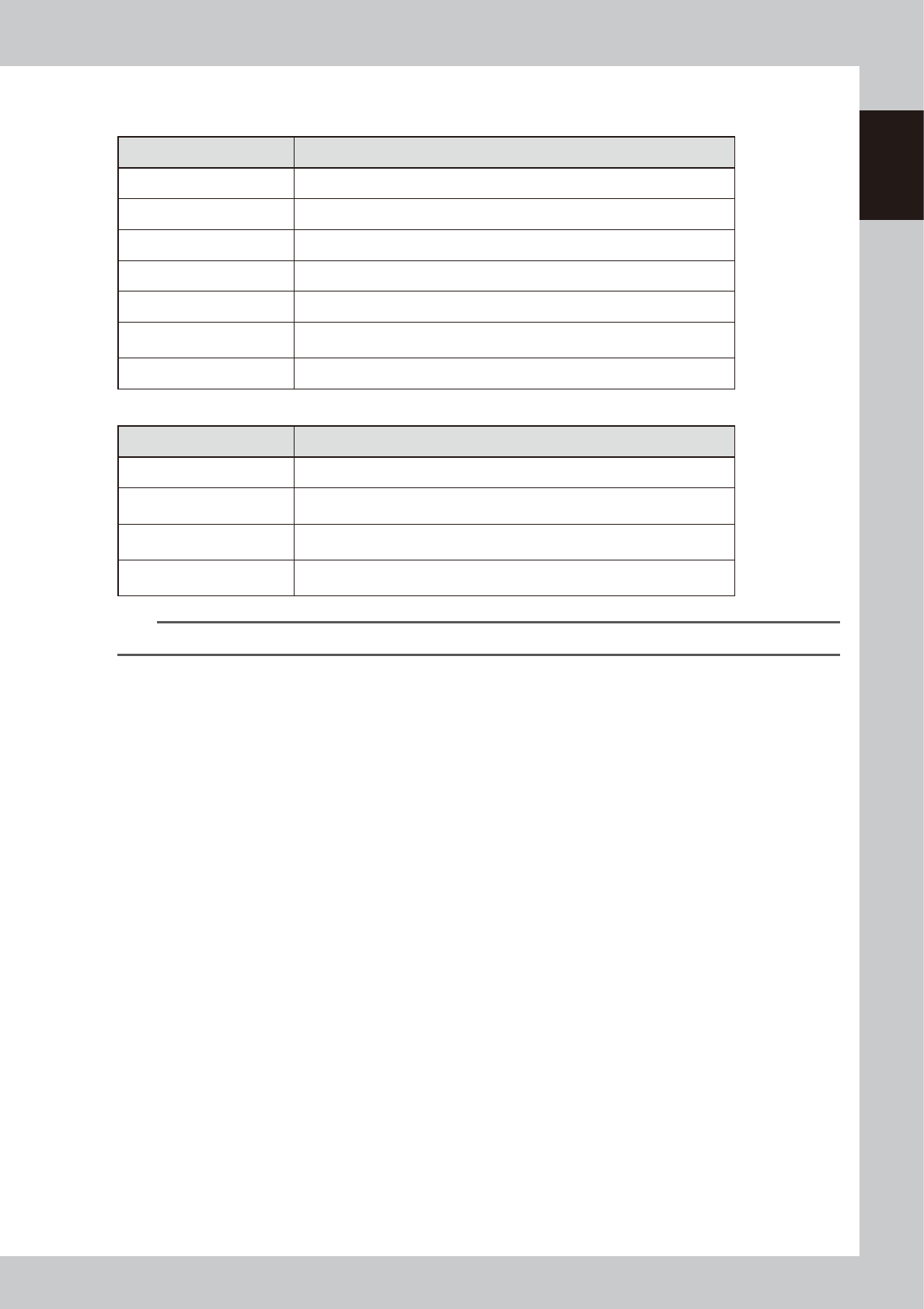
“Executive Condition” and “Cycle Condition” of nozzle shaft blow
Executive Condition
Executive Condition Operation
None The automatic nozzle shaft blow is not performed.
Power On The nozzle shaft blow is performed after powering on the machine.
Power Off The nozzle shaft blow is performed before powering off the machine.
Reset The nozzle shaft blow is performed at the time of resetting.
Start Run The nozzle shaft blow is performed when starting up the automatic operation.
Lot Start+Auto Running
The nozzle shaft blow is performed at the time of starting up the automatic
operation after loading the board data according to the set cycle condition.
Only Auto Running The nozzle shaft blow is performed according to the set cycle condition.
Cycle Condition
Cycle Condition Operation
None No cycle condition applies.
Minute Unit
The nozzle shaft blow is performed according to the pre-set time interval
(minutes).
Every Day
The nozzle shaft blow is performed at the pre-set time of every day when the
machine is in the automatic operation.
Every Week
The nozzle shaft blow is performed at the pre-set time of the day of the week
when the machine is in the automatic operation.
n
NOTE
Setting the multiple times is available with the “Multi Interval Setting”.