YSM20R_YSM20WR_Ope_E.pdf - 第157页
2-54 2 Basic operation 4.1.3 Attaching the feeder exchange carriage on the mounter T his section describes the procedure to attach the feeder exchange carriage on the mounter . n NOTE The types of the feeder exchange car…
2-53
2
Basic operation
4
Lock the clamping lever assembly.
Release the unclamping lever. Check that the clamping lever assembly locks into the feeder plate. Set
the feeder correctly. Otherwise, the feeder could come off while mounting.
5
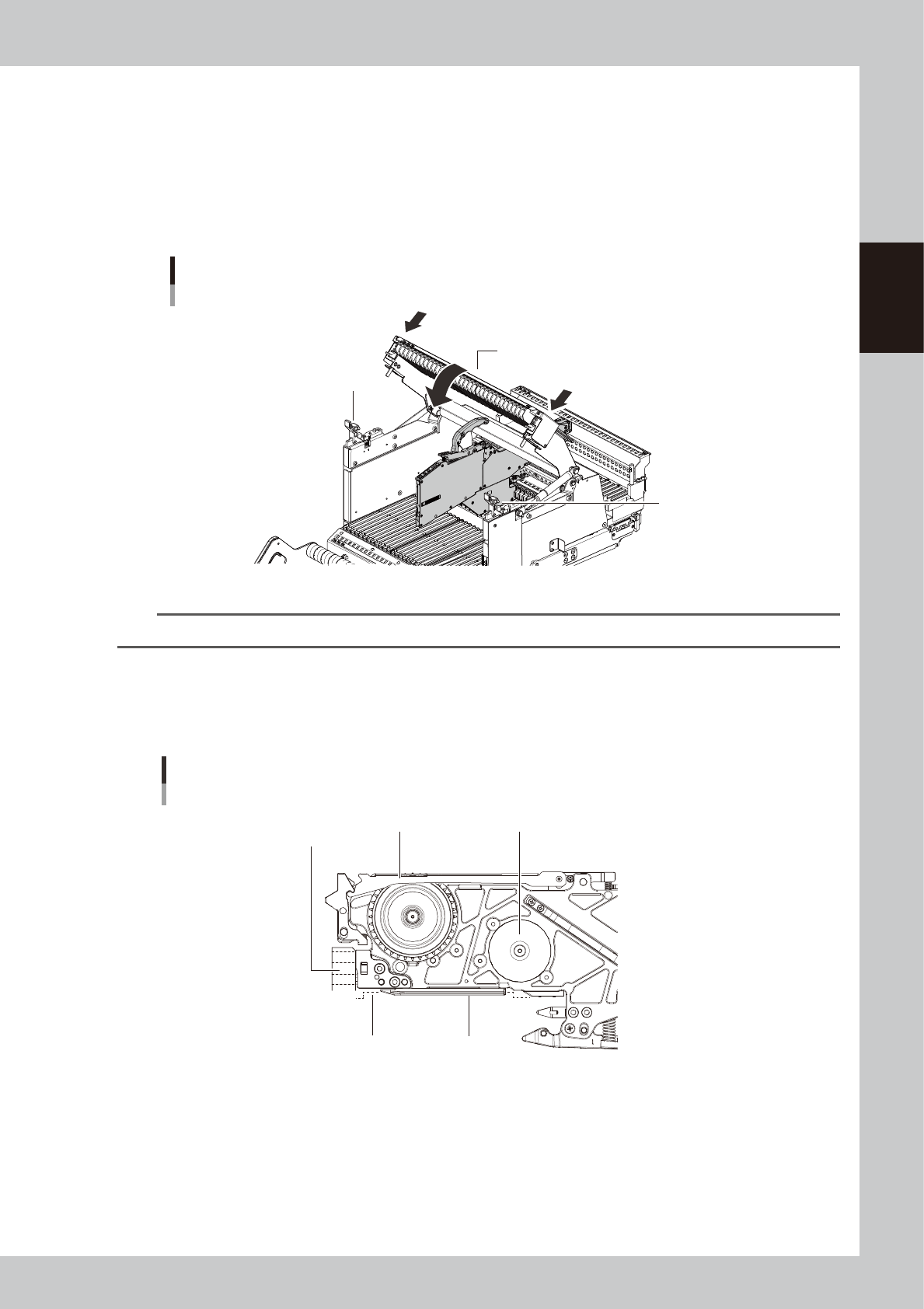
Close the guide rail cover.
1. Close the guide rail cover.
2. After closing the cover, push the cover locks on both sides of the carriage to surely lock them.
Guide rail cover
Cover lock
Cover lock
ZS Feeder exchange carriage
Clossing the guide rail cover
23218-KMK-00
n
NOTE
If the cover locks are released during production, the interlock stops the operation. Make sure that it is surely closed.
6
Check the state of setting in feeder.
View the feeder from the side to see that “the tape guide assembly is locked and not lifted”, “the
positioning device of the feeder reaches the far end” and “the under rail of the feeder firmly, correctly
sits in the feeder plate guide”.
Completing feeder setting
Illustration of the feeder end viewed from the side
Tape guide assembly Feeder body
Under rail
Feeder plate
positioning hole
Feeder plate guide
23219-KMK-00
2-54
2
Basic operation
4.1.3 Attaching the feeder exchange carriage on the mounter
This section describes the procedure to attach the feeder exchange carriage on the mounter.
n
NOTE
The types of the feeder exchange carriage depends on the machine specification. A machine can not work with
both SS feeder exchange carriage and ZS feeder exchange carriage together.
1
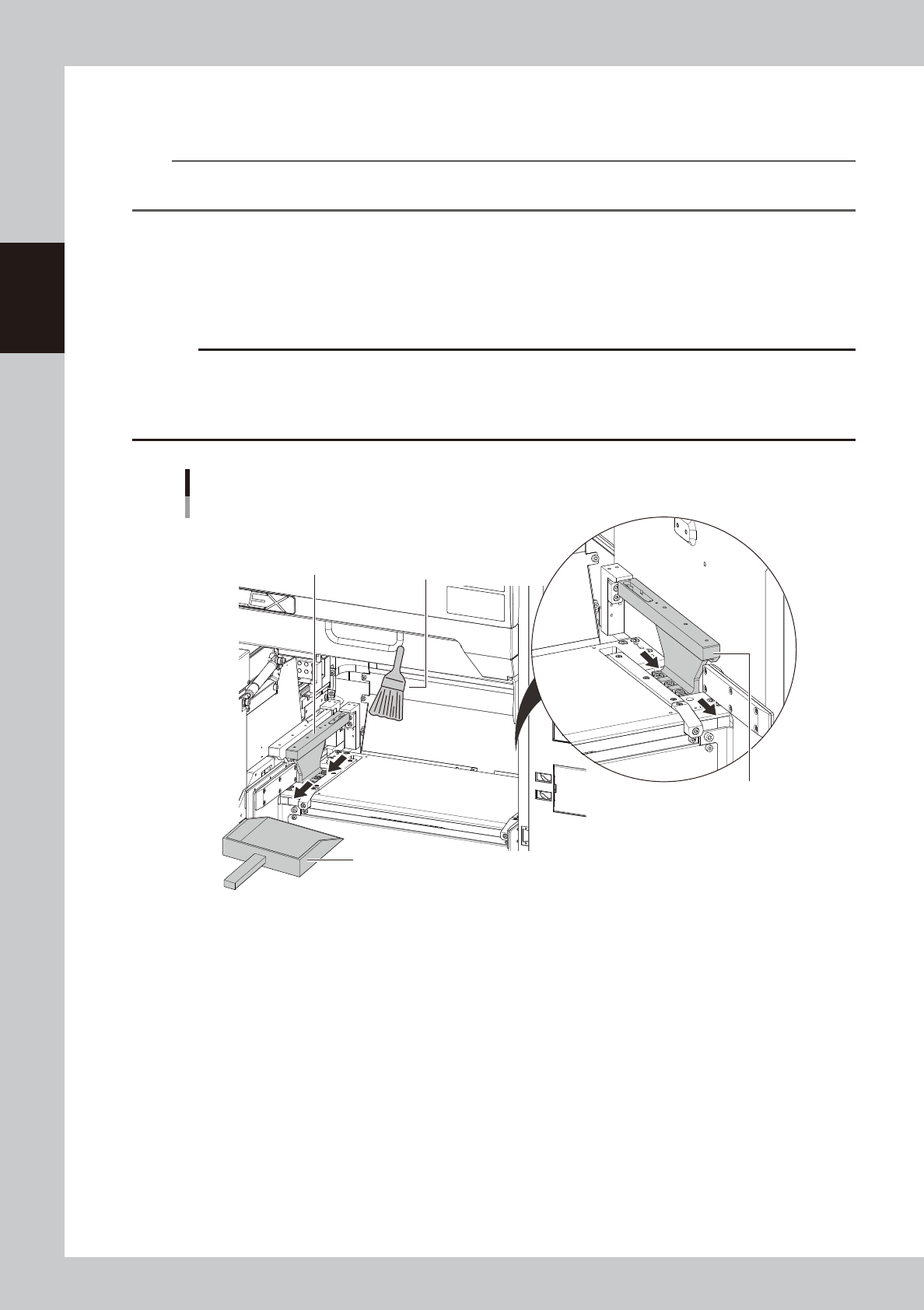
Clean around the clamp units of the mounter.
Before attaching the carriage on the mounter, remove the dust or foreign matter around the clamp
units of the carriage. Use the feeder plate cleaning brush that comes with the machine, a vacuum
cleaner (home use) or the vacuum assembly (option) to get rid of dust or foreign matter around the
clamp units.
c
CAUTION
If some parts or foreign matters are pinched on the clamp unit when attaching the carriage, the feeder is leaned
causing to pick up components unstably.
Some foreign matters entering to the connector of the clamp unit might cause the short circuit to damage the
equipment.
Cleaning the clamp unit
Receive dust with a dustpan
Cleaning brush
Clamp unit
Clamp unit
23220-KMK-00
2-55
2
Basic operation
2
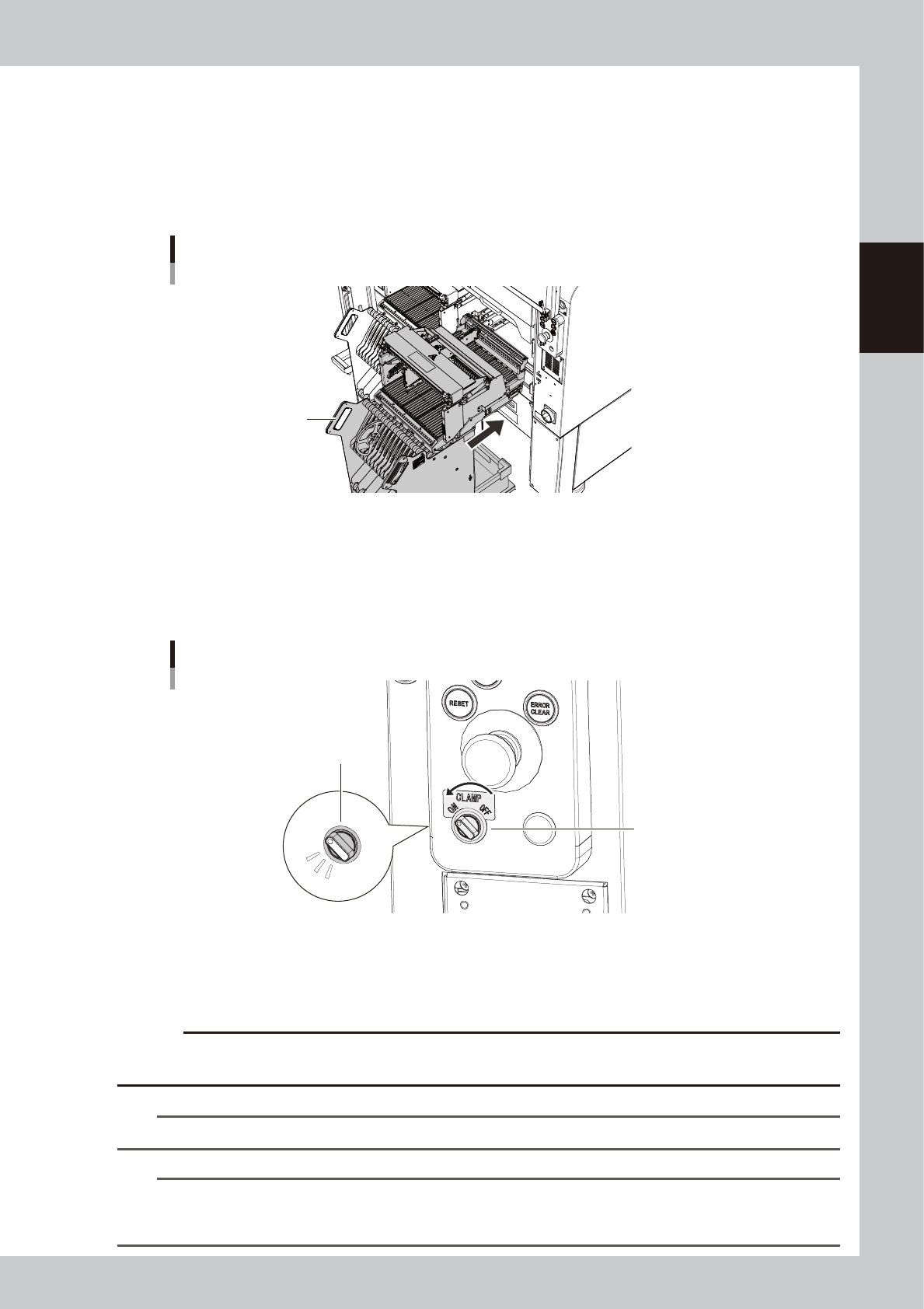
Put the carriage into the mounter.
1. (If SS feeder exchange carriage) Press the EMERGENCY STOP button and open the safety cover of
the machine.
2. Move the feeder exchange carriage in front of the position to attach the carriage.
3. While holding the carriage handle, insert it into the mounter straight.
4. Close the safety cover of the machine.(If SS feeder exchange carriage)
Put the carriage into the mounter
Handle
23221-KMK-00
3
Turn the clamp switch ON.
Turn the clamp switch corresponding the position where the carriage is inserted to left (ON), then the
indicator of the clamp switch starts blinking and the carriage clamp unit at the mounter side moves
down to clamp the carriage. After that, the communication is checked automatically between the
mounter, the carriage and the feeders.
Indicator blinks
Clamp switch
Clamp switch
23223-KMK-00
4
Check the clamp switch light is on.
After the communication check between the mounter, the carriage and the feeders are completed,
the switch indicator is changed lighting.
c
CAUTION
While the clamp switch is blinking, do not touch the carriage, the feeders and the mounter. The clamp unit moving
down might pinch hands.
n
NOTE
While the safety cover of the mounter is open, the clamp unit doesn't move down even with turning the clamp switch.
n
NOTE
There is the sensor called "forward end sensor(FDR FORWARD SENSOR)" at far left end of the carriage set position of
the mounter. When the carriage is inserted to far end, this sensor recognizes. When this sensor doesn't recognize the
carriage, the clamp units doesn't move down even with turning the clamp switch.