YSM20R_YSM20WR_Ope_E.pdf - 第183页
2-80 2 Basic operation 5 Set the new magazine. 1. Temporarily put the magazine containing components supplied with aligning the bottom groove with the guide. 2. Put the pallet retainer rod into the magazine top. 3. Hold …
2-79
2
Basic operation
3
Open the magazine door.
4
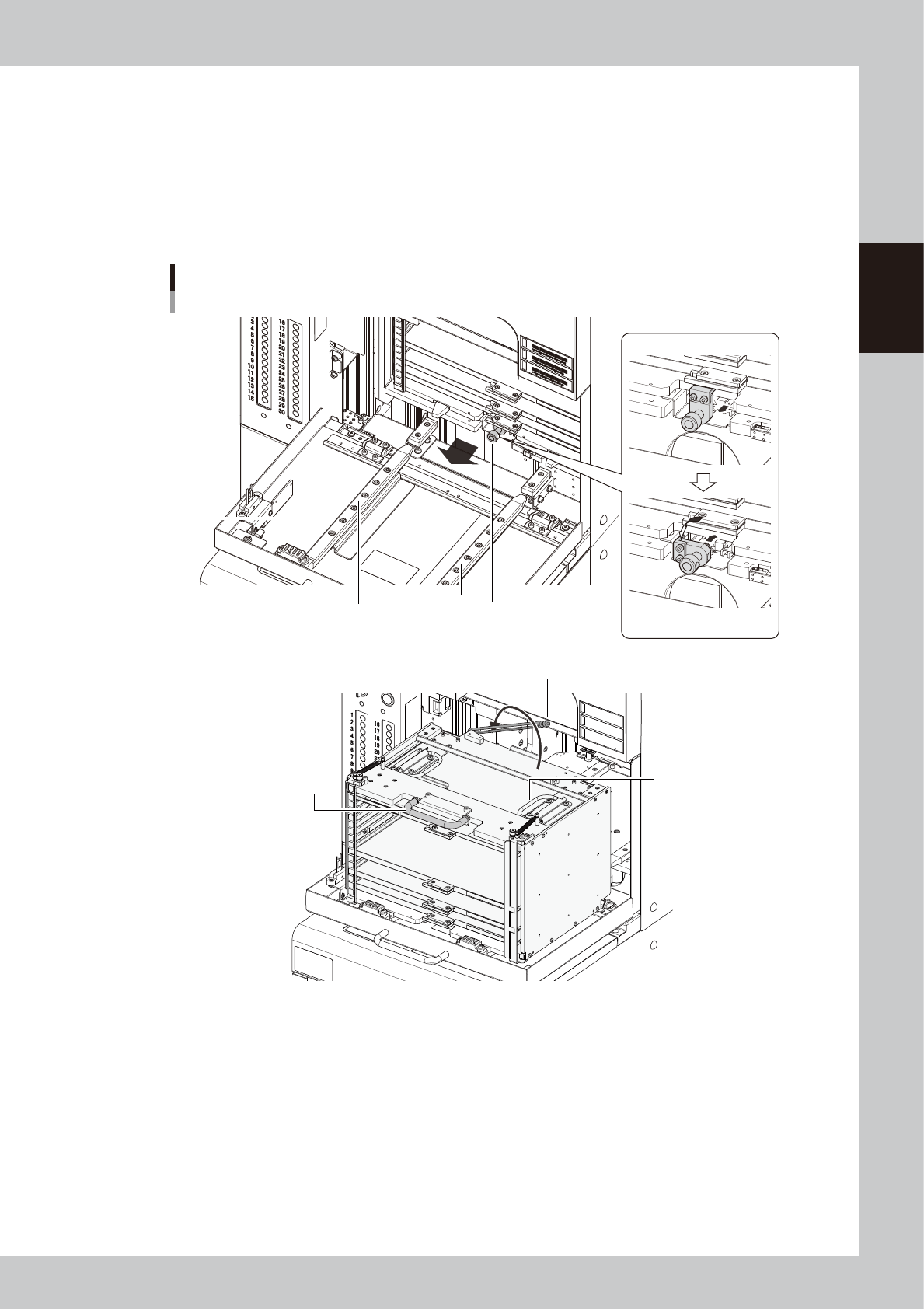
Pull out the magazine.
1. Turn the magazine clamp counterclockwise with pulling it, then the clamp is released.
2. Hold the magazine handle on top of the magazine to pull out the magazine along the guide.
3. Install the pallet retainer rod.
4. Hold the carry handles securely and lift down the magazine from the guide.
Pulling out the magazine
Guide
Releasing clamp
Pull forward.
Turn counterclockwise
and return.
Magazine clamp
Magazine handle
Pallet retainer rod
Carry handles
Magazine
door
23242-KMK-00
2-80
2
Basic operation
5
Set the new magazine.
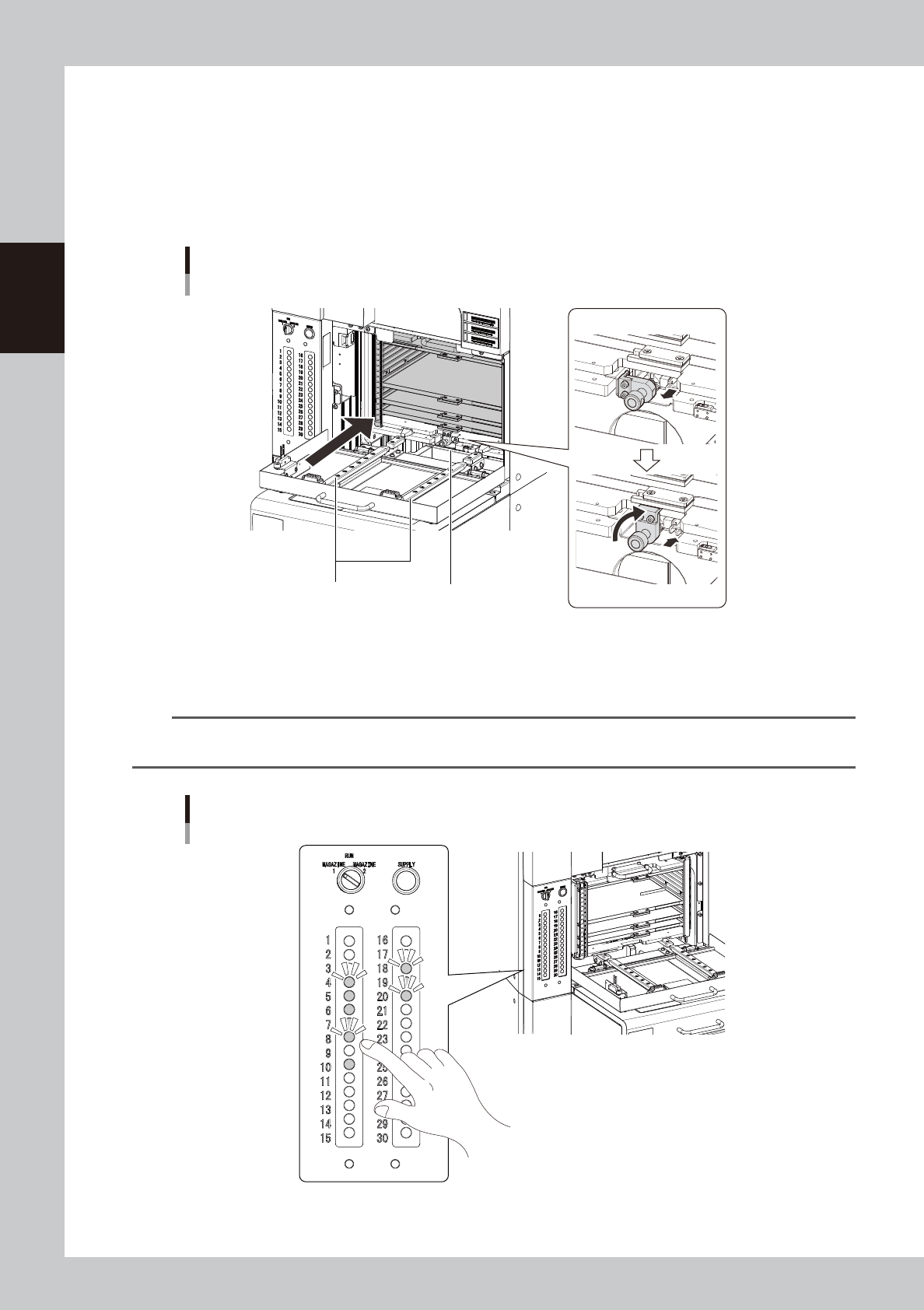
1. Temporarily put the magazine containing components supplied with aligning the bottom groove with
the guide.
2. Put the pallet retainer rod into the magazine top.
3. Hold the magazine handle on the magazine top and insert it to the rack till it is touch in far end.
4. Turn the magazine clamp clockwise with pulling it, then magazine is clamped.
Setting the magazine.
Clamp the magazine.
Pull forward.
Guide Magazine clamp
Turn clockwise and return.
23243-KMK-00
6
Press the pallet indicator button.
Press the "indicator" button for the number of the pallet where the components are supplied.
n
NOTE
When the tray components on the pallet are used up, the corresponding pallet indicator starts blinking. After setting
the new pallet, pressing the "indicator" button changes its blinking to lighting.
Indicator button
23244-KMK-00

2-81
2
Basic operation
7
Close the magazine door.
8
Turn the magazine exchange switch back to "RUN".
The magazine door is locked, and then the door indicator for the magazine exchange switch is on.