YSM20R_YSM20WR_Ope_E.pdf - 第144页
2-41 2 Basic operation 3.13 Coplanarity checker T his screen is displayed w hen the machine is equipped with a coplanarity chec ker (option). T his screen shows the results at real-time when using the coplanarity c heck …
2-40
2
Basic operation
• [Result Detail] button
Selecting a row with an NG result and pressing the [Result Detail] button shows the details of NG item.
TIP
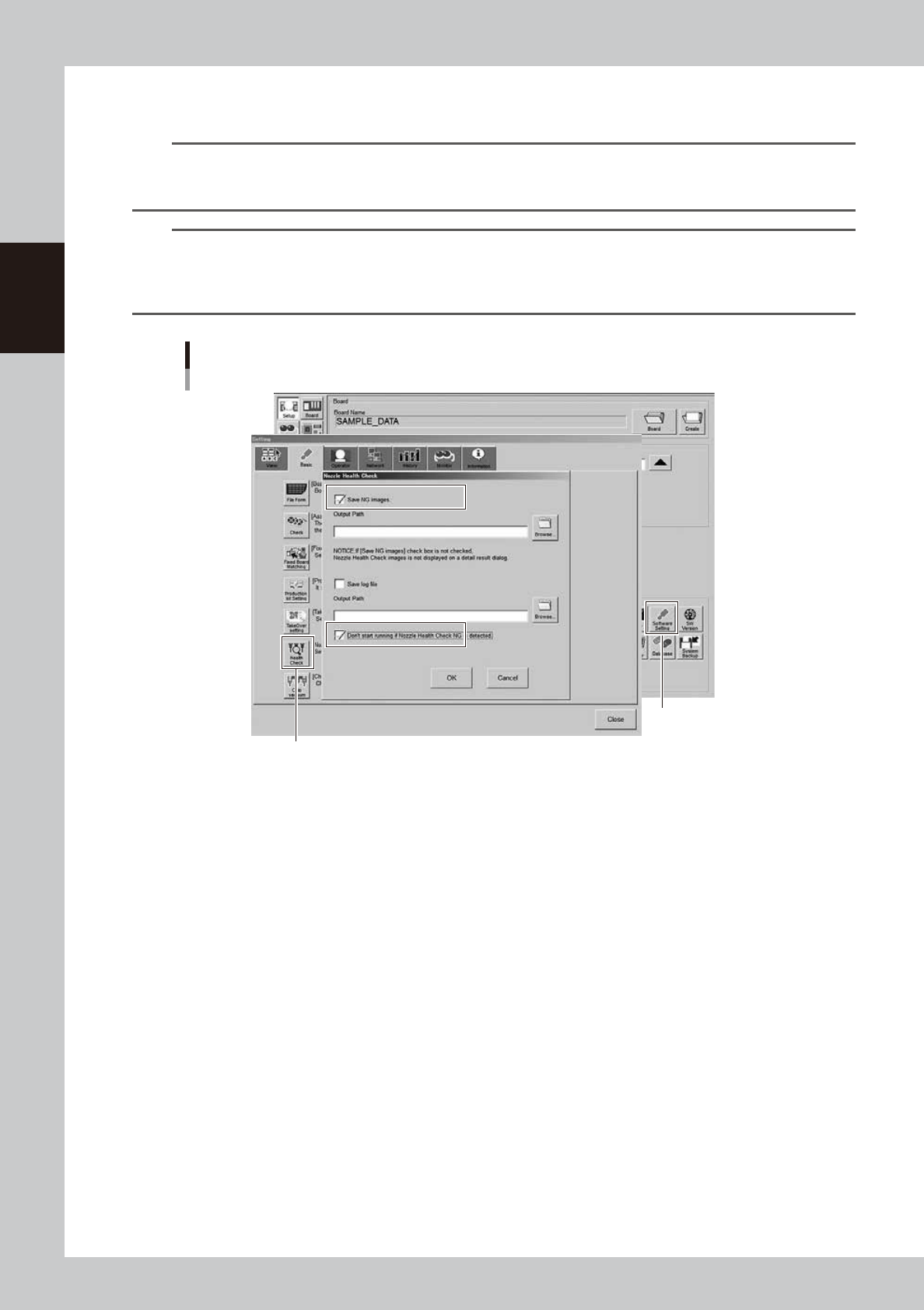
If the “Save NG images” is enabled on “Setup” screen - “Software Setting” – “Basic” tab –“Nozzle Heath Check” and if
the nozzle failed in the Nozzle Tip Cleanliness Check, Nozzle Shape Check or Nozzle Alignment Check, the image of
that failed nozzle appears.
TIP
If ticking the checkbox of “Don’t start running if Nozzle Health Check NG is detected” on “Setup” screen – “Software
Setting” – “Basic” tab – “Nozzle health check”, an error message appears at the time of starting the operation so as
not to use the “NG” nozzle for the production. If providing this parameter with a check mark, it is necessary to clean or
replace the failed nozzle and once again go through the nozzle health check.
[Health Check] button
[Software Setting] button
“Nozzle Health Check” setup screen
24224-KMK-00
2-41
2
Basic operation
3.13 Coplanarity checker
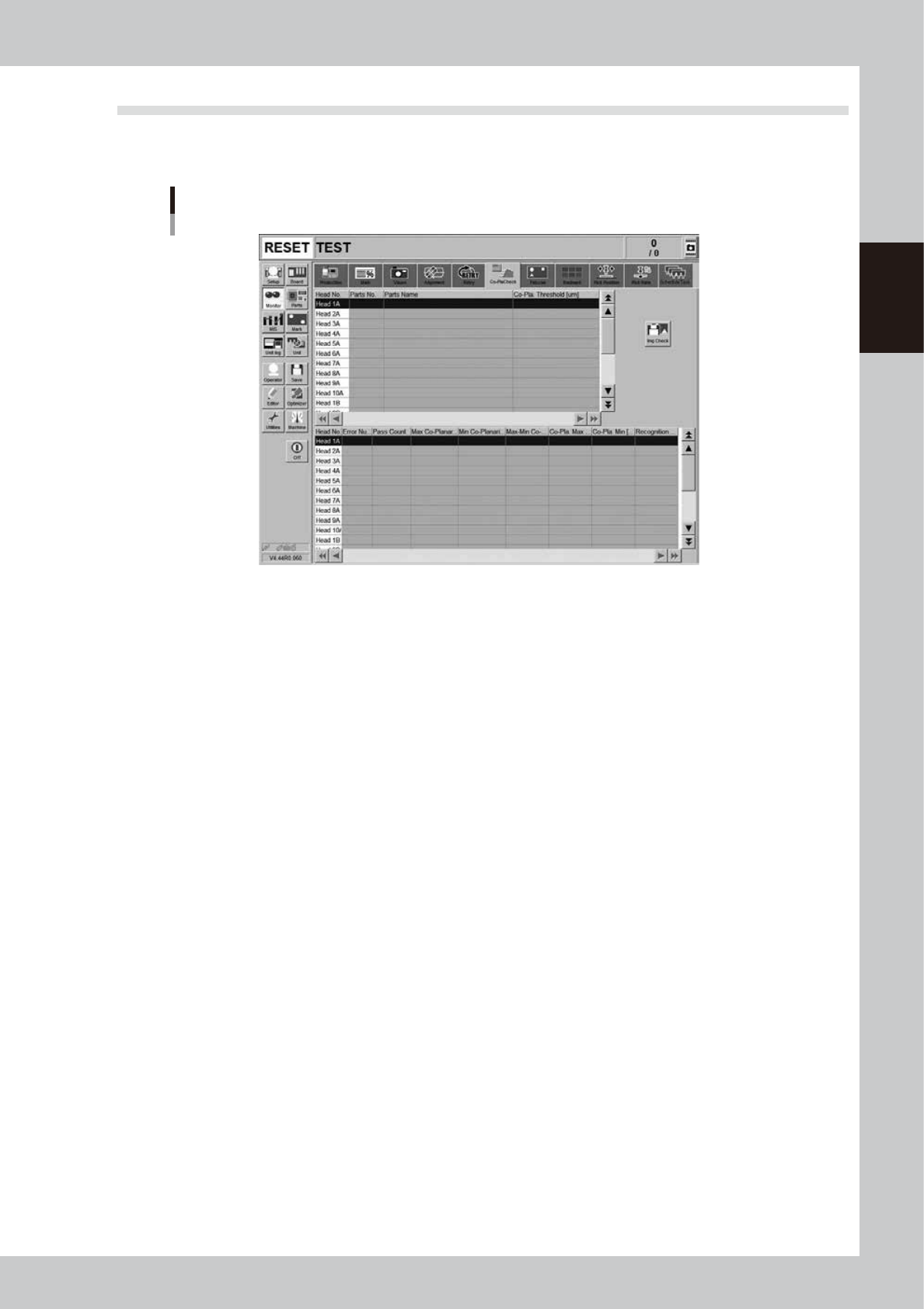
This screen is displayed when the machine is equipped with a coplanarity checker (option). This screen shows
the results at real-time when using the coplanarity check or component recognition surface height check.
Monitor: Co-PlaCheck (Coplanarity Check)
24234-KMK-00
• Head No.
Displays the head number currently being used.
• Parts No.
Displays the part number currently being used.
• Parts Name
Displays the part name currently being used.
• Co-pla. Threshold [μm]
Displays the coplanarity tolerance that was set in parts information.
• Error Number
Displays coplanarity error numbers.
• Pass Count
Displays the number of images that were captured during coplanarity check.
• Max. Co-planarity Pos.
Displays the lead number that was measured as the maximum coplanarity value.
• Min. Co-planarity Pos.
Displays the lead number that was measured as the minimum coplanarity value.
• Max-Min Co-planarity [μm]
Displays the coplanarity measurement result.
• Co-planarity Max. [μm]
Displays the maximum coplanarity value.
• Co-planarity Min. [μm]
Displays the minimum coplanarity value.
• Recognition Height
Displays the recognition height (height to underside of components).
2-42
2
Basic operation
4. Preparing component tape
4.1 Tape feeders
4.1.1 Setting component tape
Taking up ZS feeder as an example, this section describes how to set component tape on the feeder.
See “SS Feeder User’s Manual” for the details and handling of SS feeder.
c
CAUTION
Always use a temporary tape set station or a power station for the off-line setup to set the tape. The tape cannot be
set directly on the mounter.
1
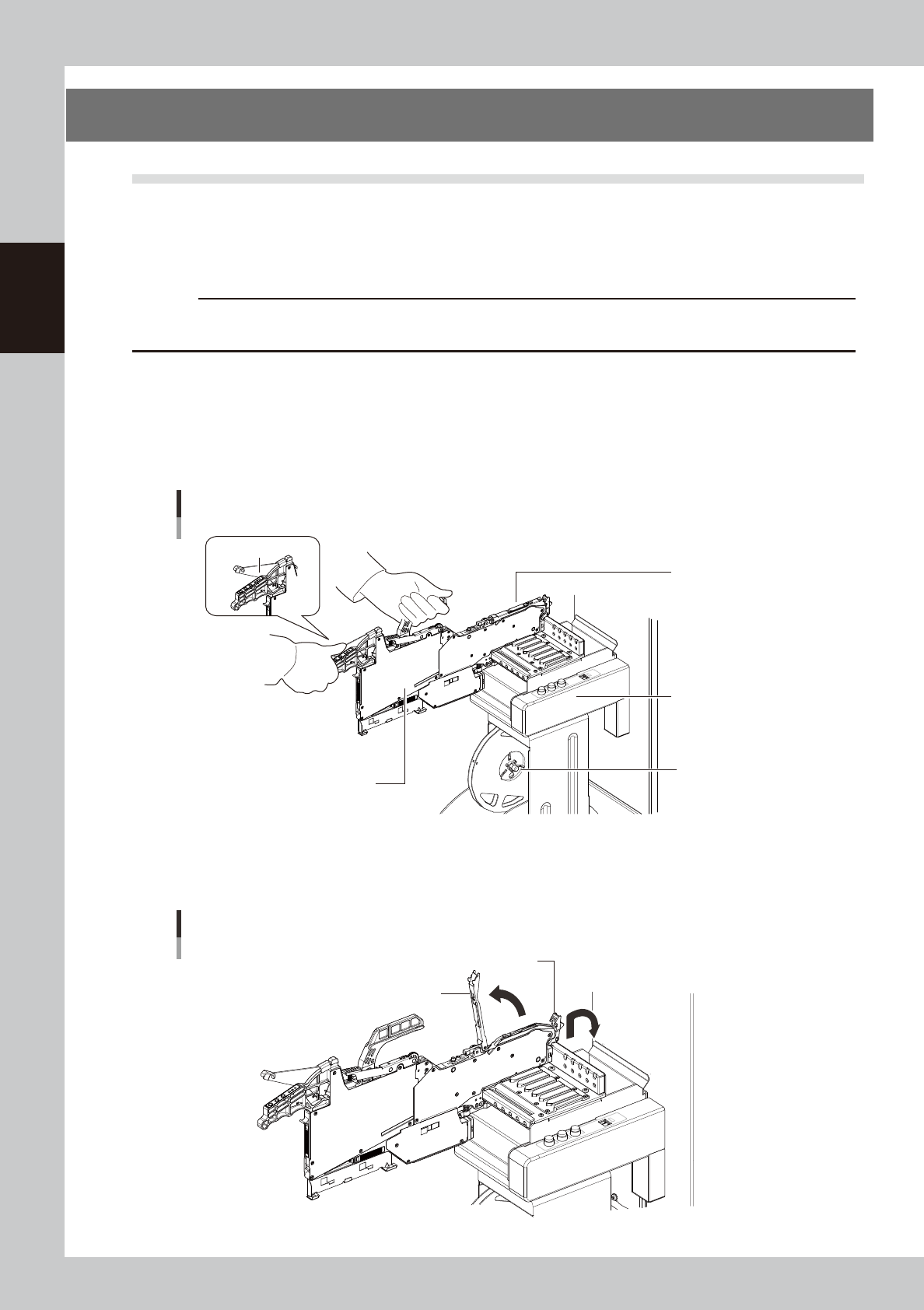
Set the feeder and tape reel.
1. Place the feeder in the temporary tape set station or power station for the off-line setup.
While keeping holding the unclamping lever of the feeder, slide to the extreme left set position (the
point where the feeder connector is present) and set it in place.
2. Set the tape reel for operation to the dedicated reel holder of the set-up station on machine.
Set in the extreme
left position.
Setting the feeder
Feeder
Unclamp lever
Temporary tape set
station
Reel holder
(7-inch reel)
23202-KMK-00
2
Raise the tape guide assembly.
Lower the front lever for the tape guide while lifting it, and raise the tape guide assembly.
Raising the tape guide assembly
Tape guide assembly
Tape guide front lever
23203-KMK-00