YSM20R_YSM20WR_Ope_E.pdf - 第68页
1-35 1 Unit names and functions Feeder removing conditions : 2. Pressing [Feeder Remove] button 1 Open [Monitor] - [Production] scr een. Select the feeder to be removed from the bottom of the "Pr oduction" scre…
1-34
1
Unit names and functions
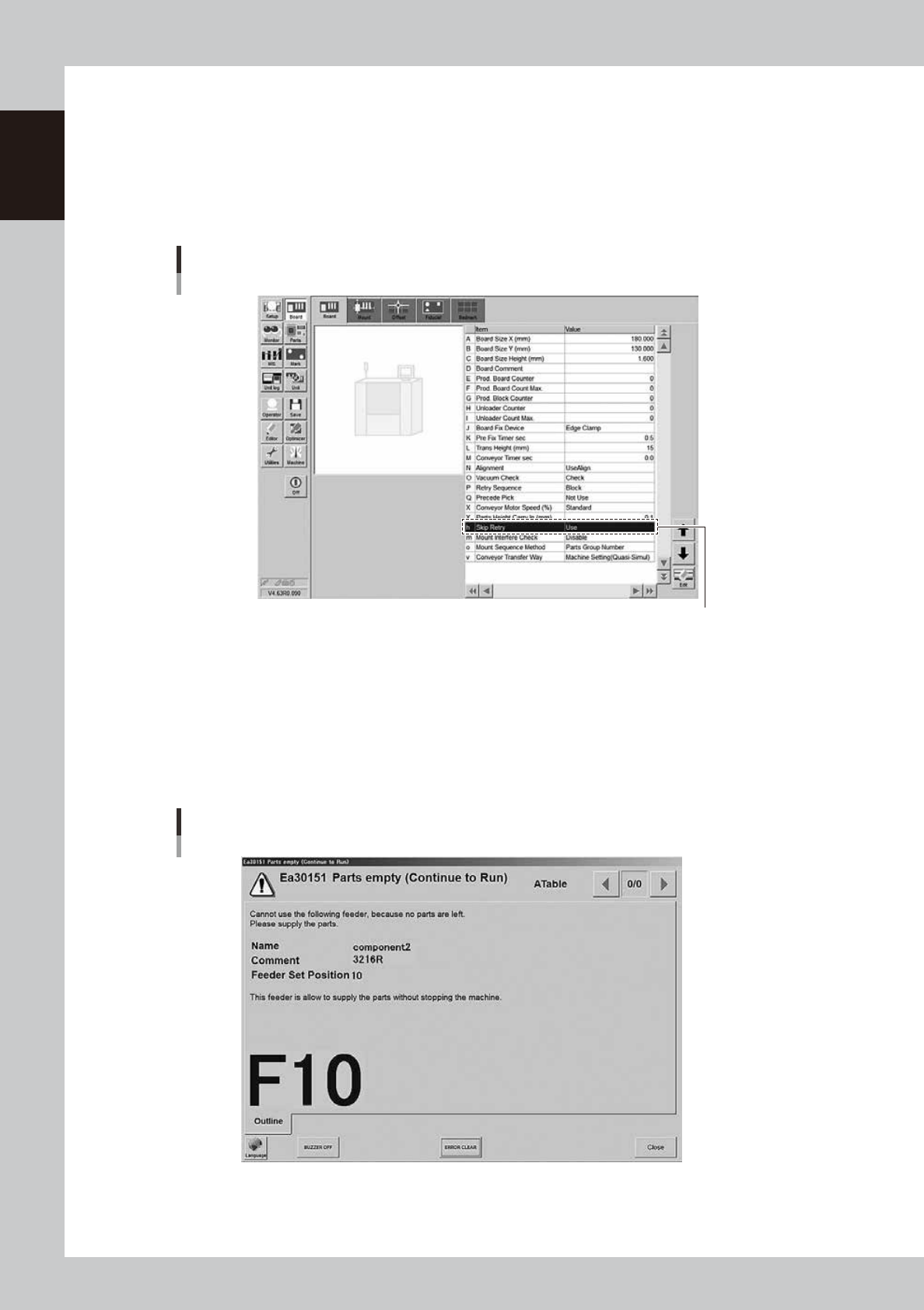
Feeder removing conditions : 1. Setting "Skip Retry"
1
Open the "Board" tab screen.
Press the [Board] button and select the "Board" tab.
2
Set the "Skip Retry".
Select "Use" from the "h. Skip Retry" drop-down list.
Using skip retry
[Board] - [Board] screen
h : Skip Retry
Select” Use”
24111-KMK-00
3
Activate the setting.
The changed setting is activated by saving the board data and reloading it.
n
Operation when skip retry is activated
When running out components, the following message appears. The operation continues.
The LED of ZS feeder that can be detached glows yellow.
Parts empty (Continue to Run) screen
24112-KMK-00
1-35
1
Unit names and functions
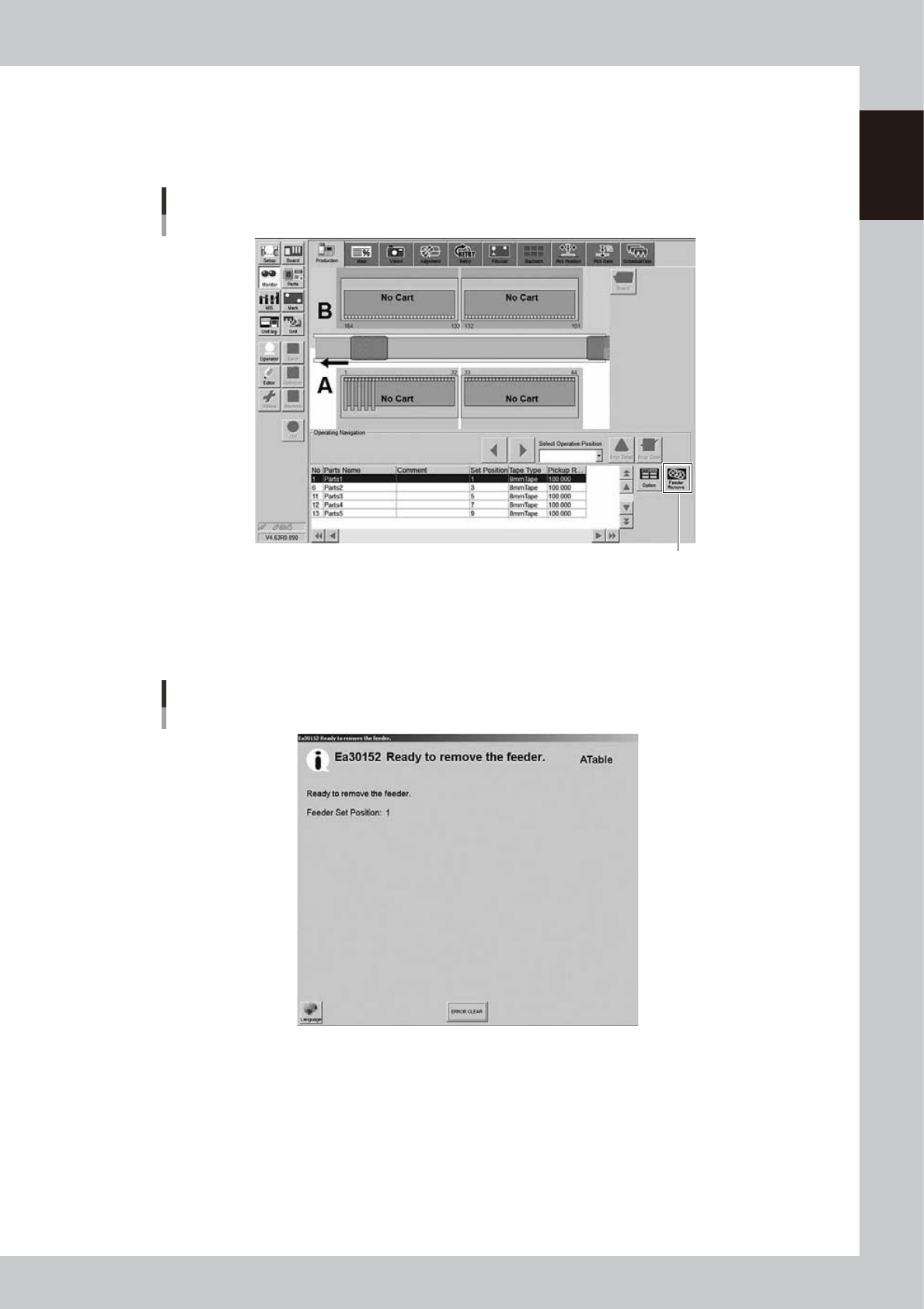
Feeder removing conditions : 2. Pressing [Feeder Remove] button
1
Open [Monitor] - [Production] screen.
Select the feeder to be removed from the bottom of the "Production" screen.
Using [Feeder Remove] button
[Monitor] - [Production] screen
[Feeder Remove] button
24113-KMK-00
2
Press the [Feeder Remove] button.
The message "Ready to remove the feeder" appears.
The LED of the feeder that can be detached glows yellow.
Using [Feeder Remove] button
“Ready to remove the feeder” message
24114-KMK-00
1-36
1
Unit names and functions
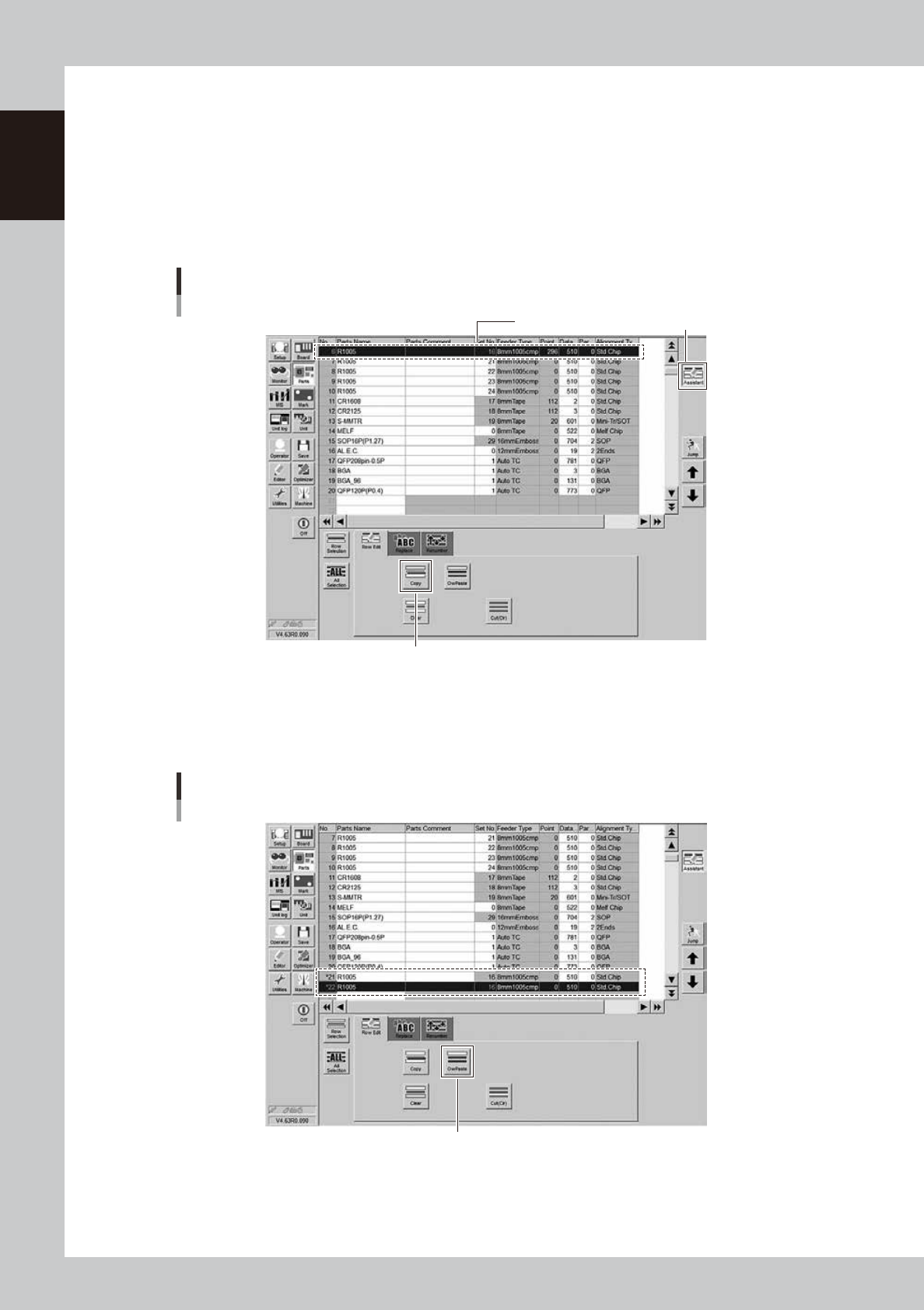
Feeder removing conditions : 3. Setting alternative component function
1
Select the source component.
1. Press the [Assistant] button to display the edit panel on the lower area of the screen.
2. Select the source component from the component data list in the upper grid and press the [Row
Selection] button.
2
Press the [Copy] button.
Selecting alternative component
Copy here. [Assistant] button
[Copy] button
24115-KMK-00
3
Copy and paste the component data.
Select an empty row in the component data list and press the [OwPaste] button. For example, paste
the data onto data rows No. 21 and No. 22 to use 2 feeders as alternative components.
Copy and paste the component data
[OwPaste] button
24116-KMK-00