YSM20R_YSM20WR_Ope_E.pdf - 第50页
1-17 1 Unit names and functions 3.4.2 Manual nozzle shaft blow procedure T his section explains how to manually perform a nozzle shaft blow at any desired timing. 1 Open the [Unit] – [Head] screen. 2 Pr ess the [Cleaning…
1-16
1
Unit names and functions
3.4 Blow station
3.4.1 Shaft-blow function
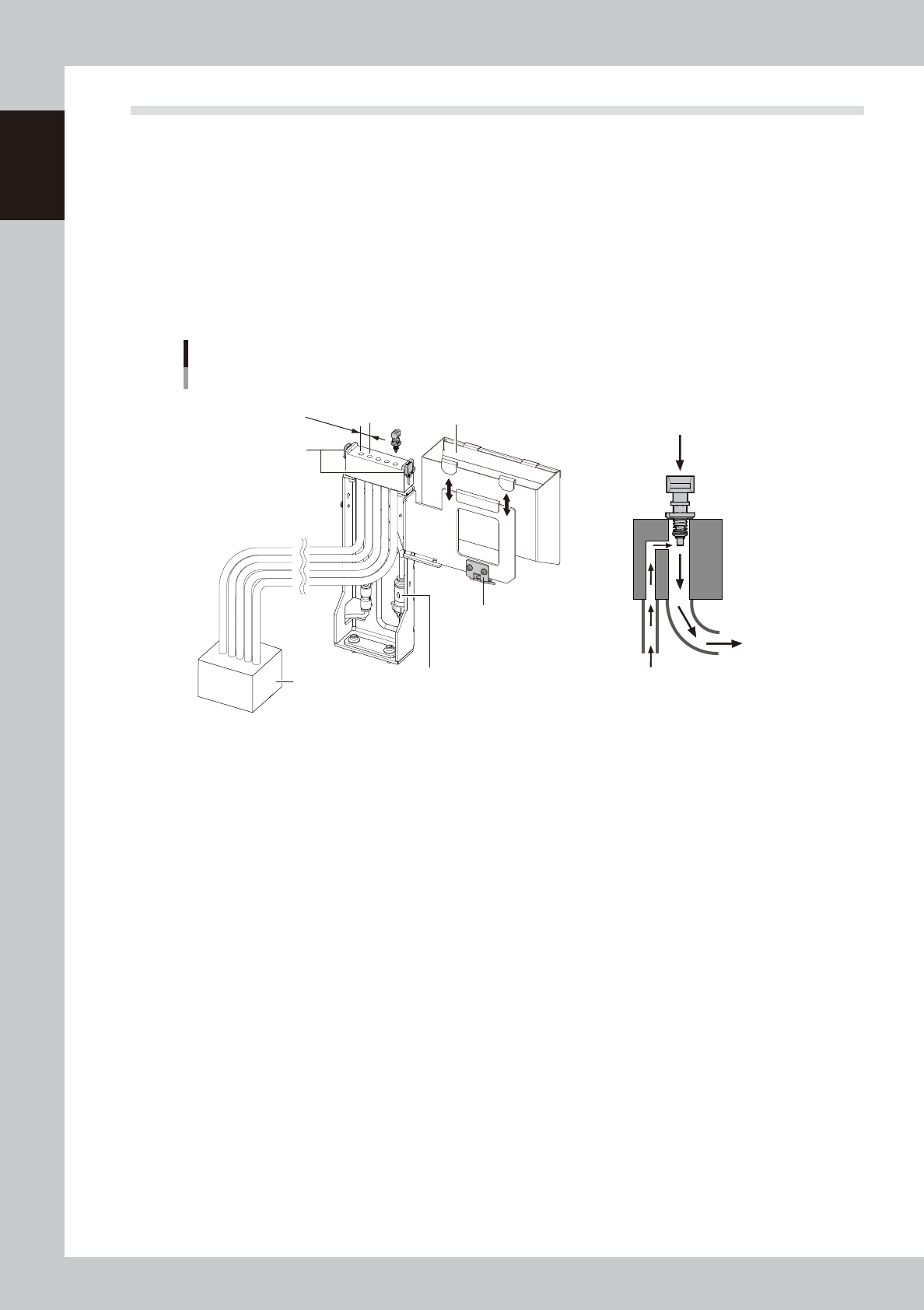
The air-blow station provides a high-pressure air blowing cleaning function to blow foreign matter from the
nozzles and inside the shafts.
Five holes shown in the figure below are used to blow the heads separated in groups. Refer to "3.4.2 Manual
nozzle shaft blow procedure".
Here, components are normally disposed into the dump box. But regarding to the disposal of very small
components less than 0603 size, if some components or dust are recognized at checking after disposal
operation, the air-blow station continues shaft blow dump.
Refer to the section "3.4.4 Shaft blow dump of very small components".
Air-blow station and dump box
12mm
Dump box
confirmation sensor
Dump box
Exhaust box
Shaft blow
Side blow
Air-blow station nozzle
confirmation sensor
Air-blow station filter
23115-KMK-00
• Air-blow station nozzle confirmation sensor
Checks for the left nozzles when the nozzle shaft-blow.
• Dump box confirmation sensor
Checks the dump box presence and floating status.
• Side blow
Cleans the nozzle ends by air-blow from side when the nozzle shaft-blow is performed.
• Air-blow station filter
The filter for the side-blow line in the air-blow station
• Exhaust box
Stores dust and small chips disposed by the nozzle shaft-blow.
1-17
1
Unit names and functions
3.4.2 Manual nozzle shaft blow procedure
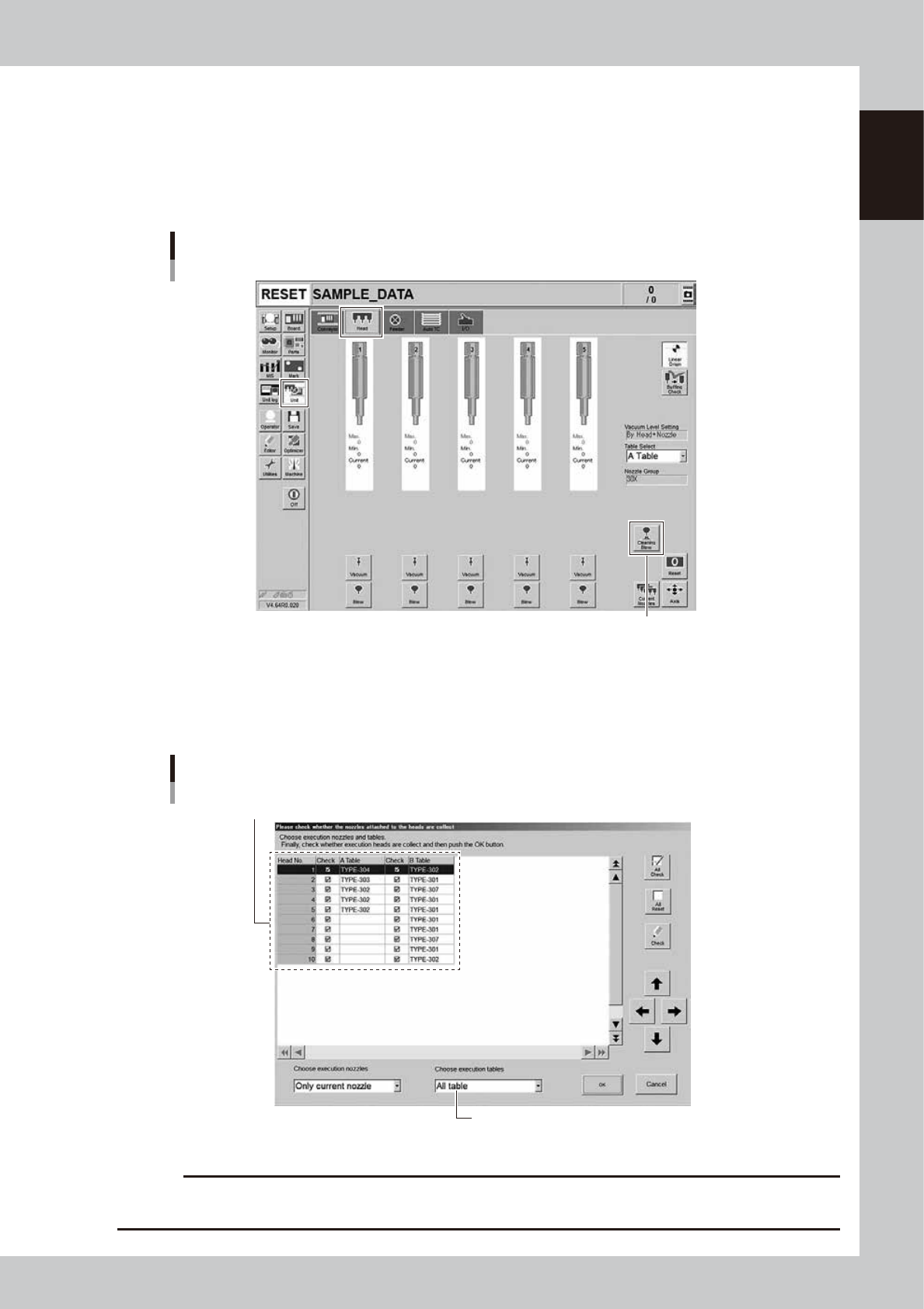
This section explains how to manually perform a nozzle shaft blow at any desired timing.
1
Open the [Unit] – [Head] screen.
2
Press the [Cleaning Blow] button.
Nozzle shaft blow
[Cleaning Blow] button
24100-KMK-00
3
Specify the nozzles you want to clean by nozzle shaft blow.
The "Nozzle Setting" screen will appear. Select the table where the nozzle shaft cleaning blow is per-
formed, put a check mark on the nozzles, and then press the [OK] button.
Nozzle Setting screen
Select the check boxes for the nozzles you want to clean by nozzle shaft blow.
Select the table.
24101-KMK-00
c
CAUTION
When the nozzle is not subject to the nozzle shaft blow, the nozzle may collide with the air-blow station, causing
breakage. Before starting the nozzle shaft blow, be sure to check that the set nozzles meet the installed nozzles.
1-18
1
Unit names and functions
4
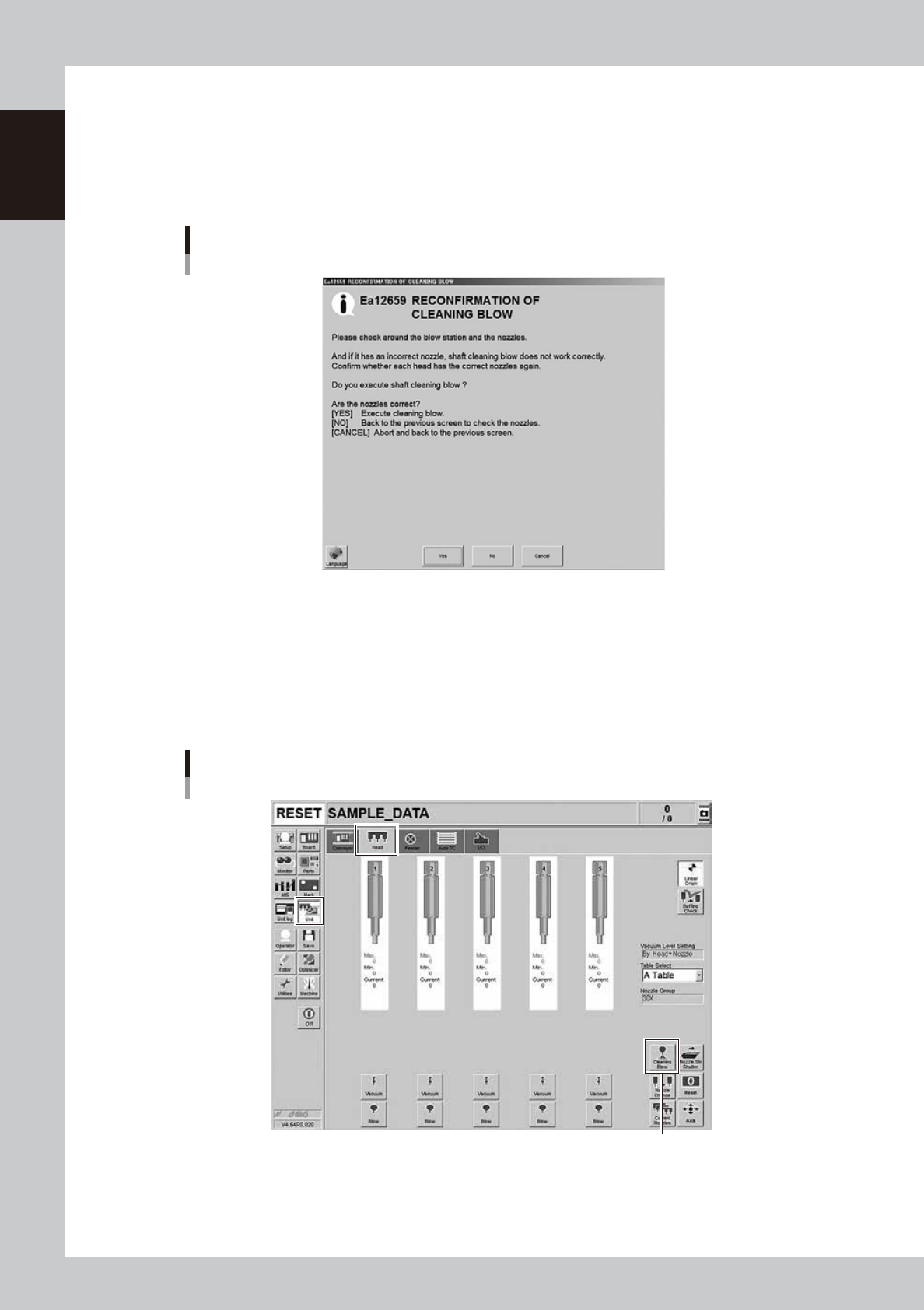
A confirmation screen appears asking you to make a final check.
Check the contents of the screen and press the corresponding button.
[YES] : Performs nozzle shaft blow of the selected nozzles.
[NO] : Returns to the "Nozzle Setting" screen.
[CANCEL] :
Closes the dialog box and returns to the [Unit]-[Head] screen without performing nozzle shaft blow.
“RECONFIRMATION OF CLEANING BLOW” screen
24102-KMK-00
n
When the machine has a nozzle station (option)
When the settings are made so that all nozzles can be changed using a nozzle station (option), follow these steps.
1
Open the [Unit] – [Head] screen.
2
Press the [Cleaning Blow] button.
[Cleaning Blow] button
Nozzle shaft blow
When nozzle station (option) is used
24103-KMK-00