YSM20R_YSM20WR_Ope_E.pdf - 第187页
2-84 2 Basic operation 6 Close the latch. 7 Pr ess the pallet indicator button. Press the "indicator" button for the number of the pallet where the c omponents are supplied. Indicator button 23247-KMK-00 8 Clos…
2-83
2
Basic operation
3
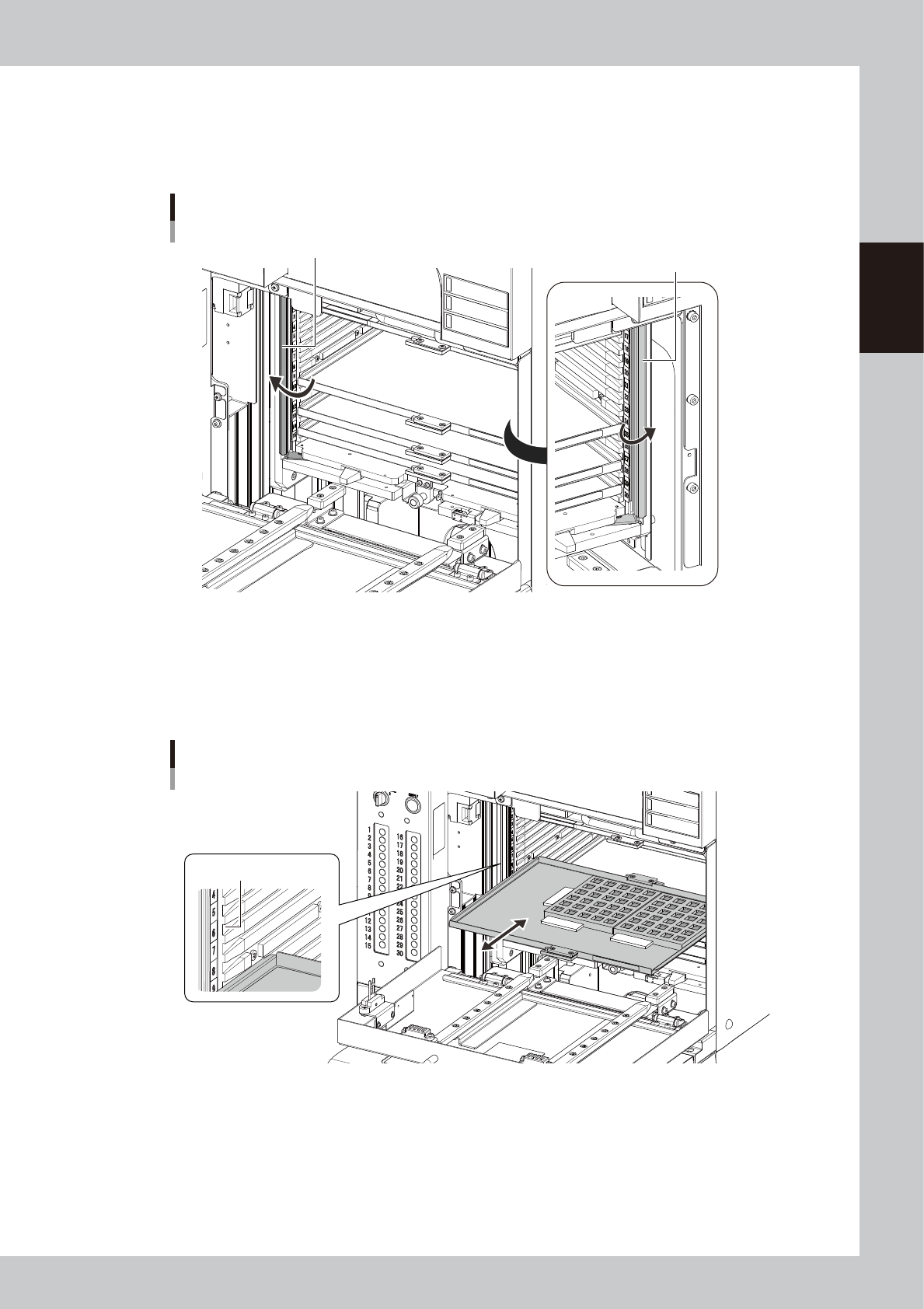
Open the magazine door.
4
Open the latch.
Open the latch on both sides of the magazine by hands.
Opening the latch.
Latch
Latch
23245-KMK-00
5
Exchange the pallet.
1. Pull out the pallet to be changed.
2. Set the pallet containing the components. Confirm the direction and the setting number of the
pallet, then insert it till it is in touch with far end of the magazine.
Exchanging the pallet
Check the pallet setting
number
23246-KMK-00
2-84
2
Basic operation
6
Close the latch.
7
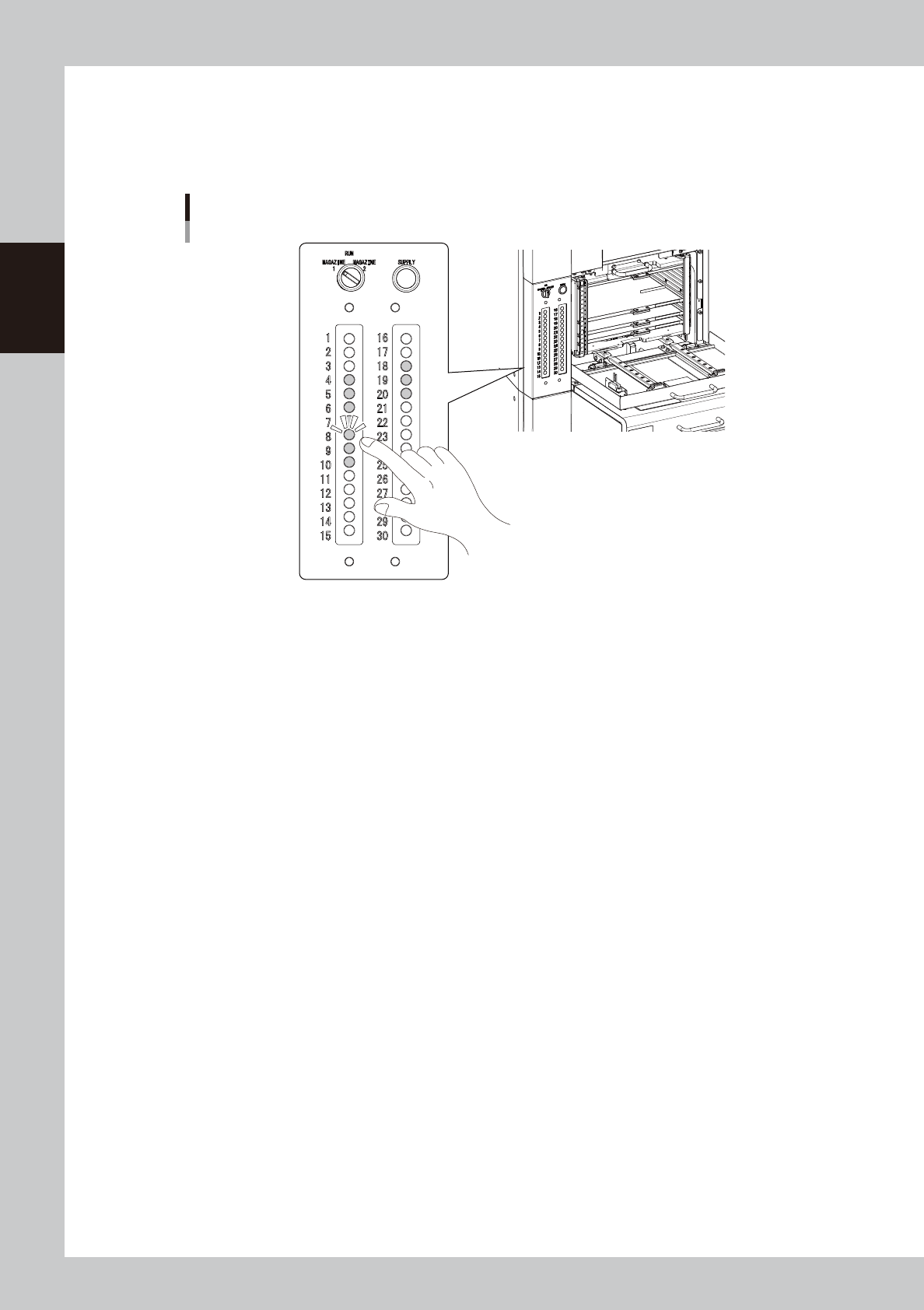
Press the pallet indicator button.
Press the "indicator" button for the number of the pallet where the components are supplied.
Indicator button
23247-KMK-00
8
Close the magazine door.
Confirm that the latch is closed, then close the magazine door.
9
Turn the magazine exchange switch back to "RUN".
The magazine door is locked, and then the door indicator for the magazine exchange switch is on.

Chapter 3 Flow from starting up machine to
production
Contents
1. Flow from starting up machine to production 3-1
1.1 Pre-operation check 3-2
1.2 Starting the machine 3-3
1.3 Selecting the operator 3-4
1.4 Warming up the machine 3-6
1.5 Selecting the board data 3-7
1.6 Conveyor unit setup 3-8
1.6.1 Laying out push-up pins 3-9
1.6.2 Adjusting board hold plate position 3-15
1.6.3 Checking condition of clamping the board 3-19
1.7 Preparing component tape (Tape feeder) 3-21
1.8 Preparing tray component supply unit 3-22
1.9 Confirming nozzles 3-24
1.10 Starting production 3-28
1.11 Ending production 3-29
1.12 Powering off the machine 3-30
1.13 Resuming operation from the stopped point 3-32