YSM20R_YSM20WR_Ope_E.pdf - 第204页
3-16 3 Flow fr om starting up machine to production 2 Mo ve do wn the Board edge clamp unit. Press [Board Clamp] button in [Unit] - [Conveyor] scr een to move down the board edge clamp unit. Moving down the board edge cl…
3-15
3
Flow from starting up machine to production
1.6.2 Adjusting board hold plate position
1
Enter the board.
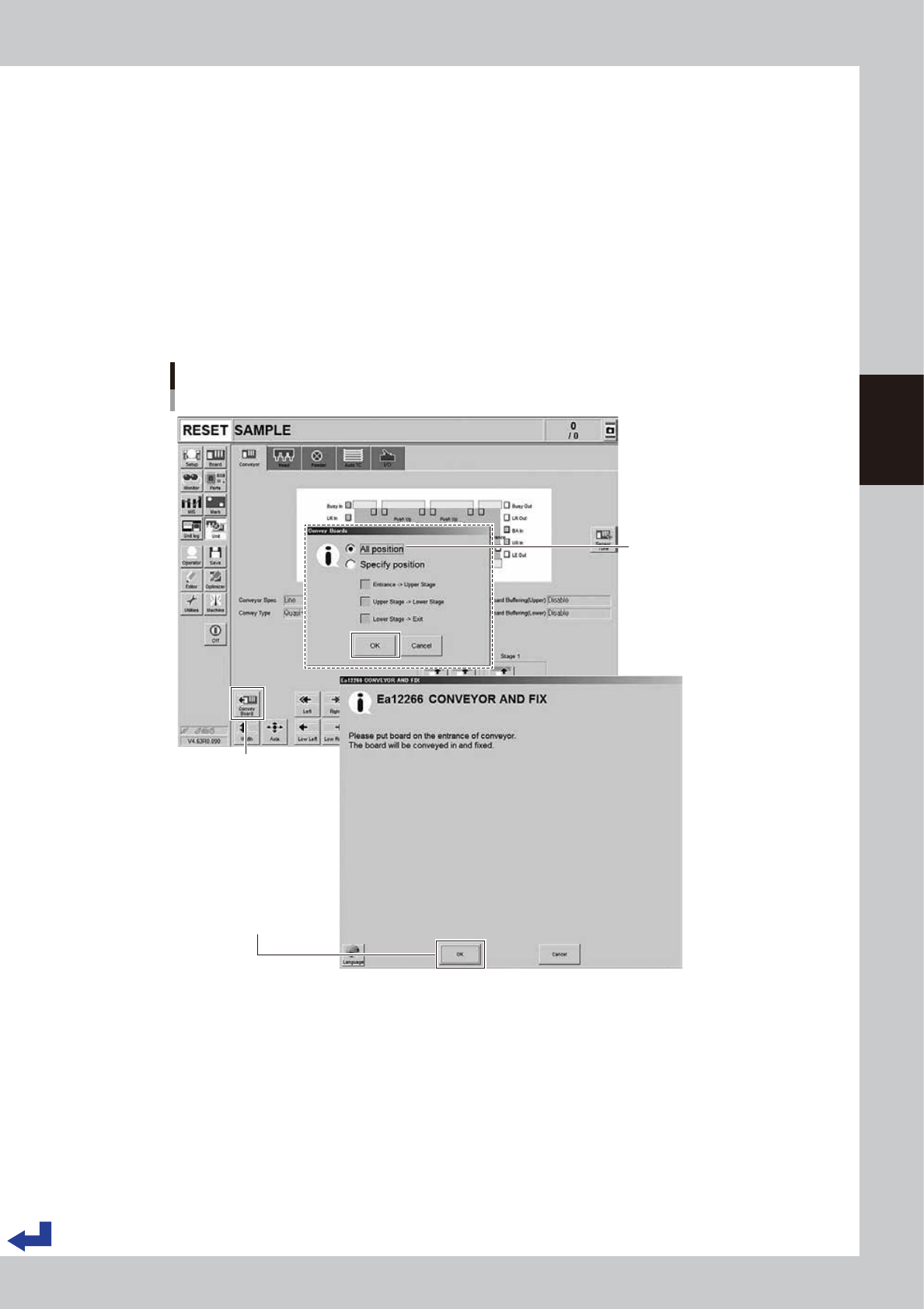
1. (YSM20R Dual-stage type) Press the [Convey Board] button on [Unit] - [Conveyor] screen.
(YSM20R Single-lane / YSM20WR Dual-lane type) Press the [Convey In] button on [Unit] - [Conveyor]
screen.
2. (YSM20R Dual-stage type) The "Convey Board" check screen appears. Confirm that "All position" is
ticked, and then press the [OK] button.
3. The "CONVEY AND FIX" screen appears. Set the board on the conveyor entrance of the machine.
4. Pressing the [OK] button on the "CONVEY AND FIX" screen transfers the board and fixes it on the
mount position.
(YSM20R Dual-stage type) The board is fixed on the mount position of the upstream stage.
Conveying board
Dual stage : [Unit] - [Conveyor] screen
[Convey Board] button
Set the board and press
[OK] button
"All position" needs to be ticked
24311-KMK-00
3-16
3
Flow from starting up machine to production
2
Move down the Board edge clamp unit.
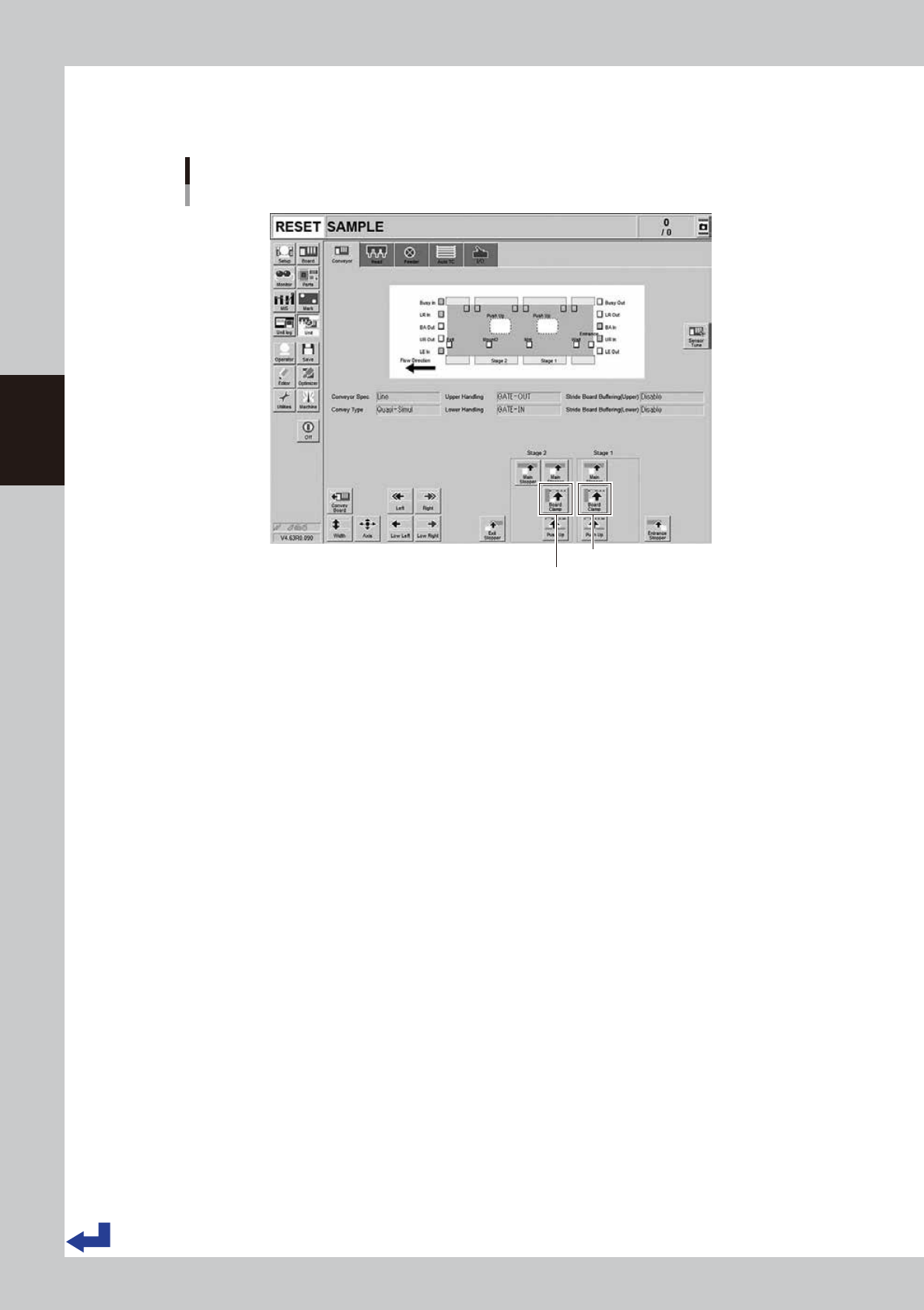
Press [Board Clamp] button in [Unit] - [Conveyor] screen to move down the board edge clamp unit.
Moving down the board edge clamp unit.
Dual stage : [Unit] - [Conveyor] screen
Stage 1 [Board Clamp] button
Stage 2 [Board Clamp] button
24312-KMK-00
3-17
3
Flow from starting up machine to production
3
Adjust the board hold plate positions.
1. Press [EMERGENCY STOP] button and open the safety cover.
If the carriage type machine, remove the carriage to easily access to the conveyor.
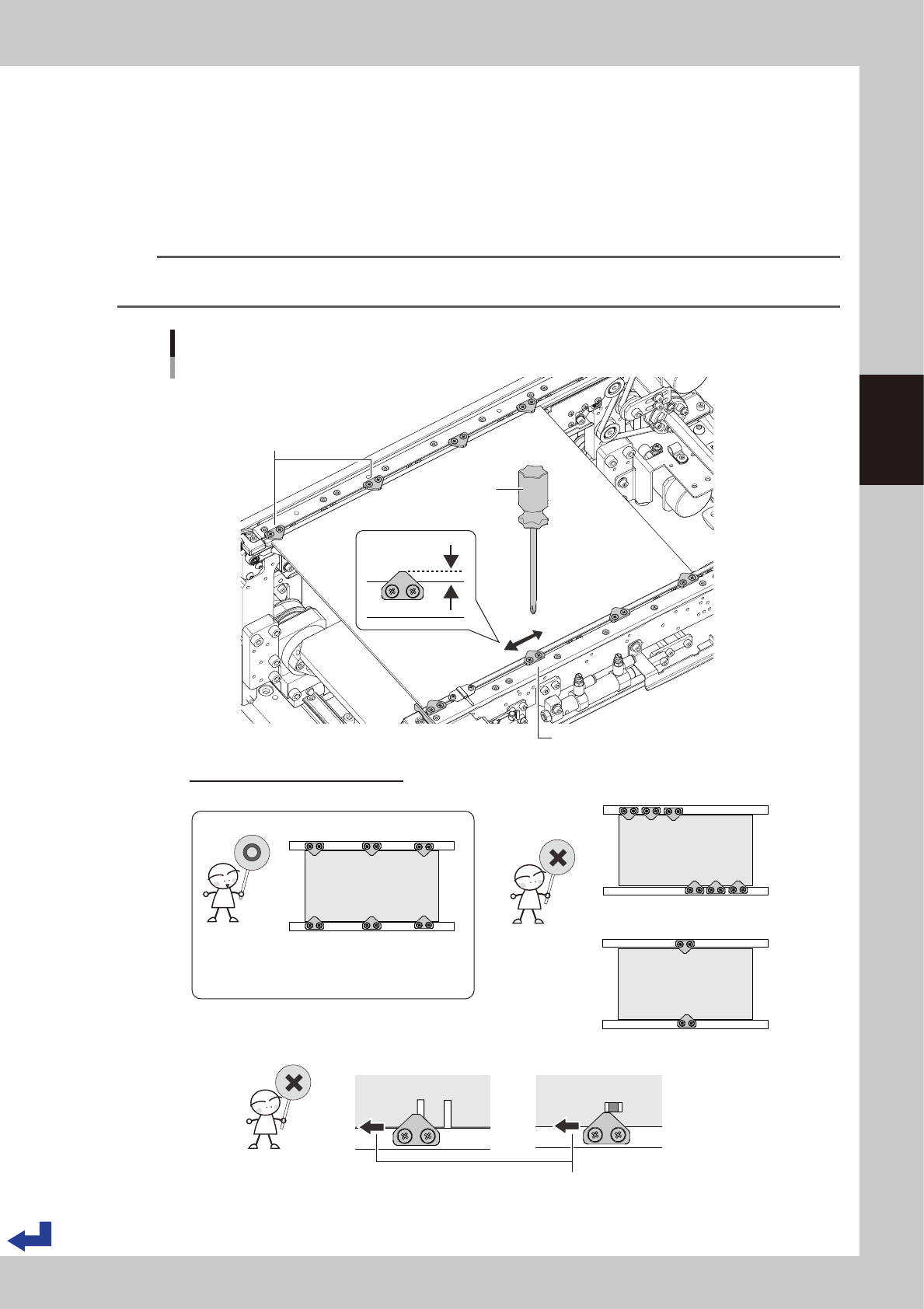
2. Loosen the screws on the board hold plates with a Phillips screw driver. It is not required to detach
them.
3. Move the board hold plates to the side according to the size and shape of the board.
4. Tighten the screws on the board hold plates.
TIP
The board hold plate overlaps the board by 3 mm (the length of the portion of the board hold plate over the board is
3 mm).
3mm
Adjusting the board hold plate positions
Dual stage :
Phillips screw driver
Loosen screws to move board hold plate.
• Board hold plates are not uniformly laid out.
Tips for adjusting the board hold plates
• Board hold plates are uniformly laid out.
• There is no obstacles such as a slit.
• The number of plates is insufficient.
Move over the board hold plate.
Board hold plates
• Board hold plate holds down a
portion with a slit.
• Board hold plate is too close to a
component mounting position.
23305-KMK-00