YSM20R_YSM20WR_Ope_E.pdf - 第163页
2-60 2 Basic operation n Method of memorizing the tape feed pitch on the mounter main body 1 Check the tape feed pitch of the component tape. Check the tape feed pitch of the component tape in advance. 2 Set the feeder o…
2-59
2
Basic operation
5
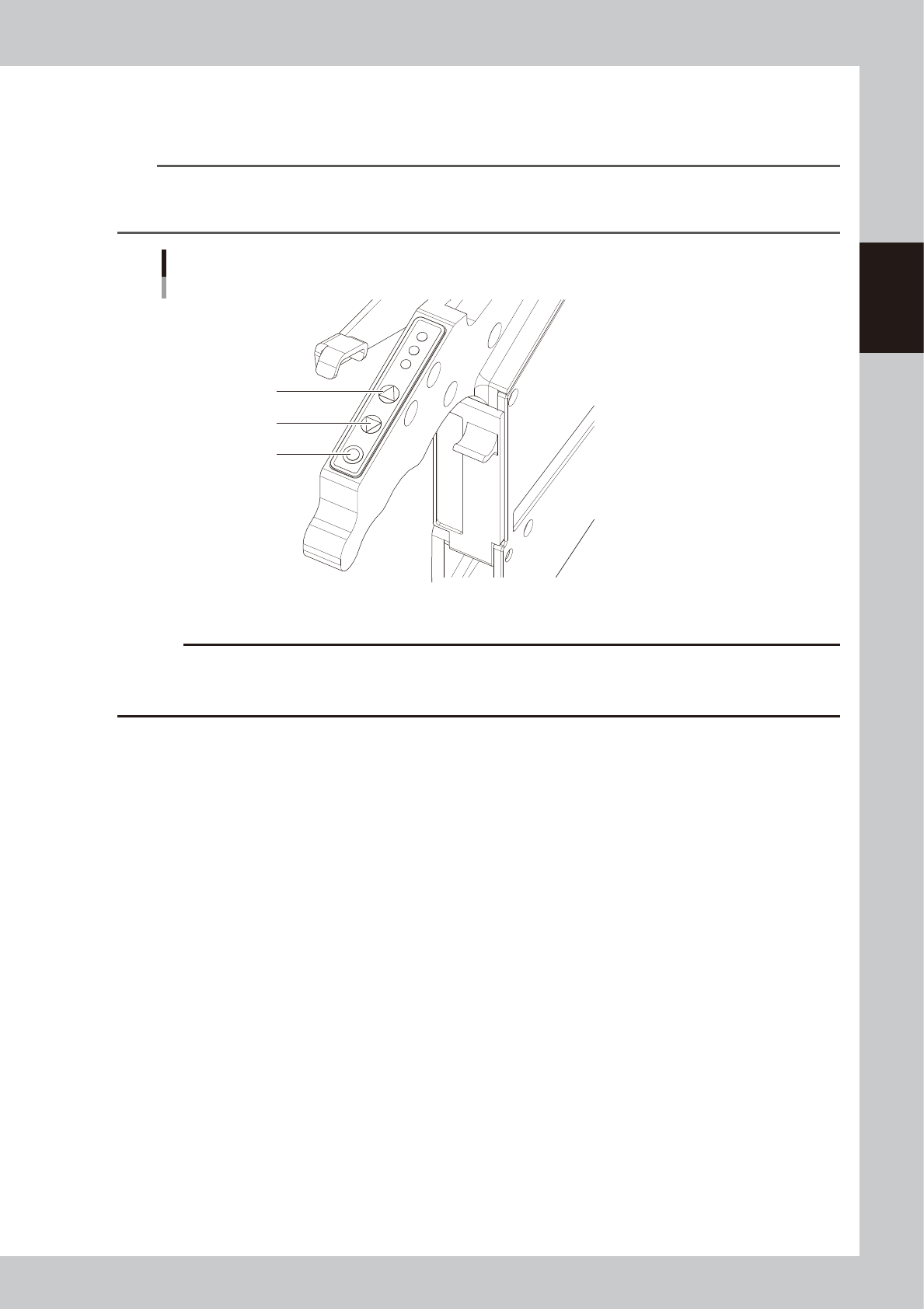
Check the tape feed operation.
Press the “FUNC” and “FEED” buttons simultaneously to confirm that the component tape moves at the
specified feed pitch.
TIP
If setting a ZS feeder in the temporary tape set station / the power station for off-line setup, pressing “FUNC” and
“FEED” buttons simultaneously does not necessarily feed the tape according to the set component tape feed pitch.
See the item describing the setting of tape feed pitch in "4.1.1 Setting component tape" in this chapter.
[FEED] button, [BACK] button, [FUNC] button
[FUNC] button
[BACK] button
[FEED] button
23224-KMK-00
c
CAUTION
When returning the component to the standby position, make sure to press the [BACK] button more than twice and
then press the [FEED] button to align the component with the standby position. If pressing the [Back] button once or
aligning the standby position by the [Back] button, pickup position offset of the fist component will occur.
2-60
2
Basic operation
n
Method of memorizing the tape feed pitch on the mounter main body
1
Check the tape feed pitch of the component tape.
Check the tape feed pitch of the component tape in advance.
2
Set the feeder on the machine main body.
Read out the board data. While checking the “Required Parts” on the “Setup” screen, set the feeder.
3
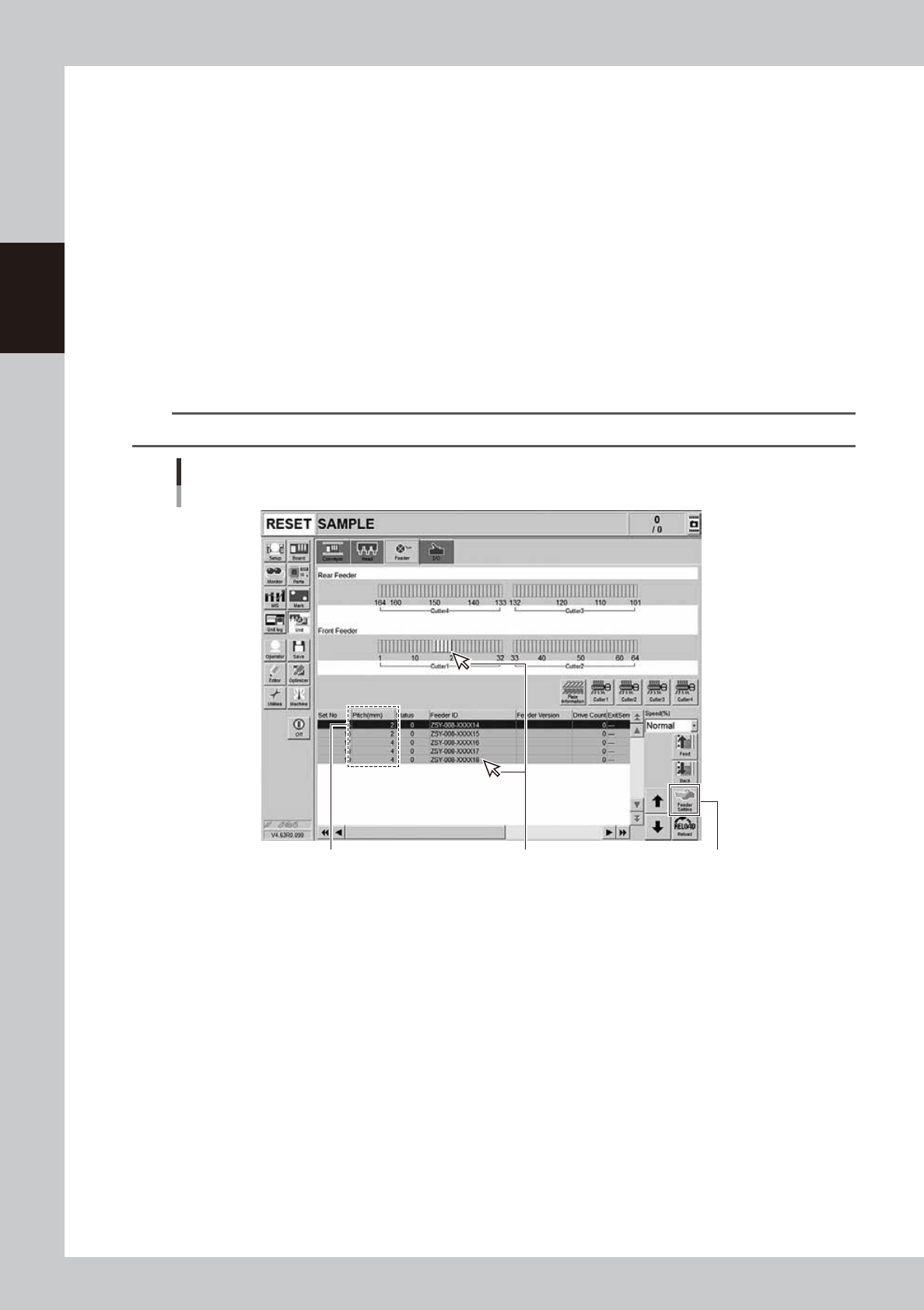
Open the [Unit] - [feeder] screen.
4
Check the tape feed pitch of the feeder you want to set.
The list of feeders on the lower part of the feeder screen allows to check the current feed pitch setting.
5
Open the feeder setup dialog box.
Select the feeder for which you want to set the feed pitch, and then press the [Feeder Setting] button
to open the feeder setting dialog box.
TIP
It can be selected from the feeder setting list or the graphic layout of the feeder.
Select the component to
be set the feed pitch.
[Feeder Setting] button
Checking the feed pitch
[Unit] - [Feeder] screen
Feed pitch
24229-KMK-00
2-61
2
Basic operation
6
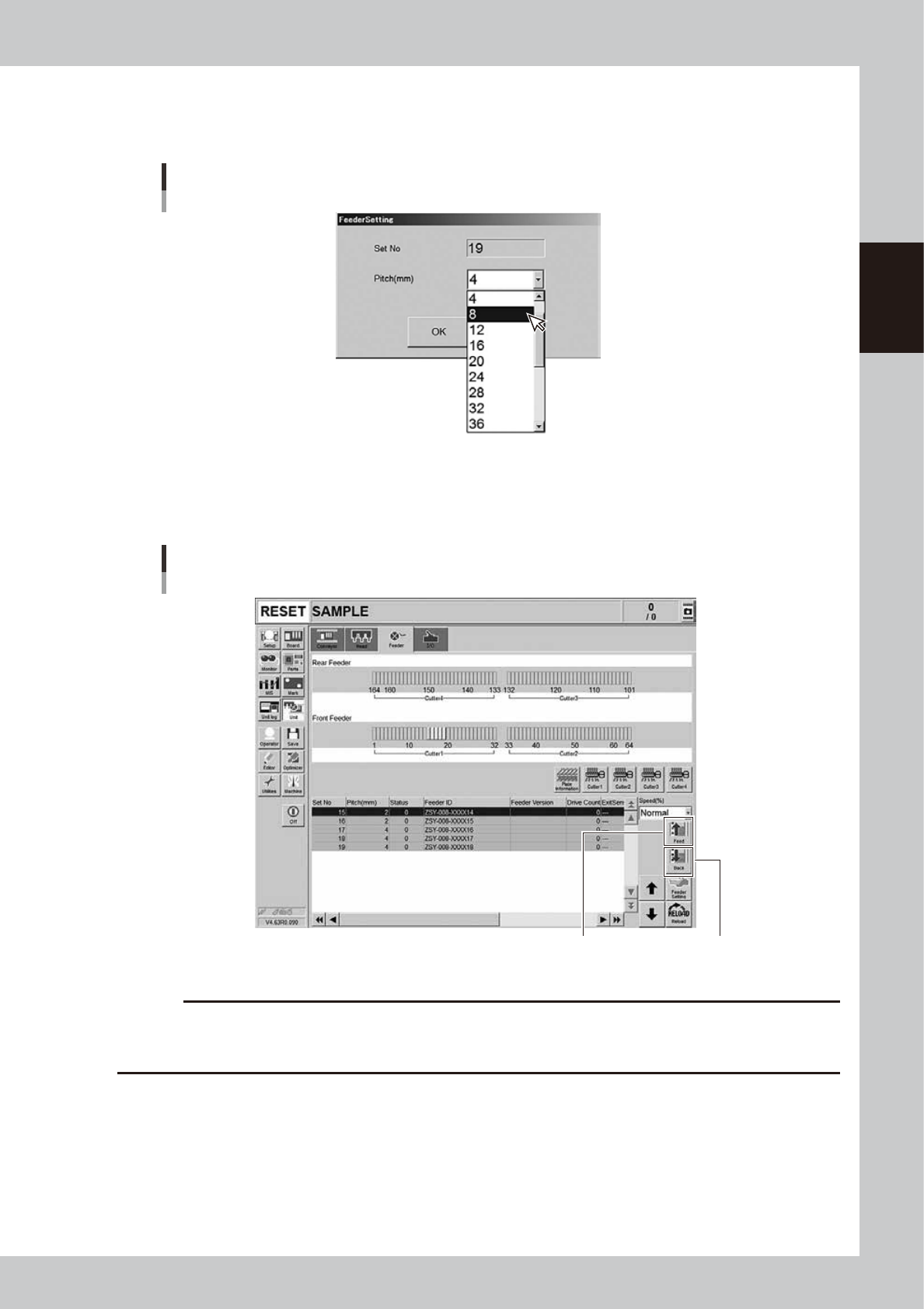
Set the tape feed pitch.
Drop down the “Feed Pitch” on the “Feeder Setting” screen to select the feed pitch. Then, press the
[OK] button.
Setting the tape feed pitch
24230-KMK-00
7
Check the tape feed operation.
Press the [Feed] button on the lower right of the screen to check that the tape is fed at the pitch you
set.
Feeder [Feed] button Feeder [Back] button
Checking the feed pitch
[Unit] - [Feeder] screen
24231-KMK-00
c
CAUTION
When returning the component to the standby position, make sure to press the [Back] button more than twice and
then press the [Feed] button to align the component with the standby position. If pressing the [Back] button once or
aligning the standby position by the [Back] button, pickup position offset of the fist component will occur.