YSM20R_YSM20WR_Ope_E.pdf - 第146页
2-43 2 Basic operation 3 Set the tape in the tape feeder . Put the tape in through the hole in the rear part of the feeder . T ape Be sure of the tape top surface and back. Mounting the tape 23204-KMK-00 c CAUTION Be sur…
2-42
2
Basic operation
4. Preparing component tape
4.1 Tape feeders
4.1.1 Setting component tape
Taking up ZS feeder as an example, this section describes how to set component tape on the feeder.
See “SS Feeder User’s Manual” for the details and handling of SS feeder.
c
CAUTION
Always use a temporary tape set station or a power station for the off-line setup to set the tape. The tape cannot be
set directly on the mounter.
1
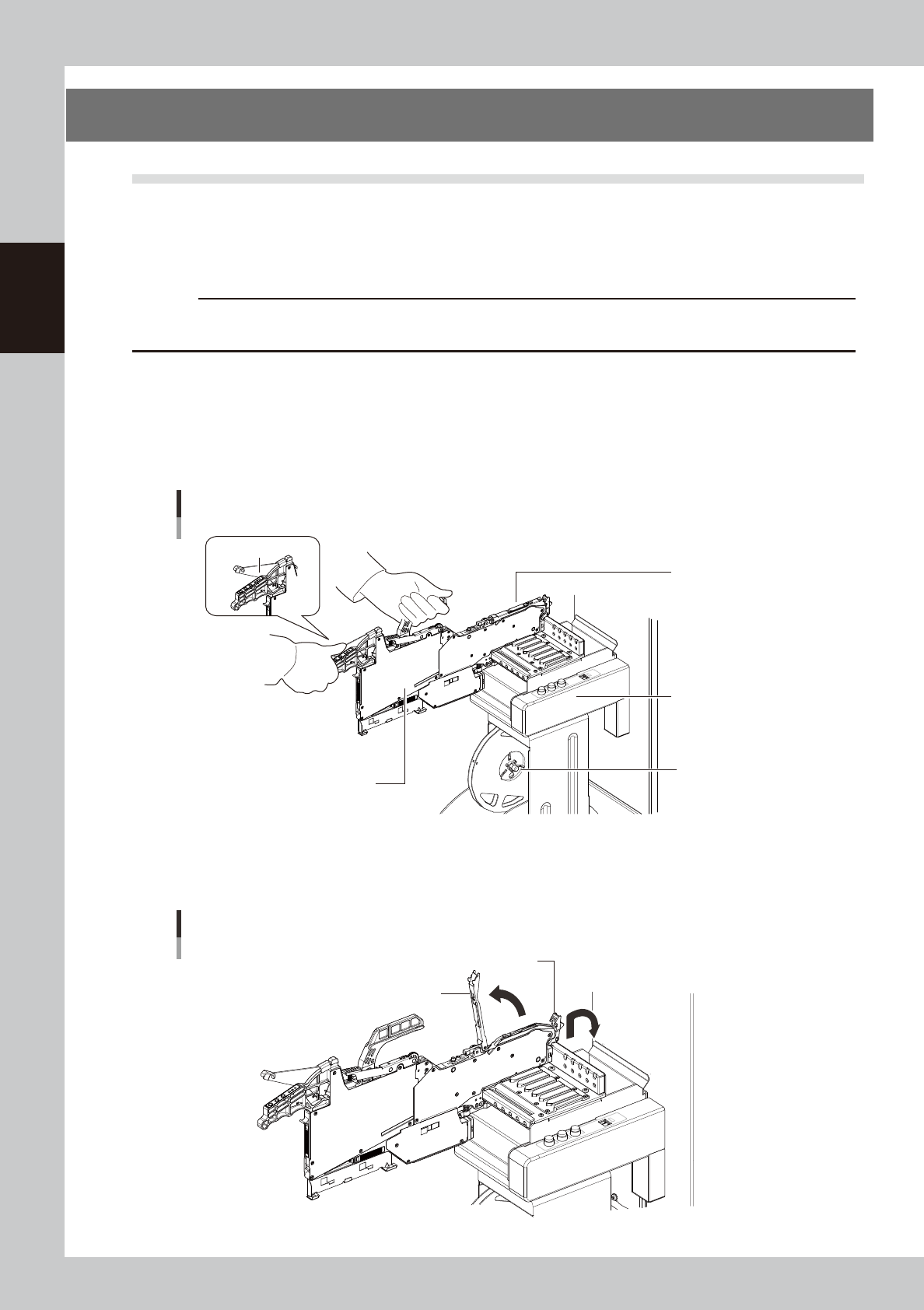
Set the feeder and tape reel.
1. Place the feeder in the temporary tape set station or power station for the off-line setup.
While keeping holding the unclamping lever of the feeder, slide to the extreme left set position (the
point where the feeder connector is present) and set it in place.
2. Set the tape reel for operation to the dedicated reel holder of the set-up station on machine.
Set in the extreme
left position.
Setting the feeder
Feeder
Unclamp lever
Temporary tape set
station
Reel holder
(7-inch reel)
23202-KMK-00
2
Raise the tape guide assembly.
Lower the front lever for the tape guide while lifting it, and raise the tape guide assembly.
Raising the tape guide assembly
Tape guide assembly
Tape guide front lever
23203-KMK-00
2-43
2
Basic operation
3
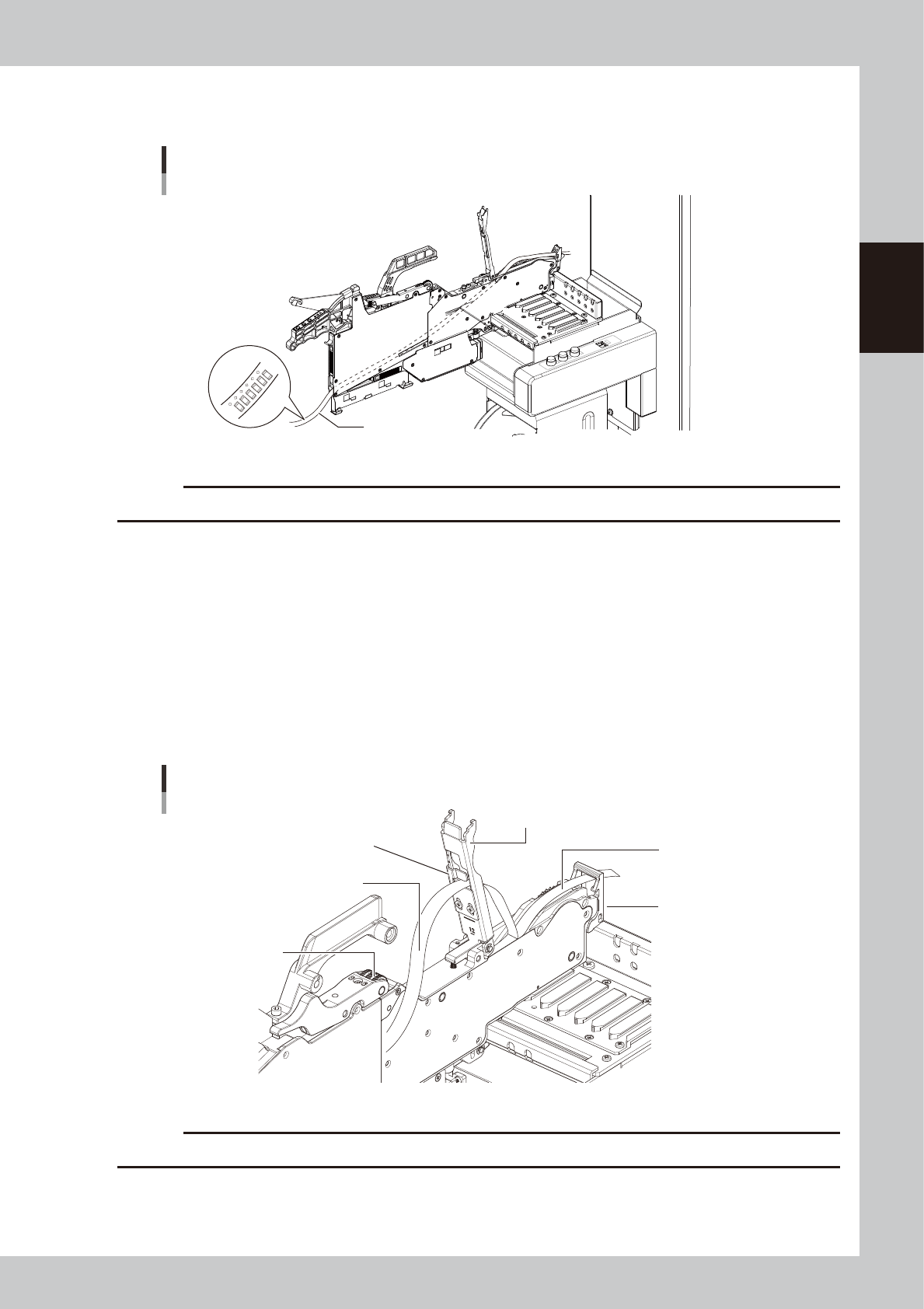
Set the tape in the tape feeder.
Put the tape in through the hole in the rear part of the feeder.
Tape
Be sure of the tape
top surface and back.
Mounting the tape
23204-KMK-00
c
CAUTION
Be sure to place the tape to the correct top/back orientation.
4
Peel off the cover tape.
The tape is in two layers – one called “carrier tape” that contains the components and the other called
“cover tape” that covers the components on the top. Remove the leading portion of the cover tape in
advance to the extent that the tape reaches the winding roller.
5
Set the carrier tape.
Run the carrier tape through the hole in the tape guide front lever.
6
Set the cover tape.
Run the cover tape through the notch in the tape guide assembly. Be sure to pull out enough tape so
the cover tape reaches the take-up roller.
Top guide front lever
Carrier tape and cover tape
Top guide assembly
Cover tape
Take-up roller
Carrier tape
Tape support plate
23205-KMK-00
c
CAUTION
When setting the tape through the unit, do not damage the tape guide assembly or the tape support plate.
2-44
2
Basic operation
n
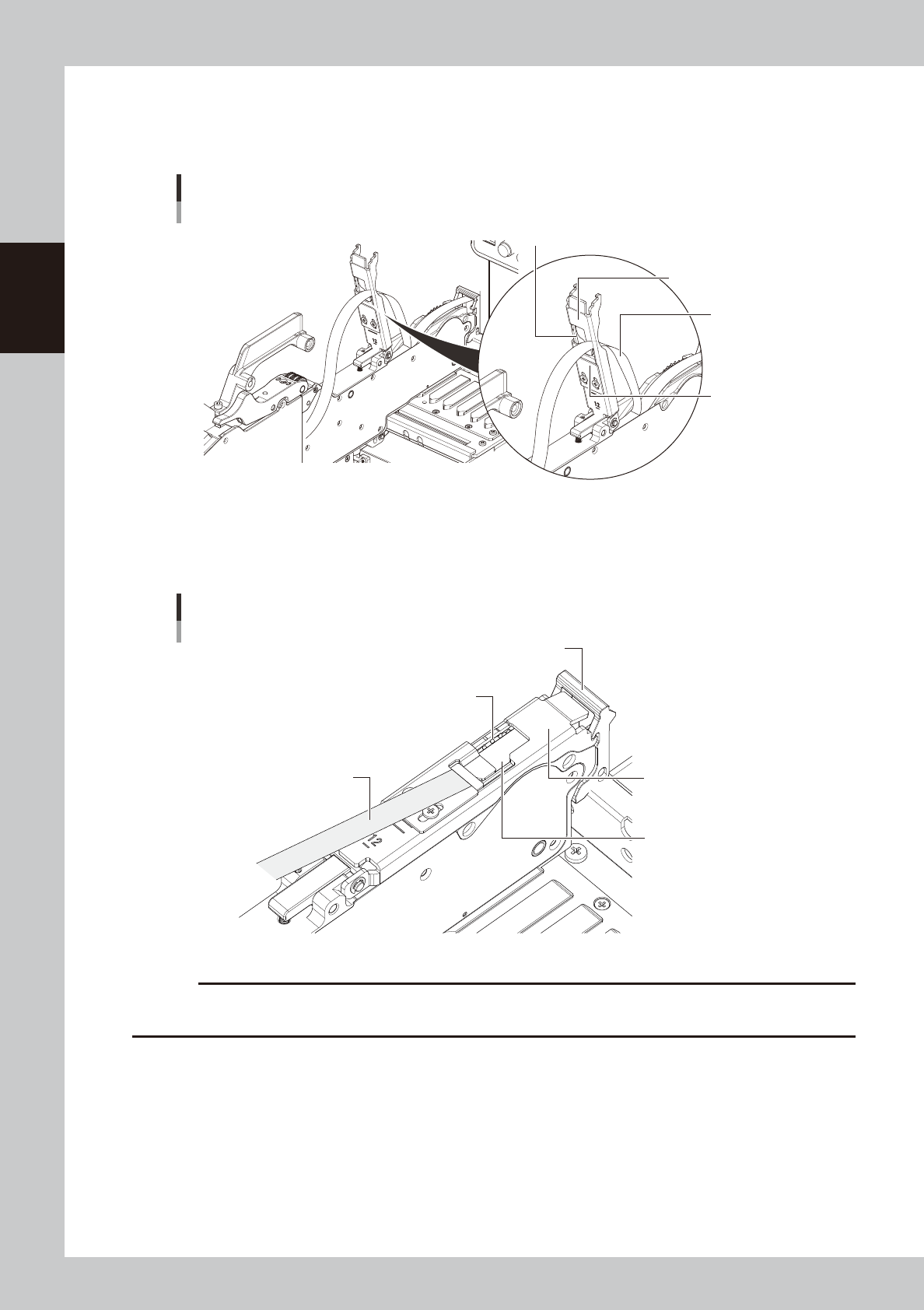
Handling tape guides of 12 mm, 16 mm and 24 mm
12 mm, 16 mm and 24 mm tape guides can be used without passing the cover tape into the notch
of the tape guide assembly. Same as the 32 mm or wider tape guide assembly, the "Edge
delamination" that does not require to pass the cover tape into the notch is also available.
Cover tape insertion slot
Edge delamination of 12 mm, 16 mm and 24 mm tape guides
Cover tape insertion slot
Notch
Cover tape
Tape guide assembly
23206-KMK-00
7
Clamp the tape guide assembly.
While confirming that the sprocket teeth bite into the carrier tape, hold down the tape guide assembly
with the tape guide front lever to set the component tape.
Clamping the tape guide assembly
Tape guide front lever
Sprocket teeth
Carrier tape
Cover tape
Tape guide assembly
23207-KMK-00
c
CAUTION
Pull on the cover tape while clamping the tape guide assembly, so that the cover tape does not droop inside the tape
guide assembly during clamping.