YSM20R_YSM20WR_Ope_E.pdf - 第97页
1-64 1 Unit names and functions 8. Other options There are a coplanarity checker , an ionizer and an UPS (Uninterruptible Power Supply) as options else for this machine. 8.1 Coplanarity checker T he multi-view camera wit…
1-63
1
Unit names and functions
n
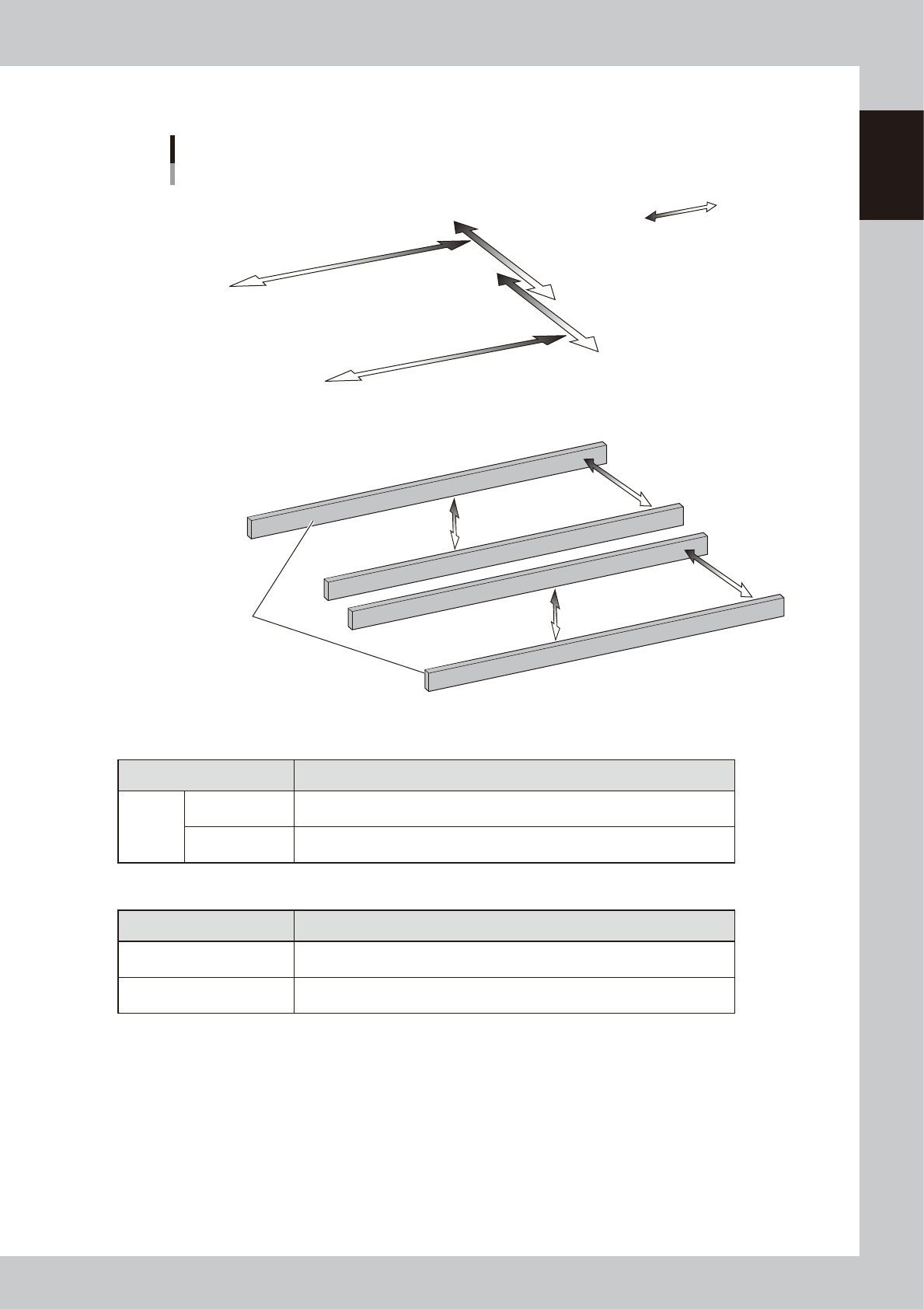
YSM20WR Dual-lane
Plus direction
Minus direction
W2-axis
Reference
conveyor
Lane 1
Lane 2
W1-axis
PU1-axis
PU2-axis
YB-axis
YA-axis
XA-axis
XB-axis
Axis configuration
Example: Dual-lane / Right to left flow
■ Main axes
■ Conveyor axes
23146-KMK-00
n
Main axes
Axis Function
2-beam
XA, XB-axis
Moves the head unit in parallel with the board transfer direction of the conveyor.
The rightward direction viewed from front is positive.
YA, YB-axis
Moves the head unit at the right angles to the board transfer direction of the
conveyor. The direction towards the far end is positive.
n
Conveyor axes
Axis Function
W1, W2-axis
Changes the conveyor width.
The direction of widening the conveyor is positive.
PU1, PU2-axis
Moves the push-up plate vertically.
The upward direction is positive.
1-64
1
Unit names and functions
8. Other options
There are a coplanarity checker, an ionizer and an UPS (Uninterruptible Power Supply) as options else for
this machine.
8.1 Coplanarity checker
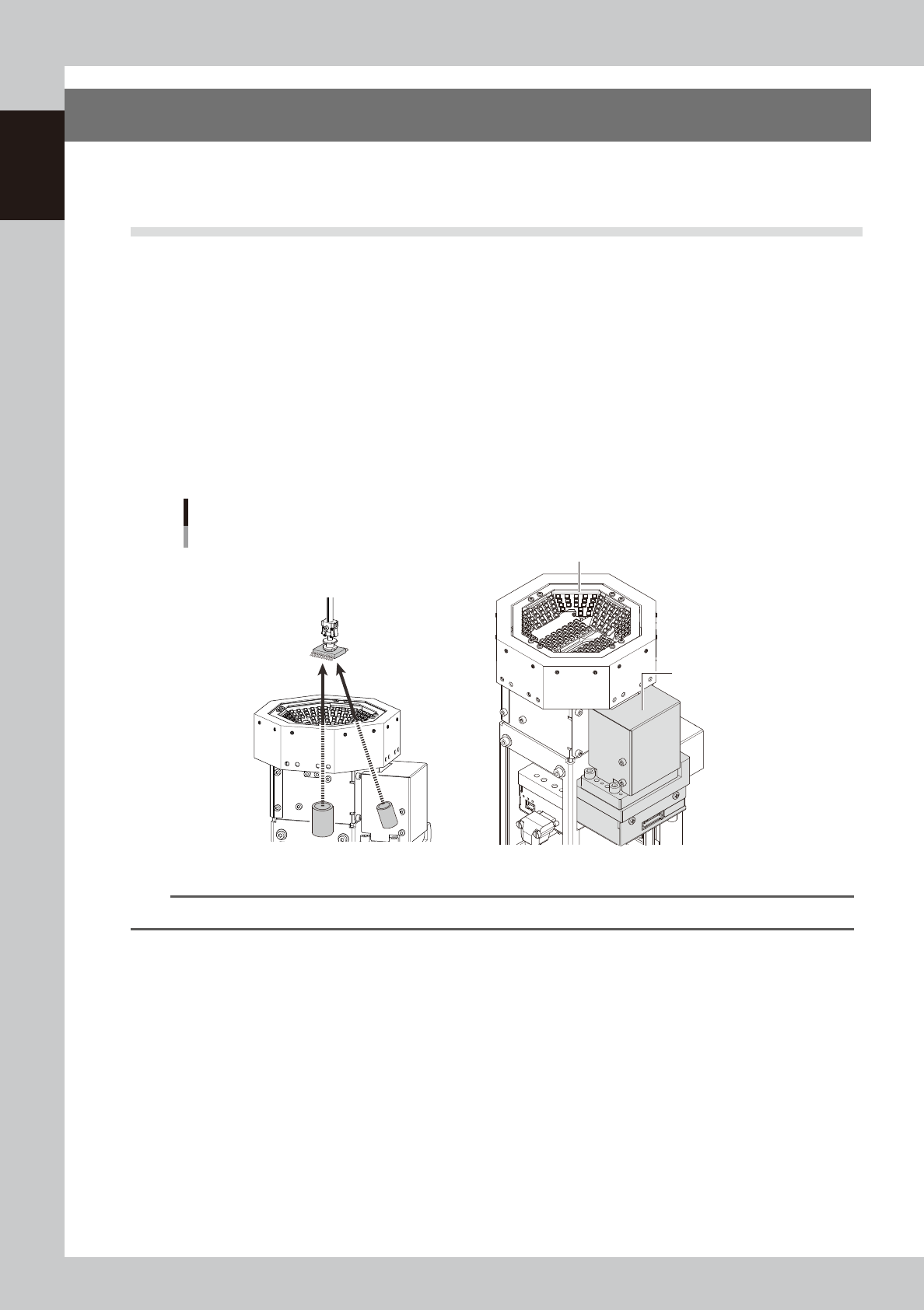
The multi-view camera with a coplanarity checker can be selected as an option.
In addition to the multi camera recognizing components, by using the coplanarity checker to recognize
components diagonally, it measures lead linearity and coplanarity of QFP/SOP leads or BGA bumps at high
speeds, then determines "pass/fail"
The coplanarity checker has the following two functions:
• Coplanarity check
Inspects uniformity of the lead bottom against the seating plane of components having wire leads or solder balls so that
the fault mounting due to such as leads floating are prevented.
• Component recognition height check
Prevents lead components from being mounted in an inverted position.
Coplanarity checker
Multi-view camera
Coplanarity checker
23132-KMK-00
n
NOTE
For instructions on how to use the coplanarity checker, refer to the programming manual.
1-65
1
Unit names and functions
8.2 Ionizer
The ionizers are installed to defuse the static electricity.
Note that the performance and capability of the ionizer to remove static electricity depends on the operating
environment or the materials and shape of the items that the static electricity is removed.
Such performance or capability is not guaranteed.
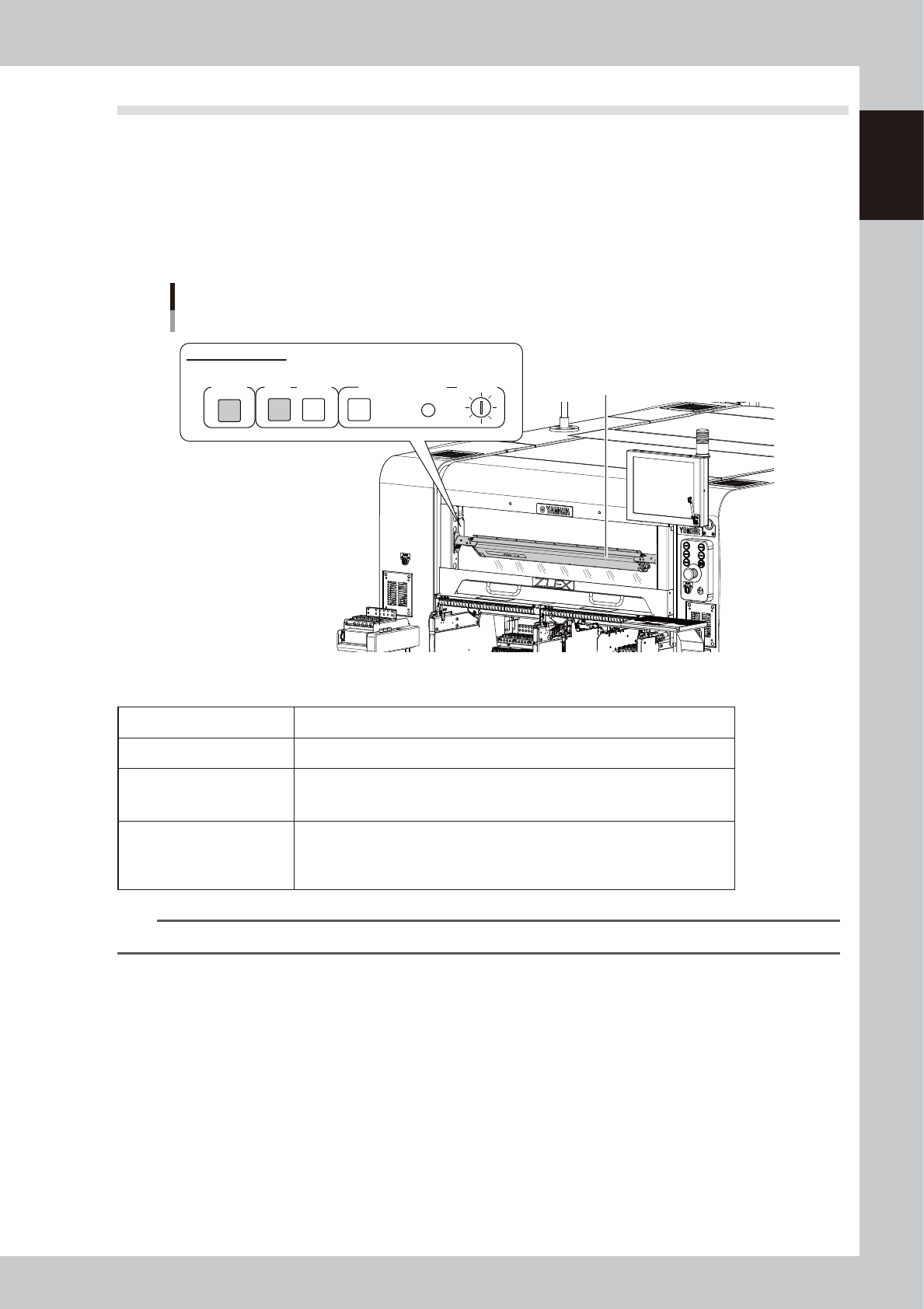
The ionizer of this machine is installed behind the machine safety cover. The ionizer when shipped from the
factory faces around the component pick up position of the feeder. The installation angle can be changed
according to the specifications of the board and the components.
Ionizer
Ionizer
POWER
ALARMRUN
CLEANING
RESET
CLEANING TIMER
T SELECT
Ionizer indicator panel
23133-KMK-00
n
Ionizer indication
POWER The green LED lights up when the electric power is supplied normally.
RUN The green LED stays on during the normal operation.
ALARM
The red LED lights up if the discharge needle has deteriorated or an inner unit/
device is experiencing an error. The machine main body also generates an
alarm.
CLEANING TIMER
When the duration of time set up by operating the trimmer of T.SELECT has
expired, the “CLEANING” yellow LED lights up. Pressing the “RESET” button
makes the yellow LED go out. * Note that this timer is not set up at the time of
shipping from the factory.
n
NOTE
See the manufacturer’s operation manual for the detailed specifications of the ionizer.