YSM20R_YSM20WR_Ope_E.pdf - 第200页
3-12 3 Flow fr om starting up machine to production 4 La y out the push-up pins. Hold the push-up pins on the push-up plate with magnets. e 1. Press [EMERGENCY STOP] button and open the safety cover . 2. If the carriage …
3-11
3
Flow from starting up machine to production
2
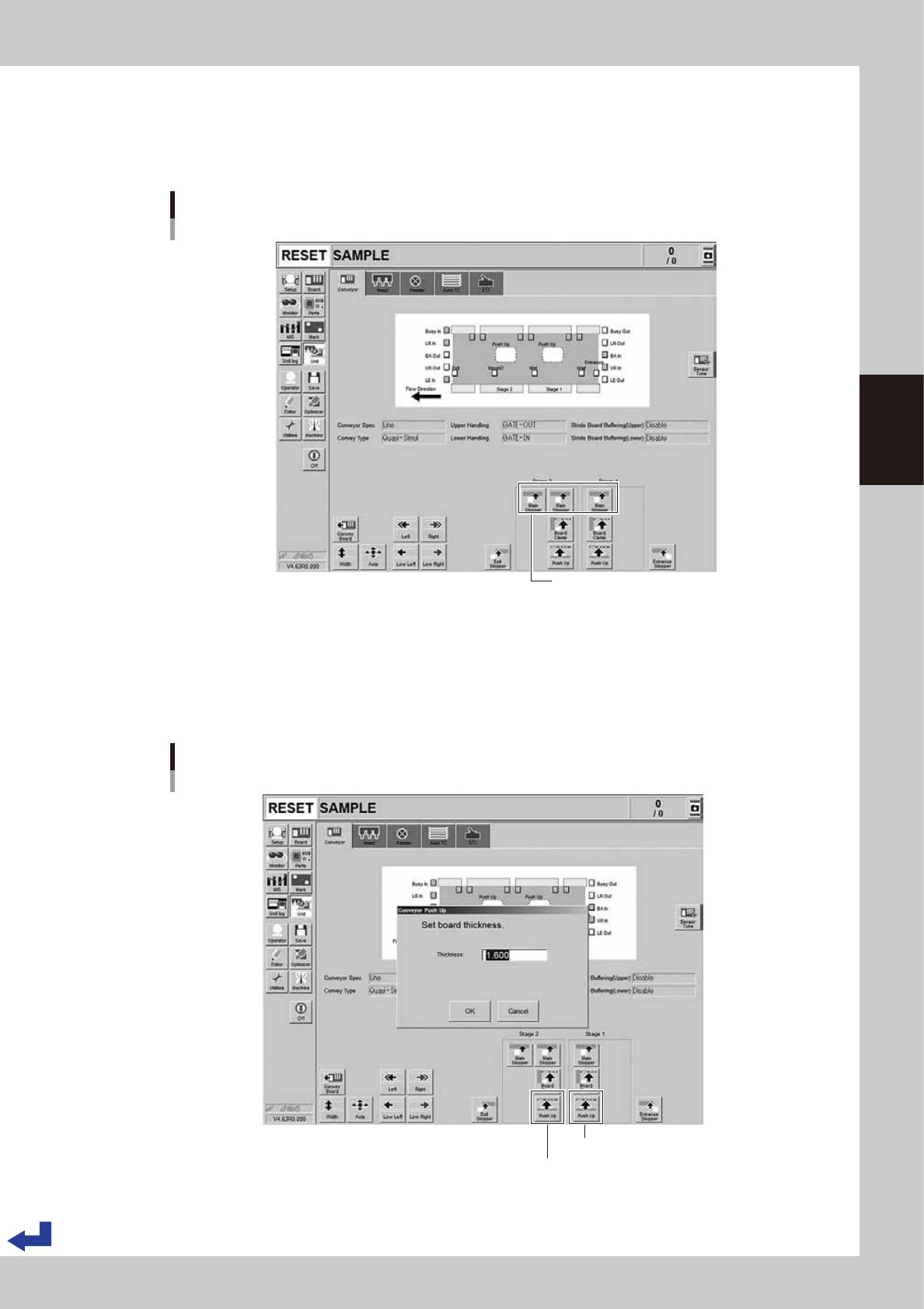
Lift the main stopper.
Lift the main stopper to place the board at the board mounting position.
Press the [Main Stopper] button on the “Unit” – “Conveyor” screen to lift the main stopper.
If dual-stage type machine, press the [Main Stopper] buttons for both of stage 1 and stage 2.
Lifting the main stopper
Dual stage : [Unit] - [Conveyor] screen
[Main Stopper] button
24309-KMK-00
3
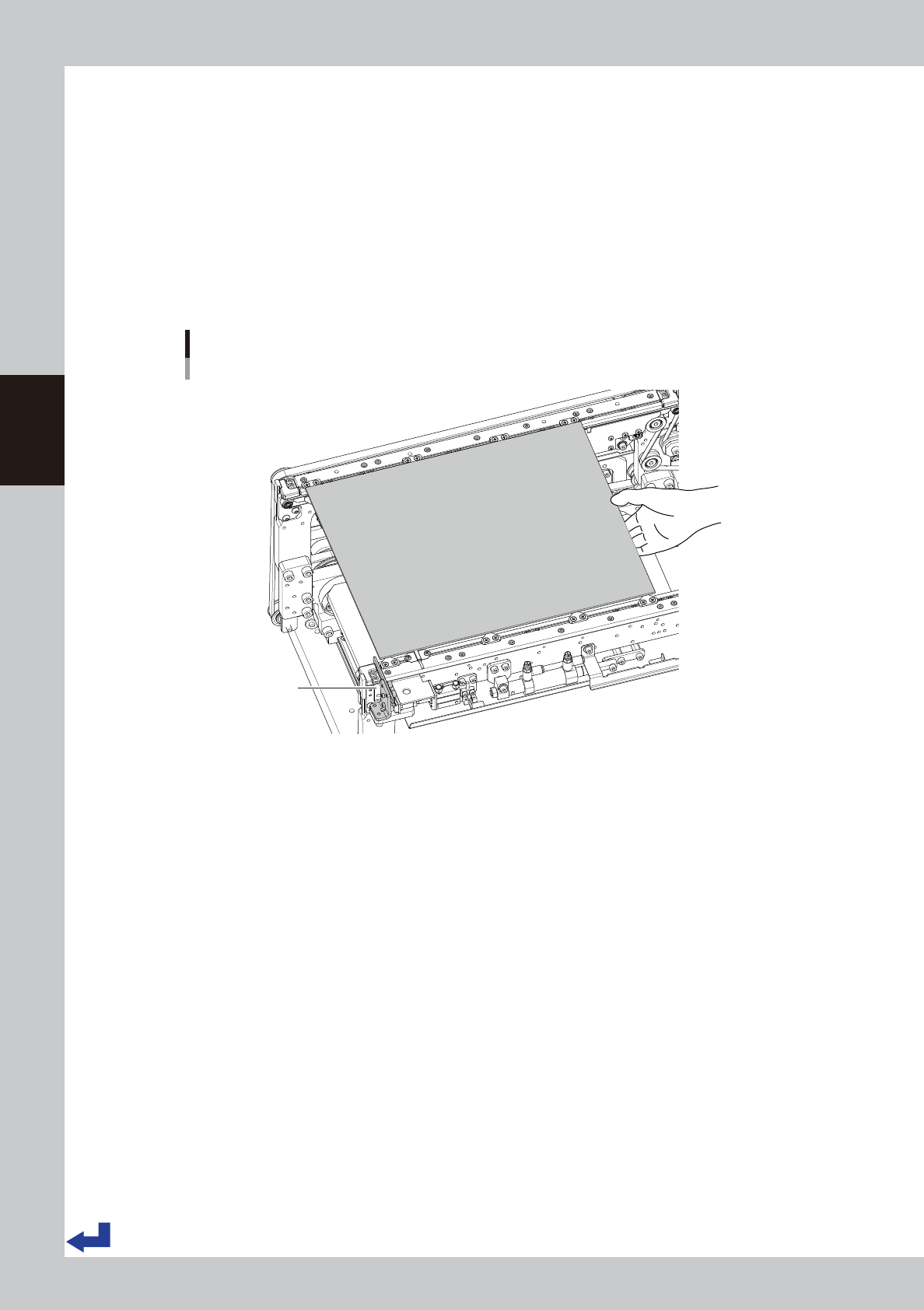
Move up the push-up plate.
1. Press [Push Up] button on [Unit] - [Conveyor] screen. Then "Conveyor Push Up" screen appears.
2. Press [OK] button after confirming the board thickness is correct. Then push-up plate moves up.
3. If dual-stage type machine, move up the push-up plates for both stage 1 and stage 2.
Move up the push-up plate.
Dual stage : [Unit] - [Conveyor] screen
Stage 1 [Push Up] button
Stage 2 [Push Up] button
24310-KMK-00
3-12
3
Flow from starting up machine to production
4
Lay out the push-up pins.
Hold the push-up pins on the push-up plate with magnets.
e
1. Press [EMERGENCY STOP] button and open the safety cover.
2. If the carriage type machine, remove the carriage to easily access to the conveyor.
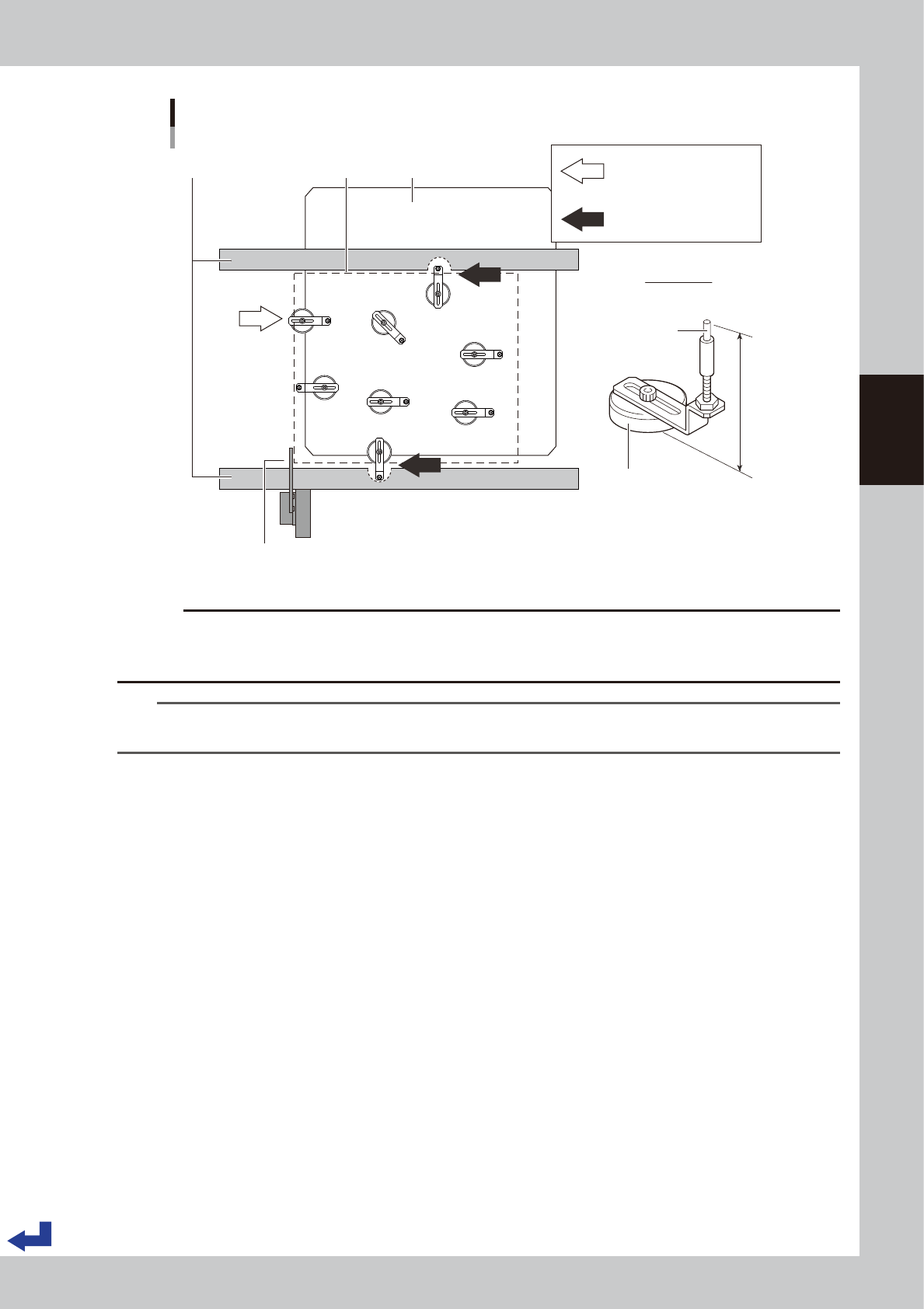
3. Temporarily place the board on the conveyor so that the board edge is in touch with main stopper.
4. Confirm the board size (meaning the area where the push-up pins are placed), and then temporarily
remove the board.
5. Lay out the push-up pins on the push-up plate so that the whole board including its edge are held
evenly by the pins. Be careful not to touch the components if they are mounted on the back side of
the board already.
Temporarily placing the board
Dual stage : Stage 1
Main stopper
23303-KMK-00
3-13
3
Flow from starting up machine to production
OK
OK
NG
OK
OK
NG
NG
OK
76mm
NG
NG
Layout of the push-up pins
Viewed from above
Push-up pin
Mounting board
Support pin
Magnet stand
Main stopper
Conveyor frame Push-up plate
(Fail) The magnet stand
comes out the push-up plate.
(Fail) A push-up pin is under
the conveyor frame.
23304-KMK-00
c
CAUTION
Lay out the push-up pins in a manner that when the push-up plate lifts, it does not come into collision with the
conveyor rail or other parts. Do not change the distance between the bottom face of the magnet stand and the tip of
the pin that is adjusted to 76 mm.
TIP
It may be convenient to mark the positions of the push-up pins on the push-up plate with stickers and an oil-based
marker pen and the like for each board type.