YSM20R_YSM20WR_Ope_E.pdf - 第198页
3-10 3 Flow fr om starting up machine to production n YSM20R Dual-stage type 1. Press [Mount Position] button in [Setup] screen. 2. The message "Move Conveyor Unit T o Mounting Position" is displayed, and then …
3-9
3
Flow from starting up machine to production
1.6.1 Laying out push-up pins
c
CAUTION
The procedure described in this section requires the conveyor unit and push-up plate to actually operate to get ready
for production. Before starting the procedure in this section, be absolutely sure to check the conveyor and its
peripherals according to "1.1 Pre-operation check" in this chapter.
1
Change the conveyor width.
n
YSM20R Single-lane / YSM20WR Dual-lane
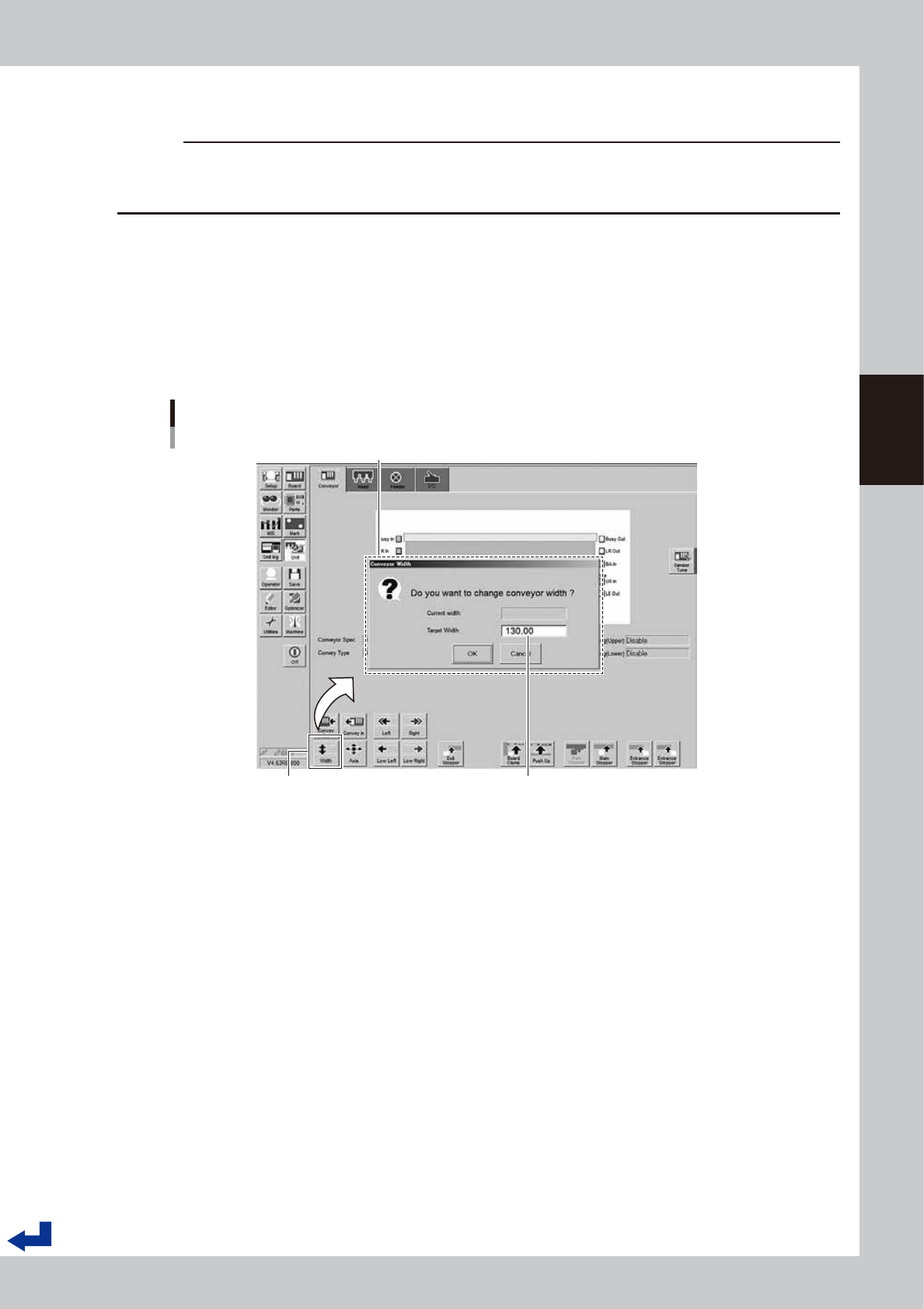
1. Press the [Width] button on the “Unit” – “Conveyor” screen.
2. The conveyor width designated by the board data appears on the “Conveyor Width” screen as the
“Target Width”. Confirm the conveyor width is correct and Press the [OK] button. The conveyor unit
adjusts itself to the designated conveyor width.
Changing conveyor width
[Unit] - [Conveyor] screen
“Conveyor Width” screen
The conveyor width designated by the board data appears here.
[Width] (conveyor) button
24307-KMK-00
3-10
3
Flow from starting up machine to production
n
YSM20R Dual-stage type
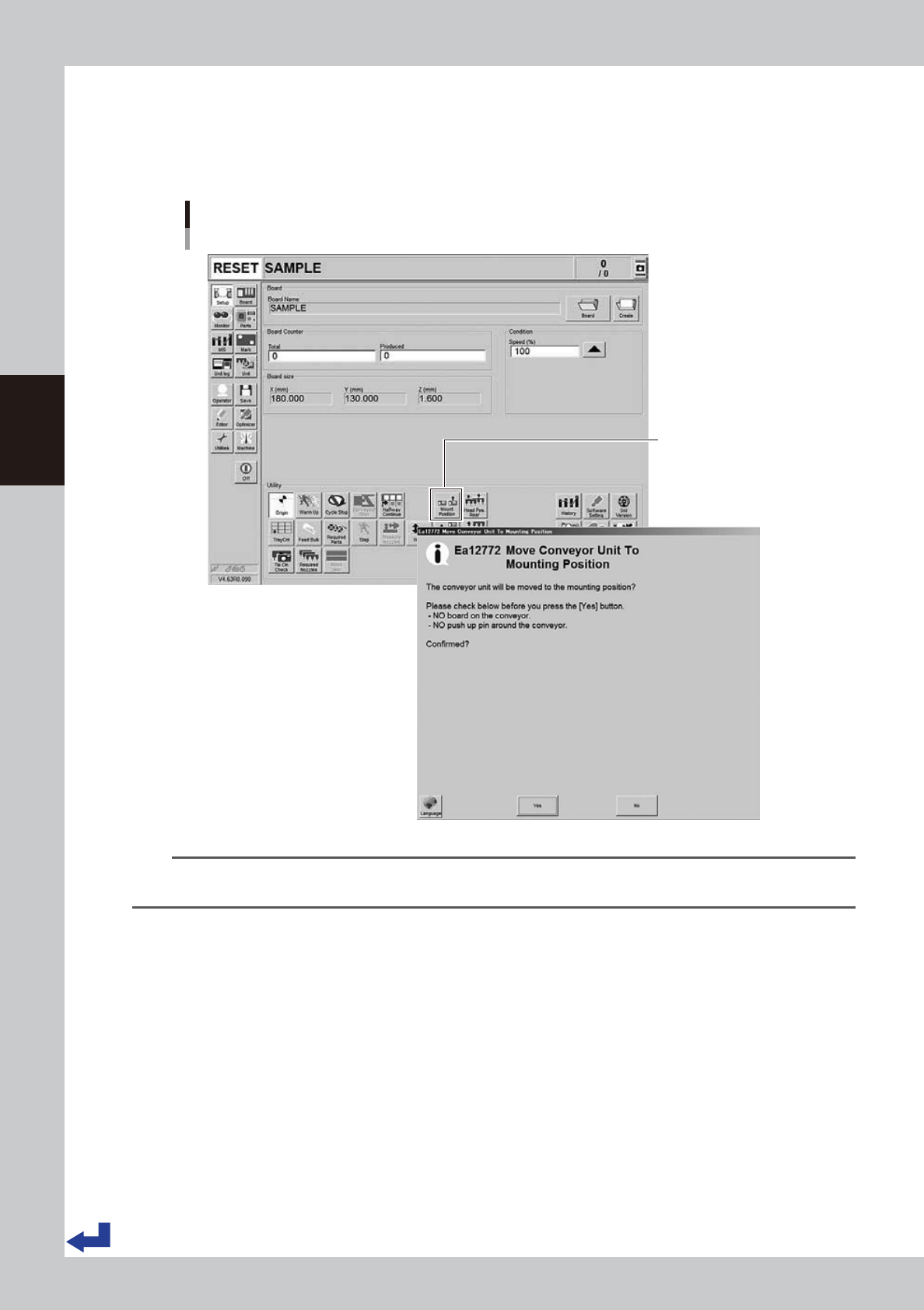
1. Press [Mount Position] button in [Setup] screen.
2. The message "Move Conveyor Unit To Mounting Position" is displayed, and then press [Yes].
The conveyor unit moves to the mount position.
Moving to the mount position
Dual stage : [Setup] screen
[MountPosition] button
24308-KMK-00
TIP
Pressing [Mount Position] on the dual-stage type machine also makes the conveyor width changed to the width
specified in the board data.
3-11
3
Flow from starting up machine to production
2
Lift the main stopper.
Lift the main stopper to place the board at the board mounting position.
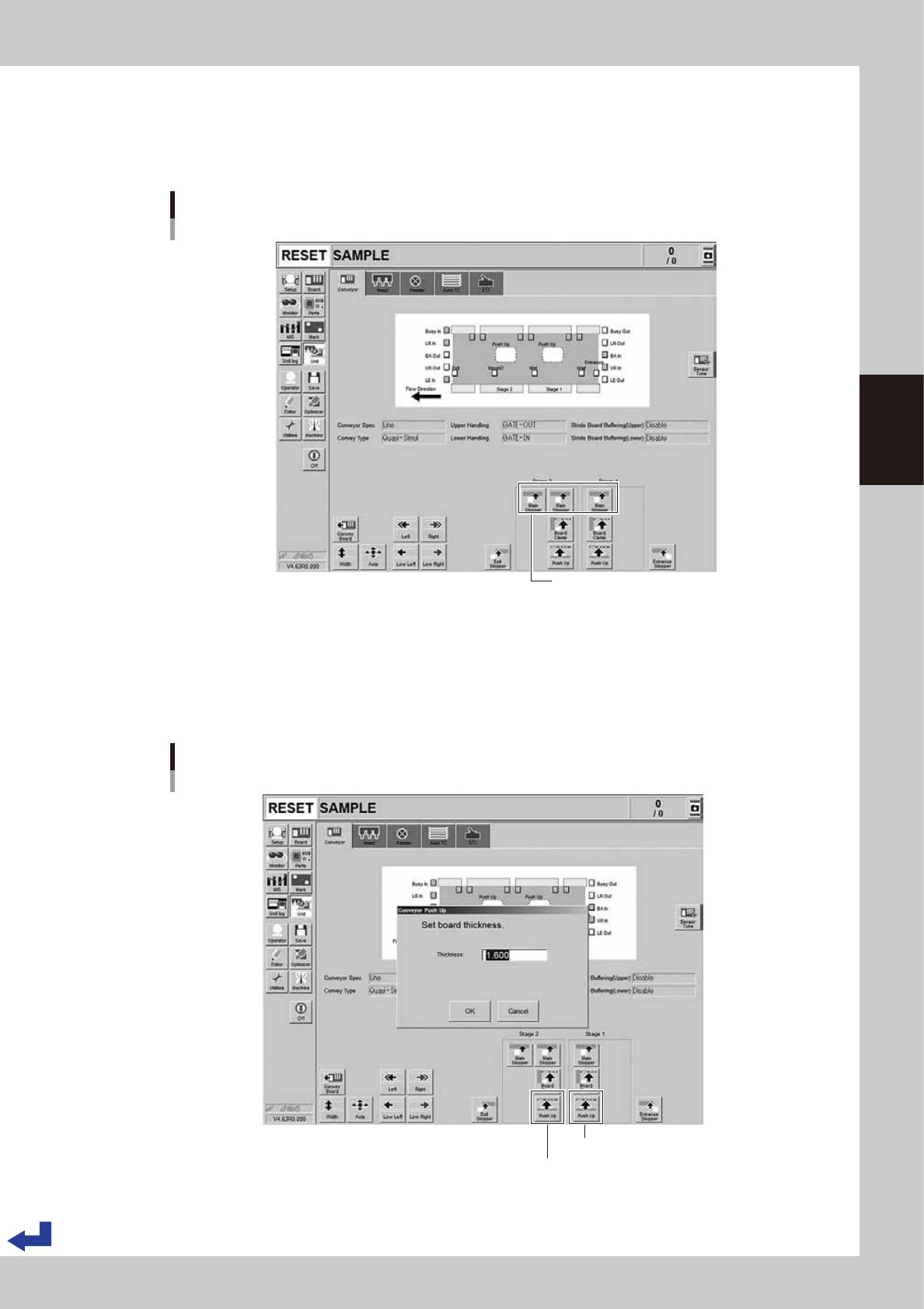
Press the [Main Stopper] button on the “Unit” – “Conveyor” screen to lift the main stopper.
If dual-stage type machine, press the [Main Stopper] buttons for both of stage 1 and stage 2.
Lifting the main stopper
Dual stage : [Unit] - [Conveyor] screen
[Main Stopper] button
24309-KMK-00
3
Move up the push-up plate.
1. Press [Push Up] button on [Unit] - [Conveyor] screen. Then "Conveyor Push Up" screen appears.
2. Press [OK] button after confirming the board thickness is correct. Then push-up plate moves up.
3. If dual-stage type machine, move up the push-up plates for both stage 1 and stage 2.
Move up the push-up plate.
Dual stage : [Unit] - [Conveyor] screen
Stage 1 [Push Up] button
Stage 2 [Push Up] button
24310-KMK-00