YSM20R_YSM20WR_Ope_E.pdf - 第223页
3-35 3 Flow fr om starting up machine to production 2 Select the block to be skipped. Each block with a check box appears on the “Block Skip setting dialog". 1. Either tick the check box of the block to be skipped o…
3-34
3
Flow from starting up machine to production
n
“Block Skip” function
The “Halfway Continue” function is available for operation to mount components only at specified mounting
points by setting the mounting status. This function is therefore not only useful in the event of an error but also
when going through trial/test mounting. This machine provides the “Block Skip” function that is similar to the
“Halfway Continue” operation. The “Block Skip” function enables to designate whether to mount components
or skip mounting per block.
n
NOTE
The block skip function can only be used for board data that the block distribution (with Note Data) was performed.
See Surface Mounter (SMT) Programming Manual for information on block distribution.
TIP
For using board data created by other machine of an earlier version (earlier than V3.11STDR1.00), it is necessary to
redo the block distribution on this machine. Note, however, that this function is not available for board data if it has
512 or more block offsets before the block distribution.
1
Press the [Block Skip] button.
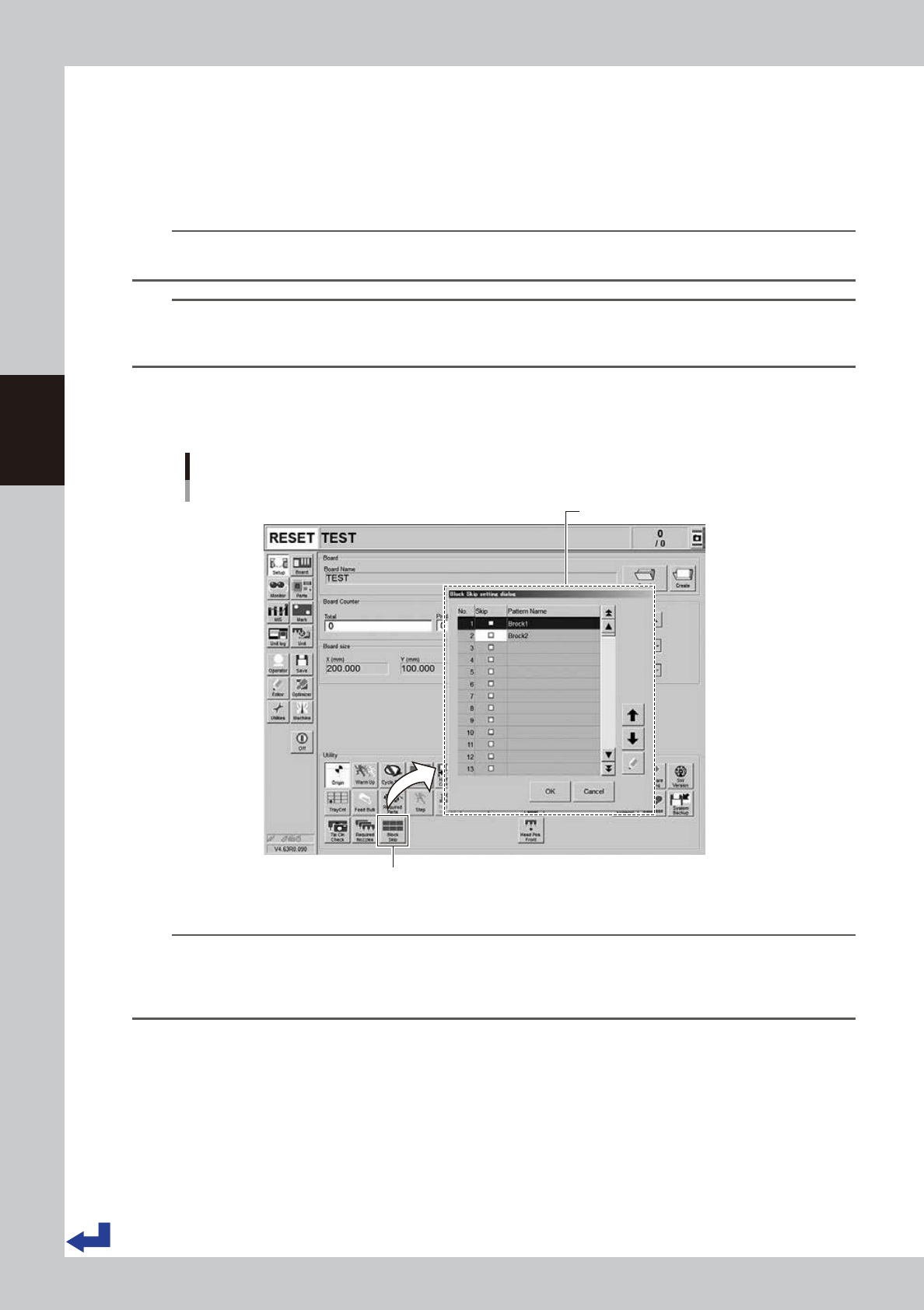
Press the [Block Skip] button on the “Setup” screen to open the “Block Skip setting” screen.
Block Skip function
[Setup] screen - "Block Skip setting dialog”
"Block Skip setting dialog”
[Block Skip] button
24325-KMK-00
n
NOTE
Pressing the [Block Skip] button holds it pressed. (To invalidate the status, press the [Block Skip] button again.) Note
that when the machine has read out the board data of different name identification or when powering off the
machine, the block skip function becomes invalid. The [Block Skip] button automatically returns to off status. With the
[Block Skip] button turned off, no block skip takes place.
3-35
3
Flow from starting up machine to production
2
Select the block to be skipped.
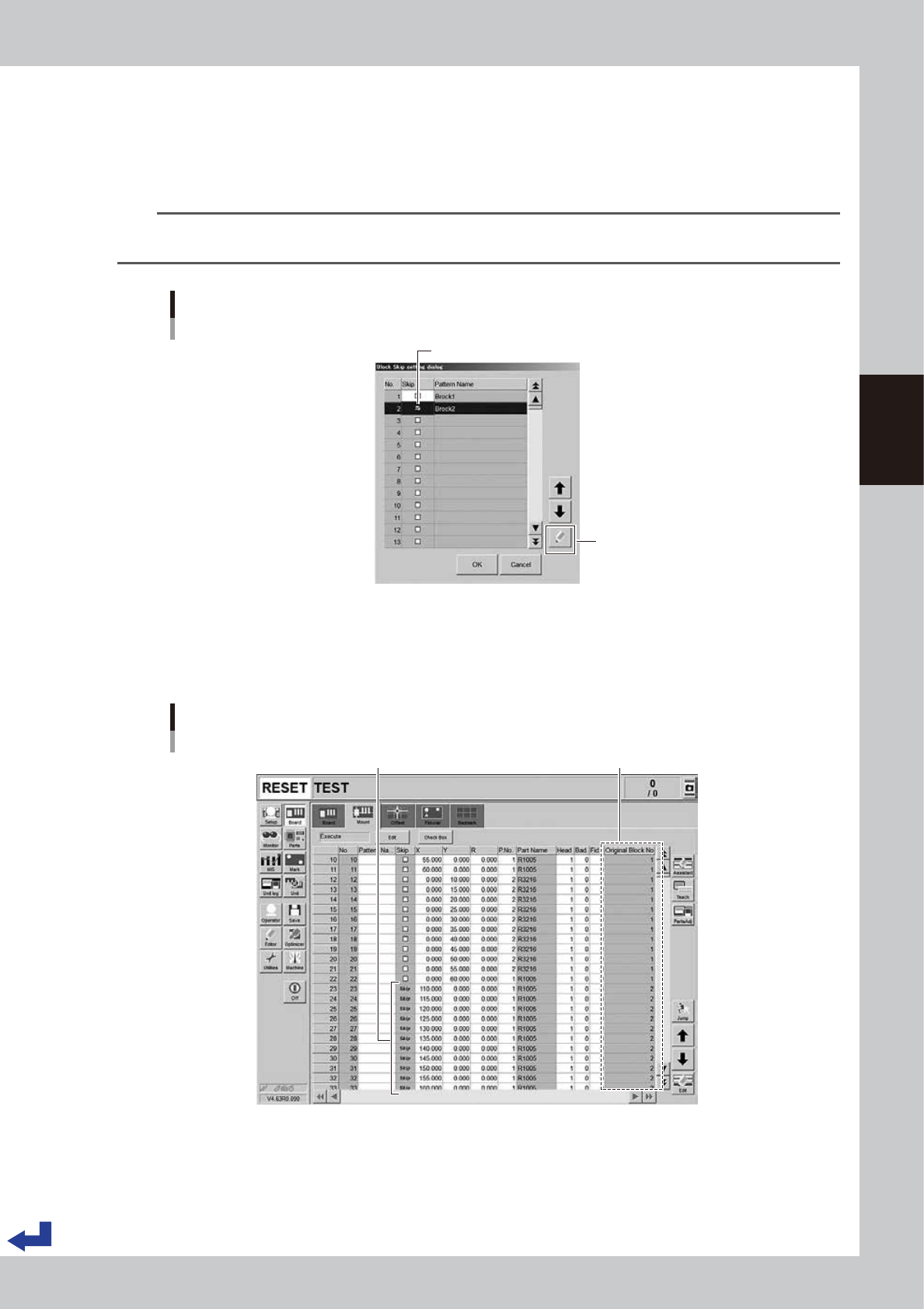
Each block with a check box appears on the “Block Skip setting dialog".
1. Either tick the check box of the block to be skipped or select the block and press the [Check] button
to check the block.
2. Press the [OK] button to exit the “Block Skip setting dialog".
TIP
When existing the “Block Skip setting dialog" after setting the block skip, the [Block Skip] button on the “Setup” screen
is held pressed.
Selecting the blocks to be skipped
“Block Skip setting dialog ”
[Check] button
Tick the checkbox of block to be skipped.
24326-KMK-00
The block data designated to be skipped can be checked on the “Board” – “Mount” screen.
A message “Skip” appears on each mounting point to be block-skipped and it is unable to edit on this
screen. However, the block number in the “Original Block No.” column which the mounting point
belongs to can be checked.
Checking block skip
[Board] - [Mount] screen
Original Block NoMessage "Skip" is displayed.
24327-KMK-00
3-36
3
Flow from starting up machine to production
3
Start mounting operation.
1. Press the [START] button on the operation panel.
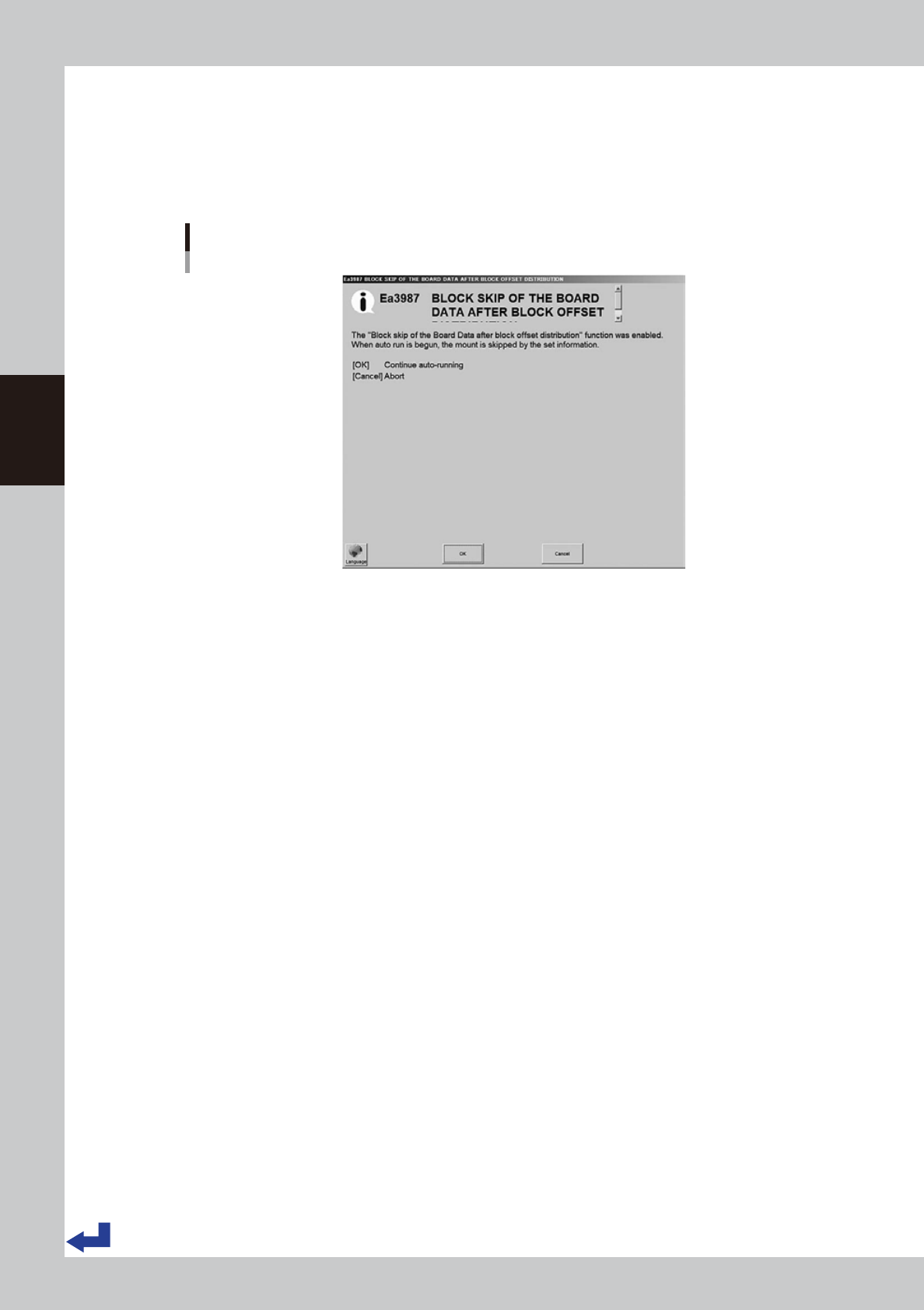
2. (Only for the first time after setting block skip) The block skip confirmation message appears. Check
the descriptions and press the [OK] button.
3. Press the [START] button on the operation panel once again to start up the automatic operation.
Block skip confirmation message
24328-KMK-00