YSM20R_YSM20WR_Ope_E.pdf - 第40页
1-7 1 Unit names and functions 2. Operation panel and data input unit Operation panels and operation display screens for data inputs are provided at both the front and rear of the machine. The functions of these units ar…

1-6
1
Unit names and functions
n
Connection between machines (input/output signals between machines)
The mounter ejects the finished board when it receives a signal from the machine in the next process, and then sends a
signal to the machine in the preceding process to request another board. The interface connector labeled "NEXT
INTERFACE" connects to the machine in the next process, and the interface connector labeled "PREVIOUS INTERFACE"
connects to the machine in the preceding process.
In the case of standard machines of right-to-left flow, the PREVIOUS INTERFACE connector is located behind the rear
right cover of the machine, and the NEXT INTERFACE connector behind the rear left cover.
Feeder exchange carriage
Feeders to be used in production are loaded here so they can be batch-loaded onto the mounter.
For details, see "4.3.1 Feeder exchange carriage" in this chapter.
sATS30NS, sATS30, cATS10(option)
Set tray components used for the production on this carriage to supply them to the mounter.
sATS30NS and sATS30 are the fixed type, on the other hand, cATS10 is the detachable/attachable type like the feeder
carriage for maintenance. Refer to the option manuals for detail.
1-7
1
Unit names and functions
2. Operation panel and data input unit
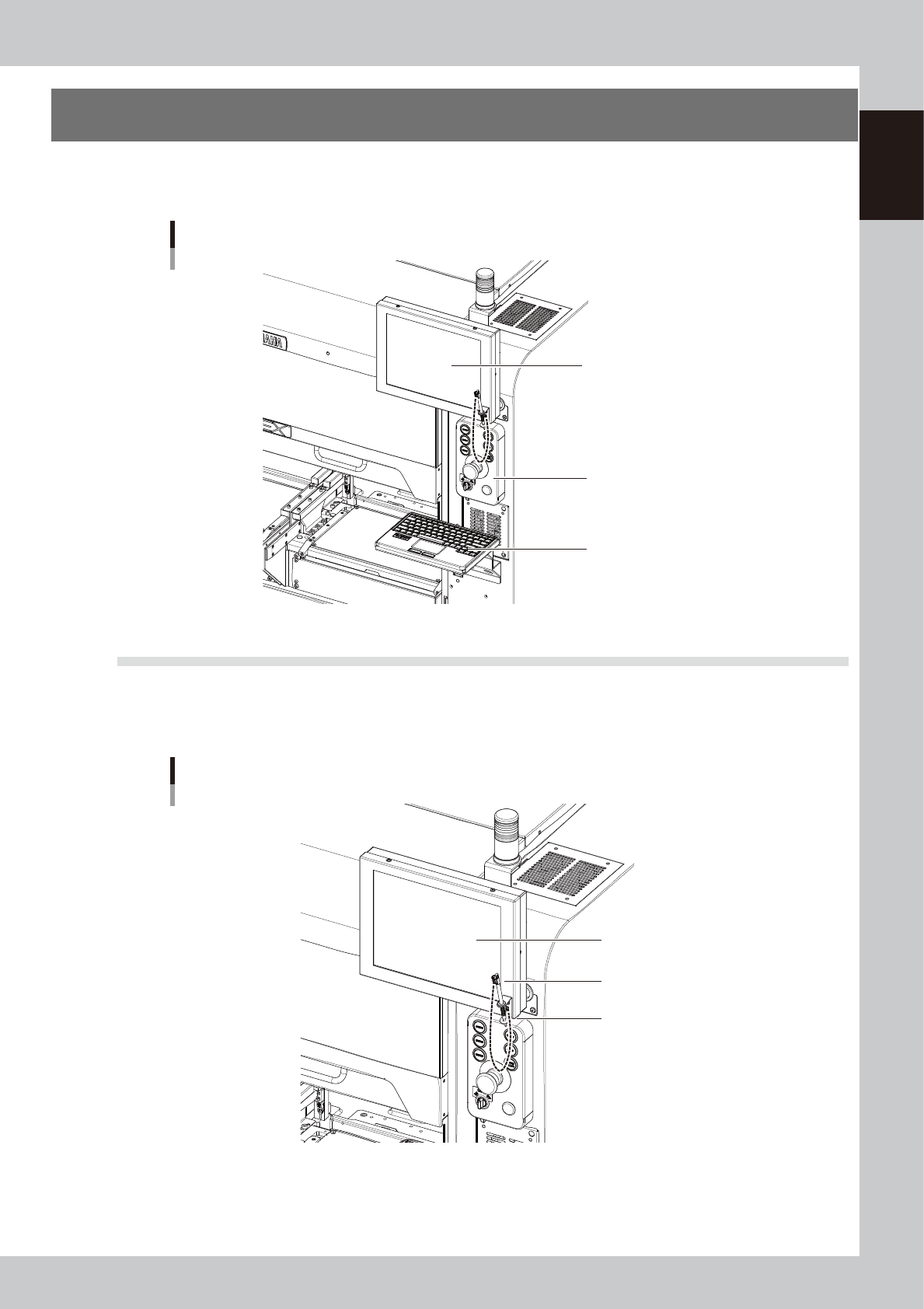
Operation panels and operation display screens for data inputs are provided at both the front and rear of
the machine. The functions of these units are explained below.
Operation panel and data input unit
Operation panel
Operation display
Keyboard (option)
23106-KMK-00
2.1 Operation display screen
Machine operation and data editing procedures are performed at the operation display screen (touch-panel
specifications). A touch pen is used to select the onscreen buttons and parameter items. Be sure to return the
touch pen to its holder when it is not in use.
Operation display screen
Holder
Touch pen
Operation display screen
(Touch panel)
23107-KMK-00
1-8
1
Unit names and functions
2.2 Keyboard (option)
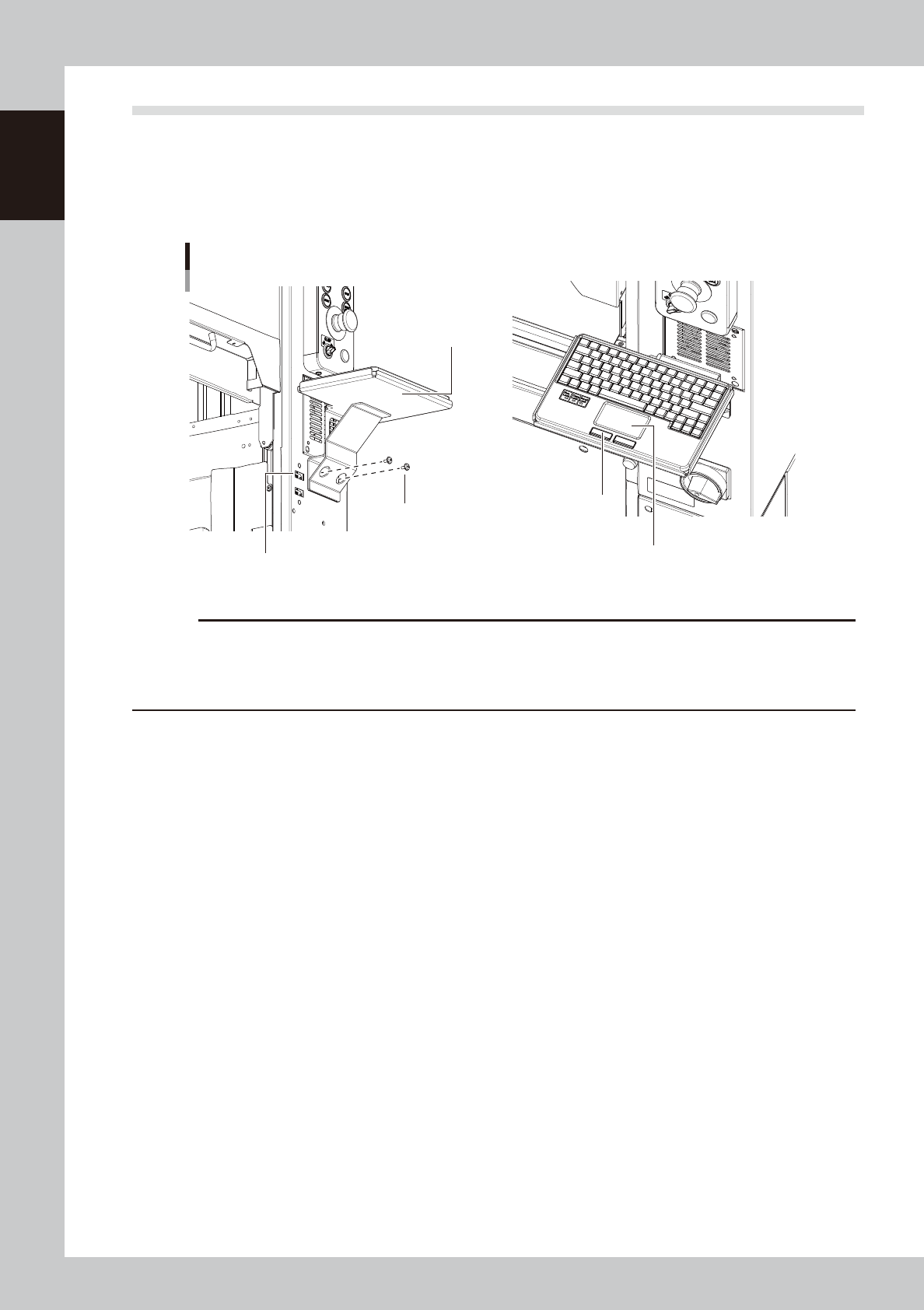
An optional keyboard for operation and data editing, etc., can be added to the machine's configuration if
desired. The touchpad is used to move the cursor to the desired onscreen buttons and parameter items which
are then selected by pressing the left-click button (right-clicking is not available).
The keyboard is installed by mounting it on the keyboard holder, and then connecting its USB terminal to the
machine's USB port.
Keyboard
Left/right button
Touchpad
USB port for the keyboard connection
Keyboard holder
Keyboard holder
mounting screws
23108-KMK-00
c
CAUTION
The USB port for the keyboard connection shown in the figure above is dedicated to the keyboard. (Only keyboards
which do not require a -101 dedicated driver are supported.) Do not connect other USB devices to this port.
Moreover, connecting 2 or more keyboards will disable exclusive access control, and therefore stop keyboard
operation.