YSM20R_YSM20WR_Ope_E.pdf - 第181页
2-78 2 Basic operation 5.4 Exchanging magazine T his section describes the procedure to exchange the magazine in the tra y component supply unit for sA TS30NS as an example. n NOTE If the tray components on the pallet ar…

2-77
2
Basic operation
5
Set all the necessary pallets on the magazine.
n
NOTE
Set the pallets on the place which is set in "Pallet start/end" on [Parts] - [Tray] tab and "Pallet pitch Z".
6
Close the latch.
2-78
2
Basic operation
5.4 Exchanging magazine
This section describes the procedure to exchange the magazine in the tray component supply unit for sATS30NS
as an example.
n
NOTE
If the tray components on the pallet are used up, the corresponding pallet indicator starts blinking, and then
component supply indication (components loss error/ parts supply indicator light is on) is warned on the mounter.
1
Release the EMERGENCY STOP.
If the EMERGENCY STOP button is on, release it and press [READY] button to switch the servo on.
2
Select the magazine.
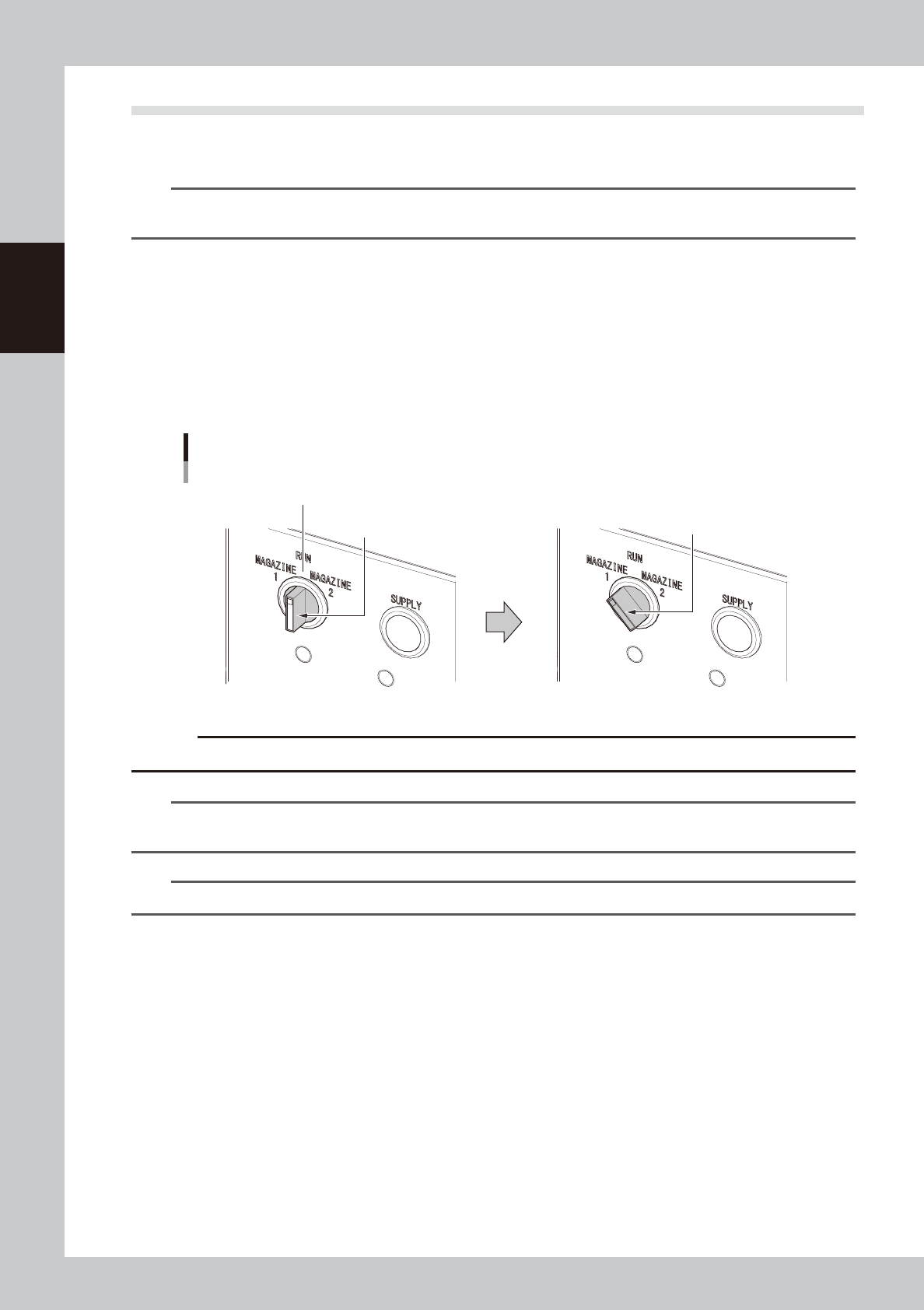
Turn the magazine exchange switch to the magazine which has the pallet to be exchanged, magazine
1 or 2. When the magazine exchange switch is turned to one side, the selected magazine moves to the
standby position. The magazine door is unlocked, then the door indicator of the magazine exchange
switch is off.
Magazine exchange switch
Selecting magazine
Door indicator (Light on)
Magazine exchange switch
Selecting
magazine
Door indicator (Lights off)
23241-KMK-00
c
CAUTION
Automatic operation stops due to an error if selecting a magazine for the pallet currently in use.
n
NOTE
If the pallet station is set with "Use" in machine setting and the magazine exchange switch is turned to the magazine
which has the pallet on the pallet station, the pallet on the pallet station is returned to the magazine first.
n
NOTE
If the magazine exchange switch is set to "RUN", the magazine door doesn't open.
2-79
2
Basic operation
3
Open the magazine door.
4
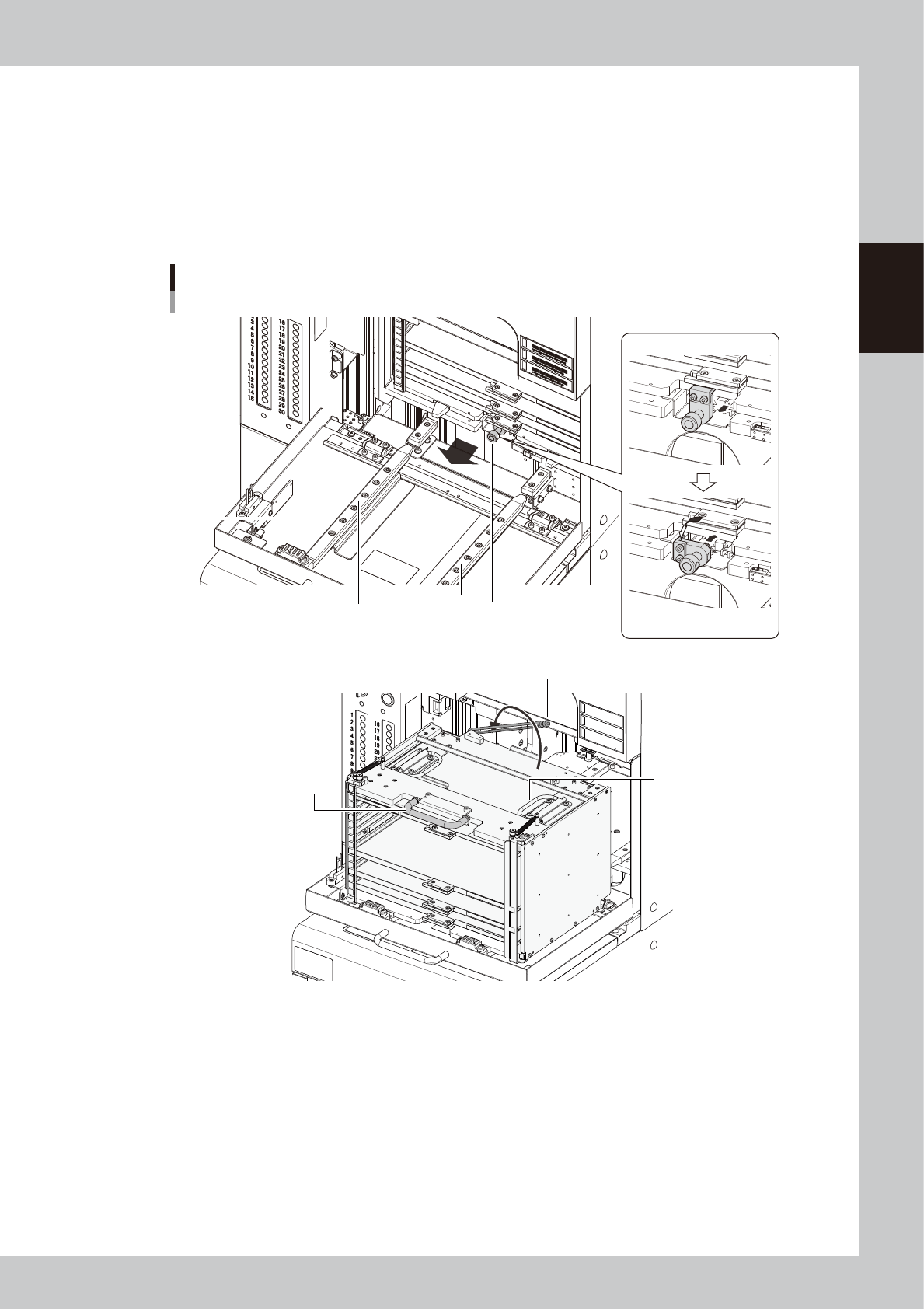
Pull out the magazine.
1. Turn the magazine clamp counterclockwise with pulling it, then the clamp is released.
2. Hold the magazine handle on top of the magazine to pull out the magazine along the guide.
3. Install the pallet retainer rod.
4. Hold the carry handles securely and lift down the magazine from the guide.
Pulling out the magazine
Guide
Releasing clamp
Pull forward.
Turn counterclockwise
and return.
Magazine clamp
Magazine handle
Pallet retainer rod
Carry handles
Magazine
door
23242-KMK-00