YSM20R_YSM20WR_Ope_E.pdf - 第203页
3-15 3 Flow fr om starting up machine to production 1.6.2 Adjusting board hold plate position 1 Enter the board. 1. (YSM20R Dual-stage type) Press the [Convey Board] button on [Unit] - [Conveyor] screen. (YSM20R Single-l…
3-14
3
Flow from starting up machine to production
n
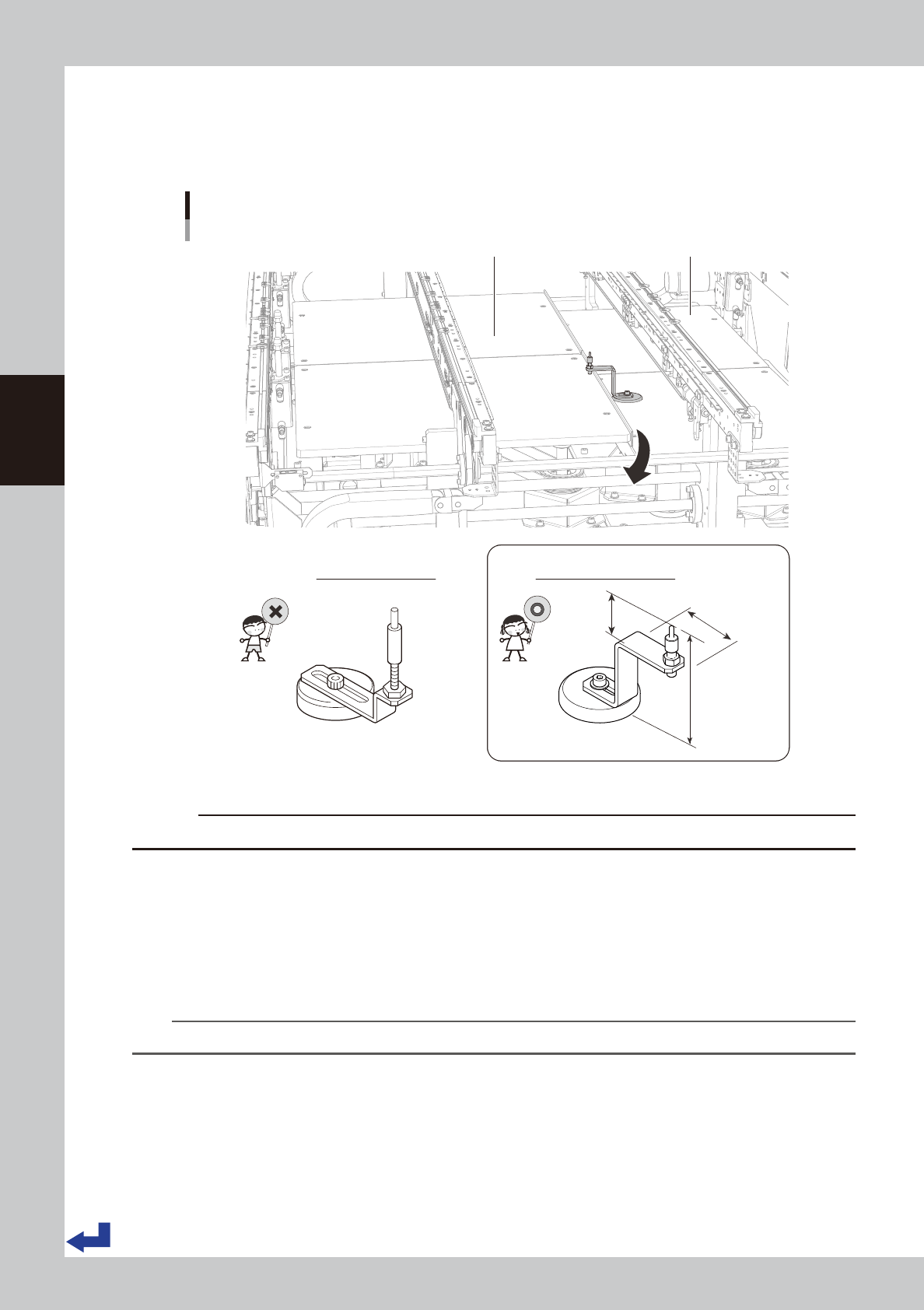
Caution when arranging push-up pins for YSM20WR Dual-lane
The push-up pin for dual-lane is special shape that avoids the interference with the push-up unit.
Therefore, care must be taken when transferring a board with components whose height is 20 mm or more from
board as push-up pins may interfere with components.
Lane2
Push-up pin
Arranging on Dual-lane
Lane1
Push-up pin for dual-lane
23.7 mm
41 mm
76 mm
Standard push-up pin
23307-KMK-00
c
CAUTION
Do not use standard push-up pins for other machines (YS series, YSM20R, etc.) on dual-lane type machines.
5
Release the emergency stop.
1. If the carriage type machine, attach the carriage.
2. Close the safety cover, and release [EMERGENCY STOP] button.
6
Reset the machine.
Press [RESET] button to reset the machine.
n
NOTE
Pressing [RESET] button makes the push-up stage move down and the conveyor move to the transfer position.
3-15
3
Flow from starting up machine to production
1.6.2 Adjusting board hold plate position
1
Enter the board.
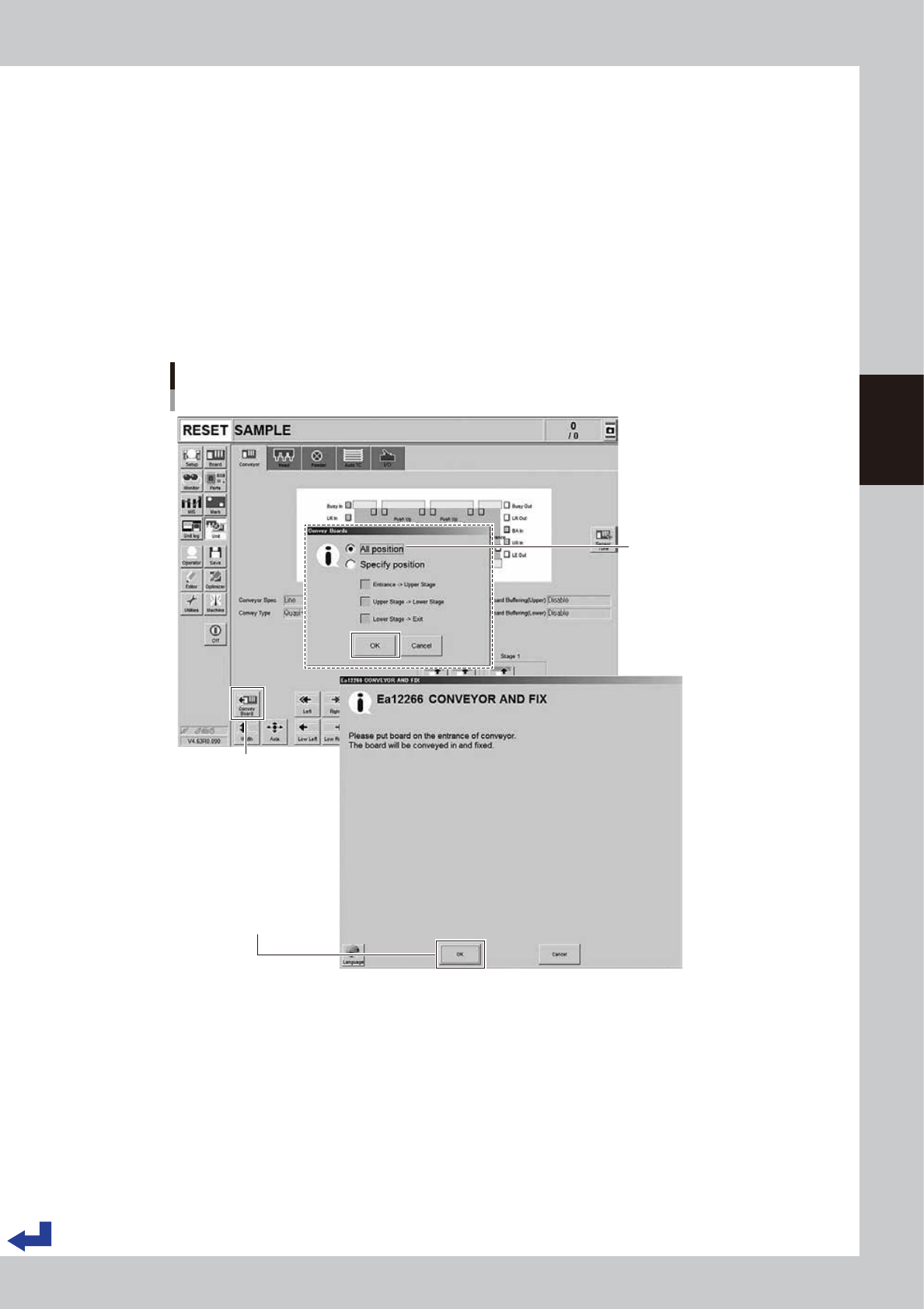
1. (YSM20R Dual-stage type) Press the [Convey Board] button on [Unit] - [Conveyor] screen.
(YSM20R Single-lane / YSM20WR Dual-lane type) Press the [Convey In] button on [Unit] - [Conveyor]
screen.
2. (YSM20R Dual-stage type) The "Convey Board" check screen appears. Confirm that "All position" is
ticked, and then press the [OK] button.
3. The "CONVEY AND FIX" screen appears. Set the board on the conveyor entrance of the machine.
4. Pressing the [OK] button on the "CONVEY AND FIX" screen transfers the board and fixes it on the
mount position.
(YSM20R Dual-stage type) The board is fixed on the mount position of the upstream stage.
Conveying board
Dual stage : [Unit] - [Conveyor] screen
[Convey Board] button
Set the board and press
[OK] button
"All position" needs to be ticked
24311-KMK-00
3-16
3
Flow from starting up machine to production
2
Move down the Board edge clamp unit.
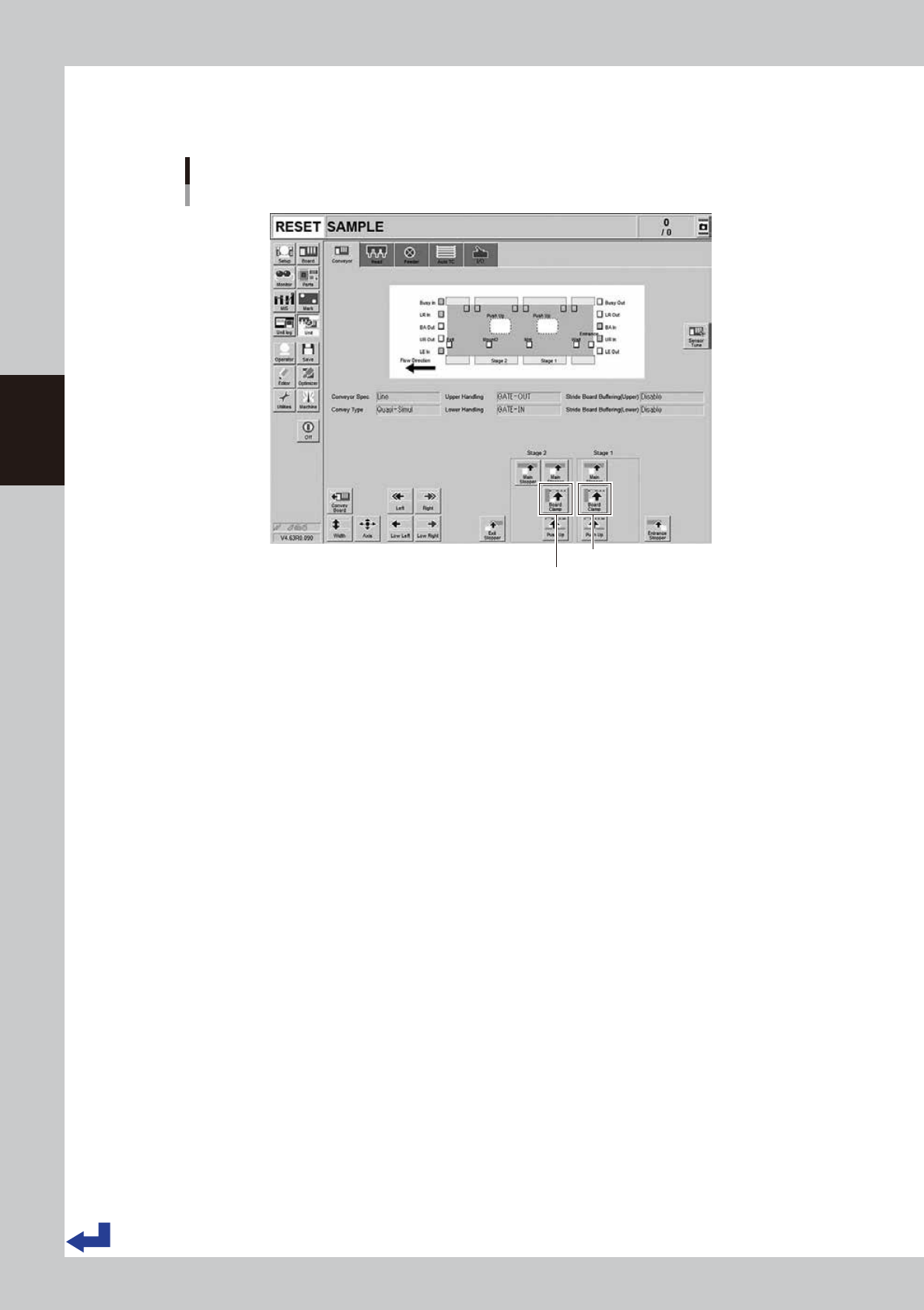
Press [Board Clamp] button in [Unit] - [Conveyor] screen to move down the board edge clamp unit.
Moving down the board edge clamp unit.
Dual stage : [Unit] - [Conveyor] screen
Stage 1 [Board Clamp] button
Stage 2 [Board Clamp] button
24312-KMK-00