EUKYX-199-3100_G5S2_Instruction_Vol3_E.pdf - 第107页
EUKYX 1-58 199-3100 5.19 Self Calibration • T eaching Procedures for self cali bration (1 ) Prepare th e following ite ms befo re self calibration t eaching. NO. Name Qty 1 BARON gla s s boa rd 1 2 BARON d oub le si de d…
EUKYX
1-57199-3100
5.19 Self Calibration
5.19 Self Calibration
This window is not displayed when the multi-functional head is selected.
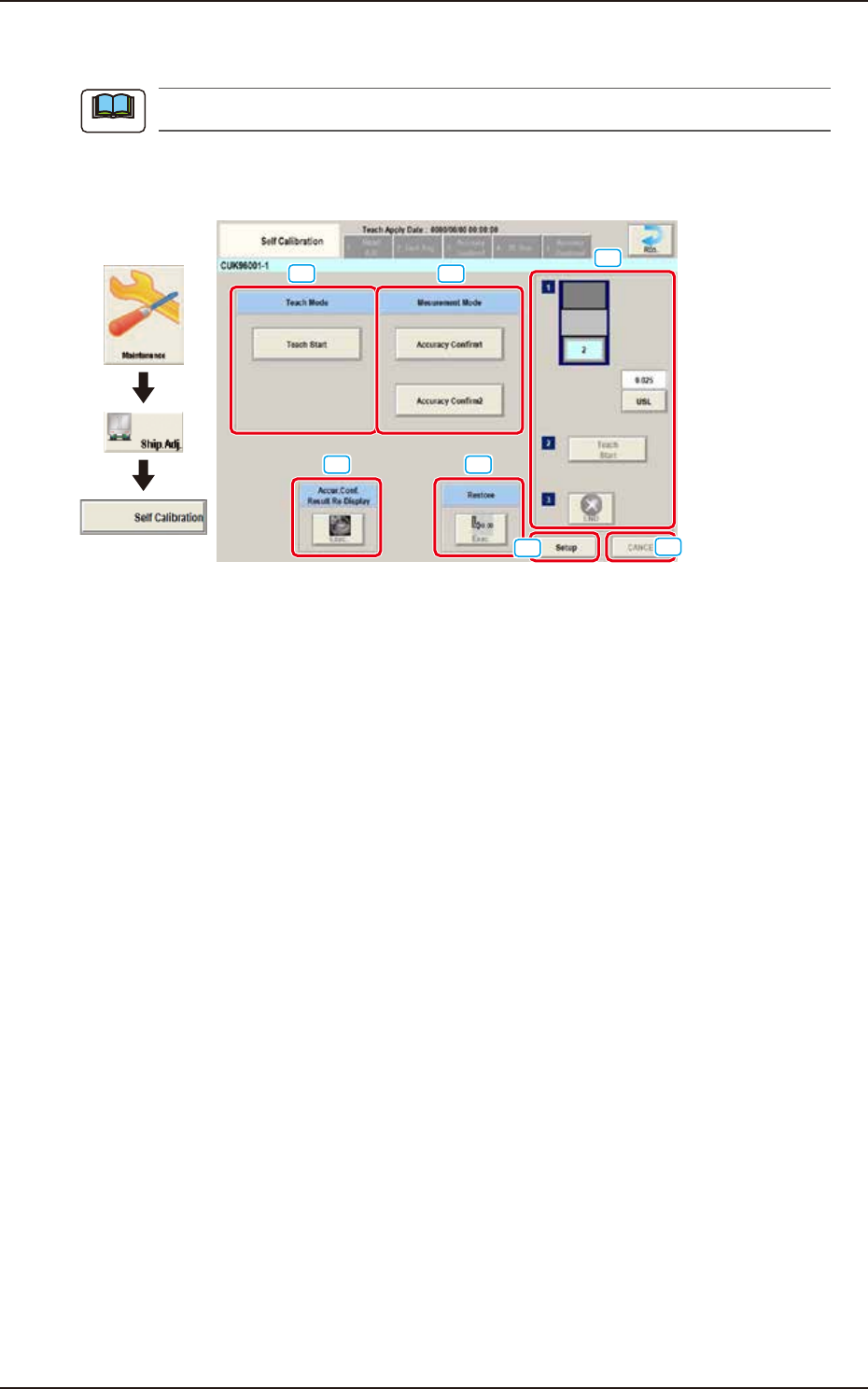
The placement accuracy measurement is automatically performed in the machine and the results
are fed back to the offset data.
[1]
[2]
[3] [4]
[7]
[5]
[6]
Graphic
Development
F3A49
[1] Teach Mode / [Teach Start] button
Switches to the program for placement accuracy adjustment.
[2] Measurement Mode / [Accuracy Confirm1], [Accuracy Confirm2]buttons
Switches to the program for placement accuracy confirmation.
[3] Accur.Conf. Result Re-display
Displays the accuracy confirmation result per stage.
[4] Restore
Restores the backed up head offset data per stage.
[5] Setup
Performs the setup of items below required for self calibration
CNVR Set-up, Noz.Chg., PCB Xfer., and Fdr P-u Tch
[6] Cancel
Cancels the teaching.
[7] Teaching procedures section
The following buttons are arranged in teaching procedures section.
Select stage
:
Select stage to be taught.
[USL] button
:
Set the standard value.
[Teach Start] button
:
Start the teaching.
[END] button
:
Finish the teaching.
Note
EUKYX
1-58199-3100
5.19 Self Calibration
• Teaching Procedures for self calibration
(1) Prepare the following items before self calibration teaching.
NO. Name Qty
1 BARON glass board 1
2 BARON double sided tape 1
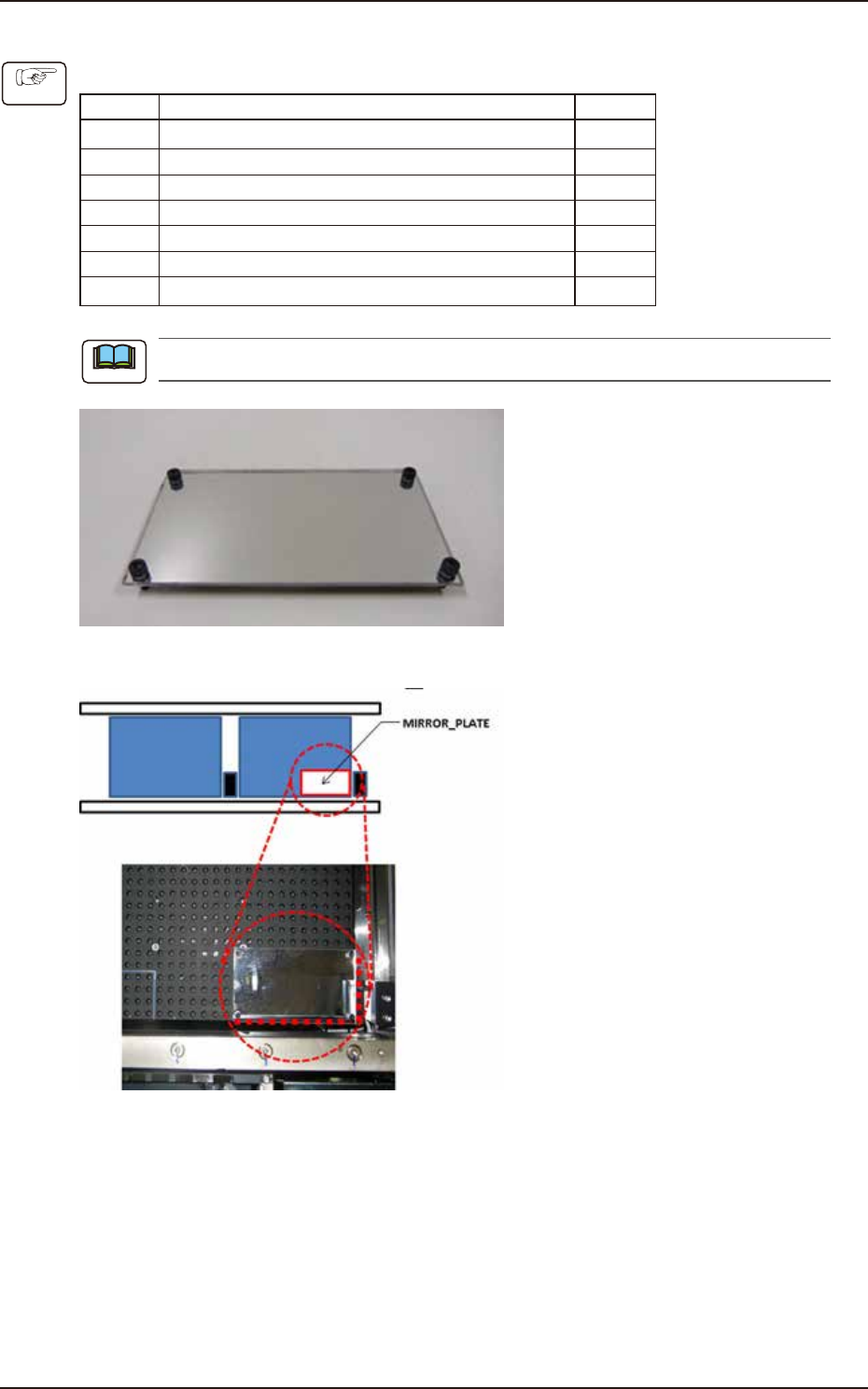
3 MIRROR_PLATE 1
4 0603 master tape 2
5 Nozzle for 0603 (HG33C) 30
6 8 mm wide feeder (GD-38080 or equivalent) 2
7 CPK 1
Prepare the items as needed.
F3A99
• Set the MIRROR_PLATE pins in the holes of backup base.
F3A100
• Set the operation mode.
1. Select [Product] - [Operation] - “Opr. Mode” - [Speed]. Select “Not Designated” for “Mode”.
2. Select [Product] - [Operation] - “Test Mode”. Select “Disable” for “TEST PATTERN”.
(2) Press the [Teach Start] button on Teach Mode.
(3) Press the [Setup] button. Perform teaching for CNVR Set-up, Noz.Chg., and Fdr P-u Tch.
(4) Set the BARON glass board on the transfer position.
(5) Press the [Teach Start] button in the teaching procedures section.
(6) Press the [END] button in the teaching procedures section.
Procedure
Note
EUKYX
1-59199-3100
5.20 Slit Pos offset
5.20 Slit Pos offset
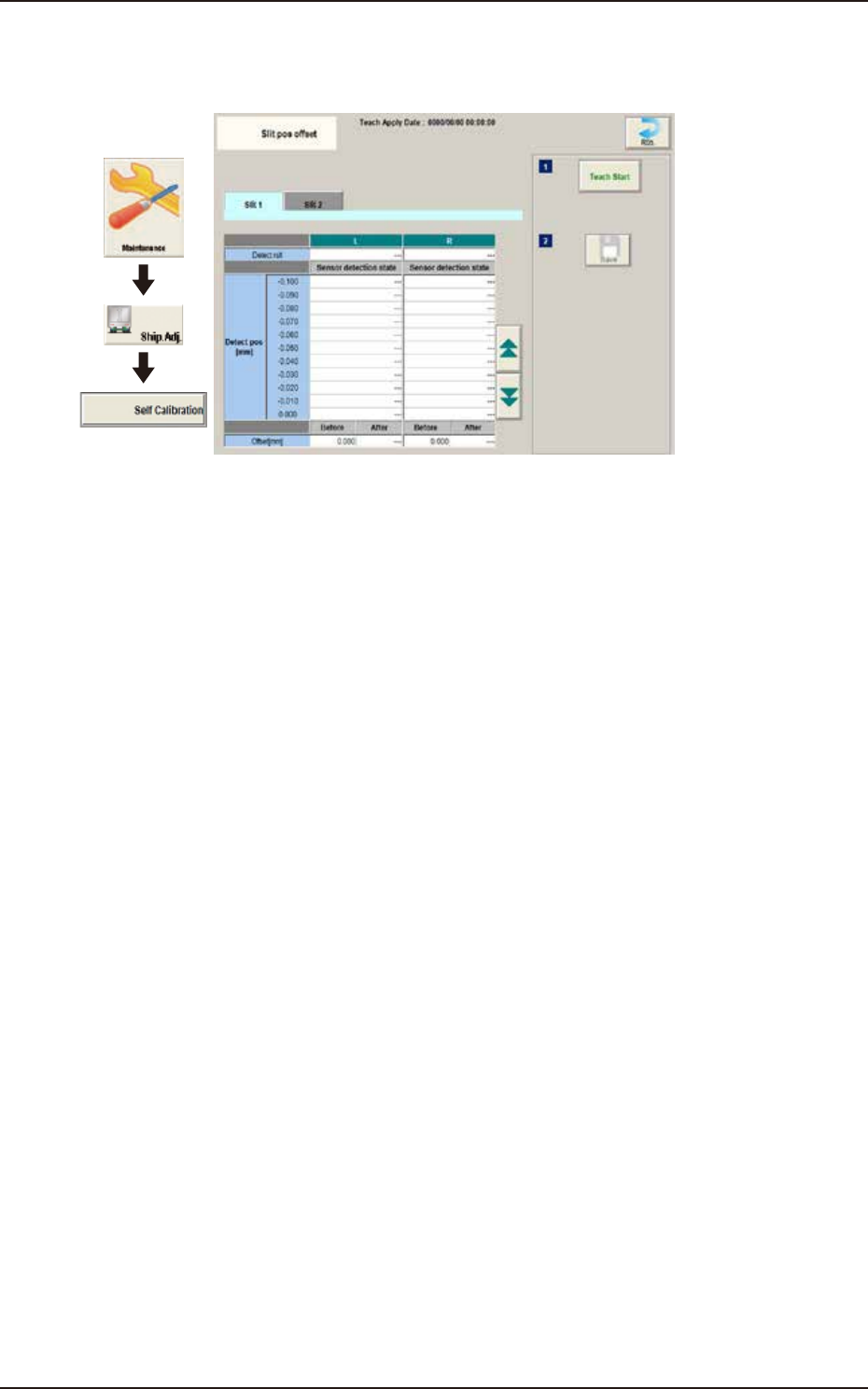
Teach the slit position of back up base.
Graphic
Development
F3A50