EUKYX-199-3100_G5S2_Instruction_Vol3_E.pdf - 第135页
EUKYX 1-86 199-3100 6.3 RECOG 6.3. 5 Other s Pressi ng the [O ther s] tab on t he [R ECOG] windo w dis pl a ys the fol lowi ng wi nd ow . [1] [2] Graphic Development F3A80 [ 1 ] 2D license In thi s data box the v al id o…
EUKYX
1-85199-3100
6.3 RECOG
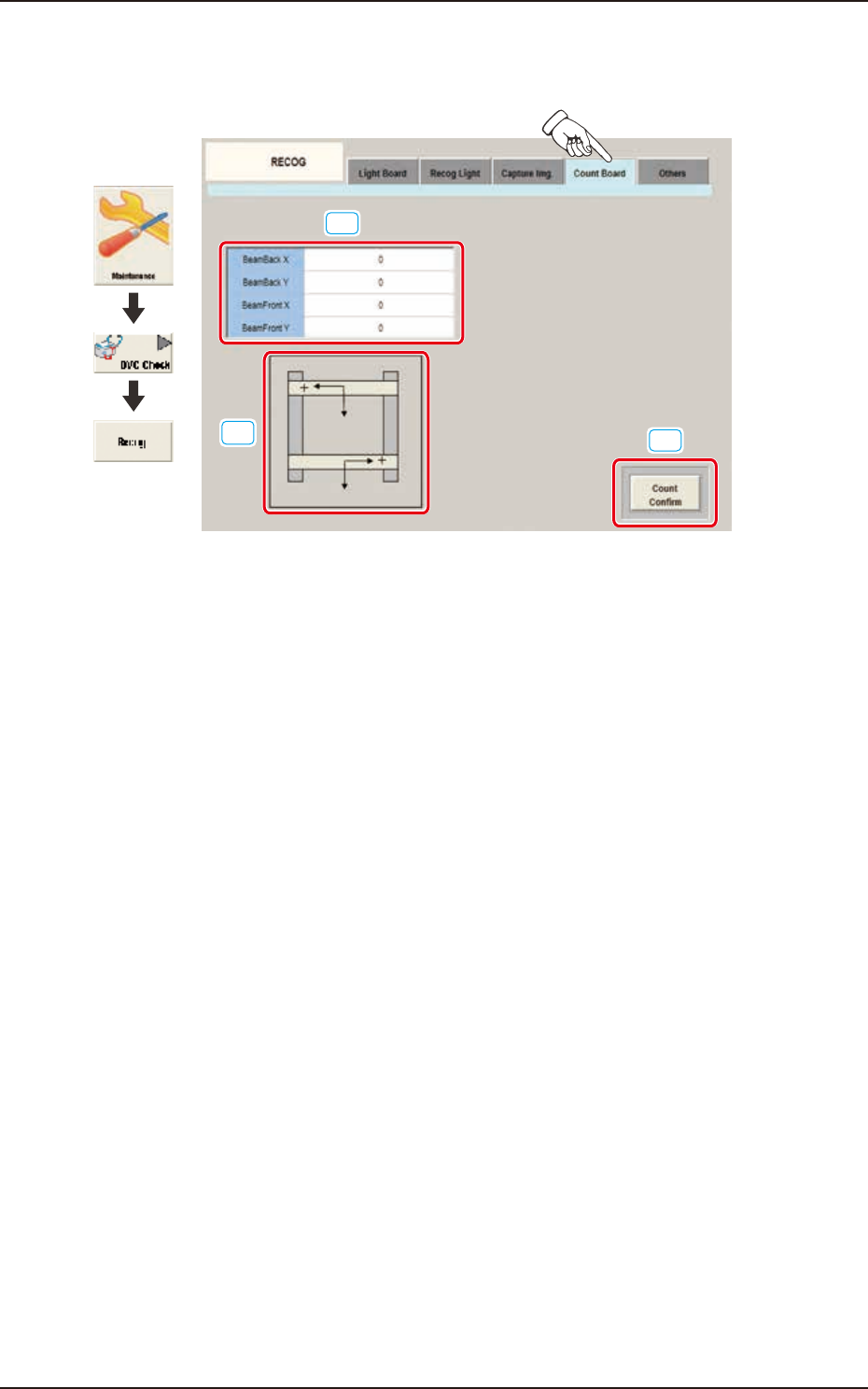
6.3.4 Count Board
Pressing the [Count Board] tab on the [RECOG] window displays the following window.
[1]
[2]
[3]
Graphic
Development
F3A79
[1] BeamBack X, Y / BeamFront X, Y
In these data boxes the X, Y count values are displayed for each beam.
[2] XY Beam Image
Displayed are the X and Y beam images.
[3] [Count Confirm] Button
When this button is pressed, the current counter value is checked.
The change position and increase/decrease direction of the count value displayed by means of
pressing the beam manually and pressing the [Count Confirm] button, are confirmed.
EUKYX
1-86199-3100
6.3 RECOG
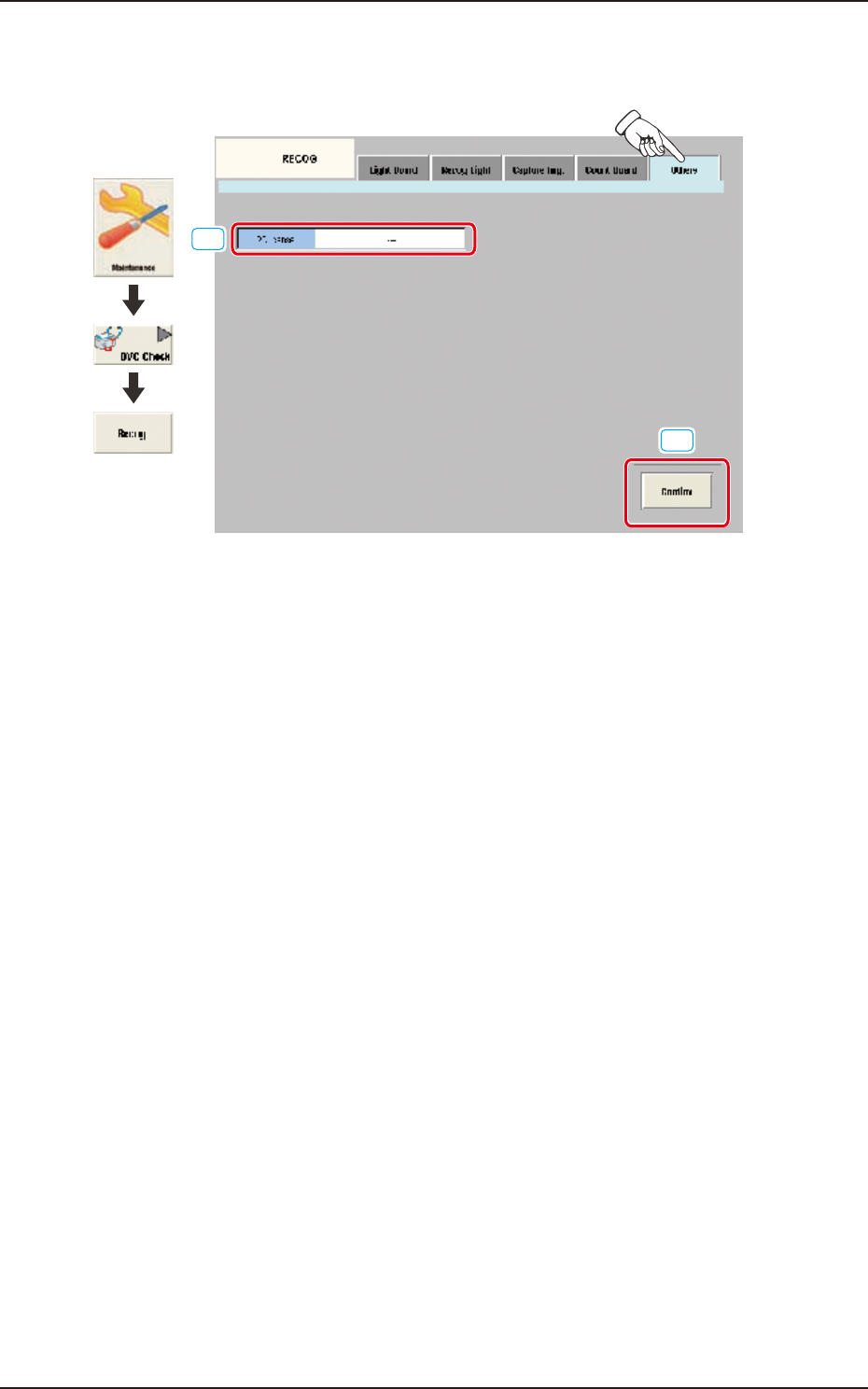
6.3.5 Others
Pressing the [Others] tab on the [RECOG] window displays the following window.
[1]
[2]
Graphic
Development
F3A80
[1] 2D license
In this data box the valid or invalid of the optional 2-D bar code read license (GS-DL100) is
displayed.
[2] [Confirm] Button
Using this button the valid or invalid of the optional 2-D bar code read license (GS-DL100) is
confirmed.
EUKYX
1-87199-3100
6.4 COM.STAT
6.4 COM.STAT
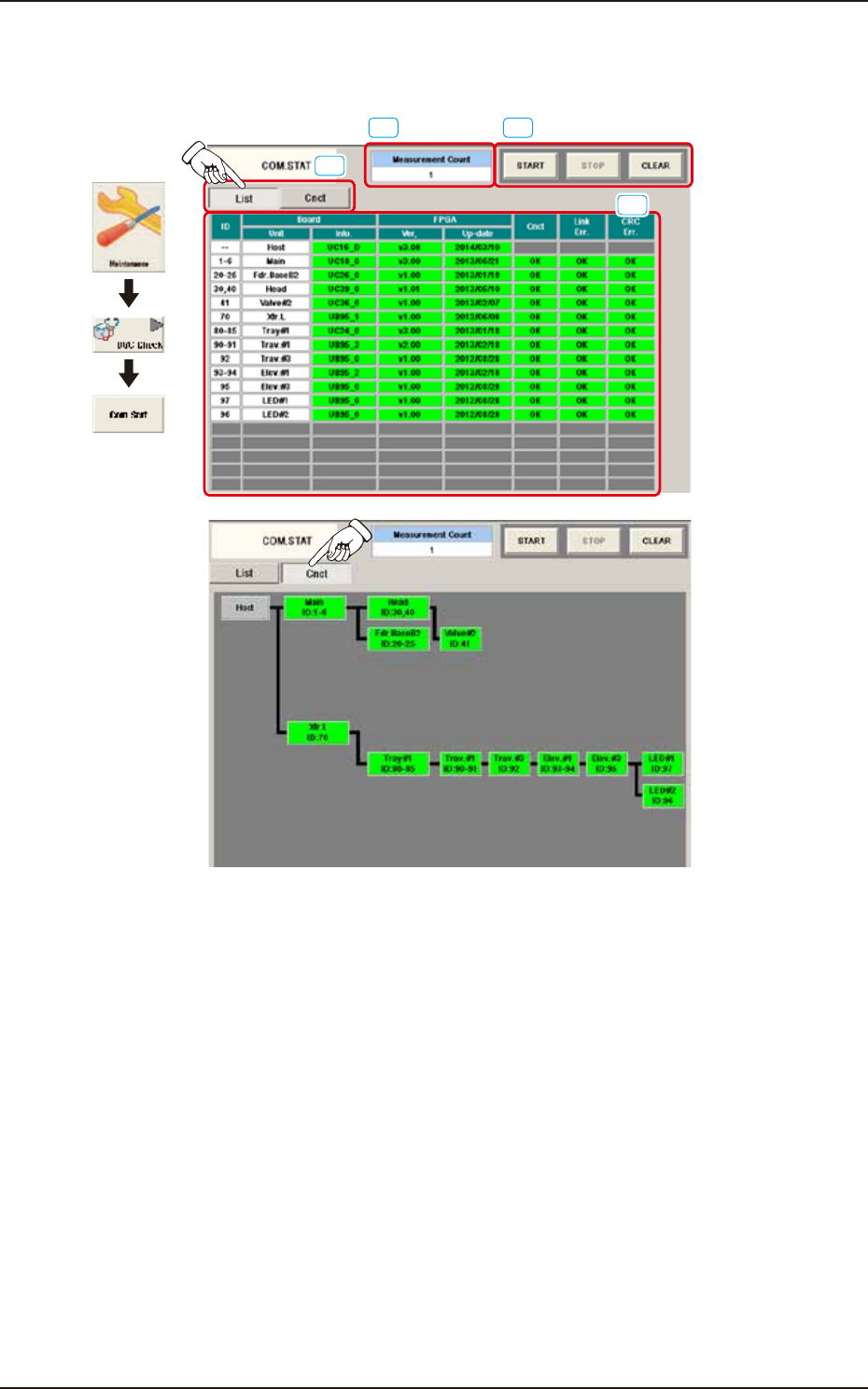
The corresponding window checks the communication status of each section.
Graphic
Development
[4]
[1]
[2][3]
F3A81_A
[1] [List] and [Cnct] buttons
These buttons switch the display of communication status per unit.
[2] [START], [STOP], and [CLEAR] Buttons
[START] Button: Measures the communication status every 500 msec.
[STOP] Button : Stops the measurement.
[CLEAR] Button : Clears the measurement count.
[3] “Measurement Count” Field
The measurement counts from pressing the [Start] button to pressing the [Stop] button in [2] are
displayed.
[4] Communication status display area
This area displays the communication status with the display format selected in [1].