EUKYX-199-3100_G5S2_Instruction_Vol3_E.pdf - 第136页
EUKYX 1-87 199-3100 6.4 COM.ST A T 6.4 COM.ST A T The correspondin g wi ndow checks the commun ication status of ea ch section. Graphic Development [4] [1] [2] [3] F3A81_A [ 1 ] [List ] and [Cnct ] b utt ons These but to…
EUKYX
1-86199-3100
6.3 RECOG
6.3.5 Others
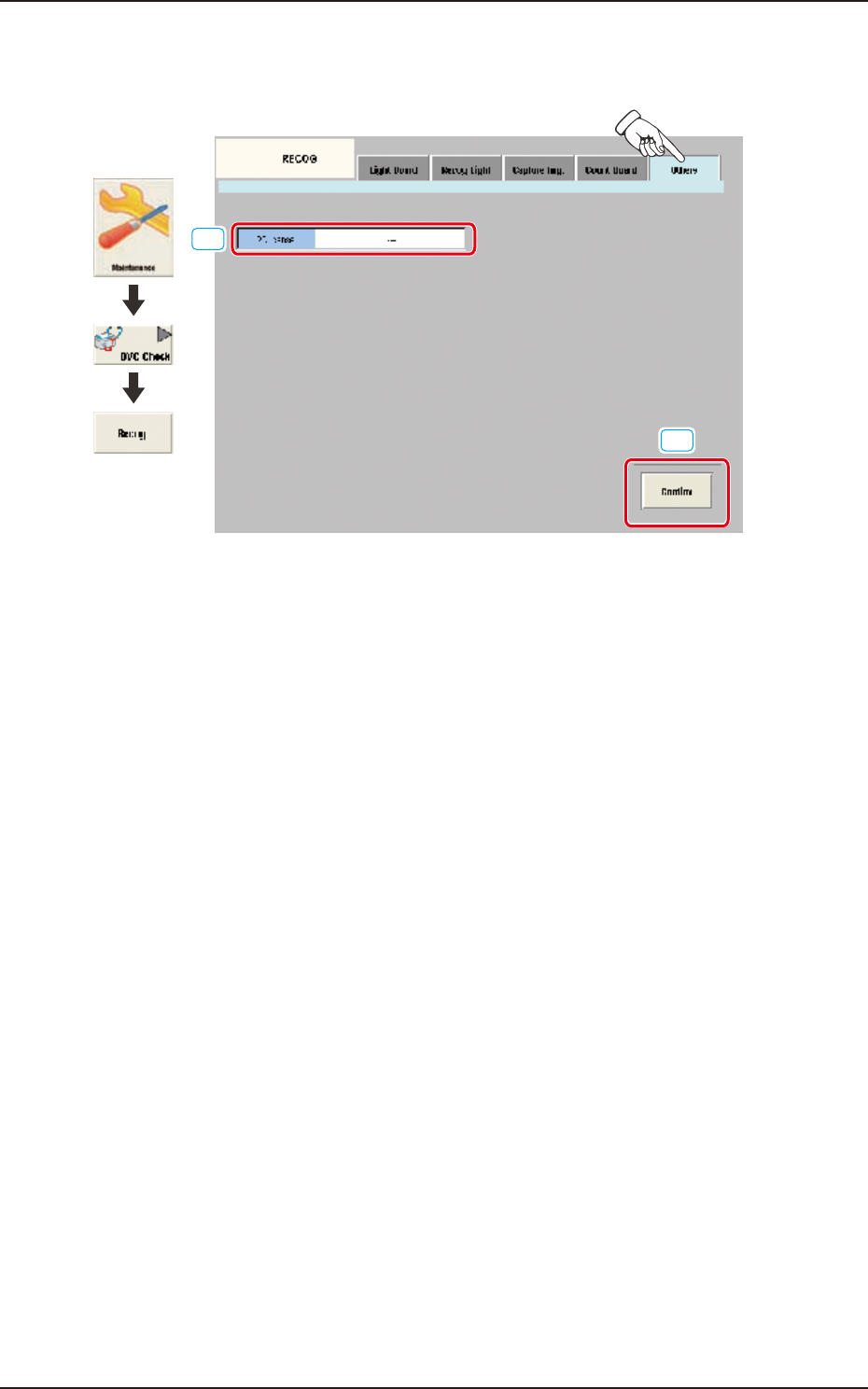
Pressing the [Others] tab on the [RECOG] window displays the following window.
[1]
[2]
Graphic
Development
F3A80
[1] 2D license
In this data box the valid or invalid of the optional 2-D bar code read license (GS-DL100) is
displayed.
[2] [Confirm] Button
Using this button the valid or invalid of the optional 2-D bar code read license (GS-DL100) is
confirmed.
EUKYX
1-87199-3100
6.4 COM.STAT
6.4 COM.STAT
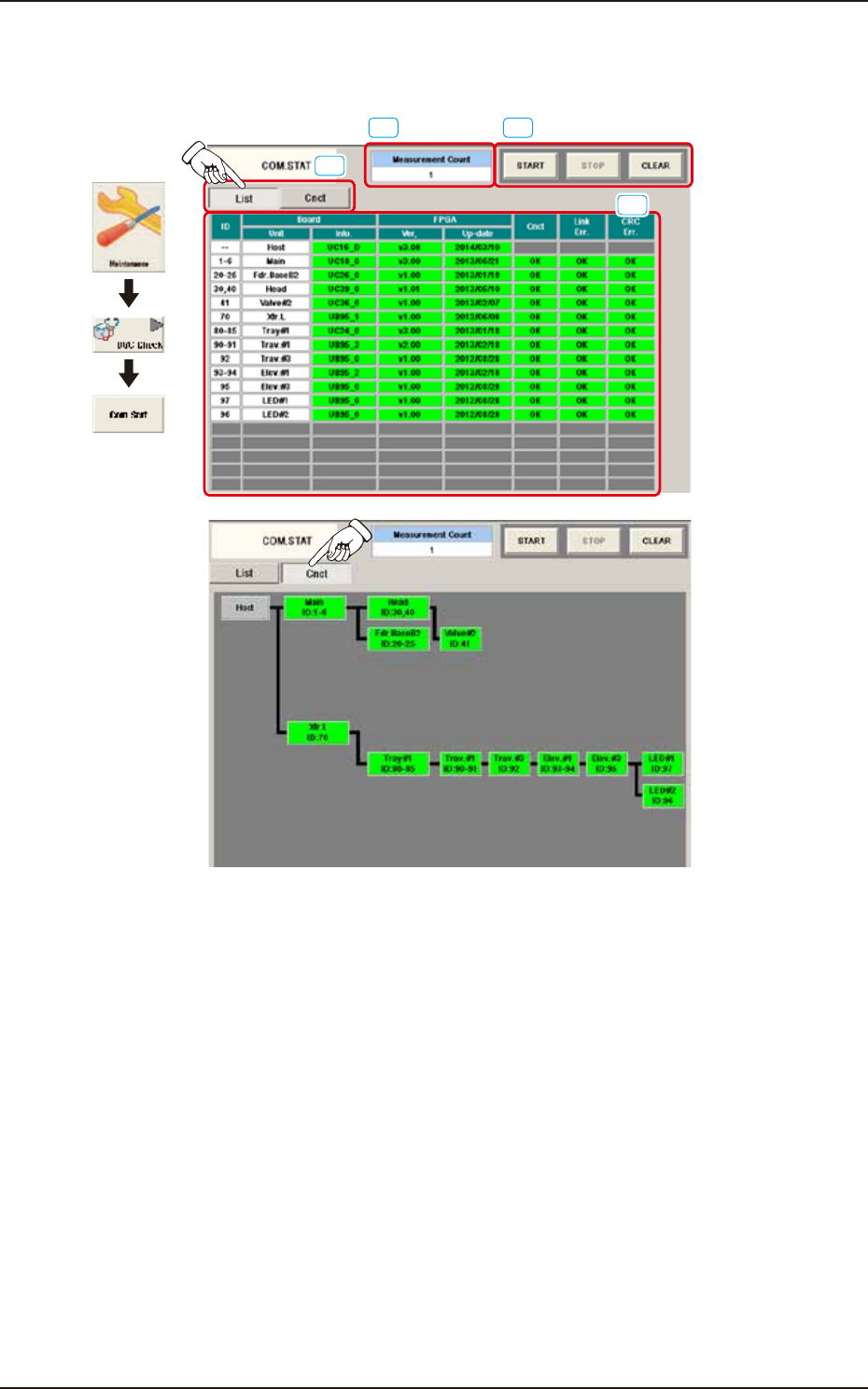
The corresponding window checks the communication status of each section.
Graphic
Development
[4]
[1]
[2][3]
F3A81_A
[1] [List] and [Cnct] buttons
These buttons switch the display of communication status per unit.
[2] [START], [STOP], and [CLEAR] Buttons
[START] Button: Measures the communication status every 500 msec.
[STOP] Button : Stops the measurement.
[CLEAR] Button : Clears the measurement count.
[3] “Measurement Count” Field
The measurement counts from pressing the [Start] button to pressing the [Stop] button in [2] are
displayed.
[4] Communication status display area
This area displays the communication status with the display format selected in [1].
EUKYX
1-88199-3100
6.5 PRGM.INFO.
6.5 PRGM.INFO.
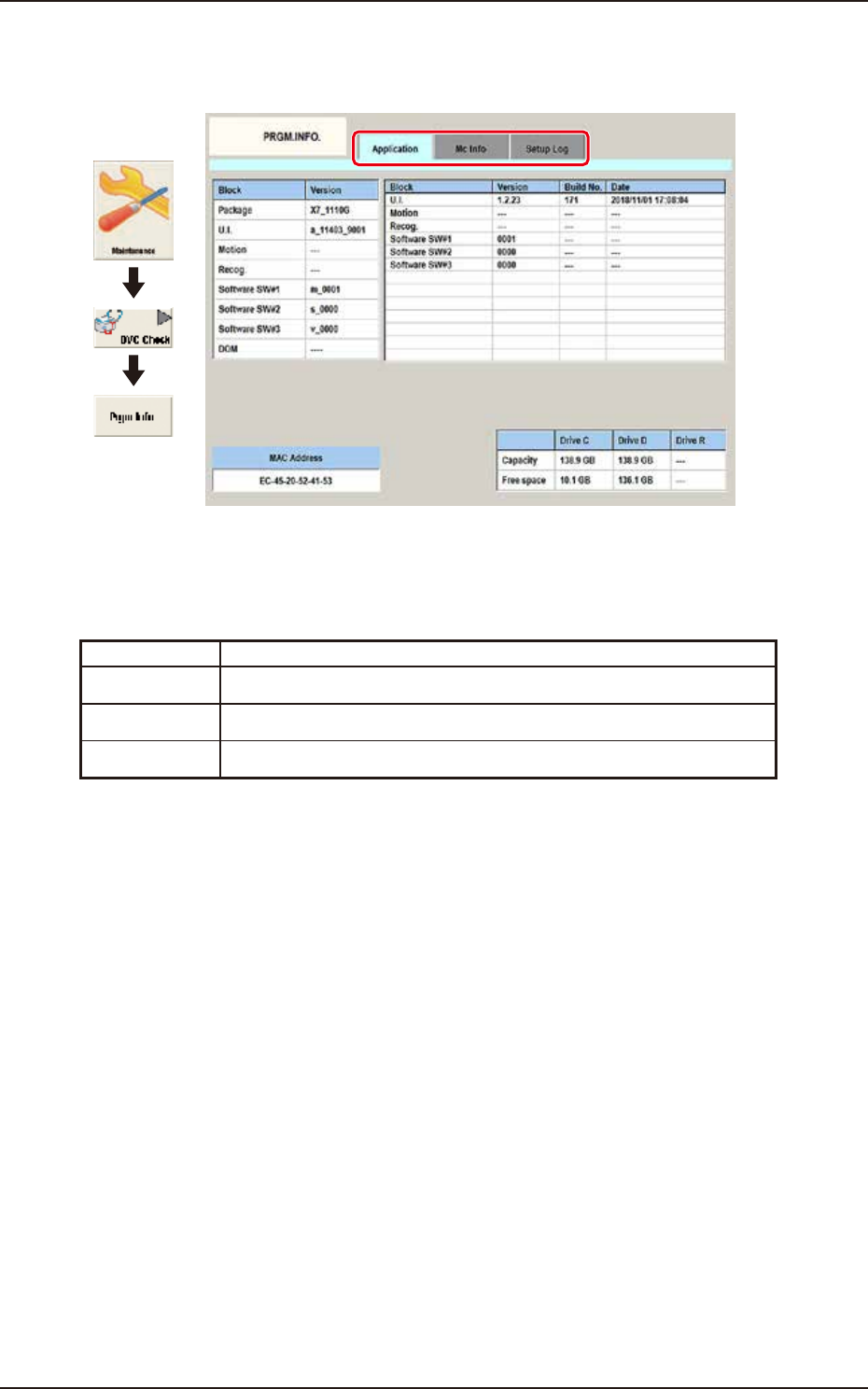
This window displays the current program information and setup logs used for the machine.
Graphic
Development
F3A82A
Tabs
The "PRGM.INFO." window is provided with the following two tabs.
When each tab is pressed, the corresponding tab sheet appears.
Tab Description
Application When this button is pressed, the "Application" window appears.
MC Info When this button is pressed, the “Machine information” window appears.
Setup Log When this button is pressed, the "Setup Log" window appears.