EUKYX-199-3100_G5S2_Instruction_Vol3_E.pdf - 第184页
EUKYX 2-36 199-3100 2.5 Head 2.5. 1 1 Each Noz. Head Piv ot Point Pressi ng the [Each No z. Head Pi vot P oi nt] tab on the "He ad" wi nd ow di spla ys t he fol lowi ng w i n d o w. The head rotation center per…
EUKYX
2-35199-3100
2.5 Head
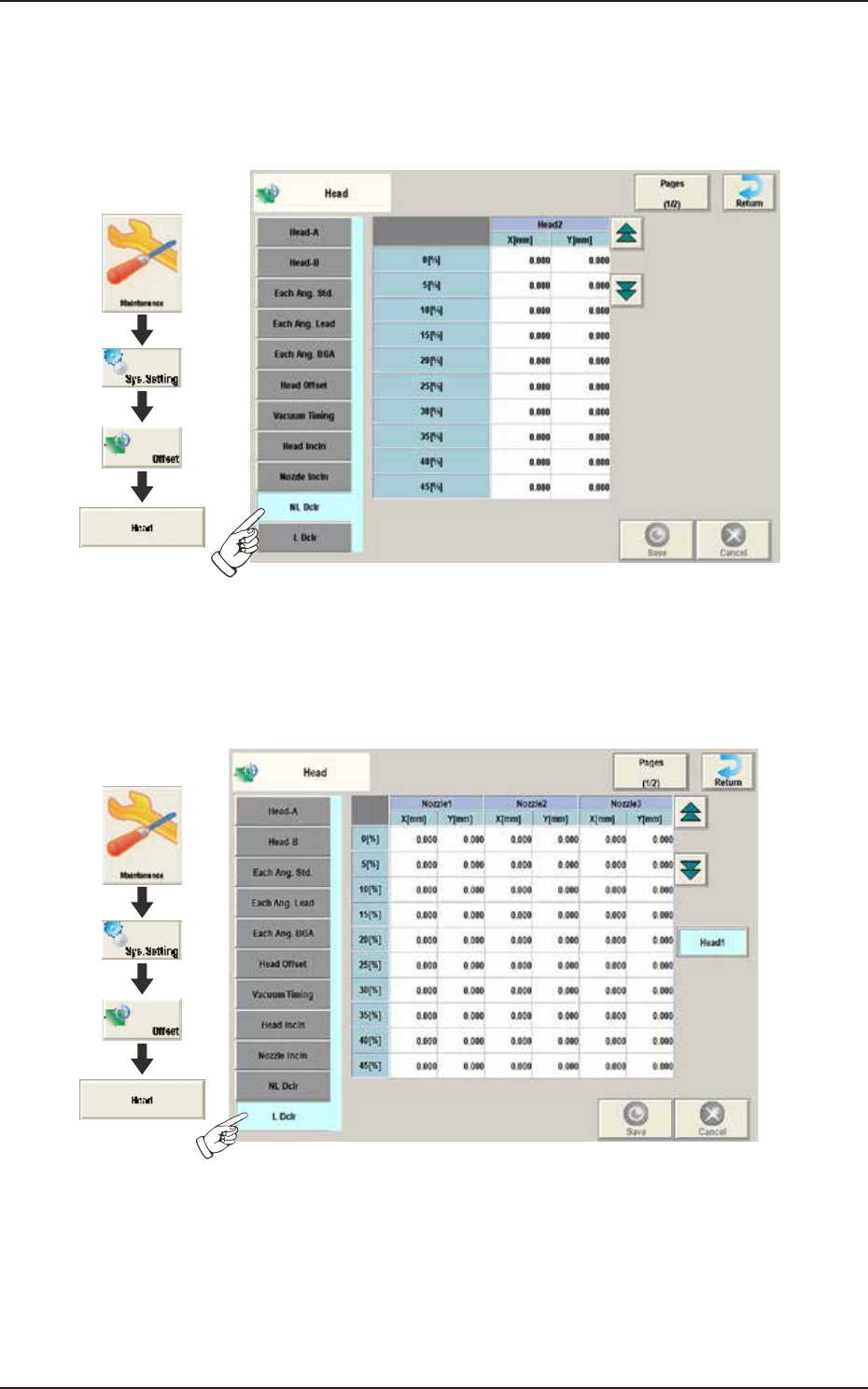
2.5.10 NL Dclr / L Dclr
When the machine is equipped with the high-speed head, the following window is displayed by
pressing the [NL Dclr] tab on the "Head" window.
The X/Y deviation occurring during NL deceleration is corrected.
Graphic
Development
F3B44A
When the machine is equipped with the multi-functional head, the following window is displayed
by pressing the [L Dclr] tab on the "Head" window. The X/Y deviation occurring during L-axis
deceleration is corrected.
Graphic
Development
F3B44B
EUKYX
2-36199-3100
2.5 Head
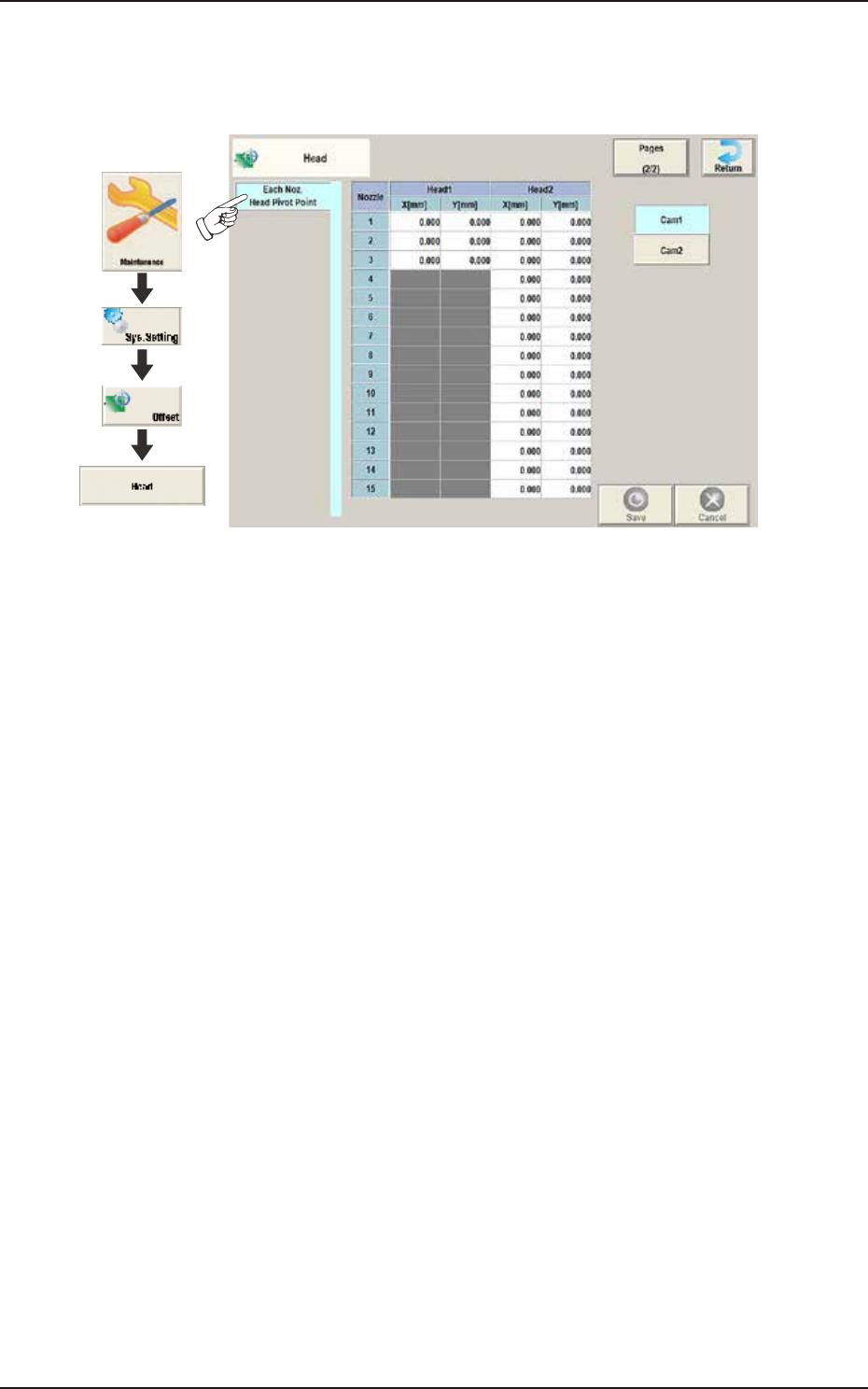
2.5.11 Each Noz. Head Pivot Point
Pressing the [Each Noz. Head Pivot Point] tab on the "Head" window displays the following
window. The head rotation center per nozzle is corrected.
Graphic
Development
F3B4
8
EUKYX
2-37199-3100
2.6 Nozzle
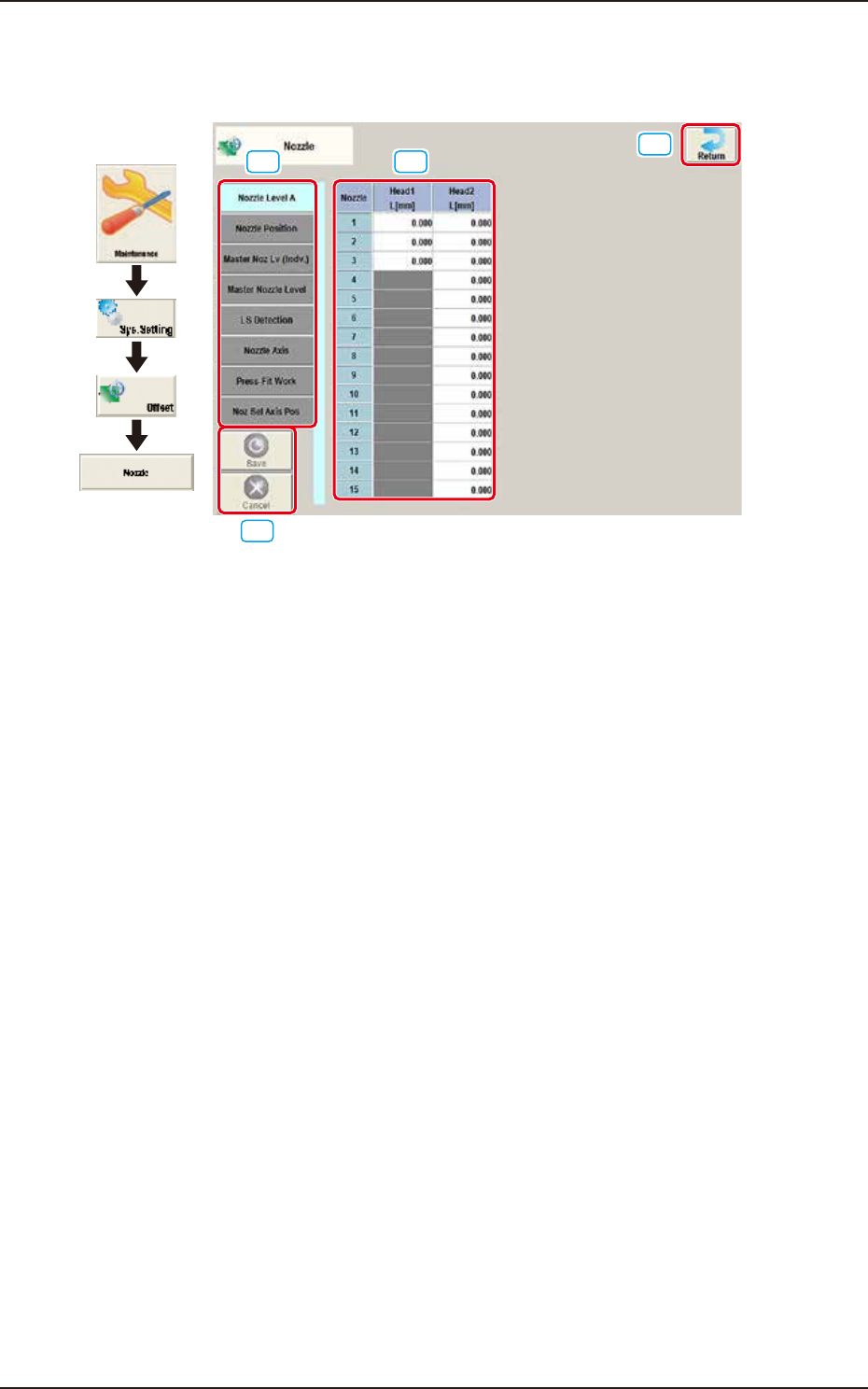
2.6 Nozzle
Pressing the [Nozzle] button on the "Offset Data" window displays the following window.
[1] [2]
[3]
[4]
Graphic
Development
F3B46A
[1] Offset button
When this button is pressed, the offset data for the selected tab is displayed.
[2] Offset Data Display Section
In this section, the offset data selected in step [1] is displayed.
[3] [Return] button
When this button is pressed, the window returns to the "Offset Data" window.
[4] [Save] button
When this button is pressed, the input data is saved.
[Cancel] button
When this button is pressed the input data is cancelled and the window returns to the saved data.