EUKYX-199-3100_G5S2_Instruction_Vol3_E.pdf - 第185页
EUKYX 2-37 199-3100 2.6 Nozzle 2 .6 Noz zle Pressi ng the [Nozzl e] but ton on the "O f fset Data" wi ndow displ ays the fo l lowi ng window . [1] [2] [3] [4] Graphic Development F3B46A [ 1 ] Of fset b utt on W…
EUKYX
2-36199-3100
2.5 Head
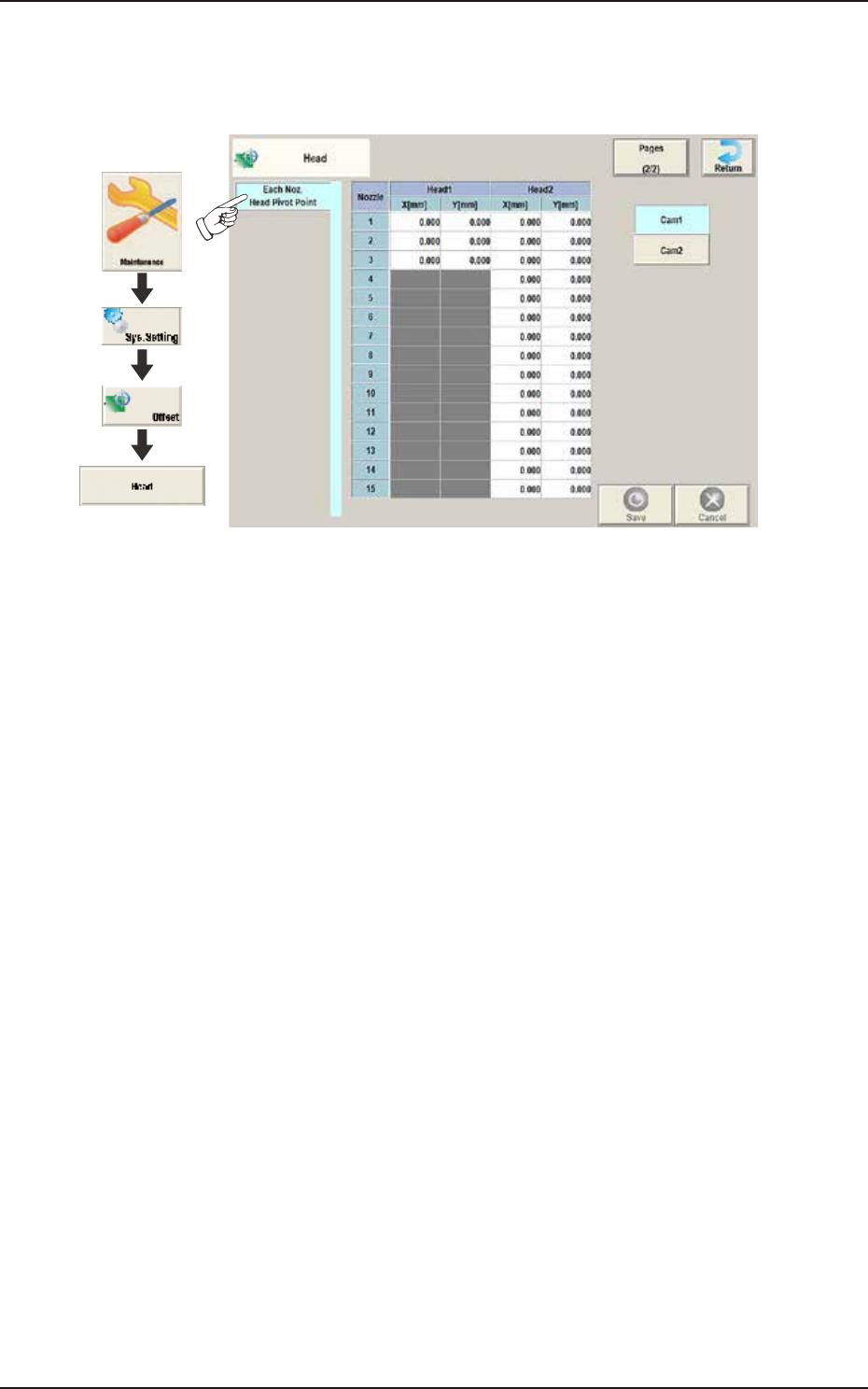
2.5.11 Each Noz. Head Pivot Point
Pressing the [Each Noz. Head Pivot Point] tab on the "Head" window displays the following
window. The head rotation center per nozzle is corrected.
Graphic
Development
F3B4
8
EUKYX
2-37199-3100
2.6 Nozzle
2.6 Nozzle
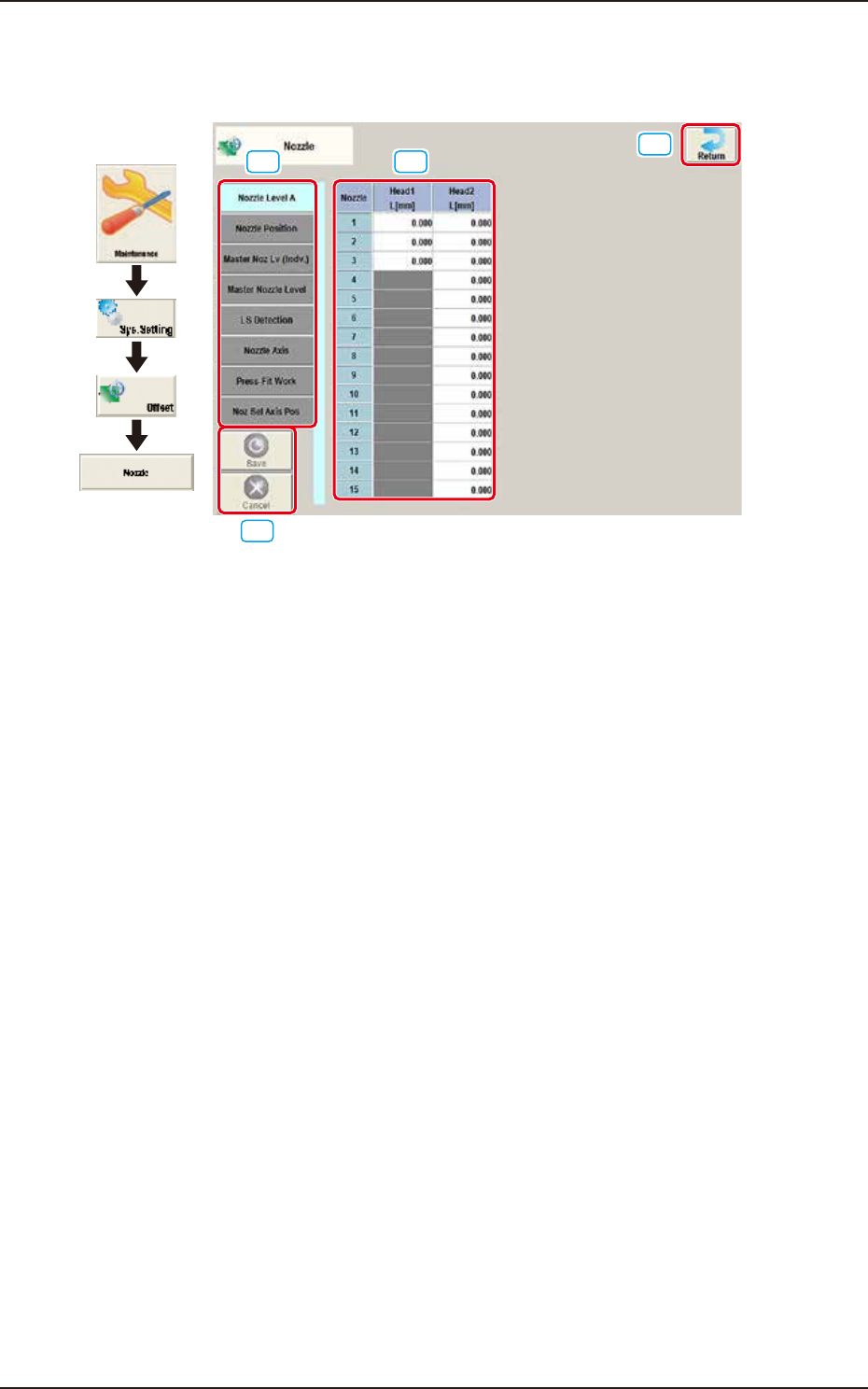
Pressing the [Nozzle] button on the "Offset Data" window displays the following window.
[1] [2]
[3]
[4]
Graphic
Development
F3B46A
[1] Offset button
When this button is pressed, the offset data for the selected tab is displayed.
[2] Offset Data Display Section
In this section, the offset data selected in step [1] is displayed.
[3] [Return] button
When this button is pressed, the window returns to the "Offset Data" window.
[4] [Save] button
When this button is pressed, the input data is saved.
[Cancel] button
When this button is pressed the input data is cancelled and the window returns to the saved data.
EUKYX
2-38199-3100
2.6 Nozzle
2.6.1 Nozzle Level A
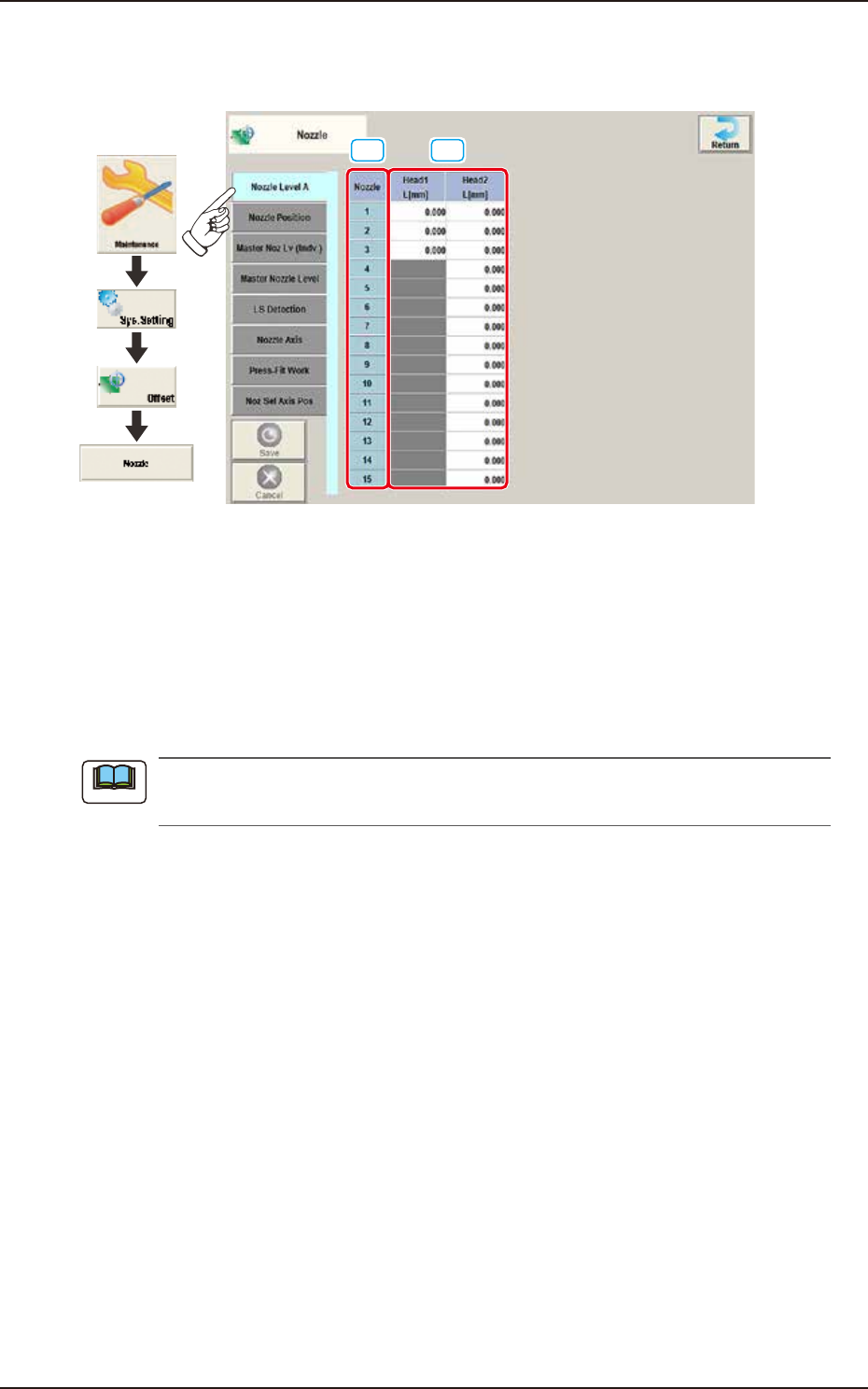
Pressing the [Nozzle Level A] tab on the "Nozzle" window displays the following window.
[1] [2]
Graphic
Development
F3B47A
[1] Nozzle
In this section, each nozzle No. is displayed.
[2] Head 1 and Head 2
L (Height) [mm]
Each parameter indicates the offset of the bottom level of the normal nozzles on each individual
heads. Measure each nozzle bottom level with a side view camera while the nozzle U/D axis is
zeroed and save the difference between the level and the master nozzle level offset.
These parameters are calculated using the formula "Nozzle Level Offset = Master Nozzle
Level - Measured Value of Normal Nozzle Level".
Note