EUKYX-199-3100_G5S2_Instruction_Vol3_E.pdf - 第161页
EUKYX 2-13 199-3100 2.1 Device Offset 2. 1 . 1 4 Light Emitter Recog Thi s window is not displayed wh en the multi -f unctional head is se lect ed. Pressi ng the [Light E mitter Recog] tab on t he "Device Off set &q…
EUKYX
2-12199-3100
2.1 Device Offset
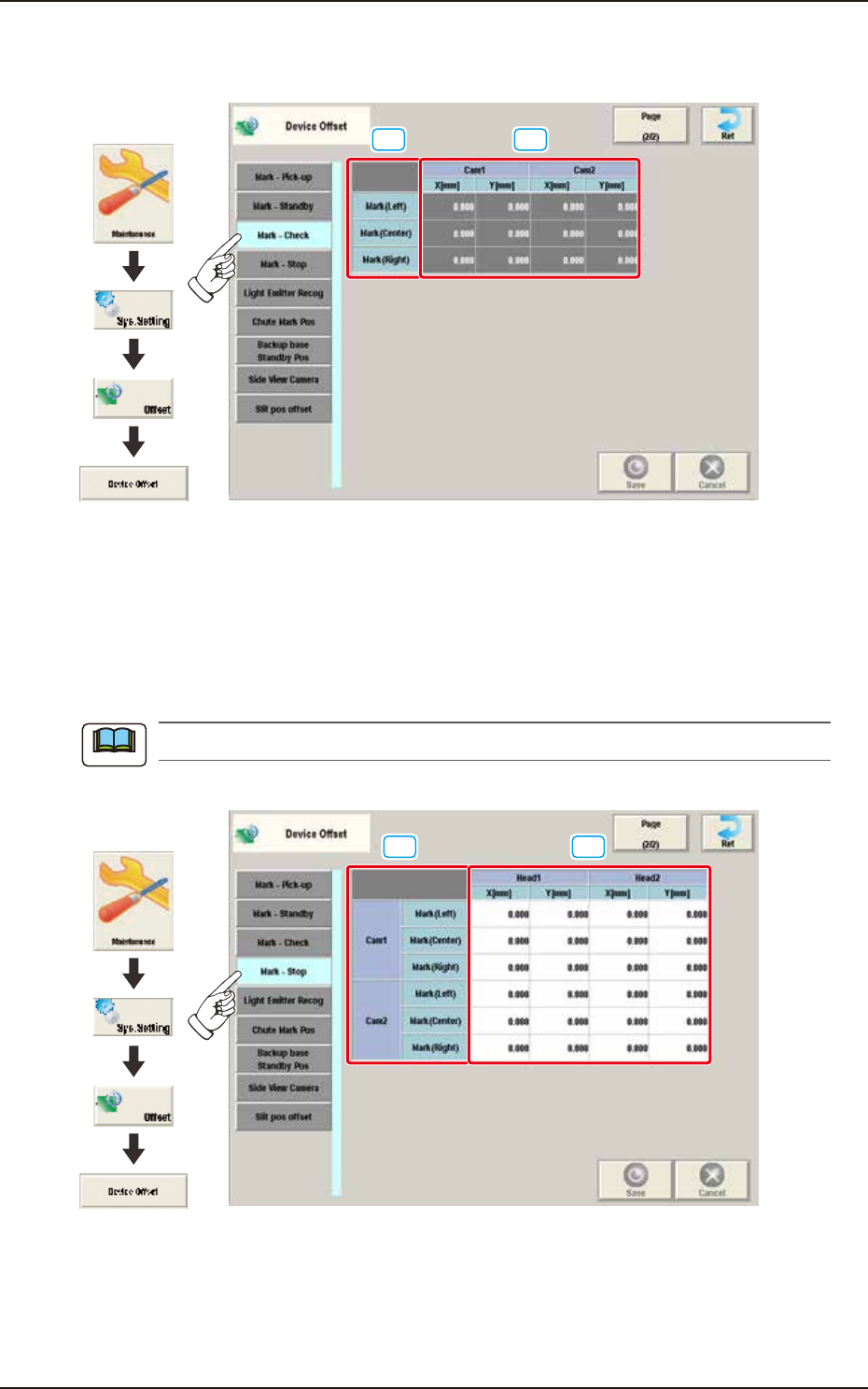
2.1.12 Mark-Check
Pressing the [Mark-Check] tab on the "Device Offset" window displays the following window.
[1] [2]
Graphic
Development
F3B17A
[1] Mark
The Reference Mark position is displayed in these data boxes.
[2] Cam 1 / 2
X [mm] / Y [mm]
The deviation for the camera XY position in the reference mark check operation, is adjusted.
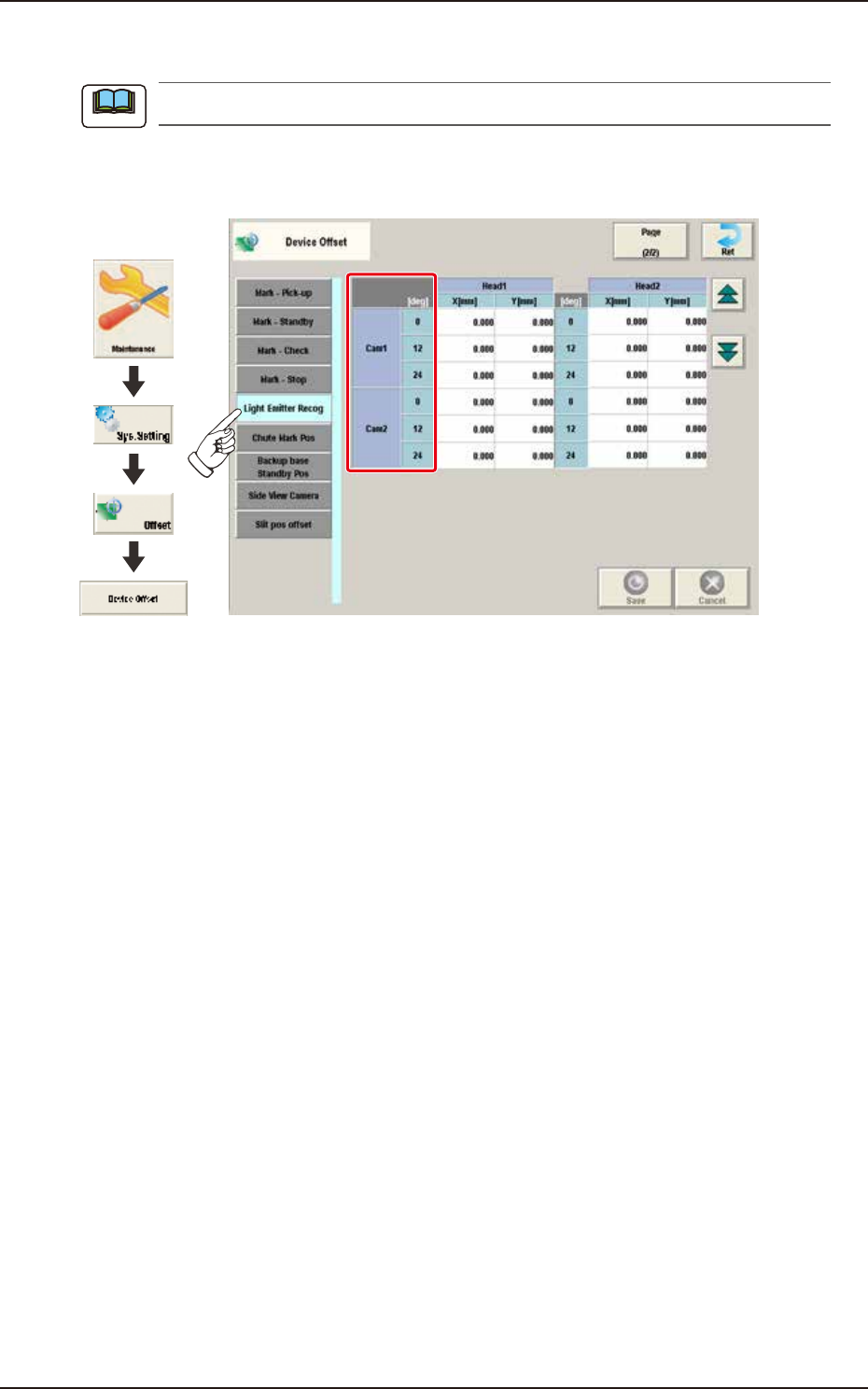
2.1.13 Mark-Stop
This window is not displayed when the multi-functional head is selected.
Pressing the [Mark-Stop] tab on the “Device Offset” window displays the following window.
[1] [2]
Graphic
Development
F3B18A
[1] Cam 1 / 2
The marks from each camera are displayed.
[2] Head 1 / 2
X [mm] / Y [mm]
The reference mark (stop check) offset based on the camera and each mark, is adjusted.
Note
EUKYX
2-13199-3100
2.1 Device Offset
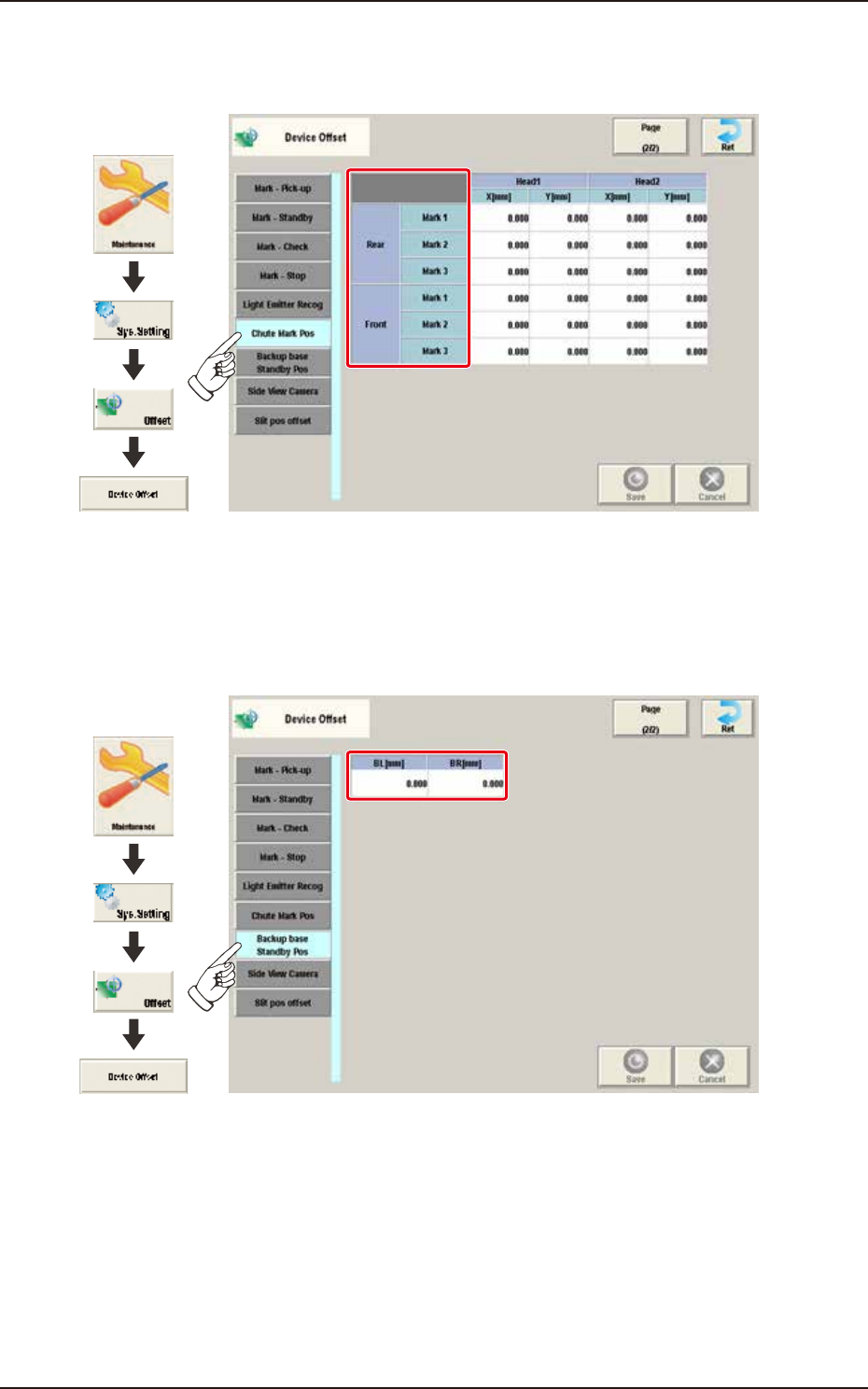
2.1.14 Light Emitter Recog
This window is not displayed when the multi-functional head is selected.
Pressing the [Light Emitter Recog] tab on the "Device Offset" window displays the following
window.
Graphic
Development
F3B19A
Cam 1 / 2
The offsets for the Heads 1 and 2 based on each camera position, are displayed in the units of 12
degrees".
Note
EUKYX
2-14199-3100
2.1 Device Offset
2.1.15 Chute Mark Pos
Pressing the [Chute Mark Pos] tab on the "Device Offset" window displays the following window.
Graphic
Development
F3B20A
2.1.16 Backup Base Standby Pos
Pressing the [Backup Base Standby Pos] tab on the "Device Offset" window displays the following
window.
Graphic
Development
F3B21A