EUKYX-199-3100_G5S2_Instruction_Vol3_E.pdf - 第120页
EUKYX 1-71 199-3100 6.2 MOTOR (5) M o n it o r When the [ Monitor ] button is pressed on the " Sys I nfo" w indo w , t he "Monit or" window a ppears. F3A62A (6 ) Paramet er When the [ Parameter ] butt…
EUKYX
1-70199-3100
6.2 MOTOR
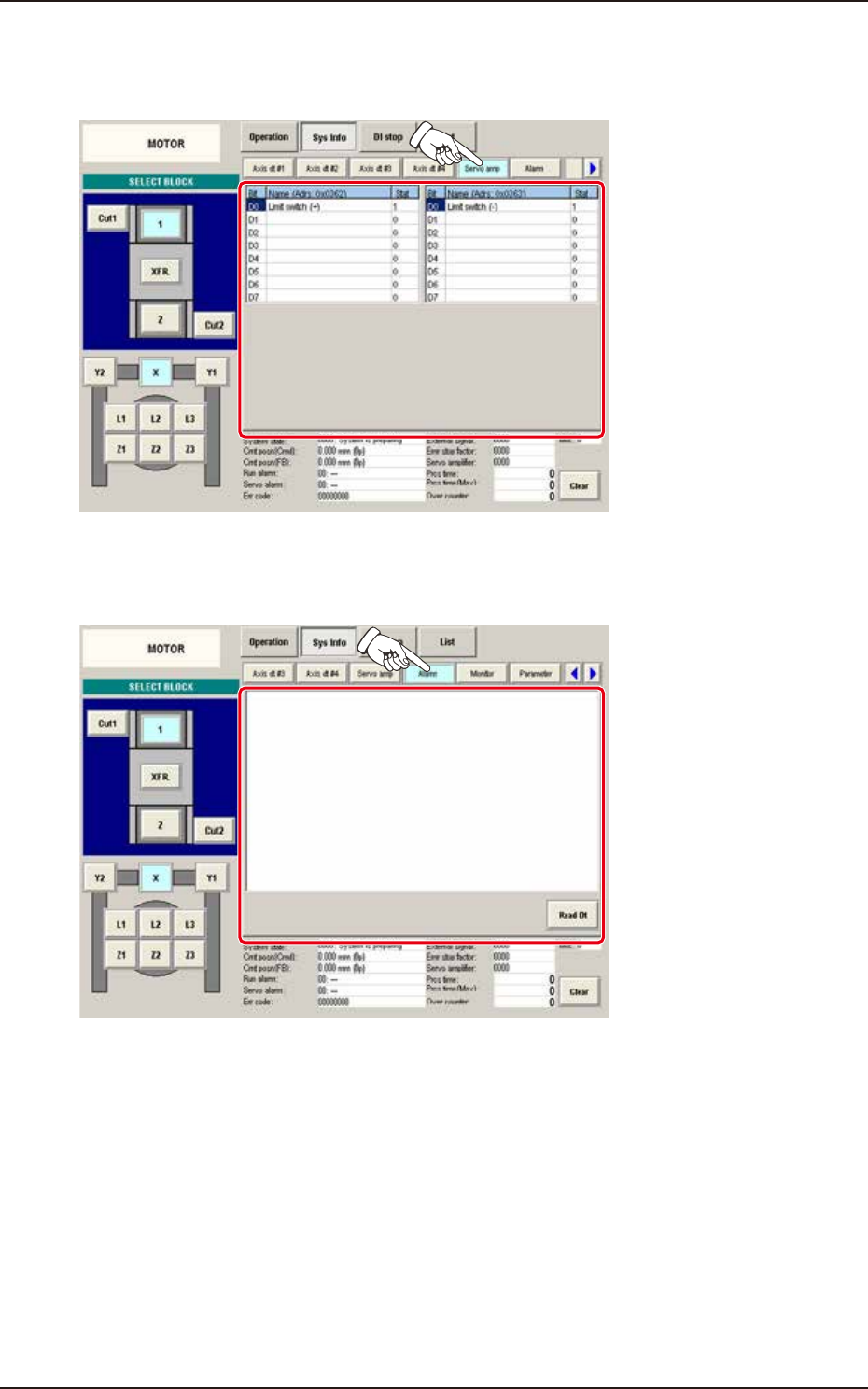
(3) Servo amp
When the [Servo amp] button is pressed on the "Sys Info" window, the "Servo amp" window
appears.
F3A60A
(4) Alarm
When the [Alarm] button is pressed on the "Sys Info" window, the "Alarm" window appears.
F3A61A
EUKYX
1-71199-3100
6.2 MOTOR
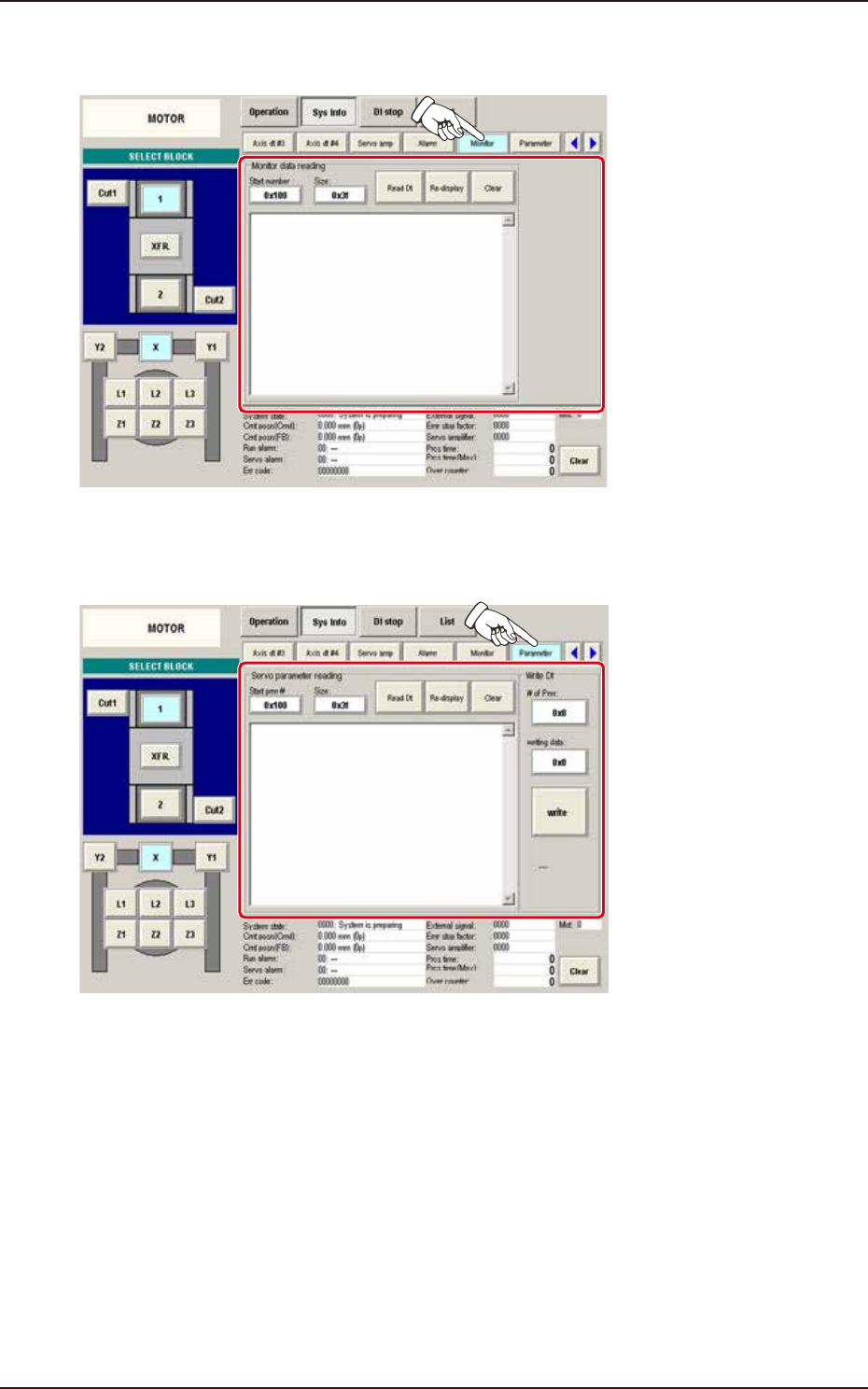
(5) Monitor
When the [Monitor] button is pressed on the "Sys Info" window, the "Monitor" window appears.
F3A62A
(6) Parameter
When the [Parameter] button is pressed on the "Sys Info" window, the "Parameter" window appears.
F3A63A
EUKYX
1-72199-3100
6.2 MOTOR
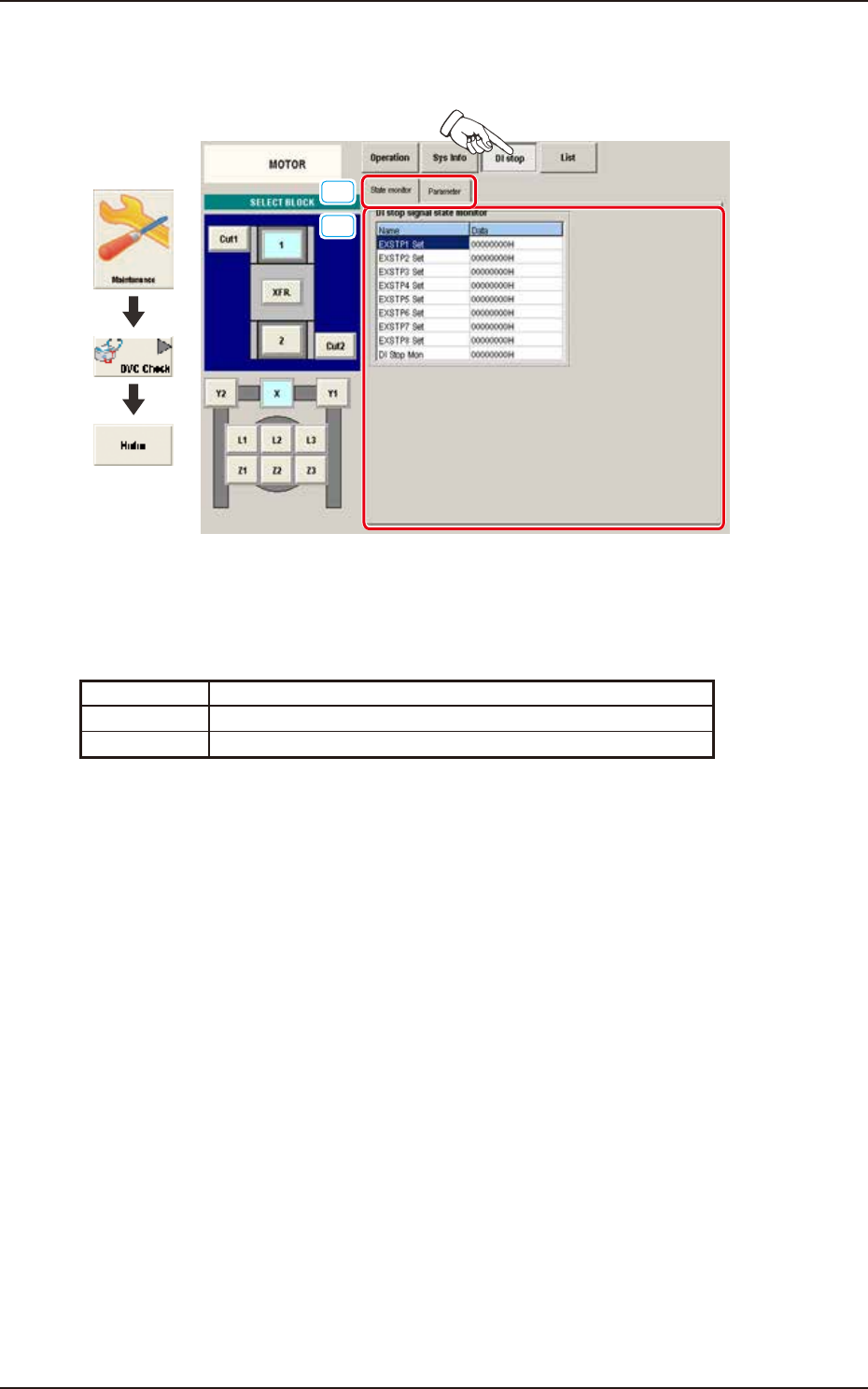
6.2.3 DI stop
Pressing the [DI stop] button on the "MOTOR" window displays the following window.
[1]
[2]
Graphic
Development
F3A64A
[1] Display Change Buttons
This "DI Stop" windows are provided with the following items. When each button is pressed, the
corresponding window appears.
Button Description
State monitor Displays the status of the DI stop signal state monitor.
Parameter Displays the status of the Reading DI stop sign setup prm.