EUKYX-199-3100_G5S2_Instruction_Vol3_E.pdf - 第59页
EUKYX 1-10 199-3100 3.3 Feeder Unit [3] Te a c h [ Traverse A xis Dra w] Button Us ing thi s button, the trav erse drawi ng ope rati on of fs et teach ing for eac h mach ine i s per formed by teach ing the mark pos ition…
EUKYX
1-9199-3100
3.3 Feeder Unit
3.3 Feeder Unit
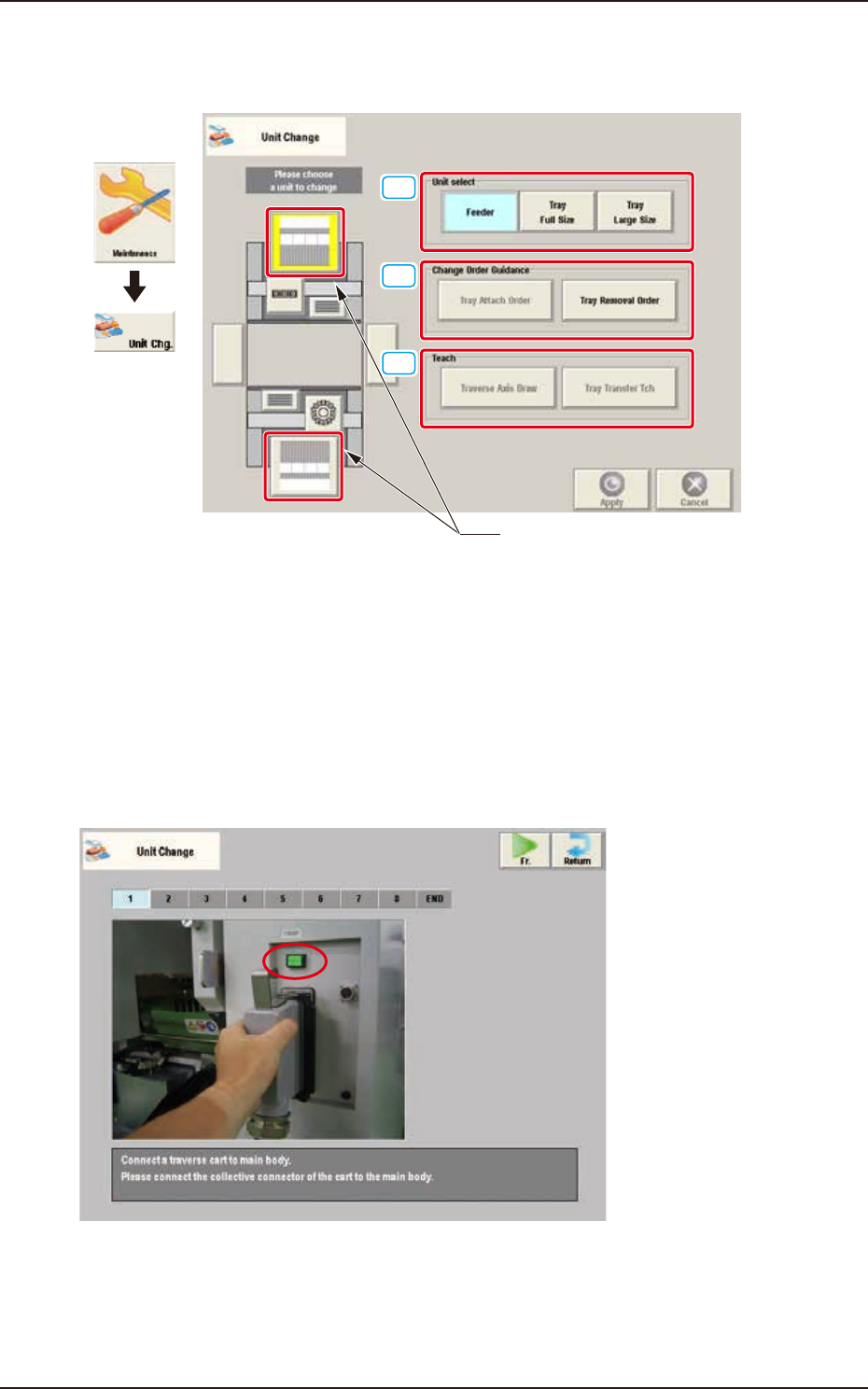
When the feeder unit button is pressed, the following window appears.
[1]
[2]
[3]
Feeder unit button
Graphic
Development
F3A11A
[1] Unit select
[Feeder] Button : The unit with feeder is selected.
[Tray Full Size] Button : The FULL size tray feeder (option) is selected.
[Tray Large Size] Button : The Large size tray feeder (option) is selected.
[2] Change Order Guidance
When one of these buttons is pressed, the attachment or removal window for the "Tray Large-Size"
(Option) or "Tray Full-Size" (Option) appears.
F3A12
EUKYX
1-10199-3100
3.3 Feeder Unit
[3] Teach
[Traverse Axis Draw] Button
Using this button, the traverse drawing operation offset teaching for each machine is performed by
teaching the mark position located on the traverse chuck claw section.
For this operation, the traverse drawing teaching pin is required separately.
[Tray Transfer Tch] Button
Using this button, the tray pallet delivery teaching is performed. After attaching the multi-layer tray
feeder to the main machine, select the delivery teaching. If this teaching operation is not performed,
the pallet will not be delivered correctly to the traverse cart.
Refer to "Chapter 3: Maintenance Menu" in "GS-FP600 Multi-Layer Tray Feeder" for details.
Note
Reference
EUKYX
1-11199-3100
4. Unit Adj.
4. Unit Adj.
Graphic
Development
F3A13A
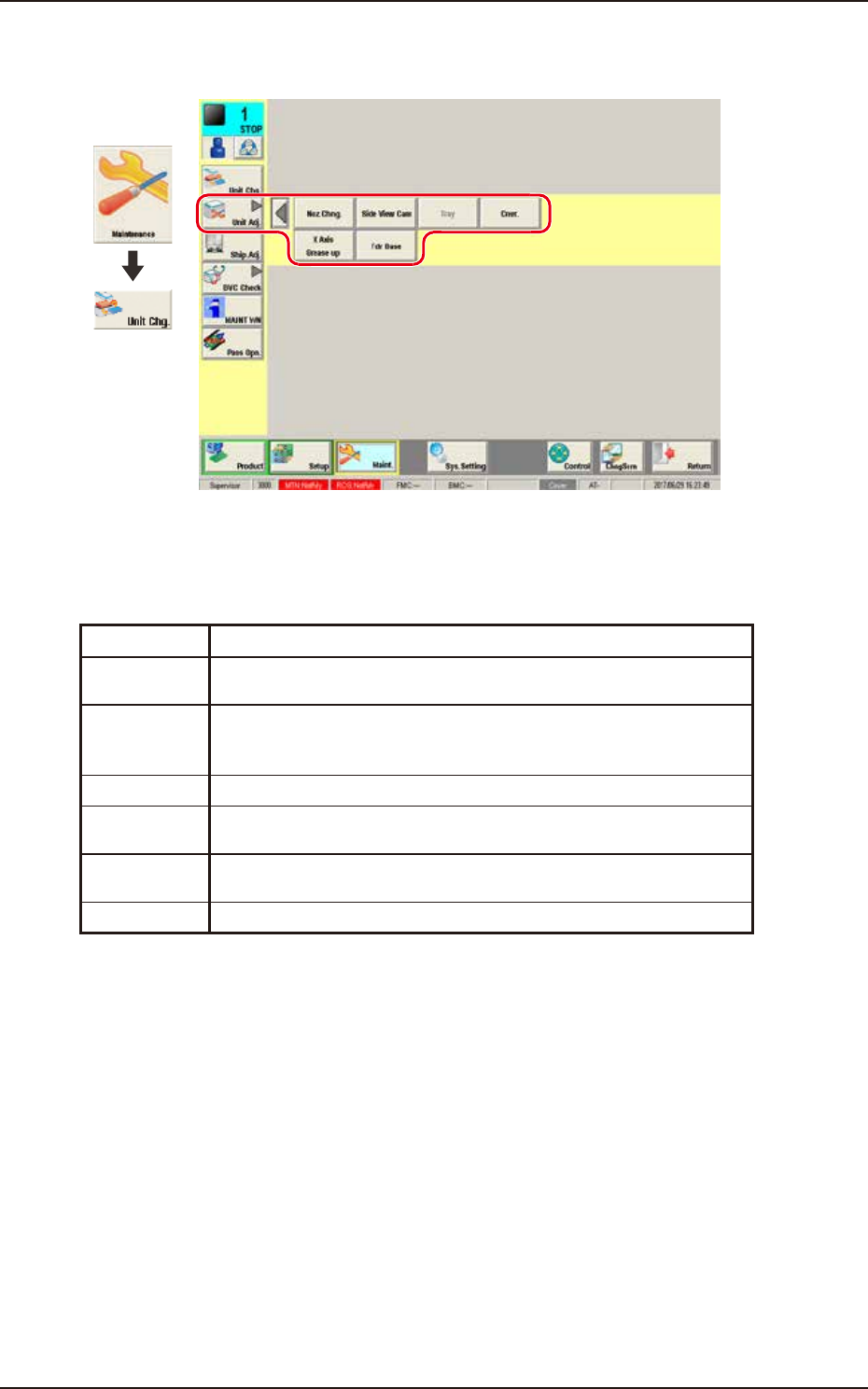
"Unit Adj." submenu
The following buttons are arranged on this submenu bar and can be used to display the operation
windows for execution of each unit adjustment function.
Button Description
Noz Chng. This button opens the "NOZ. CHNG." window to manually perform a
cycle of the vacuum nozzle attachment and storage operation.
Side View
Cam
This button performs the nozzle detection test with the side view camera
attached to each placement head to display the measurement value and
the measurement image.
Tray This button is used when the tray feeder (option) is adjusted.
Cnvr. This button is used to adjust the conveyor width overall setup or manual
setup.
X Axis
Grease up
This button is used when applying grease to the X-axis.
Fdr Base This button displays the connection status of the feeder base.