EUKYX-199-3100_G5S2_Instruction_Vol3_E.pdf - 第141页
EUKYX 1-92 199-3100 7.1 List 7. 1 L i s t When the [ List] tab is pressed on the "Main tWM" wi ndow , the fol low in g tab sheet app ears. Graphic Development F3A86 The correspondin g tab sheet enables the oper…
EUKYX
1-91199-3100
7. Maint.WM
7. Maint.WM
The setting for sending the maintenance warning message is performed using the NT-100
system software.
Refer to "NT System Software" Instruction Manual Volume 1, Chapter 6, "4.10 Maintenance
WM".
This menu is used to manage the periodic maintenance timing.
The timing for the oiling check or maintenance and inspection can be confirmed on the window
and also the maintenance and inspection timing is notified in the "Mach Info" window. For the
maintenance items described in Volume 4, the "Maintenance Timing" data is notified to the
maintenance operator using the "Operator Message" or in the "Mach Info." window.
Graphic
Development
F3A85
Tabs
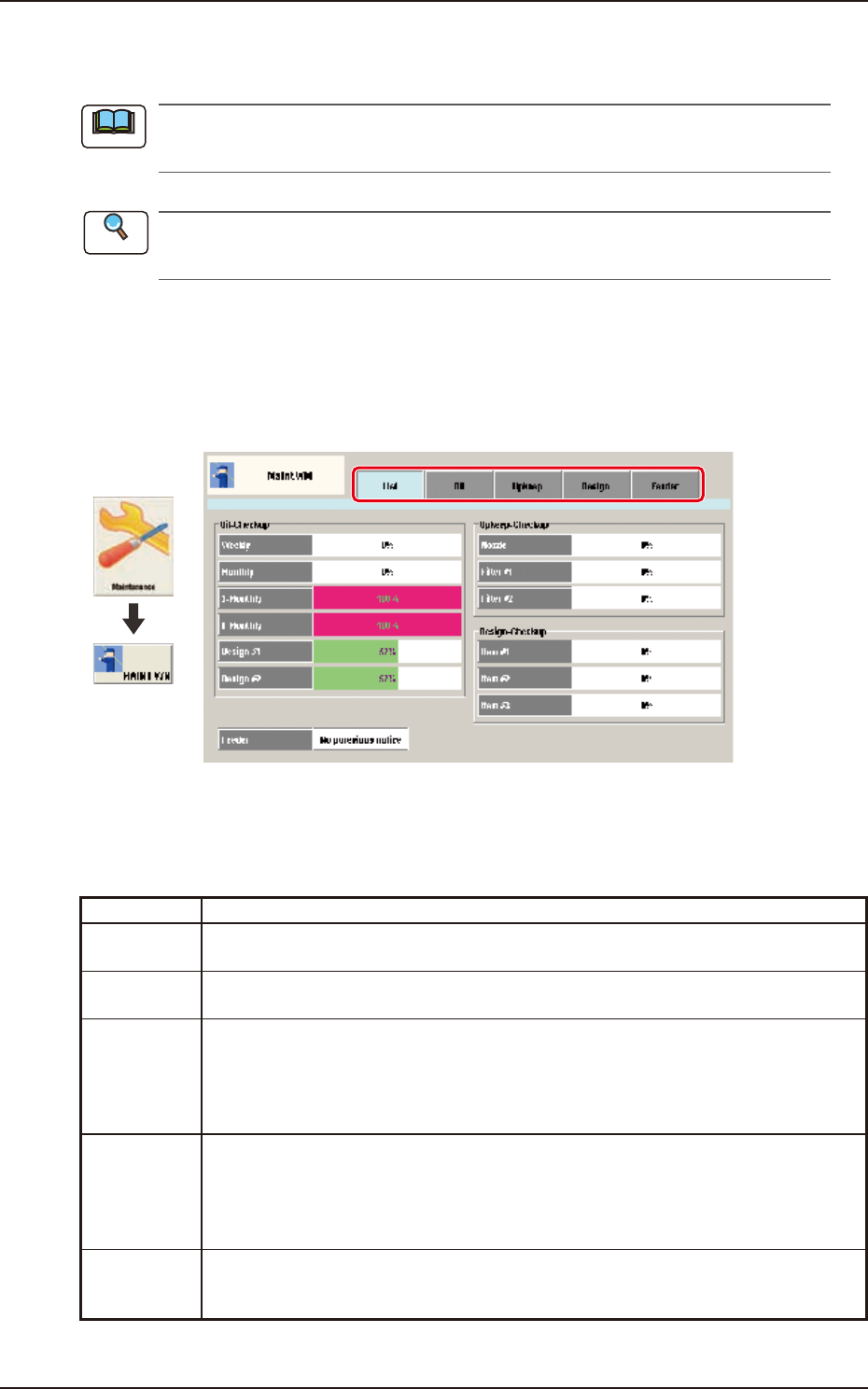
This "MaintWM" window is provided with the following 5 tabs. When each tab is pressed, the
corresponding tab sheet appears.
Tab Description
List
Displays the present status for the oiling check-up, maintenance check-up and
designated check-up, as a list.
Oil
Displays the practice dates for the maintenance cycles (weekly, monthly, every three
months, every six months and every 365 days) of the oiling check.
Upkeep
Displays the setting status and present status for the nozzle, filter #1 (head filter) and
filter #2 (filter for air supply).
"Elapsed operation period" or "No. of picked-up components" can be setup as the
announcement condition. When the value reaches the set value for either of the above
2 conditions, the announcement is issued.
Design
Displays the setting status and present status for the additionally set maintenance
check-up items (Maintenance 1, Maintenance 2 or Maintenance 3 for maintenance
announcements.) "Elapsed operation period" or "No. of picked-up components" can be
setup as the announcement condition. When the value reaches the set value for either
of the above two conditions, an announcement is issued.
Feeder
Displays the feeder setting status and present status. The No. of shots is setup for each
of the feeder types (four types), and the value reaches the set value, an announcement
is issued. Also, the current No. of shots can be cleared.
Note
Reference
EUKYX
1-92199-3100
7.1 List
7.1 Li st
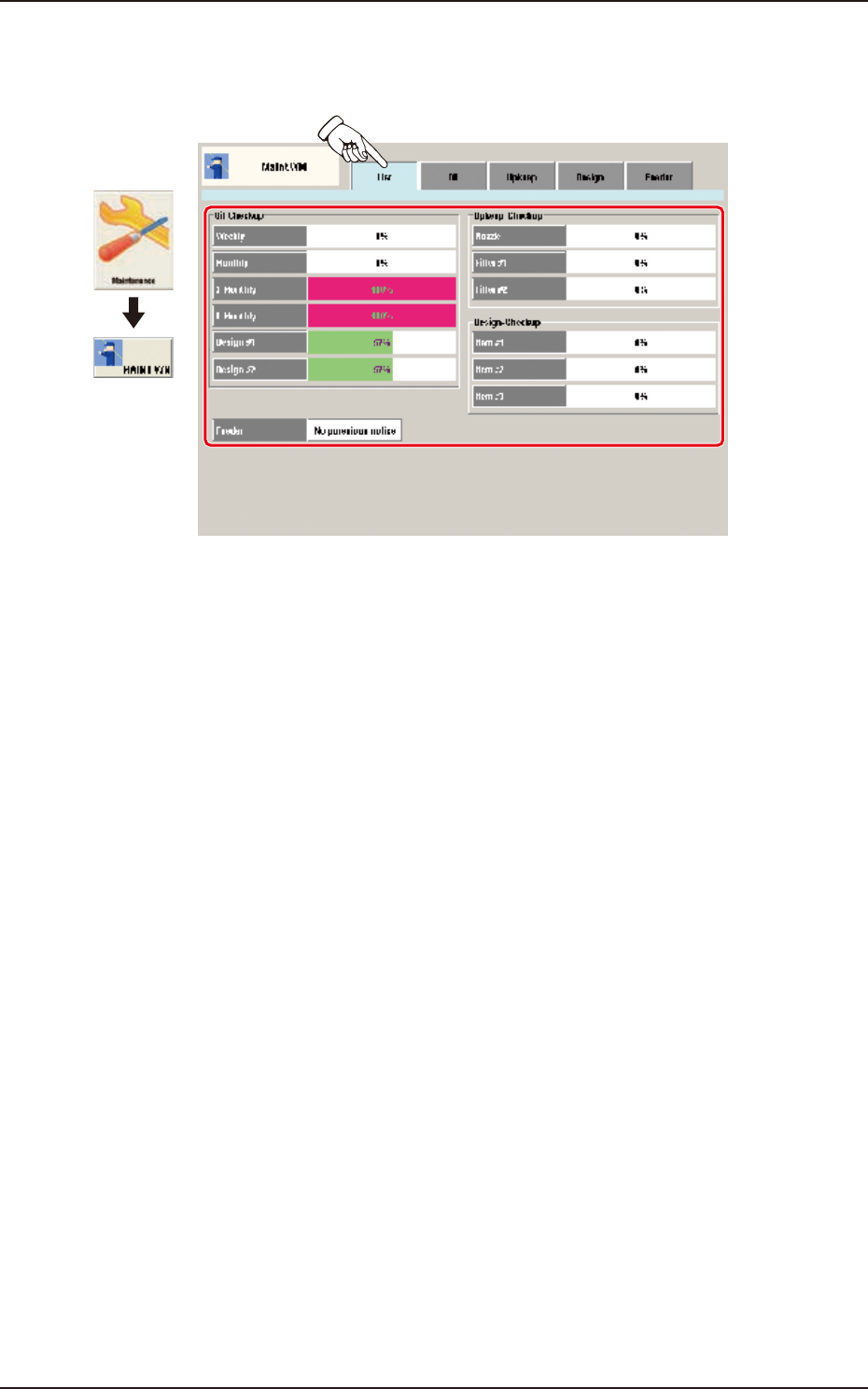
When the [List] tab is pressed on the "MaintWM" window, the following tab sheet appears.
Graphic
Development
F3A86
The corresponding tab sheet enables the operator to display the present status for the oiling check-
up, maintenance check-up and designated check-up, as a list.
The graph showing the percentages (%), is divided using colors for the status. Each color shows as
follows.
Pale Green
: 0 to 69%
Pale Yellow
: 70 to 99%
Pink : 100%
The feeder present status is shown as "Announced" or "Not Announced". When even one of the
feeders needs maintenance, "Announced" is displayed.
EUKYX
1-93199-3100
7.2 Oil
7. 2 O il
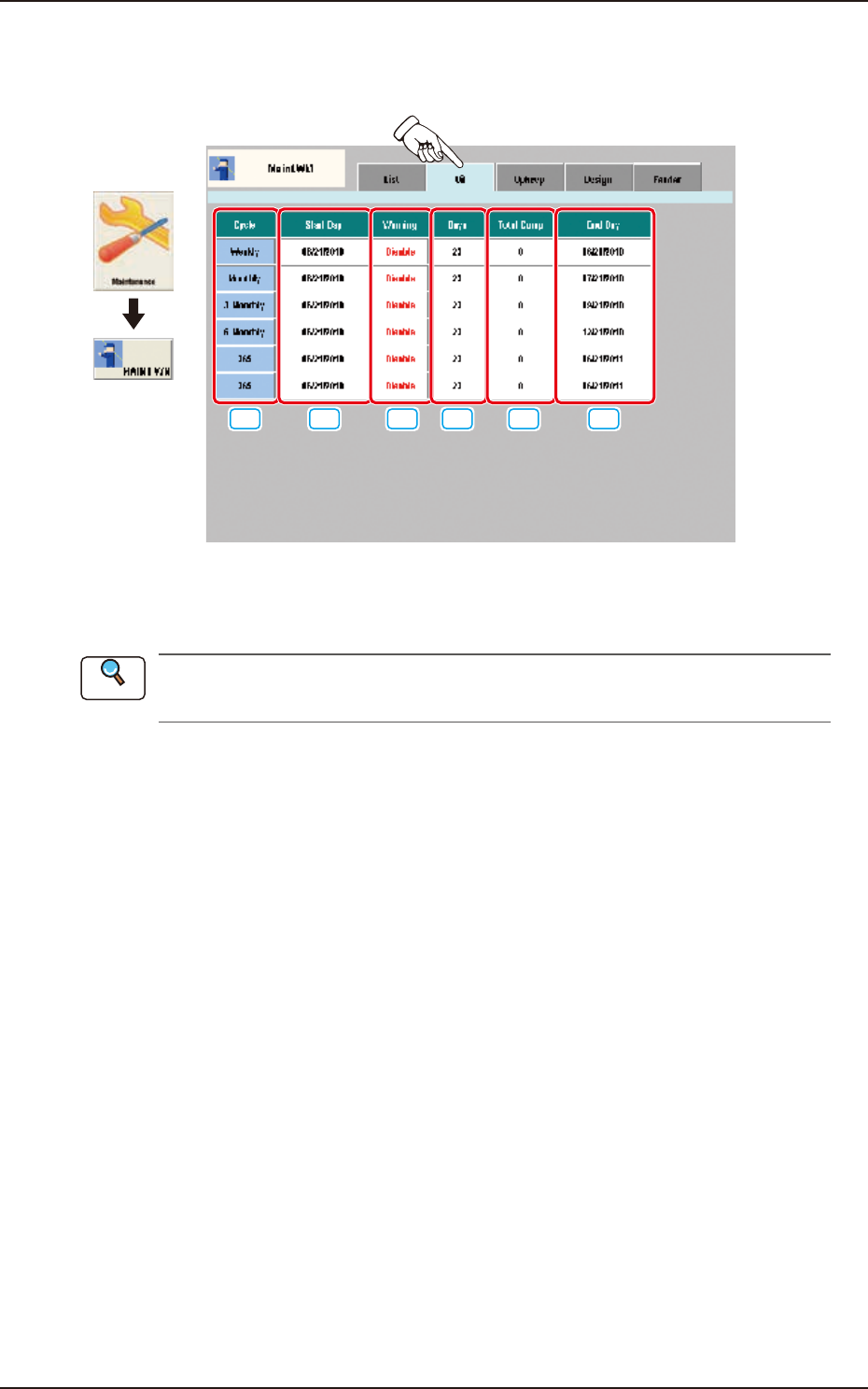
Pressing the [Oil] tab on the "Maint.WM" window displays the following window.
Graphic
Development
[2] [3][1] [5] [6][4]
F3A87
In this tab sheet the practice dates for the maintenance cycles (weekly, monthly, every three
months, every six months and every 365 days) of the oiling check are displayed.
Refer to "1.3 Items for Periodic Maintenance" in Chapter 1, Volume 4, for the details of oiling
check.
[1] Cycl e
For the standard maintenance cycle, "Weekly", "Monthly", "3-Monthly", "6-Monthly" and "365" are set.
[2] Start Day
The practice dates set up in the NT-100 system software, are displayed.
[3] Warning
In these data boxes, "Enable" or "Disable" for the warning of the maintenance timing set up in the
NT-100 system software, is displayed.
[4] Days, Total Comp, End Day
When the setting is performed with the NT-100 system software, the indications are updated as
below.
Days
→
"0"
Total Comp
→
"0"
End Day
→
"Date of (Start Day + Cycle)"
When the value of "Days" (elapsed date) reaches the value of "Cycle", the background color turns to pink.
Reference