EUKYX-199-3100_G5S2_Instruction_Vol3_E.pdf - 第111页
EUKYX 1-62 199-3100 6.1 INP / OUT 6. 1 . 1 InP Chk Pressi ng the [InP Chk] button on the "INP/ OUT" window di spla ys t he fol lowi ng window . Check the senso r input st atus. Graphic Development F3A50A Status…
EUKYX
1-61199-3100
6.1 INP / OUT
6.1 INP / OUT
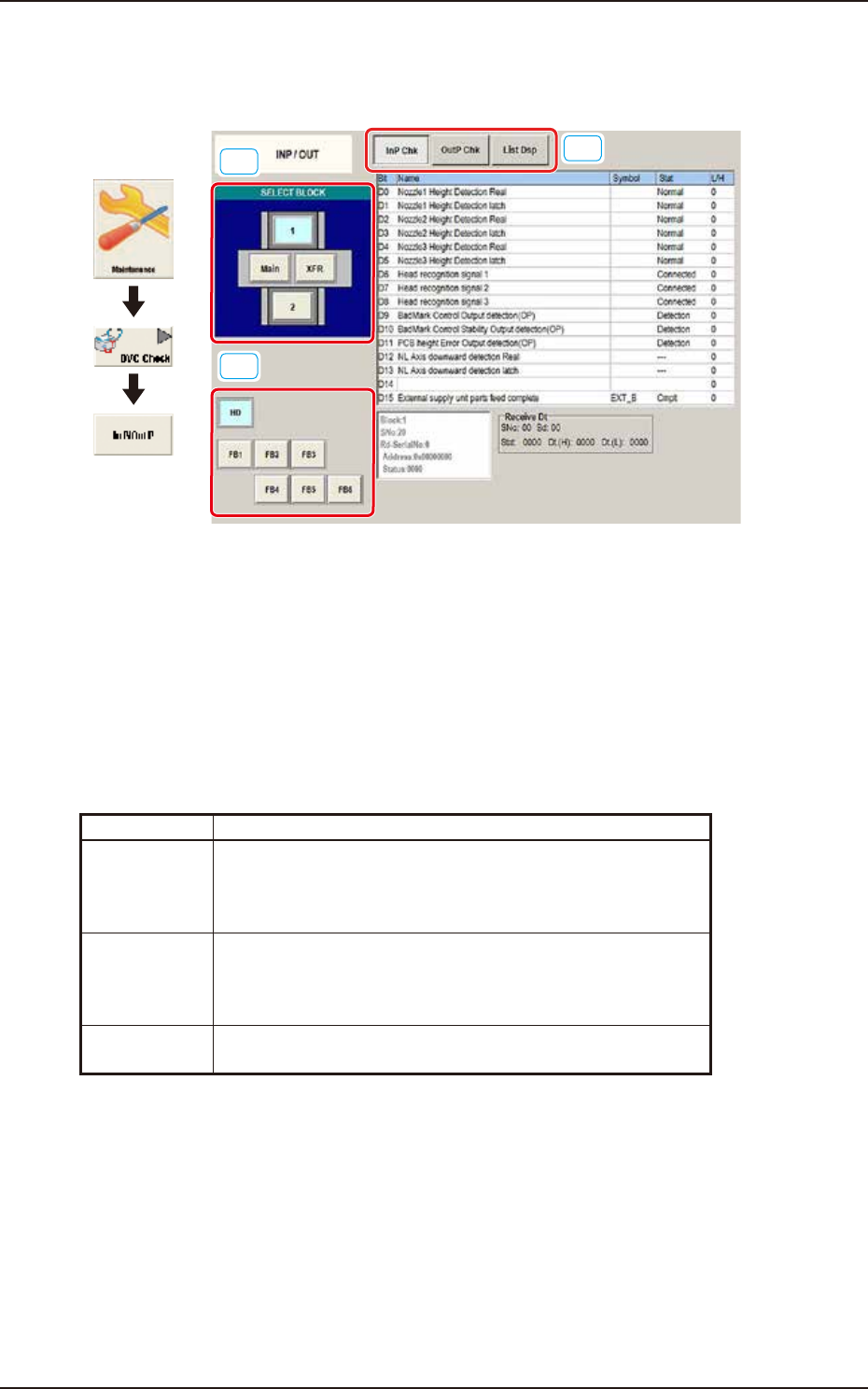
This window enables you to check the INP/OUT status of each section.
[1]
[2]
[3]
Graphic
Development
F3A49A
[1] SELECT BLOCK Buttons
Press the button to select the block whose I/O status is checked.
[2] Unit Selection Buttons
Arranged are the unit buttons for the block selected with a block selection button. Select the unit
whose I/O status is checked.
[3] Display Change Buttons
Pressing any of these buttons, displays the corresponding window.
The description of each window is as follows.
Button Description
InP Chk When this button is selected, the corresponding window appears,
enabling you to view the input status for the unit selected with
block and unit selection buttons (located on the left side of the
window).
OutP Chk When this button is selected, the corresponding window appears,
enabling you to view the output status for the unit selected with
block and unit selection buttons (located on the left side of the
window).
List Dsp When this button is selected, the corresponding window appears,
enabling you to view the I/O status of each unit.
EUKYX
1-62199-3100
6.1 INP / OUT
6.1.1 InP Chk
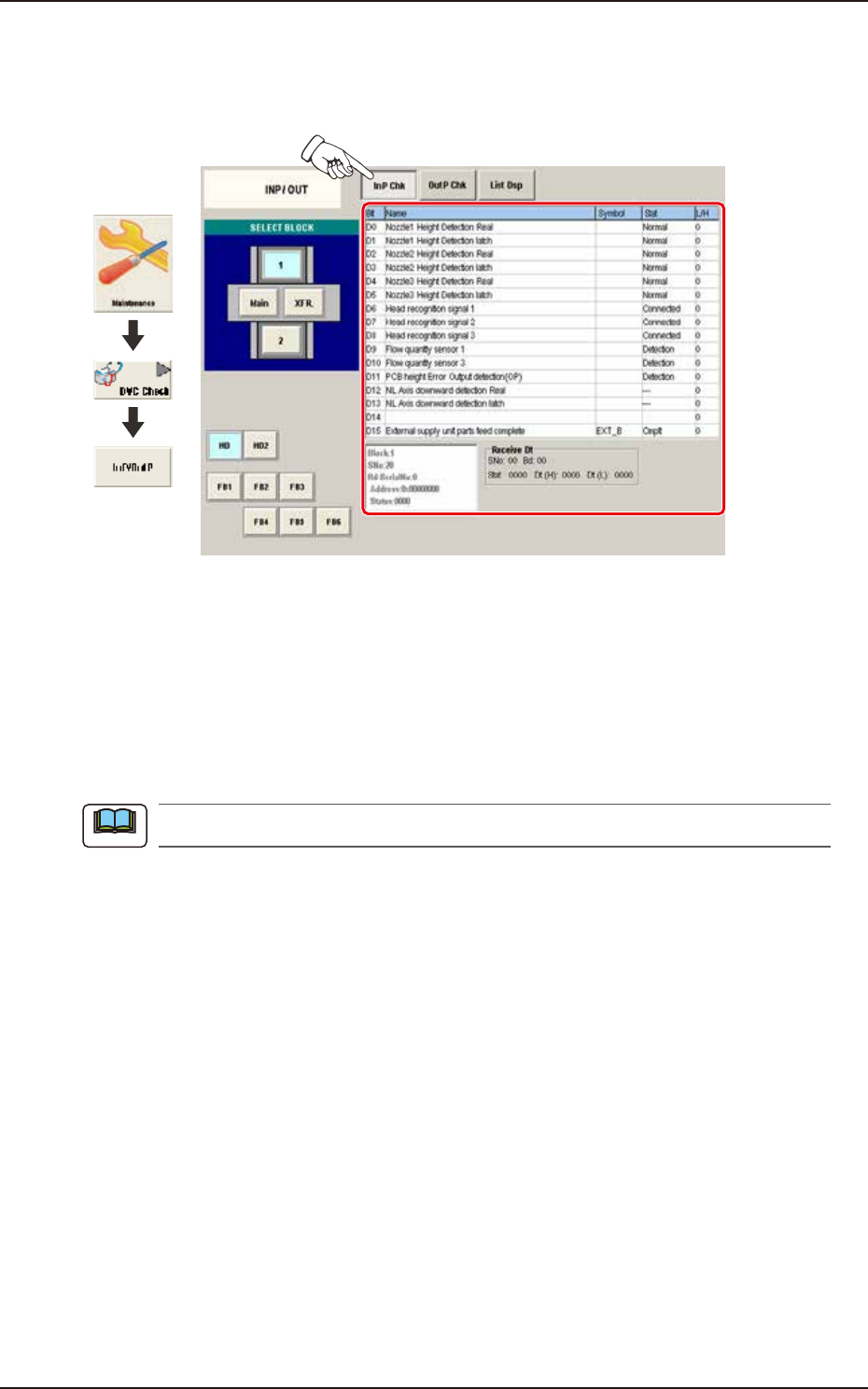
Pressing the [InP Chk] button on the "INP/OUT" window displays the following window. Check the
sensor input status.
Graphic
Development
F3A50A
Status Indicator
Displayed is the status of each section.
Bit : Displayed are the satellite Nos.
Name : Displayed are the satellite names.
Symbol
: Displayed are the satellite symbols.
Stat : Displayed are the satellite statuses.
L/H : Displayed are the satellite logics.
The unused optional functions are not to be displayed.
Note
EUKYX
1-63199-3100
6.1 INP / OUT
6.1.2 OutP Chk
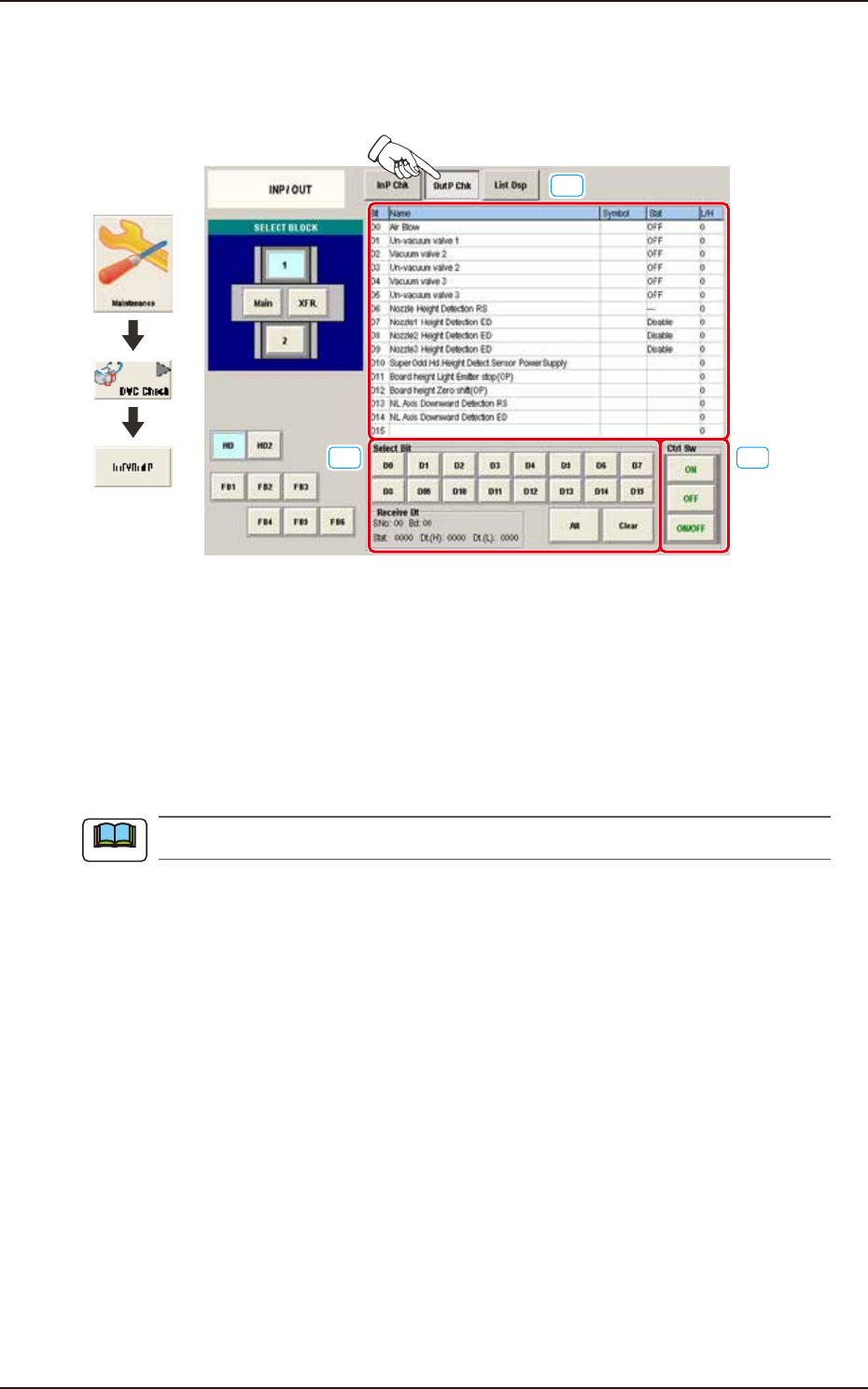
Pressing the [OutP Chk] button on the "INP/OUT" window displays the following window. Check
the sensor output status.
[1]
[2] [3]
Graphic
Development
F3A51A
[1] Status Indicator
Displayed is the status of each section.
Bit : Displayed are the satellite Nos.
Name : Displayed are the satellite names.
Symbol
: Displayed are the satellite symbols.
Stat : Displayed are the satellite statuses.
L/H : Displayed are the satellite logics.
The unused optional functions are not to be displayed.
[2] Select Bit Buttons
Select the button of the satellite for which the output status should be checked. When the desired
button is pressed, the line of the corresponding satellite turns red in the status indicator.
[3] Ctrl Sw
The buttons in this group box are used to turn on or off the satellites.
Note