EUKYX-199-3100_G5S2_Instruction_Vol3_E.pdf - 第123页
EUKYX 1-74 199-3100 6.2 MOTOR 6.2 .4 List Pressi ng the [List] but ton on the "MO T OR" windo w dis pl a ys the fol lowi ng wi nd ow . The window di spl a ys the li s t of status in ea ch section. [1] [2] Graph…
EUKYX
1-73199-3100
6.2 MOTOR
[2] Status Indicator
The status of each section is displayed.
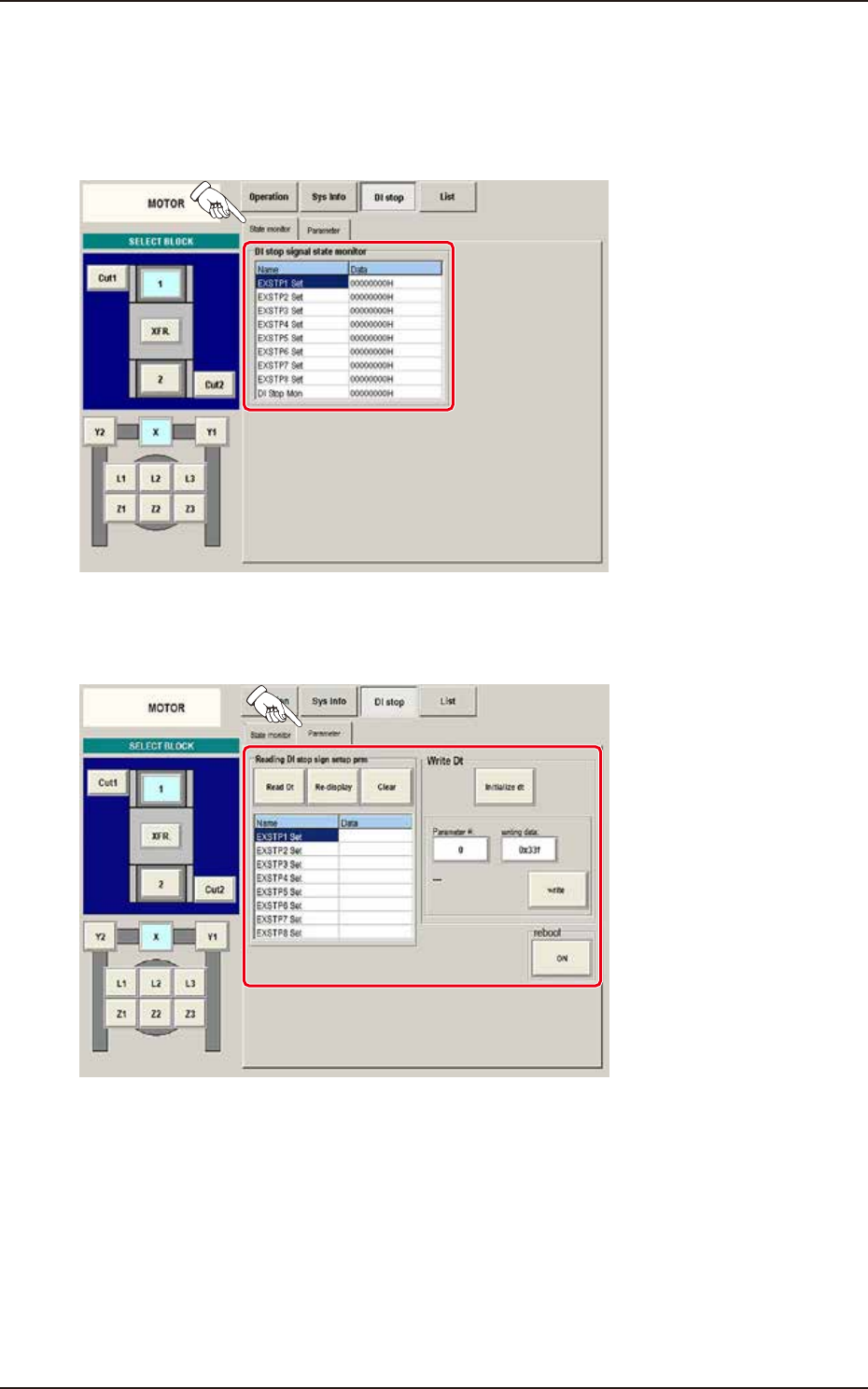
(1) State monitor
When the [State monitor] button is pressed on the "DI stop" window, the "State monitor" window
appears.
F3A65A
(2) Parameter
When the [Parameter] button is pressed on the "DI stop" window, the "Parameter" window appears.
F3A66A
EUKYX
1-74199-3100
6.2 MOTOR
6.2.4 List
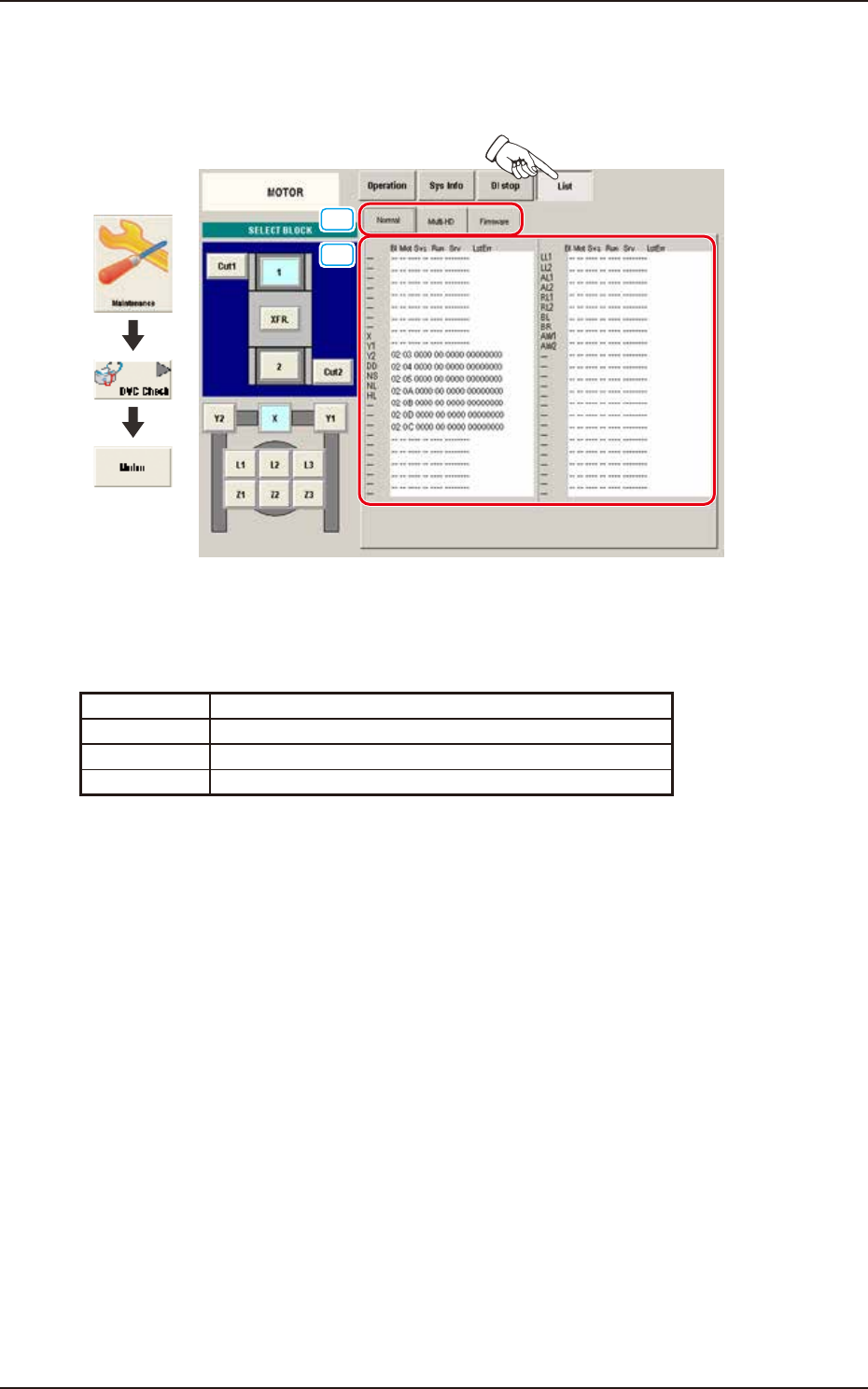
Pressing the [List] button on the "MOTOR" window displays the following window. The window
displays the list of status in each section.
[1]
[2]
Graphic
Development
F3A67A
[1] Display Change Buttons
This "List" windows are provided with the following items. When each button is pressed, the
corresponding window appears.
Button Description
Normal Displayed is the status of the normal.
Multi-HD Displayed is the status of the multi-functional head.
Firmware Displayed is the status of the firmware.
EUKYX
1-75199-3100
6.2 MOTOR
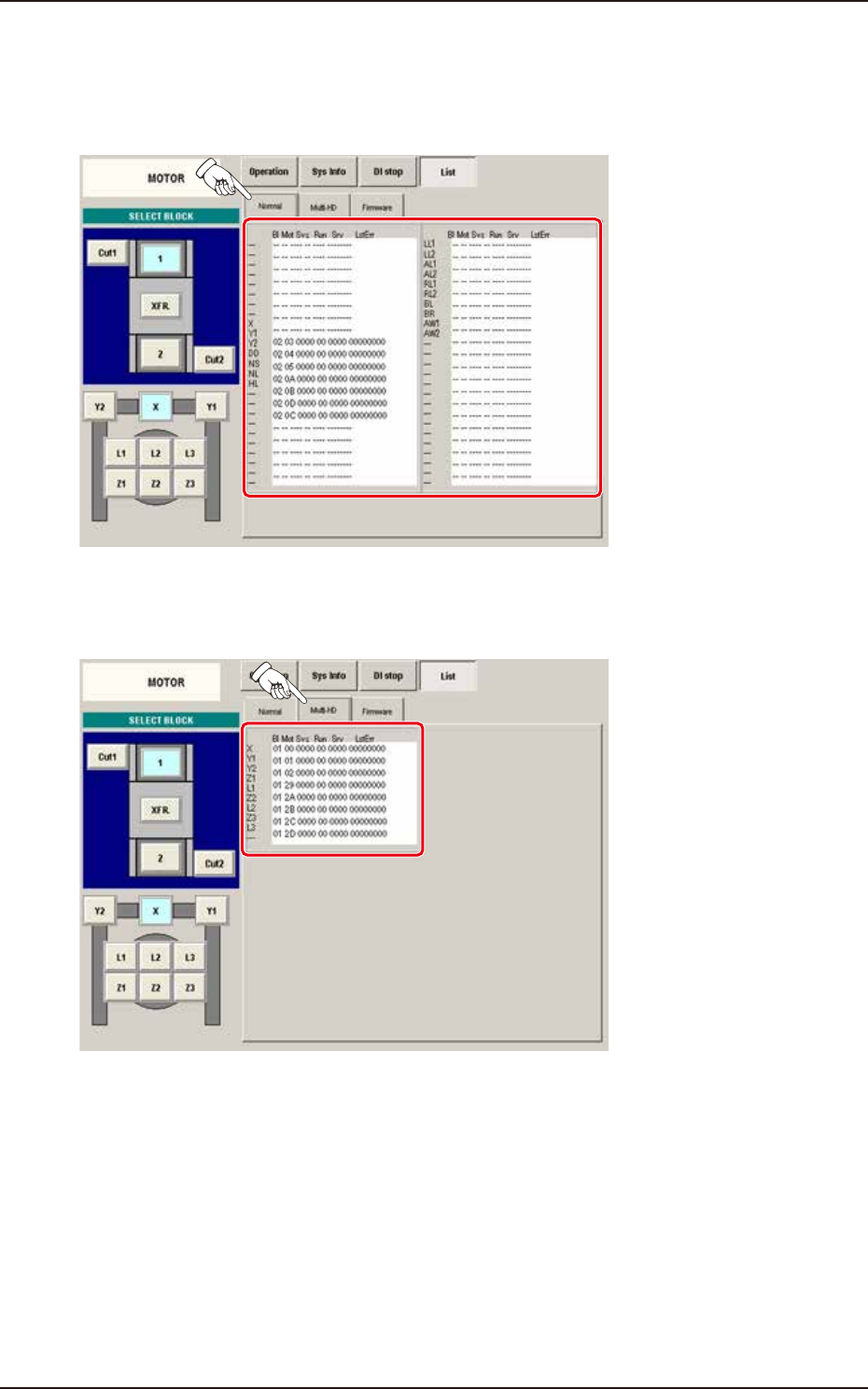
[2] Status Indicator
Displayed is the status of each section.
(1) Normal
When the [Normal] button is pressed on the "List" window, the "Normal" window appears.
F3A68A
(2) Multi-HD
When the [Multi-HD] button is pressed on the "List" window, the "Multi-HD" window appears.
F3A69A