EUKYX-199-3100_G5S2_Instruction_Vol3_E.pdf - 第138页
EUKYX 1-89 199-3100 6.5 PRGM.INFO. 6.5. 1 Application Pressi ng the [Appl ica tion] tab on the [ PRGM.INFO] windo w disp lay s the fol lowin g wi ndow . The ap plicatio n info rm atio n is d isplayed. [2] [3] [1] Graphic…
EUKYX
1-88199-3100
6.5 PRGM.INFO.
6.5 PRGM.INFO.
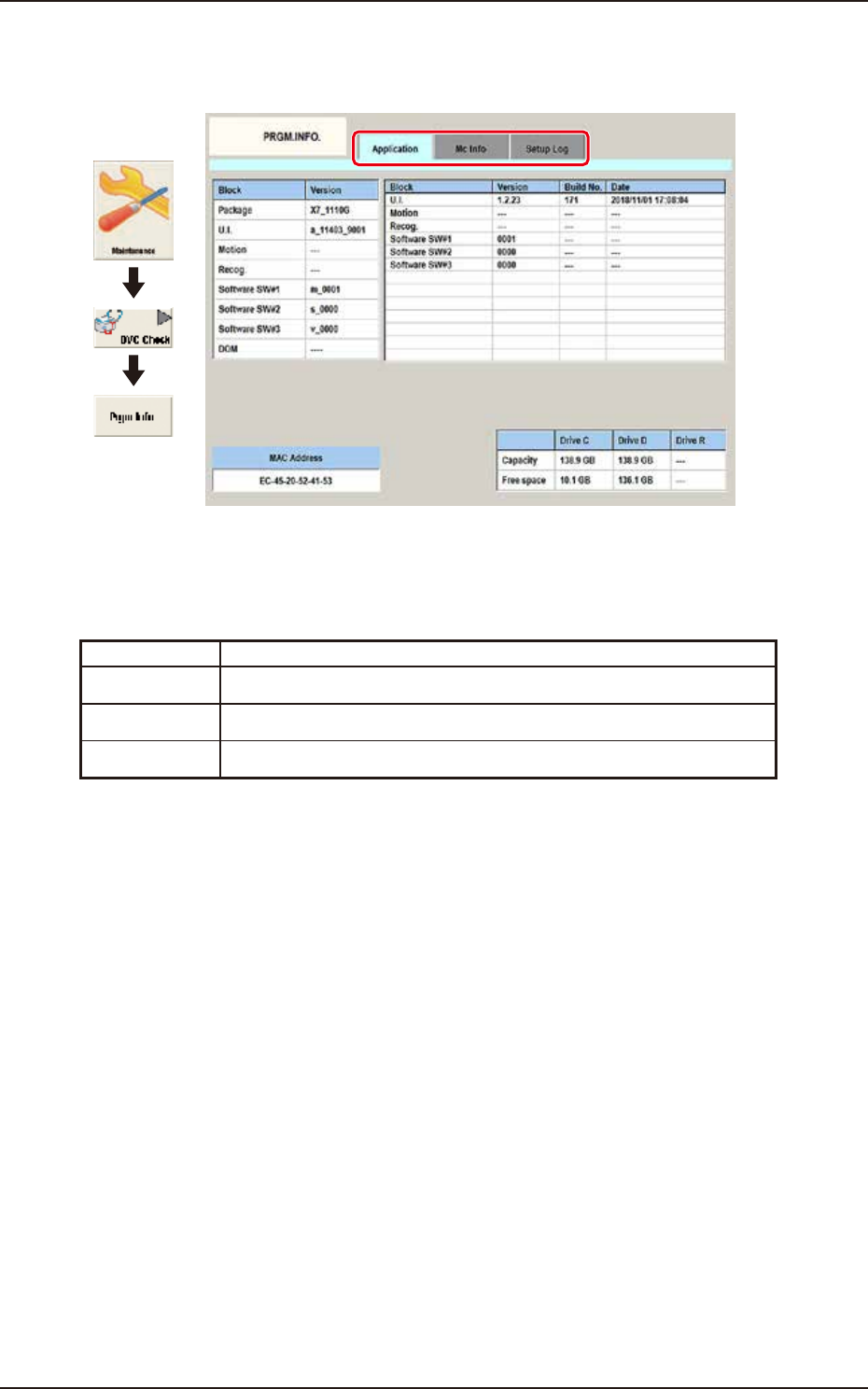
This window displays the current program information and setup logs used for the machine.
Graphic
Development
F3A82A
Tabs
The "PRGM.INFO." window is provided with the following two tabs.
When each tab is pressed, the corresponding tab sheet appears.
Tab Description
Application When this button is pressed, the "Application" window appears.
MC Info When this button is pressed, the “Machine information” window appears.
Setup Log When this button is pressed, the "Setup Log" window appears.
EUKYX
1-89199-3100
6.5 PRGM.INFO.
6.5.1 Application
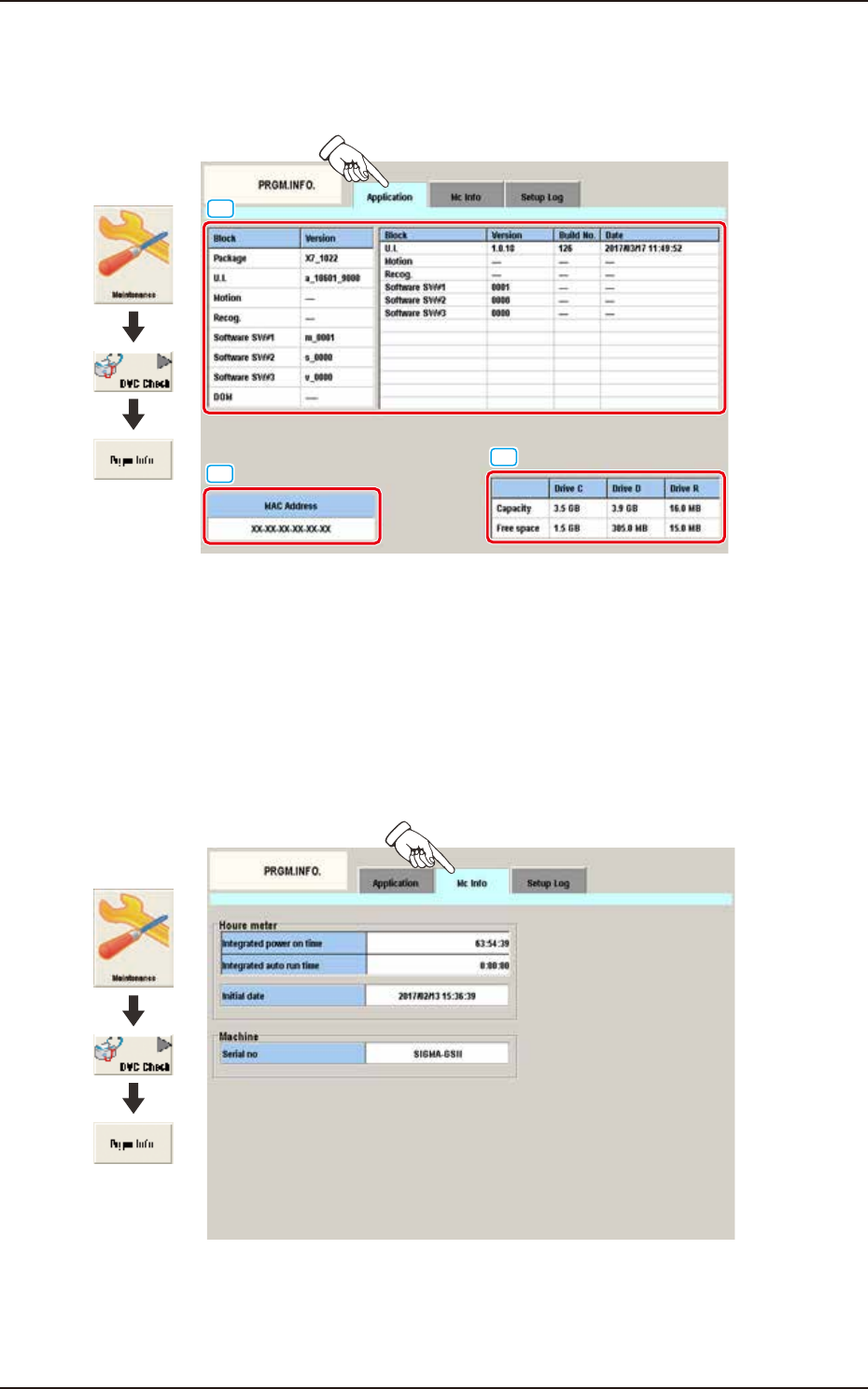
Pressing the [Application] tab on the [PRGM.INFO] window displays the following window. The
application information is displayed.
[2]
[3]
[1]
Graphic
Development
F3A83A
[1] Detailed Display:
Displays the application versions and the updated time per block.
[2] Mac Address:
Displays the Mac Address.
[3] Capacity / Free Space:
Displays the capacity and free space of each drive of U. I.
6.5.2 MC Info
Pressing the [Mc Info] tab on the [PRGM.INFO] window displays the following window. The
machine information is displayed.
Graphic
Development
F3A83B
Detailed Display
The integrated power on time, the integrated auto run time, the initial date and the serial number
are displayed.
EUKYX
1-90199-3100
6.5 PRGM.INFO.
6.5.3 Setup Log
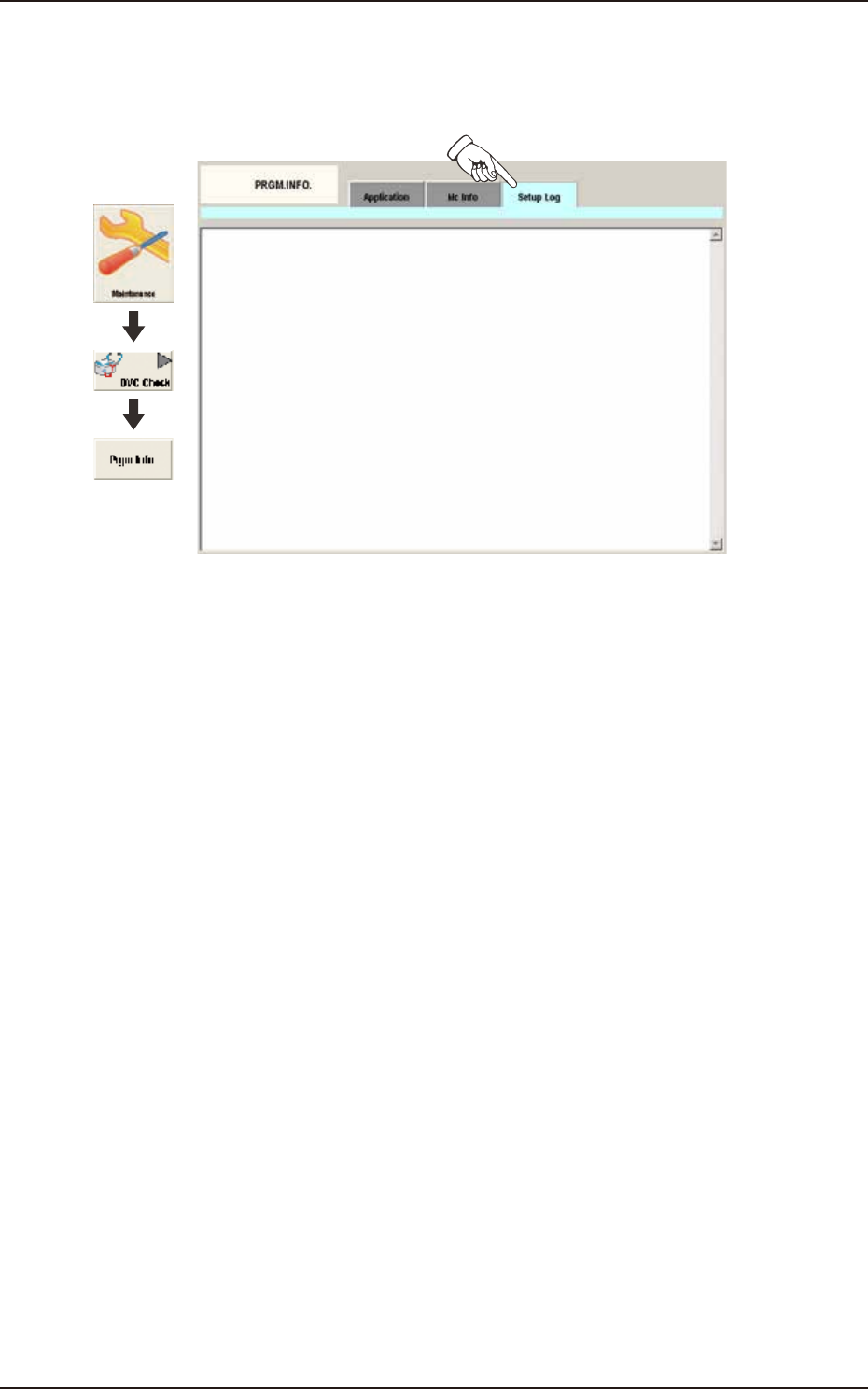
Pressing the [Setup Log] tab on the [PRGM.INFO] window displays the following window. The
setup log information is displayed.
Graphic
Development
F3A84A
Detailed Display
The setup logs of the machine is displayed.