EUKYX-199-3100_G5S2_Instruction_Vol3_E.pdf - 第132页
EUKYX 1-83 199-3100 6.3 RECOG 6.3.3. 1 Cmp . Rec og Pressi ng the [Cmp. Recog] sub tab on the [ Capture Img.] tab di spl a ys the fol lowi ng wi nd ow . [1] [3] [2] Graphic Development F3A77 [ 1 ] Se lect cam era In thi …
EUKYX
1-82199-3100
6.3 RECOG
6.3.3 Capture Img.
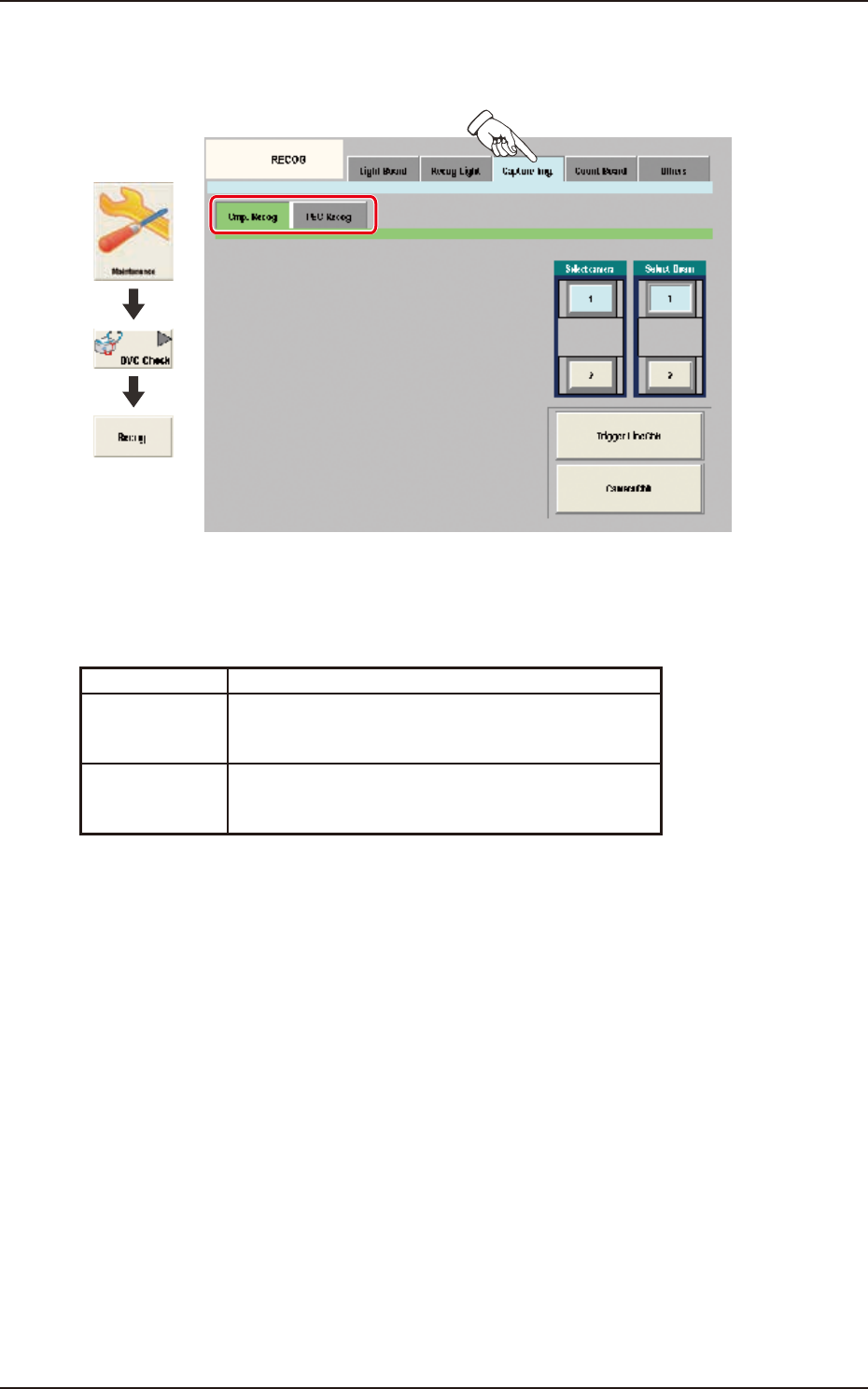
Pressing the [Capture Img.] tab on the [RECOG] window displays the following window.
Graphic
Development
F3A76
Sub Tabs
The "Capture Img." window is provided with the following two tabs. When each tab is pressed, the
corresponding tab sheet appears.
Sub tab Description
Cmp. Recog In this tab sheet the image is captured using the
component recognition camera and the trigger line and
camera performance are checked.
PEC Recog In this tab sheet the image is captured using the PEC
recognition camera and the wire connection and camera
performance are checked.
EUKYX
1-83199-3100
6.3 RECOG
6.3.3.1 Cmp. Recog
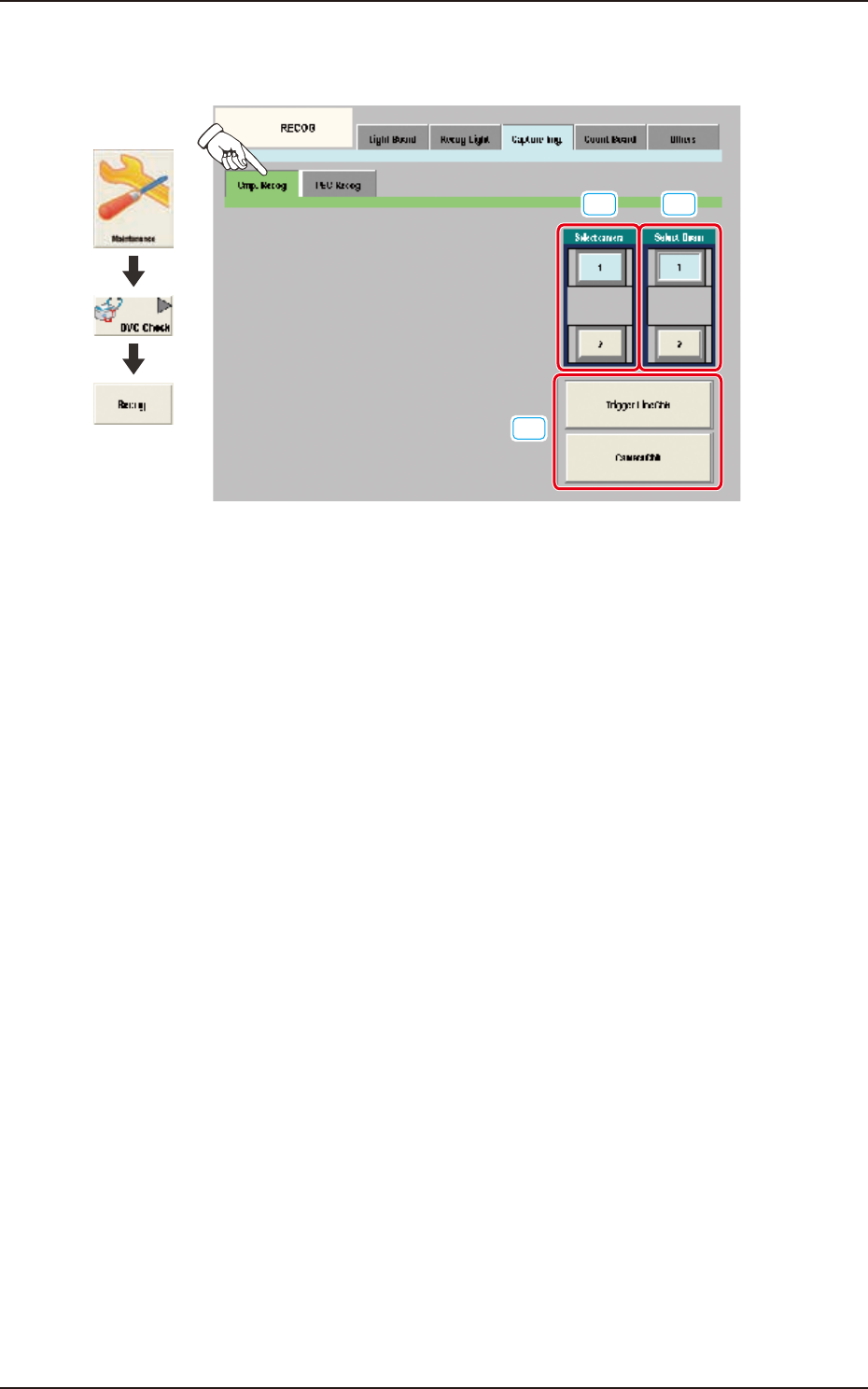
Pressing the [Cmp. Recog] sub tab on the [Capture Img.] tab displays the following window.
[1]
[3]
[2]
Graphic
Development
F3A77
[1] Select camera
In this section the component recognition camera for capturing the component image is selected.
[2] Select Beam
In this section the beam to be checked is selected.
[3] Trigger Line Chk
Using this button, the trigger line for capturing the component image is checked.
Camera Chk
Using this button, the camera is checked.
EUKYX
1-84199-3100
6.3 RECOG
6.3.3.2 PEC Recog
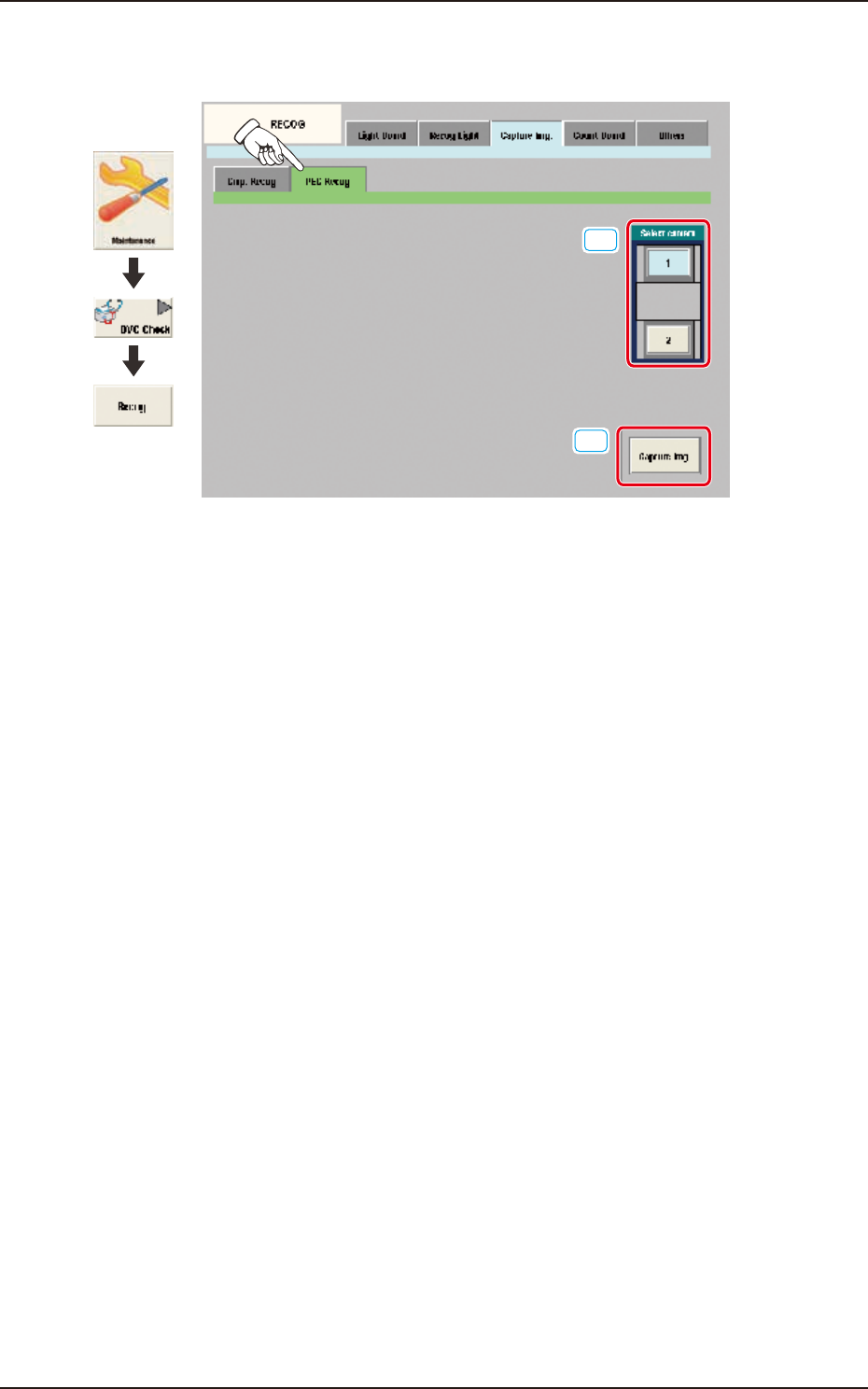
Pressing the [PEC Recog] sub tab on the [Capture Img.] tab displays the following window.
[1]
[2]
Graphic
Development
F3A78
[1] Select camera
In this section, the PEC recognition camera for capturing the component image is selected.
[2] [Capture Img.] Button
Using this button, the image is captured using the selected camera.