EUKYX-199-3100_G5S2_Instruction_Vol3_E.pdf - 第118页
EUKYX 1-69 199-3100 6.2 MOTOR [2] Stat us Indicato r Dis pl a yed is the status of eac h sec tion . ( 1 ) System # 1 , #2, #3, and #4 The "System # 1 " wi ndow appears as an in iti al one of the "Sy stem I…
EUKYX
1-68199-3100
6.2 MOTOR
6.2.2 Sys Info
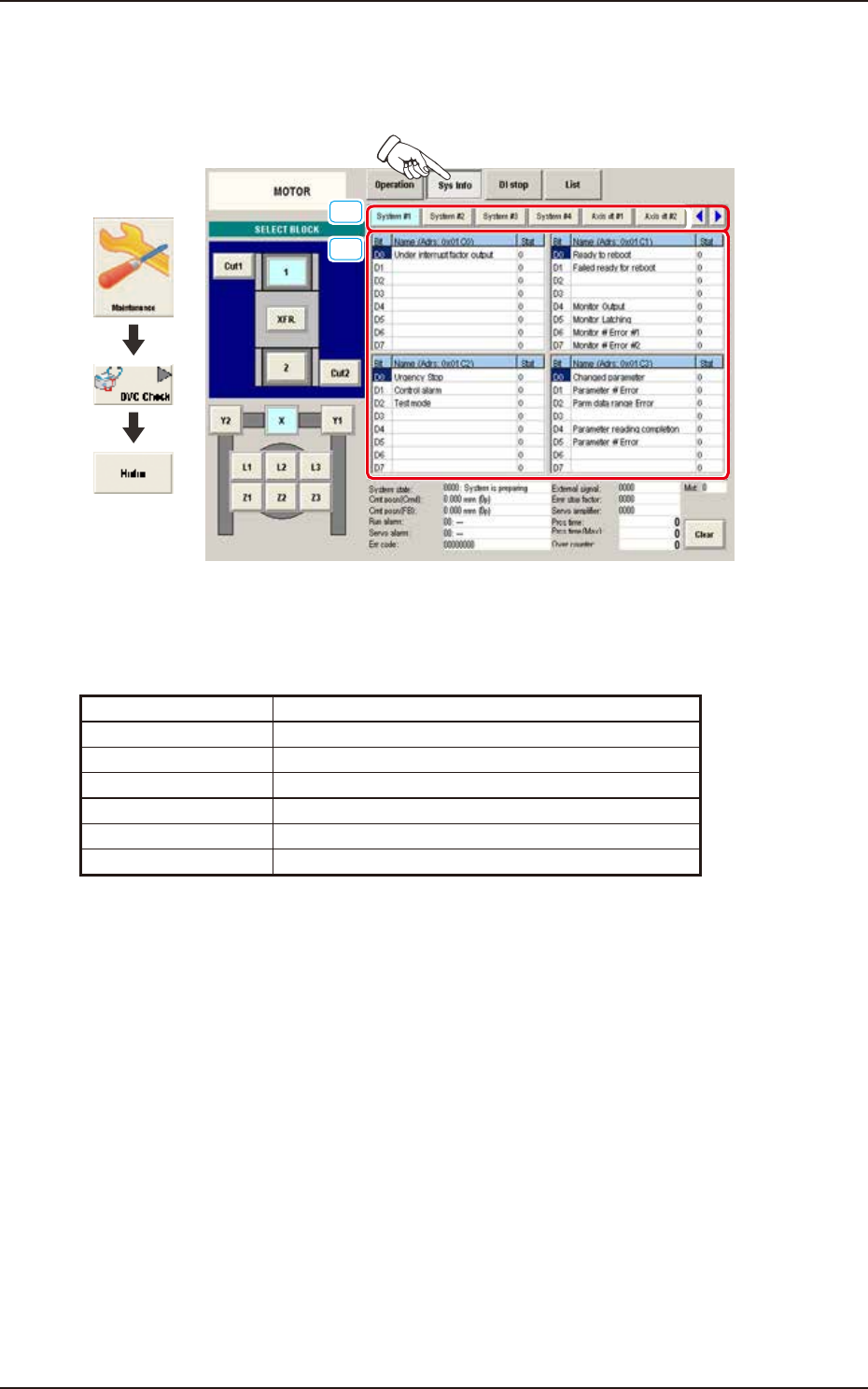
Pressing the [Sys Info] button on the "MOTOR" window displays the following window. The window
displays the machine current system information, etc.
[1]
[2]
Graphic
Development
F3A57A
[1] Display Change Buttons
The "Sys Info" windows are provided with the following item. When each button is pressed, the
corresponding window appears.
Button Description
System #1 to #4 Displayed is the status of System #1 through #4.
Axis dt #1 to #4 Displayed is the status of Axis dt #1 through #4.
Servo amp Displayed is the status of the servo amplifier.
Alarm Displayed is the status of the alarm.
Monitor Displayed is the status of the monitor.
Parameter Displayed is the status of the parameter.
EUKYX
1-69199-3100
6.2 MOTOR
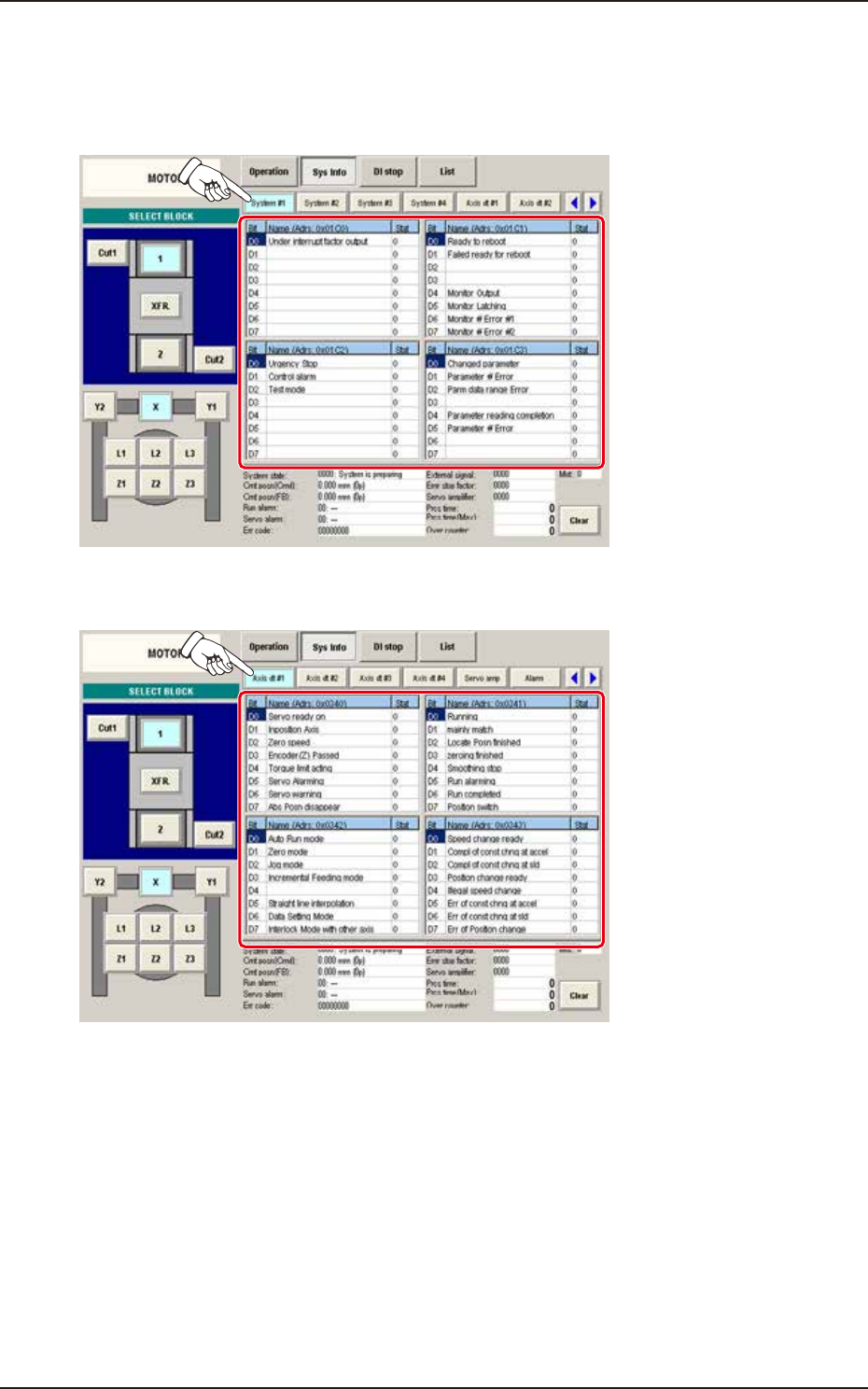
[2] Status Indicator
Displayed is the status of each section.
(1) System #1, #2, #3, and #4
The "System #1" window appears as an initial one of the "System Info" window.
F3A58A
(2) Axis dt #1, #2, #3, and #4
F3A59A
EUKYX
1-70199-3100
6.2 MOTOR
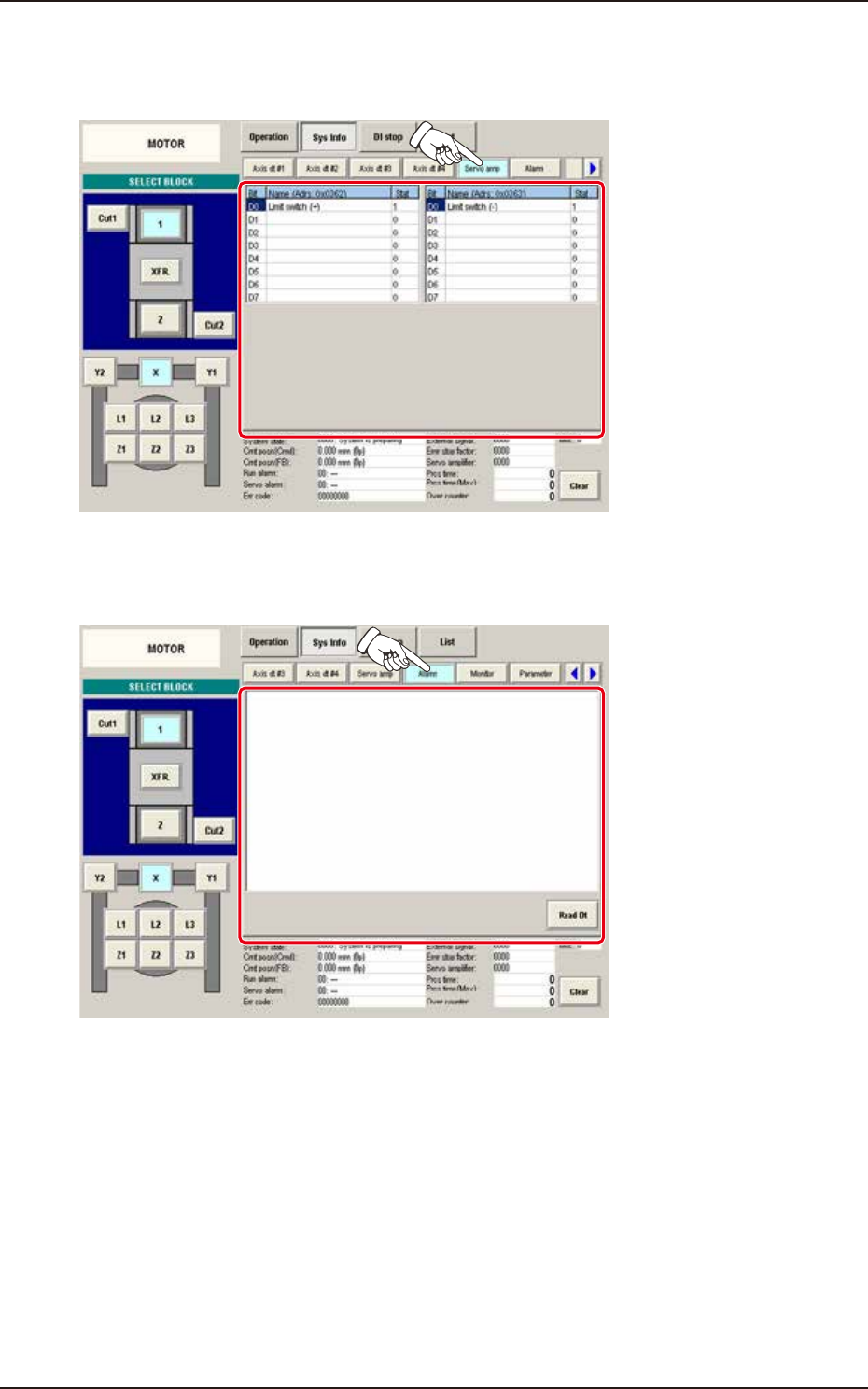
(3) Servo amp
When the [Servo amp] button is pressed on the "Sys Info" window, the "Servo amp" window
appears.
F3A60A
(4) Alarm
When the [Alarm] button is pressed on the "Sys Info" window, the "Alarm" window appears.
F3A61A