EUKYX-199-3100_G5S2_Instruction_Vol3_E.pdf - 第119页
EUKYX 1-70 199-3100 6.2 MOTOR (3 ) Ser vo amp When the [ Ser vo amp] but ton is pressed on the "Sys Inf o" wi ndow , the " Ser vo amp" wi ndow app ear s. F3A60A (4) A la rm When the [Alarm] button is …
EUKYX
1-69199-3100
6.2 MOTOR
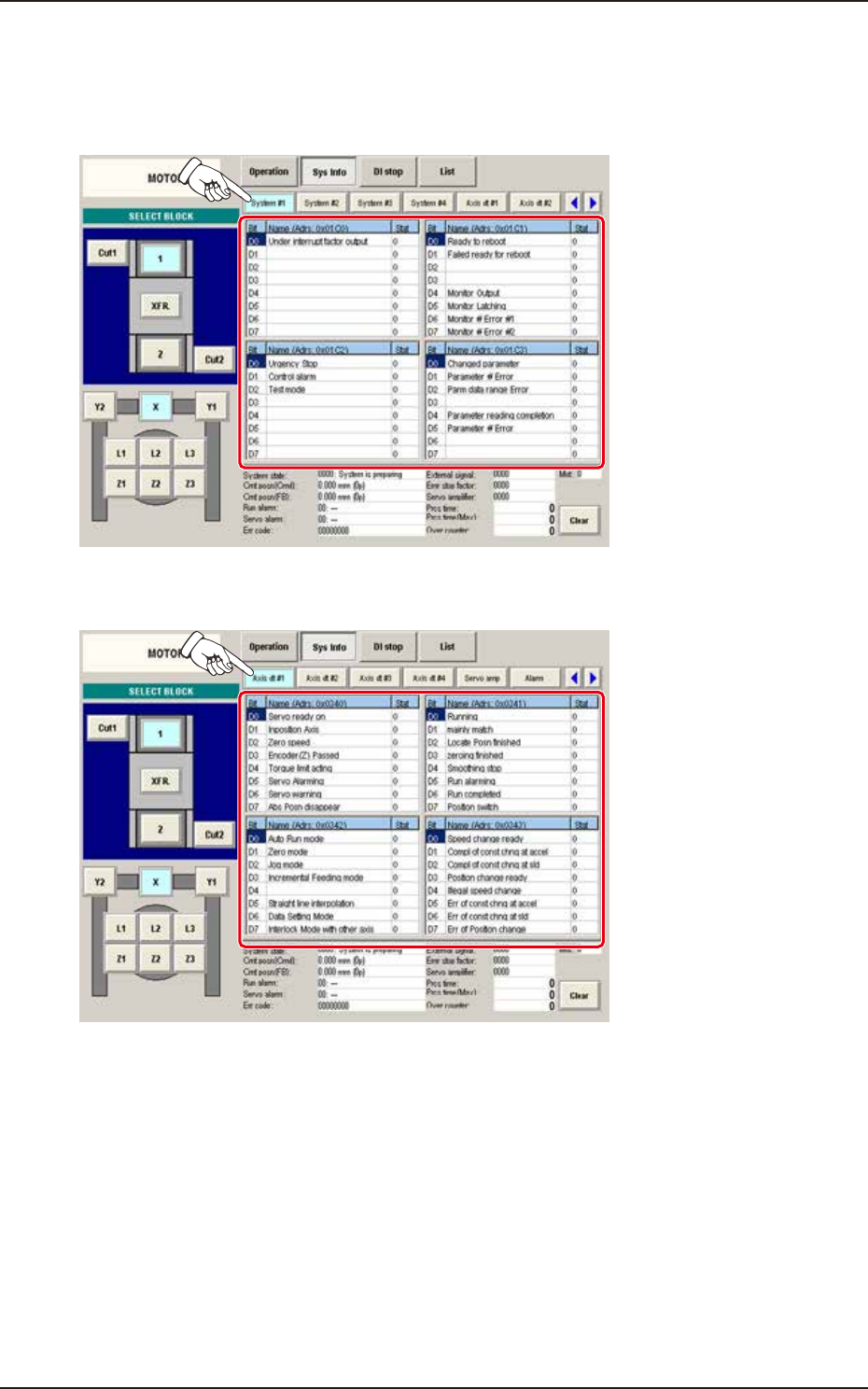
[2] Status Indicator
Displayed is the status of each section.
(1) System #1, #2, #3, and #4
The "System #1" window appears as an initial one of the "System Info" window.
F3A58A
(2) Axis dt #1, #2, #3, and #4
F3A59A
EUKYX
1-70199-3100
6.2 MOTOR
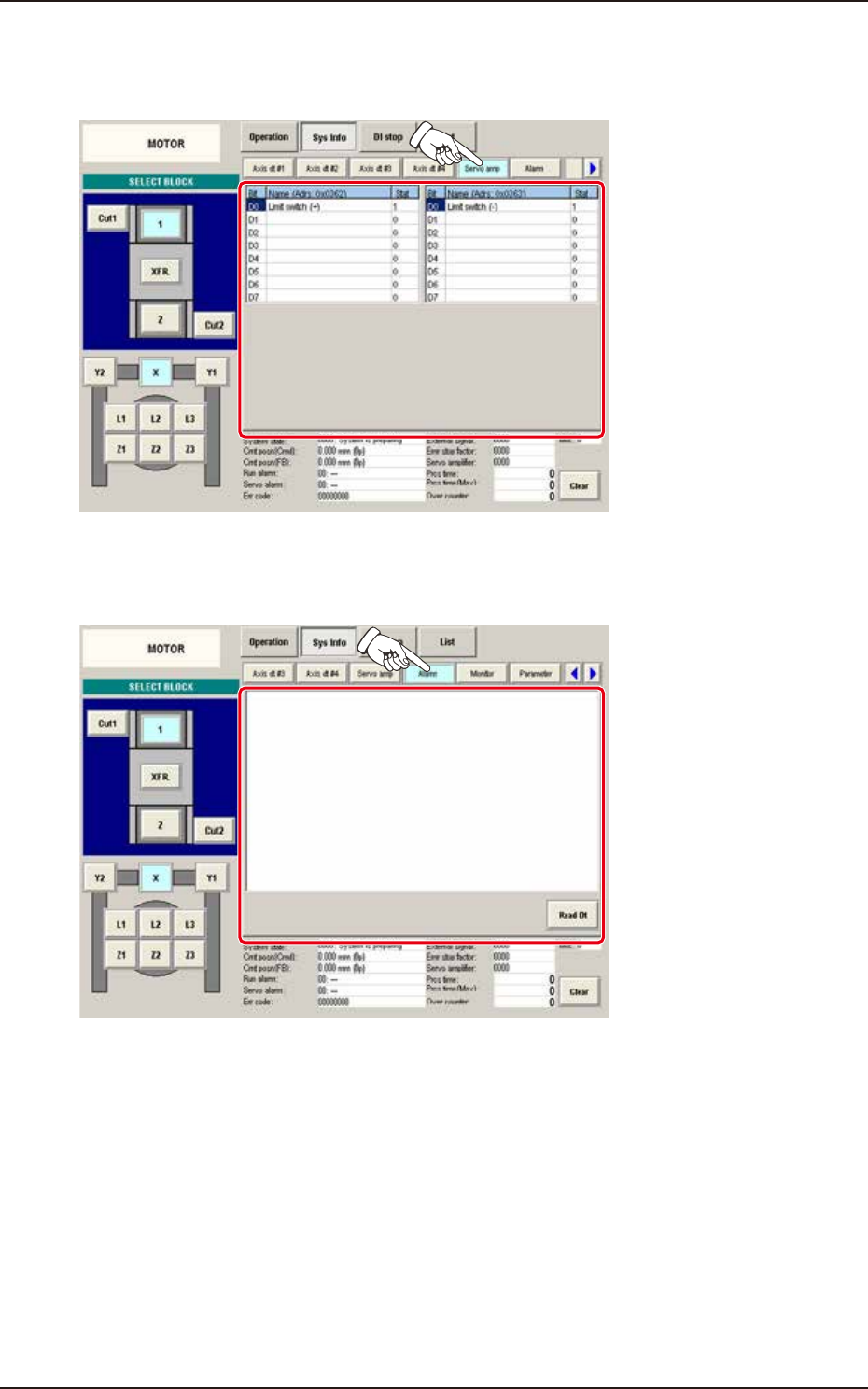
(3) Servo amp
When the [Servo amp] button is pressed on the "Sys Info" window, the "Servo amp" window
appears.
F3A60A
(4) Alarm
When the [Alarm] button is pressed on the "Sys Info" window, the "Alarm" window appears.
F3A61A
EUKYX
1-71199-3100
6.2 MOTOR
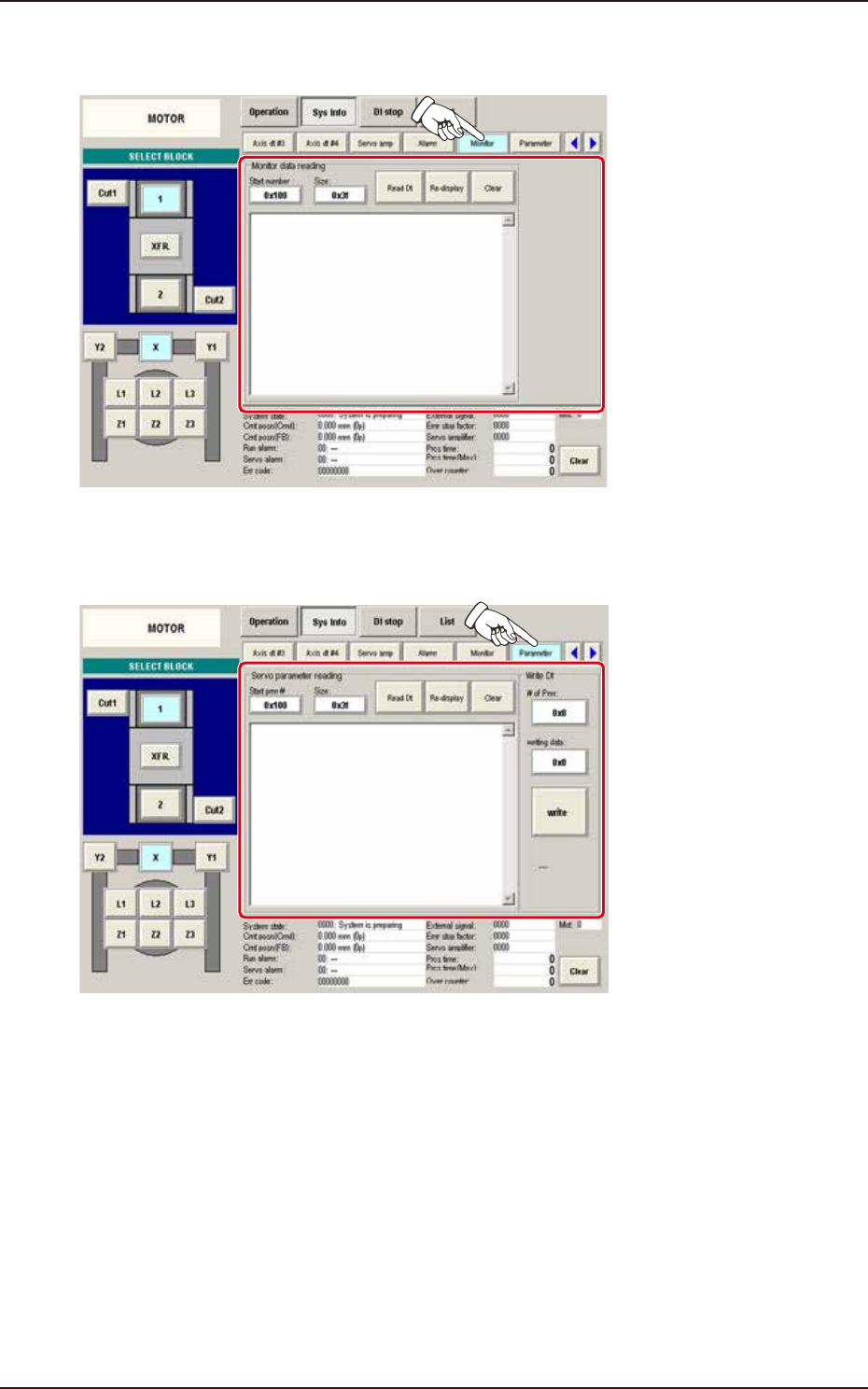
(5) Monitor
When the [Monitor] button is pressed on the "Sys Info" window, the "Monitor" window appears.
F3A62A
(6) Parameter
When the [Parameter] button is pressed on the "Sys Info" window, the "Parameter" window appears.
F3A63A