EUKYX-199-3100_G5S2_Instruction_Vol3_E.pdf - 第191页
EUKYX 2-43 199-3100 2.6 Nozzle 2.6.8 Noz Sel A xis Pos Pressi ng the [Noz Sel Axis Pos] tab on the "Nozzl e" wi ndow di spl ays the fol lowi ng window . [2] [1] Graphic Development F3B55A [1] N o z z l e Each N…
EUKYX
2-42199-3100
2.6 Nozzle
2.6.7 Press-Fit Work
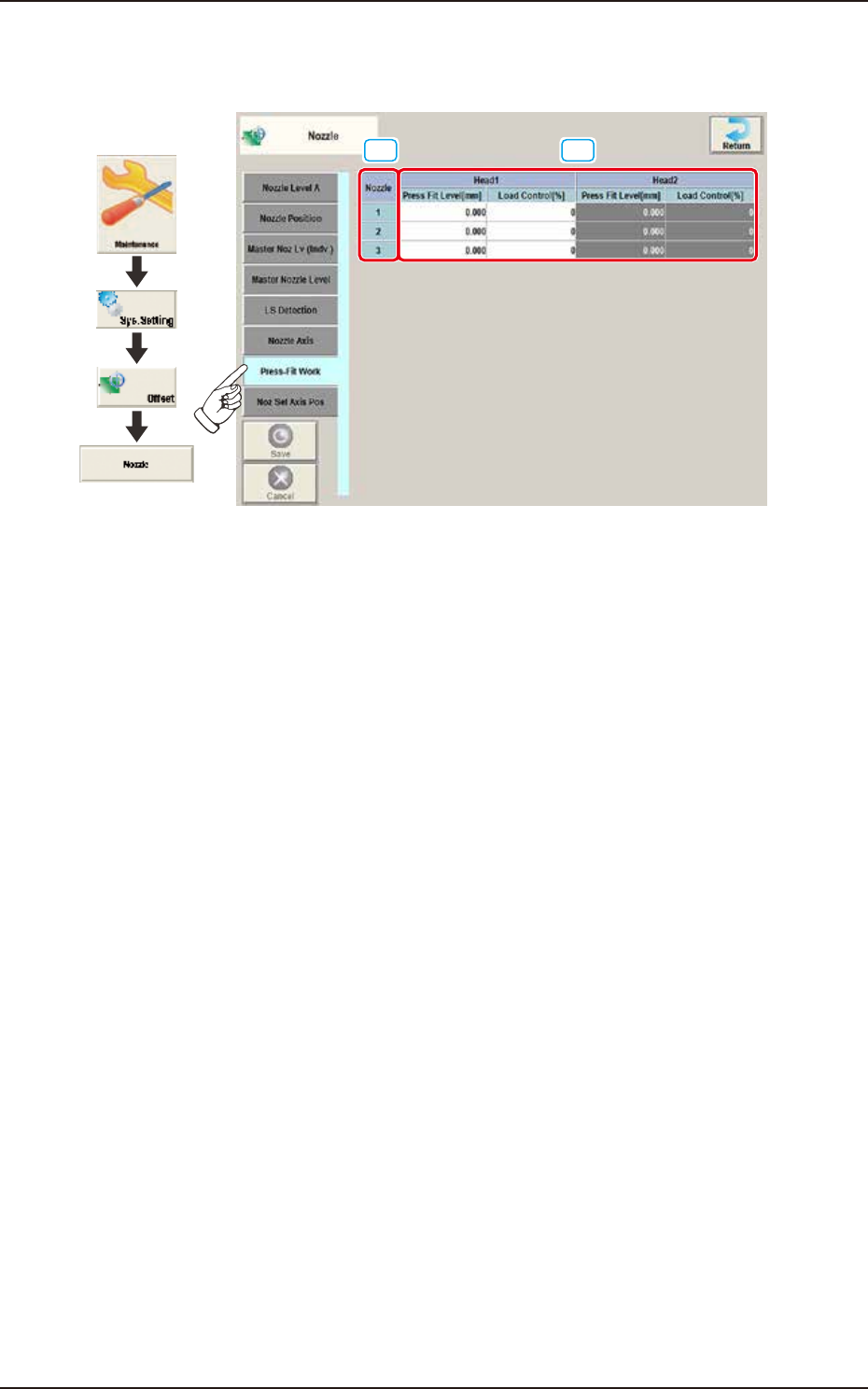
Pressing the [Press-Fit Work] tab on the "Nozzle" window displays the following window.
[1]
[2]
Graphic
Development
F3B54A
[1] Nozzle
In this section, each nozzle No. is displayed.
[2] Head 1 and Head 2
Press Fit Level [mm]
The correction is performed when the nozzle attachment position is deviated due to the
component change in these text boxes. Positive value reduces the operation range and
negative value increases the operation range.
Load Control [%]
It is the set load offset data for load limit.
EUKYX
2-43199-3100
2.6 Nozzle
2.6.8 Noz Sel Axis Pos
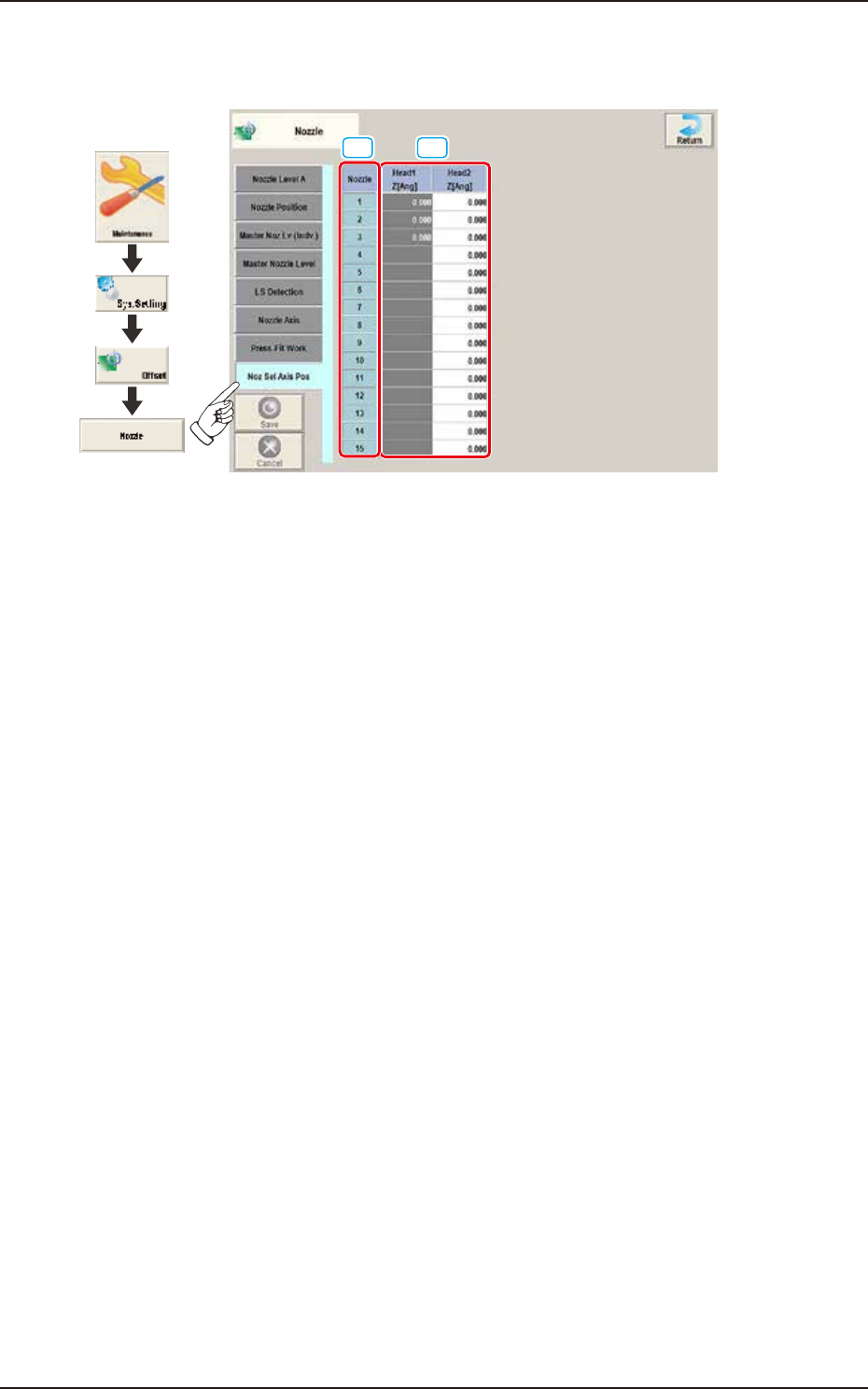
Pressing the [Noz Sel Axis Pos] tab on the "Nozzle" window displays the following window.
[2][1]
Graphic
Development
F3B55A
[1] Nozzle
Each Nozzle No. is displayed in these boxes.
[2] Head1 / Head2
Z [Ang]
These offset parameters are used to correct the position relation between the nozzle selection axis
and the nozzle.
EUKYX
2-44199-3100
2.7 Nozzle Stocker
2.7 Nozzle Stocker
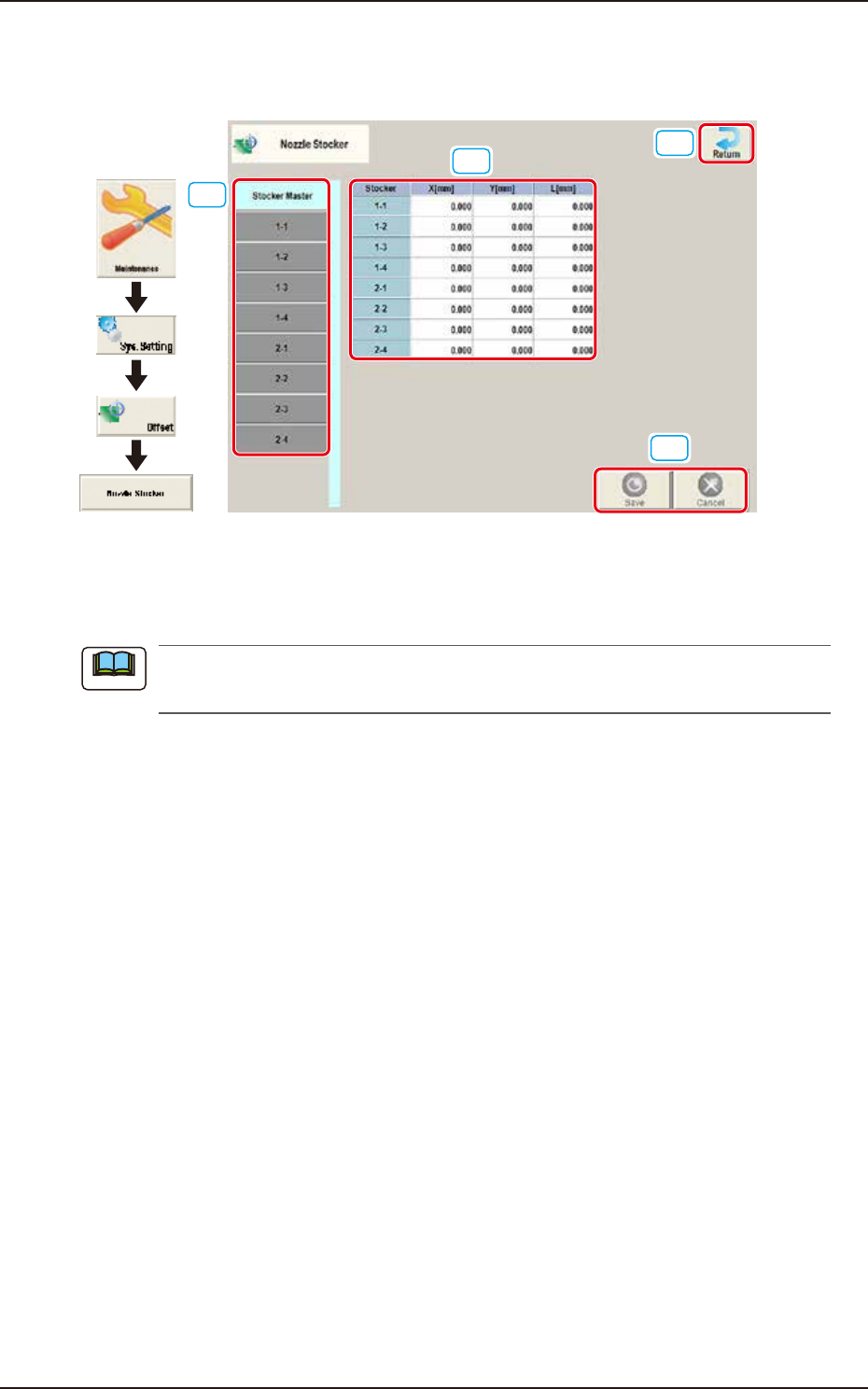
Pressing the [Nozzle Stocker] button on the "Offset Data" window displays the following window.
[4]
[2]
[1]
[3]
Graphic
Development
F3B56
[1] Offset button
When this button is pressed, the offset data for the selected tab is displayed.
When the [Stocker Master] tab is pressed, the set values of 1-1 through 1-4 and 2-1 through
2-4 are displayed.
[2] Offset Data Display Section
In this section, the offset data selected in step [1] is displayed.
[3] [Return] button
When this button is pressed, the window returns to the “Offset Data” window.
[4] [Save] button
When this button is pressed, the input data is saved.
[Cancel] button
When this button is pressed the input data is cancelled and the window returns to the saved data.
Note