EUKYX-199-3100_G5S2_Instruction_Vol3_E.pdf - 第57页
EUKYX 1-8 199-3100 3.2 Nozzle Stocker [2] High-speed stocker The hi gh -spee d stock er t ype is selected in thi s selection box. [High ] But t on : The unit with high - spe ed nozzl e stoc ker is selec ted. [ M R12 ] B …
EUKYX
1-7199-3100
3.2 Nozzle Stocker
3.2 Nozzle Stocker
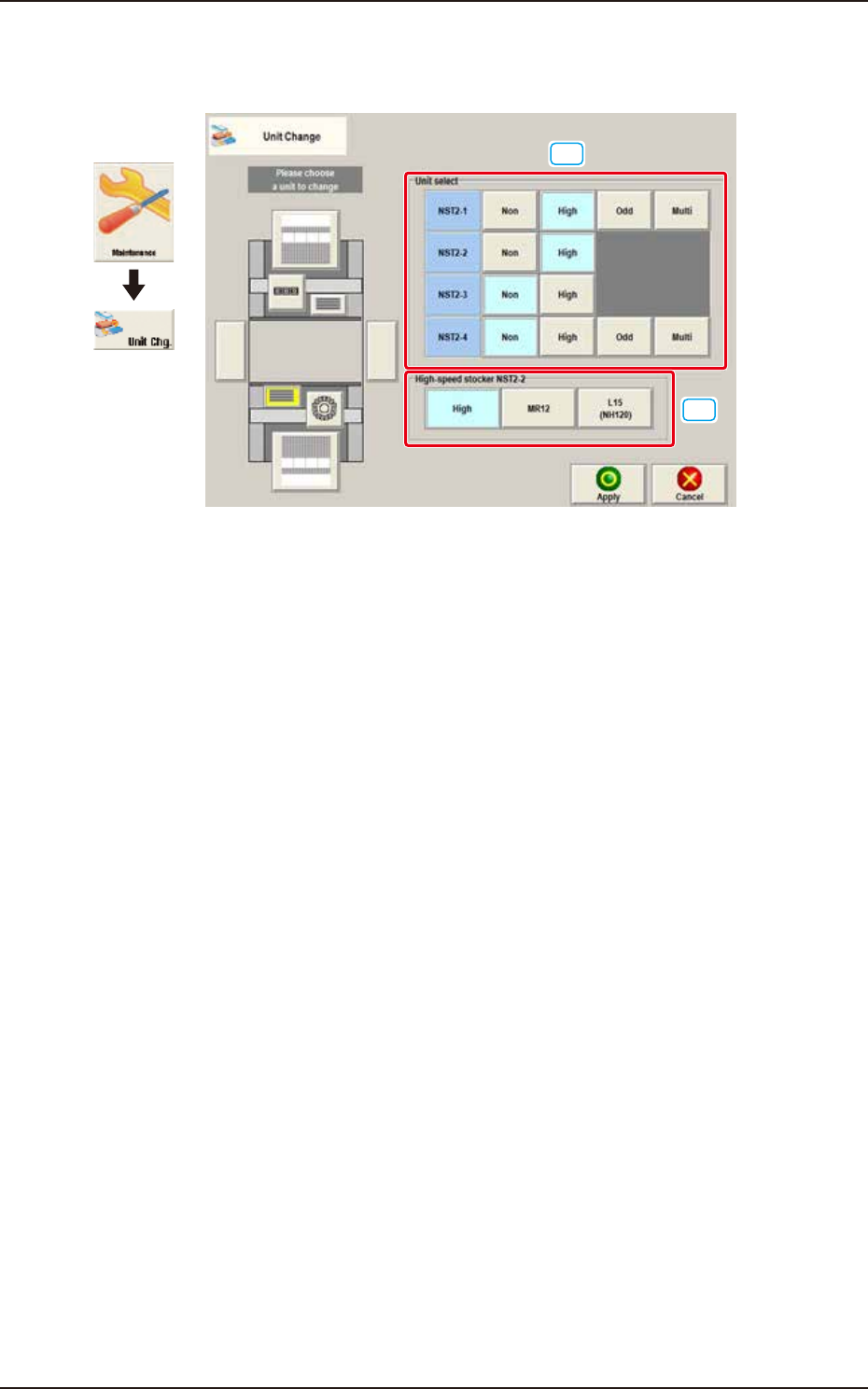
When the nozzle stocker button is pressed, the following window appears.
[1]
[2]
Graphic
Development
F3A8A
[1] Unit select
[Non] Button : The unit without nozzle stocker is selected.
[High] Button : The unit with high-speed nozzle stocker is selected.
[Odd] Button :
The unit with middle size and odd shape nozzle stocker (option) is selected.
[Multi] Button : The unit with multi-functional nozzle stocker (option) is selected.
EUKYX
1-8199-3100
3.2 Nozzle Stocker
[2] High-speed stocker
The high-speed stocker type is selected in this selection box.
[High] Button : The unit with high-speed nozzle stocker is selected.
[MR12] Button : The unit with MR12 nozzle stocker is selected.
[L15 (NH120)] Button : The unit with nozzle stocker for special large nozzles (GS-NM101) is
selected.
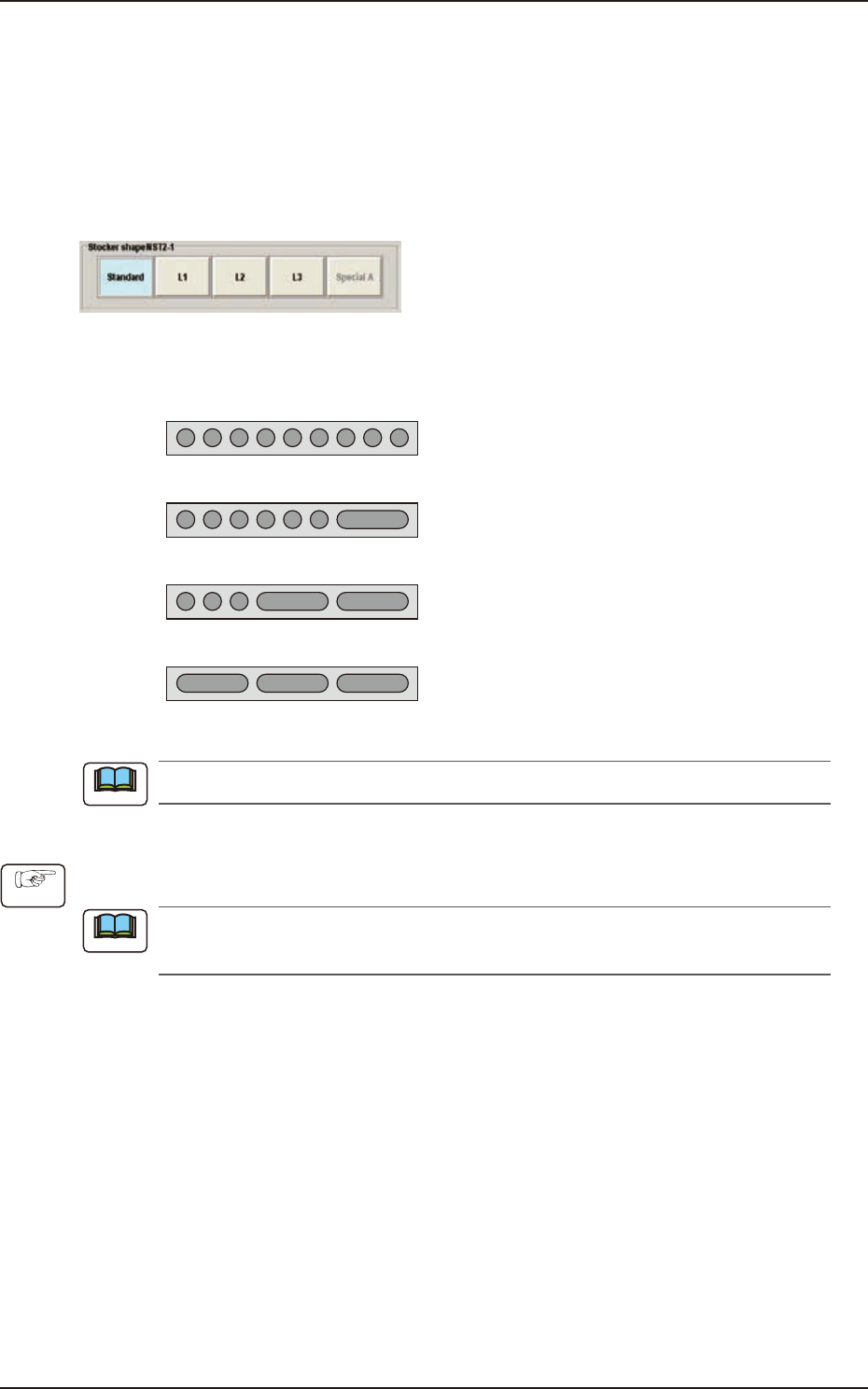
Multi-Functional Stocker Shape Selection
F3A9
The multi-functional nozzle stocker shape is selected in this section.
Standard
L1
L2
L3
KYB-M9640-000 (GS-NM110) : Max. 9 Nozzles
KYB-M96E0-000 (GS-NM111) : Max.7 Nozzles
KYB-M96E0-100 (GS-NM112 ) : Max.5 Nozzles
KYB-M96E0-200 (GS-NM113 ) : Max.3 Nozzles
F3A10A
When the nozzle stocker is to be added, an optional unit is required separately.
• Nozzle Stocker Setting Procedure
(1) Press the button for the installed nozzle stocker in the "Unit Select" area.
For the high-speed nozzle stocker, the stocker type is displayed and for the multi-functional
nozzle stocker, the stocker shape is displayed.
(2) Press the stocker type or stocker shape button.
(3) Press the [Apply] button.
Note
Procedure
Note
EUKYX
1-9199-3100
3.3 Feeder Unit
3.3 Feeder Unit
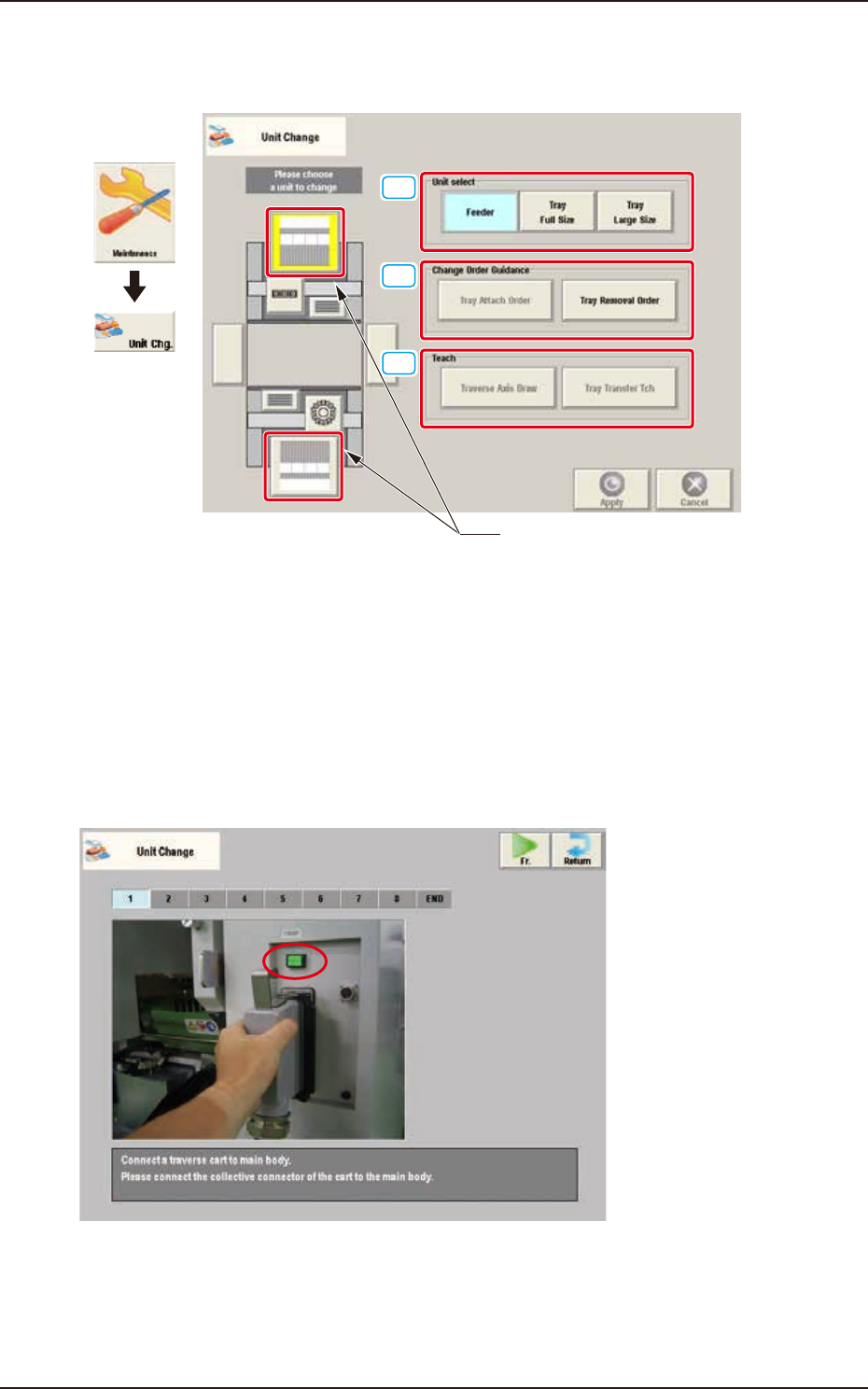
When the feeder unit button is pressed, the following window appears.
[1]
[2]
[3]
Feeder unit button
Graphic
Development
F3A11A
[1] Unit select
[Feeder] Button : The unit with feeder is selected.
[Tray Full Size] Button : The FULL size tray feeder (option) is selected.
[Tray Large Size] Button : The Large size tray feeder (option) is selected.
[2] Change Order Guidance
When one of these buttons is pressed, the attachment or removal window for the "Tray Large-Size"
(Option) or "Tray Full-Size" (Option) appears.
F3A12